22 best AI automation tools: Comparison and how to choose the right one
May 18, 2026
/
Dominykas J.
/
13 min Read
The rise of AI-powered automation is reshaping industries, enabling businesses to reduce costs and improve decision-making.
AI tools can enhance efficiency and productivity, from automating customer support to streamlining marketing campaigns. With more AI automation solutions available than ever, selecting the right one can be overwhelming.
This guide breaks down 22 of the best AI tools for automation, comparing their key features and use cases. Whether you’re new to automation or looking to upgrade your existing tools, this article will help you make an informed decision.
A quick comparison of the best AI automation tools
AI-powered tools come in many forms, each serving different business needs. Some automate workflows, others handle customer interactions, and some focus on data analytics.
To pick the right tool, consider:
- Your business needs. Do you need workflow automation, chatbot AI, or data insights?
- Ease of use. Some tools (Hostinger Horizons, ChatGPT) are beginner-friendly, while others (UiPath, Rasa) require technical skills.
- Pricing. Many tools offer free plans, but enterprise-grade features often require a subscription.
Here’s a quick breakdown of the six main categories of AI tools, the best tools for the job, and what they’re used for:
| Category | Top tools | Best for |
| AI app builders | Hostinger Horizons | Building and deploying websites and web apps using AI prompts |
Workflow automation | N8n, DronaHQ, Zapier, Make, MS Power Automate | Teams needing to connect apps and automate tasks across platforms |
| Robotic process automation (RPA) | UiPath, Automation Anywhere, Blue Prism | Enterprise-grade automation of repetitive, rule-based tasks |
| AI chatbots | ChatGPT, IBM Watson, Rasa, Ada | Customer service automation and handling repetitive queries |
| AI virtual assistants | Microsoft Copilot, Gemini | Enhanced productivity, writing assistance, and workflow optimization |
| Data processing and analytics | Grafana, Datadog, Elastic, Tableau AI | Data analysis, visualization, and automated monitoring |
| AI test automation | Mabl, Testim, Functionize | Software testing automation with self-healing capabilities |
When it comes to pricing, the tools can be divided into:
- Budget-friendly options – Hostinger Horizons, Zapier, and Make offer free tiers suitable for small businesses and individuals.
- Mid-range solutions – Microsoft Power Automate and ChatGPT provide good value for their capabilities.
- Enterprise-level investments – UiPath and IBM Watson represent significant investments for large organizations.
- Open-source alternatives – n8n (self-hosted) and Rasa offer free options for organizations with technical expertise.
Another considerable factor is the ease of use:
- Most user-friendly – Hostinger Horizons, Zapier, and ChatGPT stand out as accessible even for complete beginners.
- Moderate learning curve – Make, MS Power Automate, and Automation Anywhere require some technical foundation but offer guided interfaces.
- Technically demanding – UiPath, Blue Prism, IBM Watson, Rasa, and Elastic demand significant technical expertise and training.
Let’s now explore these AI tools in detail.

Top 22 AI automation tools
Here are our picks of the top AI solutions, based on their performance and real-world impact.
1. Hostinger Horizons
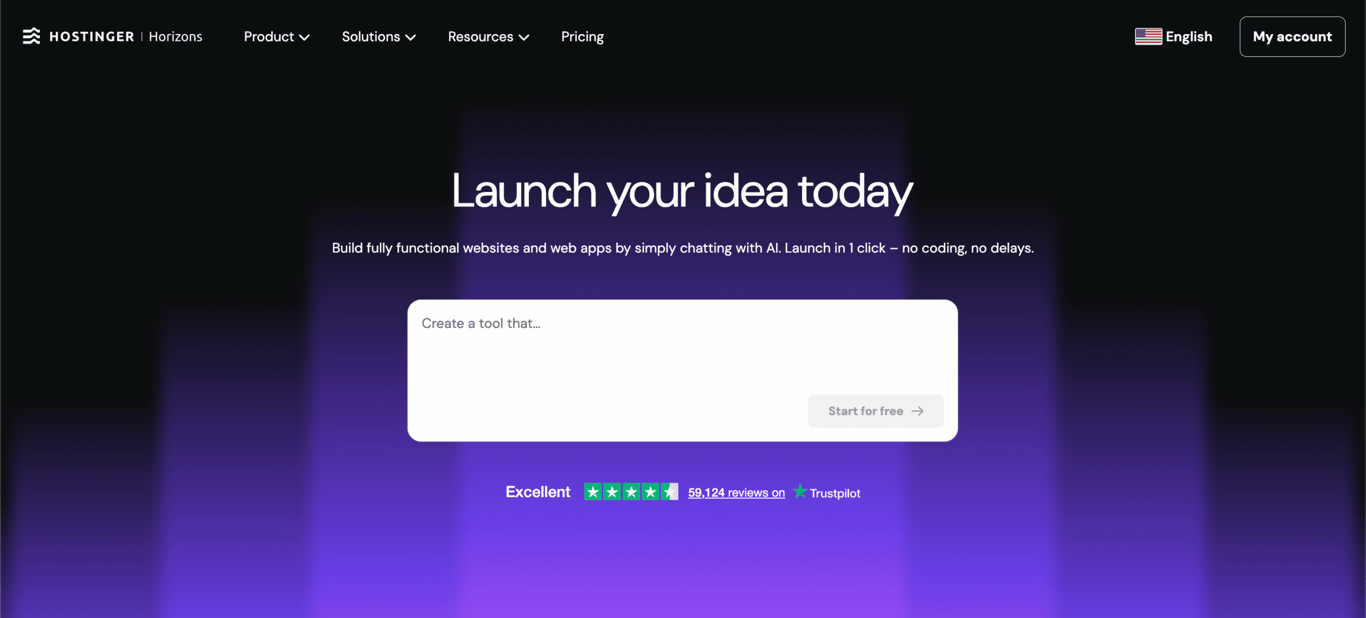
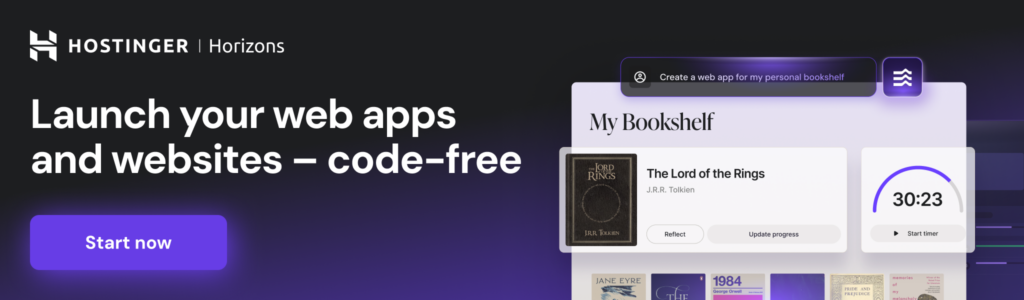
Hostinger Horizons is an AI creation platform that lets you build and launch websites and web apps just by describing what you want.
Instead of writing code or stitching together separate tools, you type a prompt, and the AI generates a working project you can edit, refine, and publish with a single click.
Key features
- AI-driven app and website generation from text prompts
- Integrated backend with built-in database, authentication, file storage, and automated emails
- One-click deployment with built-in hosting, SSL, and CDN
- Real-time editing through a chat-based interface
- Integrations with Stripe, Supabase, and third-party APIs
- Multilingual support in 80+ languages
Pros and cons
| Pros | Cons |
| True all-in-one solution (hosting, domain, backend, email included) | Credit-based system can feel limiting on lower-tier plans |
| Integrated backend handles auth, data storage, and emails automatically | Code editor only available on higher-tier plans |
| No coding or technical knowledge required | No real-time team collaboration features |
| Built-in ecommerce via Stripe integration | Integrated payments not yet available (currently requires Stripe) |
Pricing
- Free trial – 7-day trial with 5 AI credits
- Explorer – Starts at CA$ 13.99/month (30 credits/month)
- Starter – CA$ 27.89/month (70 credits/month)
- Hobbyist – CA$ 69.79/month (200 credits/month, includes code editor)
- Hustler – CA$ 139.49/month (400 credits/month, early access to new features)
Why choose it?
Hostinger Horizons is a great fit for non-technical founders, freelancers, and small business owners who want to go from idea to live web app without hiring a developer.
Since hosting, domain, security, and a full backend are all bundled in, there’s no need to manage separate services. It’s especially useful for quickly building web apps, landing pages, or simple ecommerce stores.
2. n8n
n8n is a self-hosted, open-source automation tool designed for users who need flexibility and data control.

Key features
- Self-hosted and open-source
- Extensive API support
- Advanced logic and scripting
- Scalable deployment
Pros and cons
| Pros | Cons |
| Full data privacy (self-hosted) | Requires setup and maintenance |
| Highly customizable | Fewer integrations than Zapier |
| Free for self-hosting | No official customer support |
| Supports complex workflows | Harder to learn |
Pricing
- Free – Unlimited self-hosted workflows
- Cloud plan – Starts at $20/month (managed hosting).
- Enterprise – Custom pricing for large-scale automation
Why choose it?
n8n is ideal for businesses needing data security and customization. It requires some technical expertise, but its flexibility makes it a top choice for users who need more than standard automated workflow management.
3. DronaHQ
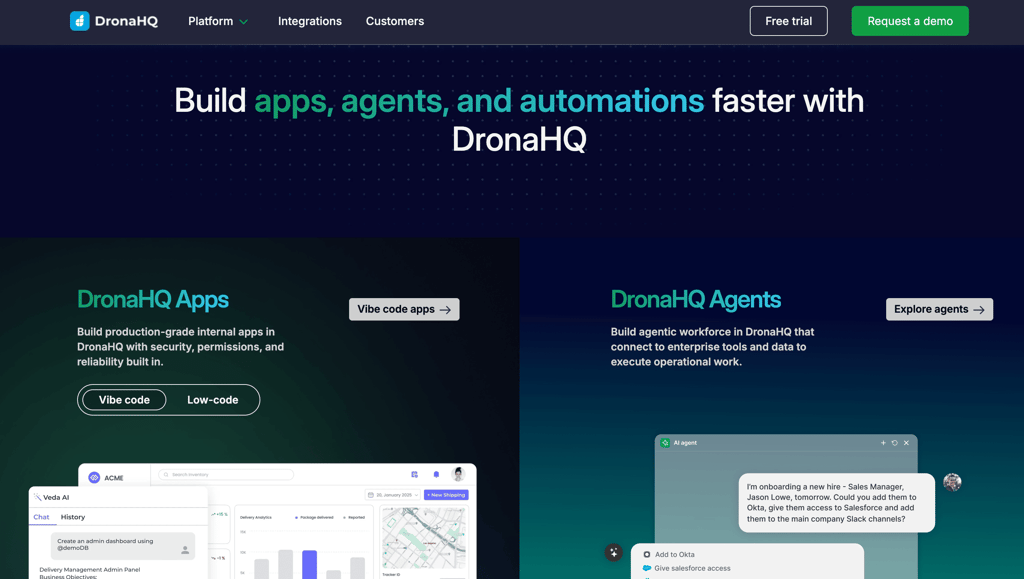
DronaHQ is an enterprise-grade low-code platform for building internal tools, operational apps, and AI-powered automations on top of your existing business data and systems.
You can build anything from rule-based automations to standalone AI agents that reason, use tools, and hand off to humans when needed.
Key features
- Visual workflow and agent builder
- Centralised hub with databases, APIs, 1000+ SaaS integrations.
- AI workflow automation for agents, assistants, approval systems
- Advanced logic and scripting
- Scalable deployment with enterprise governance
Pros and cons
| Pros | Cons |
| Build operational interfaces alongside automation | Not ideal if you only need simple task automation |
| Easily connects to databases, APIs, and SaaS tools out of the box | Free plan has execution limits |
| Supports AI-powered workflows and agents | Steeper learning curve for non-technical users |
| Enterprise-grade security and governance | Setup takes longer than simpler no-code tools |
Pricing
- Pay as you go – $0.05/conversation for platform hosting, starts with $5 free credit
- Enterprise – Custom pricing with SSO, SLA, and priority support
Why choose it?
DronaHQ is a strong pick for teams that need a centralized platform to build internal apps, AI agents, and workflow automations. It’s especially valuable for engineering and operations teams that need AI automation capable of scaling from simple workflows to advanced agentic systems.
4. Zapier
Zapier is a no-code automation platform that connects over 5000 apps, allowing users to automate business processes without programming.

Key features
- 5000+ integrations
- No-code workflow builder
- Multi-step workflows
- Conditional logic
Pros and cons
| Pros | Cons |
| Extremely easy to use | Expensive at scale |
| Huge integration library | Limited customization for complex workflows |
| No coding required | Free plan has strict limitations |
| Reliable and well-documented | Less control over data (cloud-based) |
Pricing
- Free – 100 tasks/month, basic automation
- Professional – $19.99/month, multi-step workflows
- Team – $69/month, unlimited premium apps
- Enterprise – Custom pricing upon request
Why choose it?
Zapier is the best choice for non-technical users who need fast, reliable automation without writing code. It’s ideal for marketing, sales teams, and customer support reps looking to streamline repetitive tasks.
5. Make (Integromat)
Make, formerly known as Integromat, is a powerful workflow automation tool designed for users who need flexibility and customization.

Key features
- Visual workflow builder
- Advanced logic and filters
- API and webhooks support
- Real-time execution
Pros and cons
| Pros | Cons |
| More powerful than Zapier | More complex to learn |
| Cheaper for complex workflows | UI can feel overwhelming for beginners |
| Supports custom API calls | Free plan has execution limits |
| Real-time workflow execution | Fewer pre-built templates than Zapier |
Pricing
- Free – 1,000 operations/month
- Core – $9/month, includes advanced workflows
- Pro – $16/month, higher execution limits
- Teams and enterprise – Custom pricing
Why choose it?
Make is ideal for power users and businesses that need more flexibility and advanced automation.
6. Microsoft Power Automate
Microsoft Power Automate is a workflow automation tool designed for businesses and enterprises, particularly those using the Microsoft ecosystem.

Key features
- Seamless Microsoft integration
- AI-powered automation
- Robotic process automation (RPA)
- Cloud and on-premise connectivity
Pros and cons
| Pros | Cons |
| Best for Microsoft users | Can be complex for beginners |
| AI-powered automation and RPA | Higher pricing for advanced features |
| Secure and enterprise-grade | Complicated to use outside Microsoft ecosystem |
| Cloud and on-premise compatibility | Slower execution for large workflows |
Pricing
- Free trial – Limited access to cloud flows
- Per user plan – Starts at $15/month for cloud automation
- Per user with attended RPA – $40/month, includes desktop automation
- Enterprise and custom plans – Based on usage and needs
Why choose it?
Power Automate is the best choice for businesses deeply integrated with Microsoft tools.
7. UiPath
UiPath is a leading AI-powered process automation platform designed for businesses and enterprises looking to automate repetitive, rule-based tasks.

Key features
- AI-powered RPA bots
- Process mining and analytics
- Attended and unattended automation
- Enterprise security and compliance
Pros and cons
| Pros | Cons |
| Best-in-class RPA capabilities | Requires technical expertise |
| AI-driven process automation | High pricing for enterprise features |
| Scalable for large organizations | Hard to learn |
| Strong security and compliance features | Not ideal for small businesses |
Pricing
- Community edition – Free for individuals and small teams
- Pro plan – Starts at $420/month per user
- Enterprise plans – Custom pricing for large-scale automation
Why choose it?
UiPath is ideal for enterprises and IT teams that need to automate large-scale, repetitive tasks.
8. Automation Anywhere
Automation Anywhere is a cloud-native RPA platform designed to help businesses automate repetitive digital tasks.

Key features
- AI-powered automation
- Bot store
- Attended and unattended automation
- Cloud-native RPA
Pros and cons
| Pros | Cons |
| Cloud-native, no on-prem setup required | Requires technical expertise to implement |
| AI technology-based automation capabilities | High cost for enterprise features |
| Scalable and easy to deploy remotely | Learning curve for advanced bot creation |
| Extensive bot marketplace | Limited customization compared to self-hosted RPA tools |
Pricing
- Free trial – Limited access to cloud RPA features
- Starter plan – Pricing available upon request
- Advanced and enterprise plans – Custom pricing based on usage and automation needs
Why choose it?
Automation Anywhere is a strong choice for businesses looking for a cloud-native RPA solution.
9. Blue Prism
Blue Prism is a secure, enterprise-focused RPA platform designed for businesses that need highly scalable and compliant automation.
Key features
- Secure and scalable automation
- Intelligent automation
- Centralized control and governance
- Integration with enterprise systems
Pros and cons
| Pros | Cons |
| Highly secure and compliant for regulated industries | Requires technical knowledge for setup and maintenance |
| Scalable for enterprise-level automation | Lacks an intuitive drag-and-drop interface |
| Strong governance and audit features | Expensive compared to other RPA tools |
| Integrates well with large enterprise systems | Less flexible for small businesses or startups |
Pricing
- No free version – Only enterprise pricing available.
- Custom pricing – Based on the number of bots and automation complexity.
Why choose it?
Blue Prism is ideal for large enterprises and IT-driven automation teams that need secure, scalable, and well-governed RPA.
10. ChatGPT
ChatGPT is an advanced AI chatbot developed by OpenAI, designed for natural language conversations, automation, and content generation.

Key features
- Conversational AI
- Content generation
- Code assistance
- API integration
Pros and cons
| Pros | Cons |
| Highly versatile for multiple use cases | Can generate incorrect or biased responses |
| No coding required for basic interactions | Lacks real-time internet access in the free version |
| Supports API for integration with business apps | Limited memory of past interactions |
| Available in free and paid versions | Can struggle with highly technical or niche topics |
Pricing
- Free – Limited access with slower response times
- ChatGPT Plus – $20/month for faster performance and GPT-4 access
- API pricing – Pay-as-you-go based on usage
- Enterprise plans – Custom pricing for business applications
Why choose it?
ChatGPT is a great choice for businesses, developers, and individuals looking for AI-driven conversations and content automation.
11. IBM Watson
IBM Watson is an AI-driven chatbot and virtual assistant platform designed for businesses and enterprises that need scalable, AI-powered automation.

Key features
- Enterprise-grade AI
- Custom chatbot development
- Multi-channel support
- Security and compliance
Pros and cons
| Pros | Cons |
| Powerful AI and deep learning capabilities | Requires technical expertise to implement |
| Customizable for specific business needs | Expensive compared to basic chatbot solutions |
| Strong enterprise security and compliance | Can be complex to integrate with legacy systems |
| Supports multiple languages and AI models | Not ideal for small businesses with limited resources |
Pricing
- Free trial – Limited access to Watson Assistant
- Standard plan – Starts at $140/month for AI-powered chatbots
- Enterprise plan – Custom pricing based on business needs
Why choose it?
IBM Watson is best for enterprises and large organizations that need AI-powered customer service, automation, and business intelligence.
12. Rasa
Rasa is an open-source AI chatbot framework designed for developers and businesses that need fully customizable conversational AI.
Key features
- Open-source and self-hosted
- Custom NLP and intent recognition
- Integrations with business systems
- Supports contextual and multi-turn conversations
Pros and cons
| Pros | Cons |
| Full control over chatbot development | Requires coding and AI training knowledge |
| No vendor lock-in or cloud dependency | More complex setup than no-code chatbot platforms |
| Strong community support and open-source flexibility | No built-in hosting, requires infrastructure management |
| Advanced AI capabilities for contextual conversations | Not ideal for businesses looking for a plug-and-play chatbot |
Pricing
- Free – Open-source version with full customization
- Rasa Pro – Custom pricing for enterprise-grade AI assistants
- Rasa X and Enterprise – Paid solutions for better scalability, collaboration, and management
Why choose it?
It’s ideal for enterprises, regulated industries, and businesses needing specialized chatbot functionality.
13. Ada
Ada is an AI-powered chatbot platform designed for businesses looking to automate customer support and engagement.
Key features
- No-code chatbot builder
- AI-driven customer interactions
- Seamless human handoff
- Omnichannel support
Pros and cons
| Pros | Cons |
| No coding required, easy to set up | Limited customization for advanced AI models |
| Great for automating customer support | Pricing can be high for large-scale use |
| Supports multiple languages and channels | Not ideal for businesses needing self-hosted chatbots |
| Strong AI training for FAQ automation | Less flexible than open-source chatbot frameworks |
Pricing
- Custom pricing – Based on usage, automation complexity, and business needs
- No free plan – Enterprise-focused with tailored pricing
Why choose it?
Ada is a great choice for businesses that prioritize ease of use and omnichannel support, but less suitable for those needing deep AI customization or self-hosted solutions.
14. Microsoft Copilot
Microsoft Copilot is an AI-powered virtual assistant designed to enhance productivity, collaboration, and automation within Microsoft’s ecosystem.

Key features
- Seamless Office 365 integration
- AI-powered writing and content generation
- Data analysis and automation
- Real-time meeting assistance
Pros and cons
| Pros | Cons |
| Fully integrated into Microsoft 365 apps | Limited functionality outside Microsoft’s ecosystem |
| Automates repetitive tasks and enhances productivity | Requires a Microsoft 365 subscription |
| AI-powered document and email drafting | Some features are still in development |
| Helps with data insights and meeting summaries | Not as flexible as standalone AI assistants |
Pricing
- Microsoft 365 Copilot – Starts at $20 per user/month, available as an add-on for enterprise users
- Included in certain Microsoft plans – Pricing varies based on business licenses
Why choose it?
Microsoft Copilot is ideal for business professionals, enterprises, and teams already using Microsoft 365.
15. Gemini
Gemini (formerly Bard) is Google’s AI-powered assistant designed for research, content generation, and workflow automation.

Key features
- Google Workspace integration
- Real-time web access
- Multimodal AI capabilities
- Conversational and research-focused
Pros and cons
| Pros | Cons |
| Real-time web search for updated answers | Still evolving, with some inconsistencies |
| Strong integration with Google Workspace | Limited customization compared to AI frameworks like Rasa |
| Free to use for general research and productivity | Not optimized for deep business automation |
| Multimodal capabilities for text, images, and code | Paid versions required for advanced features |
Pricing
- Free version – Basic AI assistant with research and writing tools
- Gemini Advanced – Included in Google One AI Premium ($19.99/month) for expanded capabilities
Why choose it?
Gemini is best for Google Workspace users, researchers, and content creators who need AI-assisted writing, real-time search capabilities, and productivity enhancements.
16. Grafana
Grafana is an open-source analytics and monitoring platform that helps users visualize, query, and analyze data in real time. It is widely used for infrastructure monitoring, business intelligence, and performance tracking.

Key features
- Real-time data visualization
- Customizable alerts and notifications
- Integrations with multiple data sources
- Open-source and self-hosted
Pros and cons
| Pros | Cons |
| Powerful real-time data visualization | Requires technical knowledge to configure |
| Integrates with multiple monitoring and database tools | Not beginner-friendly |
| Open-source and highly customizable | Lacks built-in AI-driven analytics |
| Supports alerting and automated monitoring | Can be resource-intensive for large-scale deployments |
Pricing
- Free – Open-source version with full customization
- Grafana Cloud – Starts at $8/month for managed hosting and extended features
- Enterprise plan – Custom pricing for large-scale monitoring needs
Why choose it?
Grafana is ideal for IT teams, DevOps engineers, and analysts who need real-time data monitoring and custom dashboards.
17. Datadog
Datadog is another cloud-based monitoring and security platform. Unlike Grafana, which is primarily a data visualization tool, Datadog offers end-to-end observability, including log management, security monitoring, and AI-powered insights.

Key features
- Full-stack observability
- AI-powered anomaly detection
- Log management and security analytics
- Automated alerts and reporting
Pros and cons
| Pros | Cons |
| AI-driven monitoring and anomaly detection | Pricing scales with usage, can become expensive |
| Strong security and compliance features | Requires configuration for optimal setup |
| Real-time log management and performance tracking | Steep learning curve for new users |
| Cloud-native with multi-cloud support | Can generate high data ingestion costs |
Pricing
- Free trial – Limited access to core monitoring features
- Pro plan – Starts at $15 per host/month for infrastructure monitoring
- Enterprise plan – Custom pricing for large-scale observability and security needs
Why choose it?
Datadog is perfect for IT teams, DevOps engineers, and security professionals who need automated alerts, real-time monitoring, and AI-powered anomaly detection.
18. Elastic (ELK Stack)
Elastic, also known as the ELK Stack (Elasticsearch, Logstash, and Kibana), is a real-time search and analytics platform used for log management, security monitoring, and AI-driven insights.

Key features
- AI-powered search and anomaly detection
- Log and event analytics
- Data visualization with Kibana
- Scalable and open-source
Pros and cons
| Pros | Cons |
| Powerful real-time search and analytics | Requires technical expertise for setup |
| AI-driven anomaly detection for security monitoring | Can be resource-intensive at scale |
| Open-source with strong customization options | No built-in alerting in the free version |
| Scalable for large datasets and enterprise use | Paid features required for advanced AI capabilities |
Pricing
- Free version – Open-source ELK Stack with basic features
- Standard plan – Starts at $95 per month for managed cloud services
- Enterprise plan – Custom pricing for large-scale deployments
Why choose it?
Elastic is ideal for enterprises needing fast, AI-driven search and log analytics.
19. Tableau AI
Tableau AI is an AI-enhanced business intelligence (BI) platform that helps organizations visualize, analyze, and interpret complex data.

Key features
- AI-powered predictive analytics
- Advanced data visualization
- Automated data storytelling
Pros and cons
| Pros | Cons |
| Industry-leading data visualization and BI tools | Expensive for small businesses |
| AI-driven insights for better decision-making | Requires training for advanced features |
| Strong integration with enterprise data sources | Can be resource-intensive for large datasets |
| Automates reports and data storytelling | AI-powered features not as advanced as dedicated ML platforms |
Pricing
- Tableau Public – Free with limited features
- Tableau Creator – Starts at $75 per user/month for full BI capabilities
- Enterprise plans – Custom pricing for large organizations
Why choose it?
Tableau AI is perfect for business analysts, enterprises, and decision-makers who need powerful data visualization and AI-driven insights.
20. Mabl
Mabl is an AI-driven test automation platform designed for end-to-end web application testing.

Key features
- AI-powered self-healing tests
- End-to-end web application testing
- Seamless CI/CD integration
- Visual change detection
Pros and cons
| Pros | Cons |
| AI testing reduces maintenance | Limited support for mobile app testing |
| Works well with DevOps workflows | Higher cost than open-source frameworks |
| Easy-to-use, low-code interface | Less flexible than fully scripted tests |
| Built-in visual change detection | Requires cloud-based execution for full capabilities |
Pricing
- Custom pricing – Based on team size, usage, and features.
- Free trial available – Limited access to testing features.
Why choose it?
Mabl is ideal for QA teams and DevOps professionals who need AI-powered web application testing with self-healing tests and CI/CD integration.
21. Testim
Testim is an AI-powered test automation platform offering both codeless automation for non-technical users and code-based options for developers.

Key features
- AI-assisted test creation and maintenance
- Codeless and code-based test creation
- Parallel test execution
- Seamless integration with CI/CD tools
Pros and cons
| Pros | Cons |
| AI-powered test creation speeds up automation | Requires setup and training for full functionality |
| Codeless and code-based flexibility | Costs increase with large test suites |
| Supports parallel execution for faster testing | Less customization than fully scripted frameworks |
| Works well in agile and CI/CD environments | Higher pricing for enterprise-scale usage |
Pricing
- Custom pricing – Based on usage and team size
- Free trial available – Limited features for evaluation
Why choose it?
Testim is perfect for agile teams, startups, and fast-growing organizations that need scalable continuous testing.
22. Functionize
Functionize is an AI-driven autonomous testing platform that combines machine learning, natural language processing, and cloud-based execution to optimize software testing.

Key features
- AI-based natural language test scripting
- Self-healing automation
- Cloud-based execution
- Seamless integration with CI/CD tools
Pros and cons
| Pros | Cons |
| AI-powered automation adapts to UI changes | Requires training for advanced features |
| Supports natural language test scripting | Pricing may be too high for small teams |
| Scalable cloud-based execution | Limited customization for highly complex workflows |
| Strong integration with DevOps tools | Not as flexible for offline/local testing |
Pricing
- Custom pricing – Based on enterprise needs and usage
- Free trial available – Limited features for testing
Why choose it?
Functionize is best for enterprise teams and large-scale testers who need cloud-based, automated functional testing.
How to choose the right AI automation tool
Selecting the right AI automation tool depends on several factors, including business needs, technical requirements, and budget. With so many options available, evaluating tools based on specific use cases and long-term scalability is essential.
The first step is to define your primary goal – with it set, you’ll know which category of tools you should consider.
Scalability and integration are also key considerations. Enterprise users should ensure the tool can handle increasing workloads and seamlessly integrate with existing software, APIs, or cloud services.
Security and compliance matter as well, particularly for regulated industries like healthcare and finance that require data privacy and governance.
Cost varies significantly among tools. Some, like n8n and Rasa, offer free self-hosted options, while others, like UiPath and Blue Prism, require enterprise-level investments.
When choosing your tool, follow these checkpoints:
- Use case alignment – Does the tool fit your specific automation needs?
- Ease of use – Is it user-friendly, or does it require technical expertise?
- Integration capabilities – Can it connect with your existing apps and systems?
- Scalability – Will it support future business growth and increased workloads?
- Security and compliance – Does it meet industry standards for data protection?
- Cost-effectiveness – Does the pricing model fit your budget?
- Support and documentation – Is there reliable customer support and learning resources?
By evaluating AI-powered tools against these key factors, you can make an informed decision that aligns with your goals, budget, and technical infrastructure.
Conclusion
AI tools are transforming the way businesses operate, offering efficiency, scalability, and cost savings across various industries.
When selecting an AI automation tool, prioritize integration, scalability, security, and cost-effectiveness. The right tool should streamline operations, improve decision-making, and provide long-term value.
Ready to implement AI automation? Evaluate your needs, explore the tools covered in this guide, and start optimizing your business today.
AI automation tools FAQ
What are the best AI automation tools?
The best AI automation tool depends on your needs. Zapier, Make, and n8n are great for workflow automation, while UiPath and Blue Prism excel in RPA. For AI chatbots, ChatGPT, IBM Watson, and Ada are strong choices. Grafana, Datadog, and Tableau AI are ideal for data analytics and monitoring.
Can I integrate AI automation tools with existing software?
Yes, most intelligent automation solutions offer API integrations, native connectors, and third-party app support. Tools like Zapier, Make, and Microsoft Power Automate connect with thousands of applications, while enterprise-grade solutions like UiPath and IBM Watson provide deep integration with ERP, CRM, and cloud platforms for seamless automation.
Are AI automation tools expensive?
Pricing varies widely. n8n and Rasa, for example, provide free self-hosted options. Enterprise RPA tools like UiPath and Blue Prism are costly but offer advanced automation. AI chatbots and analytics platforms also range from free tiers to premium plans based on usage and features.

Dominykas is a Technical Content Writer with a background in cloud engineering and technical support. He’s operated in fields like fintech and point-of-sale and is passionate about software development, DevOps, and AI. Find him on LinkedIn.