15 best WordPress SEO plugins to boost your website’s ranking
Dec 02, 2025
/
By Ariffud M.
/
12 min Read

Search engine optimization (SEO) plugins are crucial for ranking your WordPress website higher in search results. They streamline various SEO tasks, from optimizing content to generating sitemaps.
Selecting WordPress plugins for SEO involves balancing the features, ease of use, and compatibility with your site’s needs.
In this article, we’ll present the best WordPress SEO plugins for various purposes, including on-page SEO, analytics, and speed optimization. Our recommendations are based on thorough research and hands-on testing, ensuring you get reliable tools to enhance your WordPress SEO.

15 best SEO plugins for WordPress
Besides essential SEO settings like optimizing keywords and generating XML sitemaps, most SEO plugins for WordPress provide advanced functions for site speed, redirect management, and social media integration.
They’re an excellent starting point to optimize your WordPress site for search engines without installing too many plugins.
There are quite a lot of options, as you will see later in this article. Before you move on, watch this short video to see what our expert has to say about WordPress SEO plugins.


1. Yoast SEO
Yoast SEO Stats
- Downloads: 5,000,000
- Rating: 4.8/5
- Best for: improving content readability for SEO
- Price: freemium (paid plans start at $99/year/site)
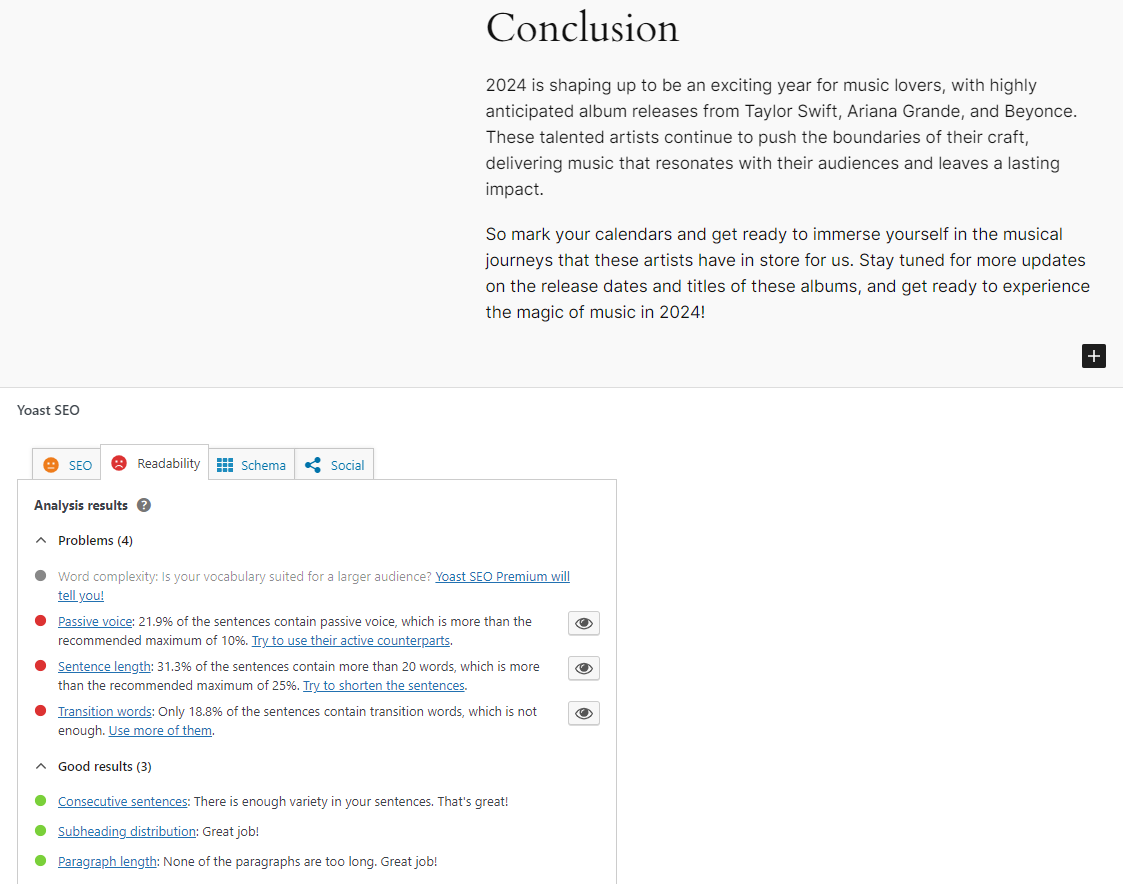
Yoast SEO is a widely used WordPress plugin that provides comprehensive tools for improving your site’s SEO, including keyword optimization, content analysis, and technical SEO enhancements.
This WordPress SEO plugin features a traffic light system that offers immediate feedback on your content through color-coded indicators: green (good), orange (OK), and red (needs improvement). This system assists in optimizing on-page elements such as keyword density and meta tag length.
Purchasing the Yoast SEO premium edition extends the content analysis capabilities to include multiple keywords per post. With this version, you get full access to the Yoast SEO academy, offering video tutorials on SEO best practices to enhance your knowledge.
Key Features
- Readability analysis – evaluate your content’s readability for visitors using the traffic light system and get actionable feedback.
- Schema integration – choose from various schema types, making it easier to add schema markup to your WordPress site.
- Internal linking suggestions – get automatic internal link suggestions for each piece of content.
Drawbacks
- Additional licenses are required to use its premium version on multiple sites.
2. All in One SEO (AIOSEO)

All in One SEO Stats
- Downloads: 3,000,000
- Rating: 4.7/5
- Best for: improving on-page SEO for various site types
- Price: freemium (paid plans start at $49.60/year/site)
All in One SEO (AIOSEO) is a powerful WordPress SEO plugin, offering features like on-page analysis, XML sitemaps generation, and social media integration. It caters to users at all levels, from SEO beginners to seasoned professionals.
A highlight of AIOSEO is its TruSEO feature, an on-page analysis tool that scores your content and provides actionable tips to boost your page’s ranking potential. It assesses elements such as keyword usage, meta robot tags, and content readability.
AIOSEO’s premium version is beneficial for specialized applications, such as news sites with its Google News sitemap integration or eCommerce stores with WooCommerce SEO implementation for optimizing product pages and categories.
Key Features
- Smart XML sitemaps – get a WordPress XML sitemap and notify search engines of any updates automatically.
- Video SEO enhancement – feature a video sitemap generator to improve your site’s ranking in Google’s video carousel widget.
- robots.txt editor – enable customization of the robots.txt file to guide web crawlers on which pages to index or avoid.
Drawbacks
- Some monitoring features, like SEO keyword tracking, are locked behind the premium version.
3. Rank Math SEO
Rank Math SEO Stats
- Downloads: 2,000,000
- Rating: 4.9/5
- Best for: researching keywords and creating content with AI
- Price: freemium (paid plans start at $69/year)
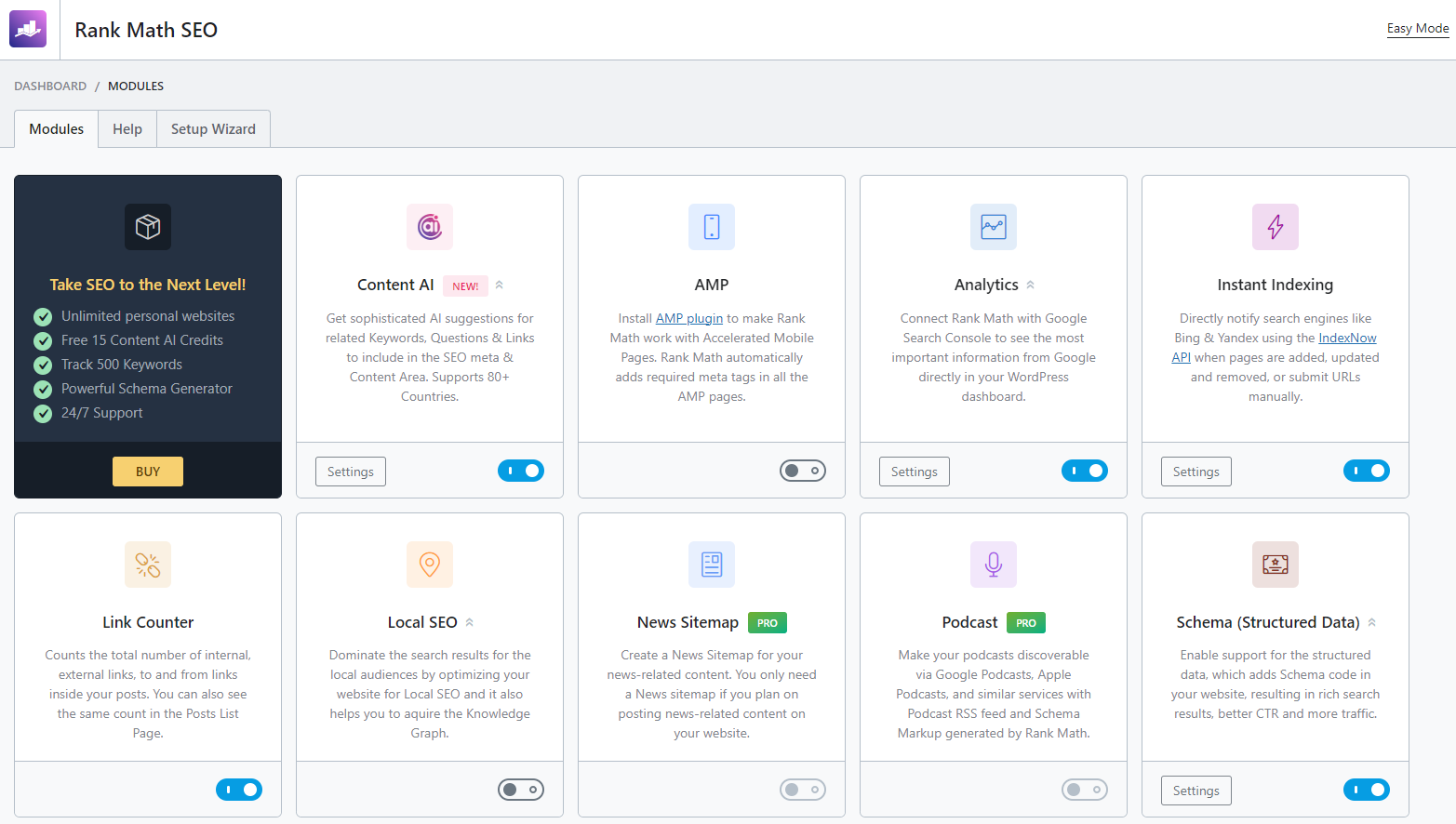
Rank Math SEO is highly regarded in the WordPress community for its user-friendly setup wizard and powerful AI-driven features to create SEO-friendly content. This enhances site visibility and search engine rankings effortlessly.
The Rank Math plugin offers an innovative Content AI feature, which aids in keyword research, as well as suggests ideal word counts and headings. It also helps you create outlines and write your whole article from scratch or separate sections, such as an introduction or conclusion.
Unlike some other WordPress SEO plugins, you can install Rank Math SEO’s premium version on unlimited personal websites with the PRO plan and up to 100 and 500 client websites with the BUSINESS and AGENCY plans, respectively.
Key Features
- AI keyword research – get related keyword ideas and suggestions on optimal word counts, headings, links, and media.
- RankBot – improve your quality with AI assistance for any content-related queries.
- Pages and posts scoring – evaluate every post and page with an SEO analysis tool based on 40 different factors, such as keyword density and meta descriptions.
Drawbacks
- Rank Math SEO’s AI features consume credits depending on your membership type, with one keyword research using 500 credits. This might get expensive if you do a lot of keyword research.
4. The SEO Framework
The SEO Framework Stats
- Downloads: 100,000
- Rating: 4.9/5
- Best for: improving the site’s SEO without compromising performance
- Price: freemium (paid plans start at $7/month)
The SEO Framework is a fast WordPress plugin that produces critical SEO meta tags in any language by analyzing your WordPress site.
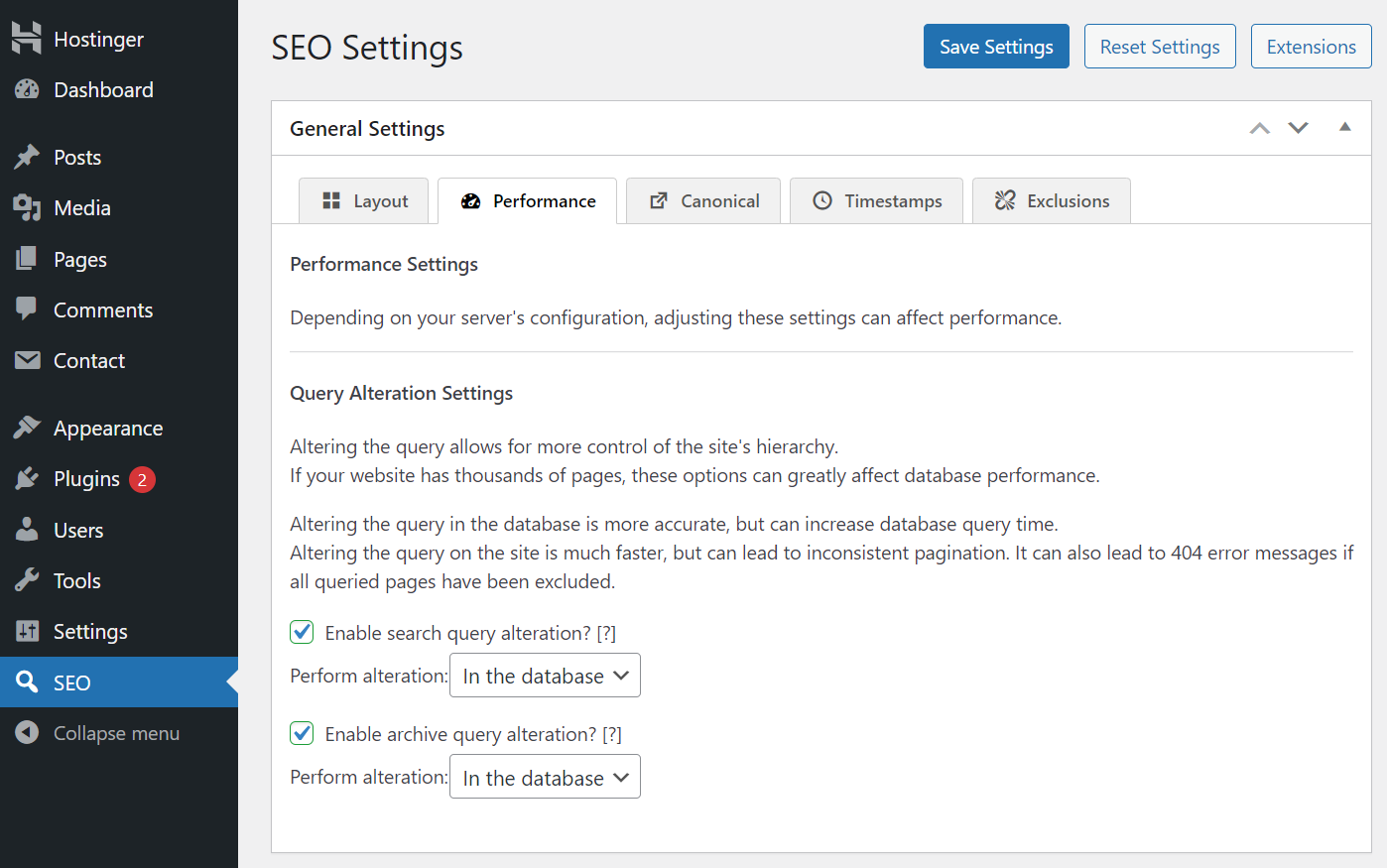
Known for its performance, The SEO Framework ensures faster loading times by avoiding database bloat and slow queries. Additionally, its SEO attack protection feature helps search engines index the best version of your pages.
By focusing on automation, speed, and security, this freemium SEO plugin is ideal for those who prioritize creating SEO-friendly content.
Key Features
- Automatic meta tags generation – get SEO titles and meta descriptions tailored to your site’s environment, freeing up your time for content creation.
- 70+ SEO checks – check your posts and pages against more than 70 SEO issues and get actionable advice for improvements.
- Real-time caching – reduce excessive load on your database with real-time caching mechanisms.
Drawbacks
- Unlike some competing plugins for WordPress, you will have to get the premium version for certain features, such as news and article structured data.
5. SEOPress

SEOPress Stats
- Downloads: 300,000+
- Rating: 4.8/5
- Best for: optimizing on-page and analyzing traffic
- Price: freemium (paid plans start at $49/year)
SEOPress is a comprehensive WordPress SEO plugin for managing various aspects of your site, including on-page and technical optimization, traffic reporting and analysis, page redirection, and social media sharing.
Its Universal SEO Metabox integrates seamlessly with various page builders, such as the default WordPress block editor and Divi Builder. This enables you to add SEO titles, meta descriptions, schema markups, and social media tags for all your posts directly from your preferred builder.
This SEO tool also offers Google Analytics integration to provide general traffic data and analyze your content’s traffic based on several filters or dimensions, including author, category, or post types.
Key Features
- Unlimited keywords – include multiple keywords for each post.
- Redirection support – manage 301 redirects for your WordPress website.
- AI integration – SEOPress’ premium version uses AI to bulk-generate a meta description and title for each piece of content.
Drawbacks
- The extensive SEO settings and options can take some time to learn.
6. Squirrly SEO

Squirrly SEO Stats
- Downloads: 100,000
- Rating: 4.7/5
- Best for: SEO-auditing posts and pages with the help of AI
- Price: freemium (paid plans start at $20.99/month)
Squirrly SEO is an all-in-one SEO plugin that helps WordPress users optimize their sites by providing data-driven insights from its cloud services and machine learning technology.
This SEO tool features Newton, an AI-driven SEO consultant, which researches keywords, distributes internal links within your content, and analyzes what ranks on the search engine results pages (SERPs).
Another notable feature is the Focus Pages panel, which monitors vital pages you want to rank higher. It offers a list of specific tasks to improve their ranking, helping with the overall SEO audit process.
Key Features
- Live assistant – get keyword suggestions for content optimized for both search engines and human readers.
- SEO automation – automate numerous SEO settings, such as adding meta tags, implementing Open Graph, and resolving 404 errors.
- Keyword research – choose the most relevant keywords based on information from only the past 48 hours.
Drawbacks
- Requires creating an account to connect to Squirrly SEO’s cloud service and access most of its features.
7. WP Meta SEO

WP Meta Stats
- Downloads: 20,000
- Rating: 4.3/5
- Best for: editing website meta and optimizing images
- Price: freemium (the paid plan costs $49/year)
WP Meta SEO is designed for bulk editing of website meta details, image file names, and SEO link titles, all from a single view. It features AJAX saving and a bulk copy feature for efficient SEO management.
This WordPress SEO plugin excels in on-page optimization by evaluating elements, such as page titles in headings and content, alignment between page URLs and titles, as well as meta titles and descriptions.
Unlike some plugins that reduce image sizes through methods leading to HTML resizing, which can harm SEO, WP Meta SEO enables direct optimization of image sizes within your existing posts and pages, effectively addressing this issue.
Key Features
- AJAX implementation – get SEO data and real-time content analysis updates.
- 404 management – index all 404 errors and redirect them to specific pages in bulk.
- Google Analytics integration – check website performance statistics with options to exclude certain WordPress user groups for more accurate data.
Drawbacks
- There are concerns regarding its social sharing features, such as content thumbnails not being displayed on Facebook.
8. WPSSO Core
WPSSO Core Stats
- Downloads: 8,000
- Rating: 4.6/5
- Best for: integrating schema markup for rich snippets and social sharing
- Price: freemium (paid plans start at $89/site)
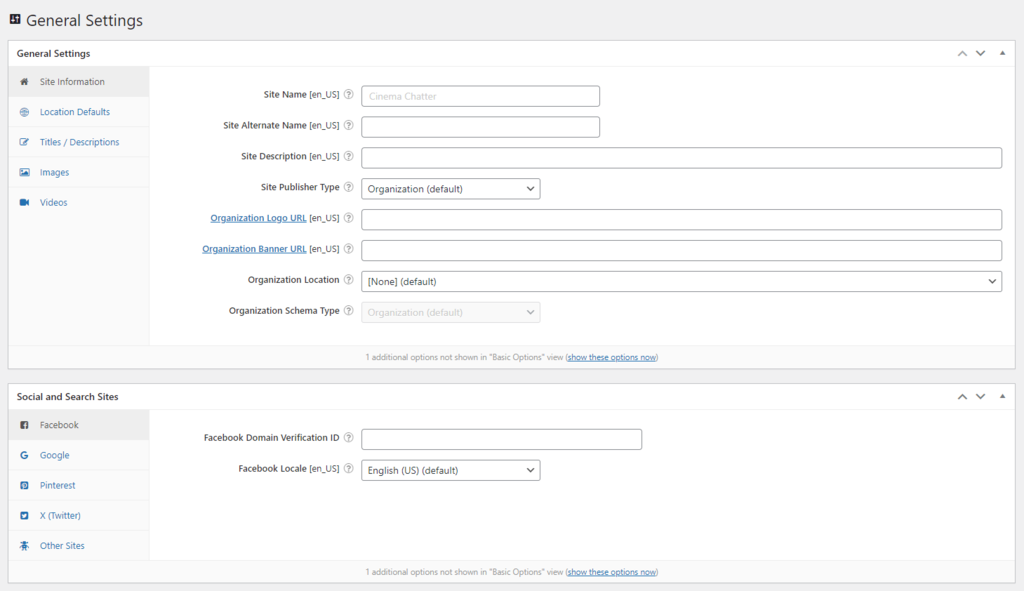
WPSSO Core is an SEO tool that enhances content presentation on SERPs and social sites with complete structured data and schema markup. This ensures optimal display regardless of how URLs are shared.
While other WordPress SEO plugins may focus solely on schema.org markup, WPSSO Core extends its support to include Google’s rich snippets, helping your content stand out among competitors in search results.
Moreover, this plugin creates structured data specifically designed for your social media platforms. As a result, when you share posts, they are displayed optimally with the appropriate title, thumbnail size, and video previews.
Key Features
- Structured data markup – choose from over 500 schema types and sub-types for enhanced representation in search results.
- Image size optimization – enable optimization of image thumbnail sizes for various social platforms.
- WooCommerce product attribute support – the WPSSO Core Premium edition incorporates various WooCommerce product attributes to enhance product listings.
Drawbacks
- Requires additional add-on plugins for embedding FAQs in posts and pages, which are included in some other SEO tools.
9. MonsterInsights
MonsterInsights Stats
- Downloads: 3,000,000
- Rating: 4.5/5
- Best for: monitoring site performance based on Google Analytics data
- Price: freemium (paid plans start at $79.60/year/site)
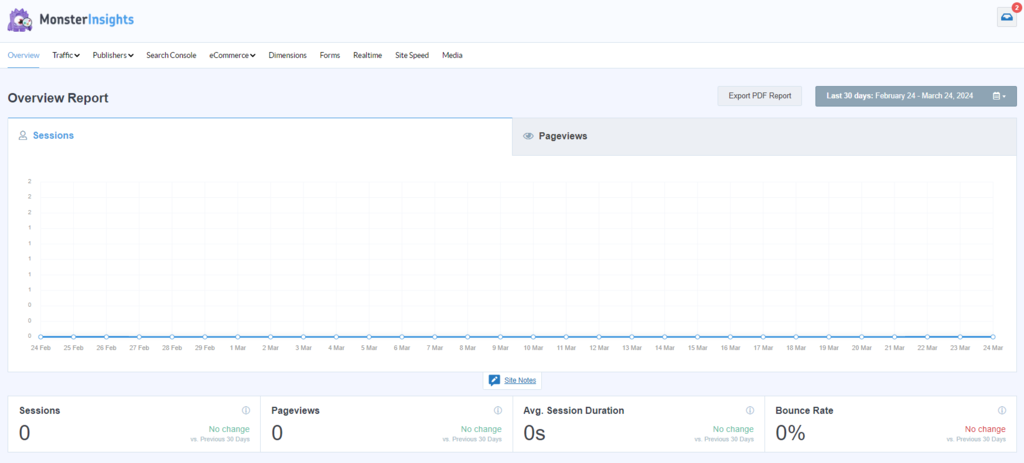
Even though it is not an SEO plugin, MonsterInsights lets you integrate Google Analytics with your WordPress site without coding or hiring a developer. It provides a user-friendly interface for monitoring website performance through various crucial metrics directly from the WordPress dashboard.
The real-time analytics dashboard gives access to your site’s performance data, including active visitor counts, acquisition sources, and popular content. This feature enables you to make data-driven decisions for your SEO strategy and user experience.
Beyond SEO, site owners can track eCommerce-related information to monitor product performance and transactions. These comprehensive insights are handy in understanding customer behavior and boosting conversion rates.
Key Features
- Easy setup wizard – add Google Analytics without coding.
- Search Console report – enable Google Search Console integration with WordPress for improved SEO monitoring.
- Customizable dashboard widget – access key SEO data metrics right from the WordPress admin area.
Drawbacks
- Advanced integrations with advertising platforms like Google Adsense are restricted to the paid version.
10. Site Kit by Google
Site Kit by Google Stats
- Downloads: 4,000,000
- Rating: 4.2/5
- Best for: integrating Google services in WordPress sites
- Price: free
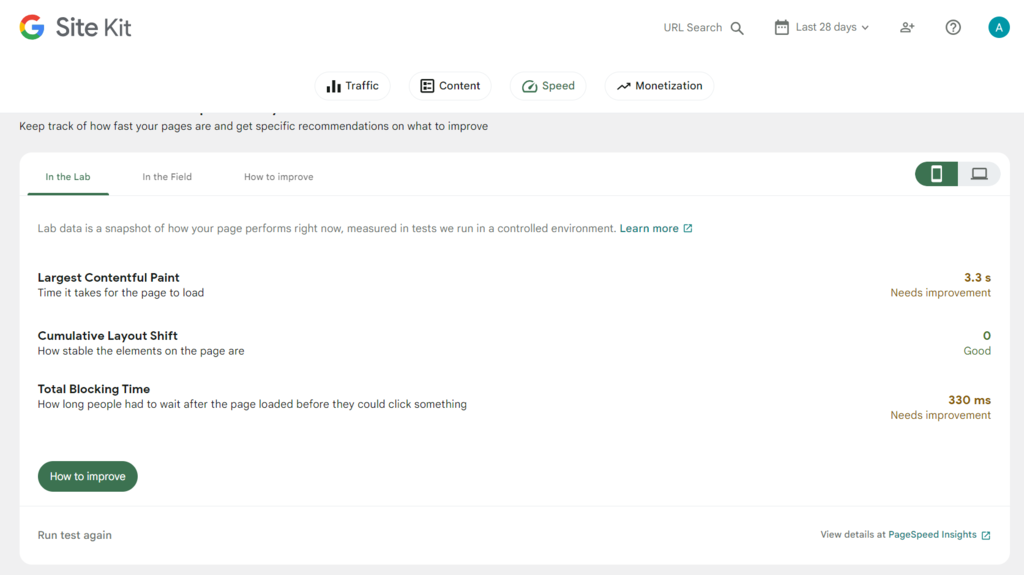
Site Kit by Google is the best SEO plugin for integrating various Google services, including Analytics, AdSense, PageSpeed Insights, and Search Console, directly into your WordPress admin area.
It features a unified dashboard that consolidates data from multiple Google tools, simplifying the monitoring of website performance, visitor behavior, and monetization metrics. Thanks to this centralization, you can make informed decisions to enhance your SEO strategy.
Another noteworthy aspect of Site Kit is its ease of integration – simply enter your Google account details and select the services you wish to connect.
Key Features
- Easy integration – seamlessly connect main Google products like Analytics and Search Console, with the option to integrate additional services like Tag Manager later.
- Website performance tracking – get insights into website performance from PageSpeed Insights based on the Core Web Vitals metrics.
- Real-time insights – make informed decisions with quick snapshots and essential data like traffic and keyword rankings over the last 28 days.
Drawbacks
- The dashboard offers only basic data, which may not be suitable to create your SEO strategies from scratch.
11. WP Rocket
WP Rocket Stats
- Best for: enhancing site speed through various caching techniques
- Price: starts at $59/year/site
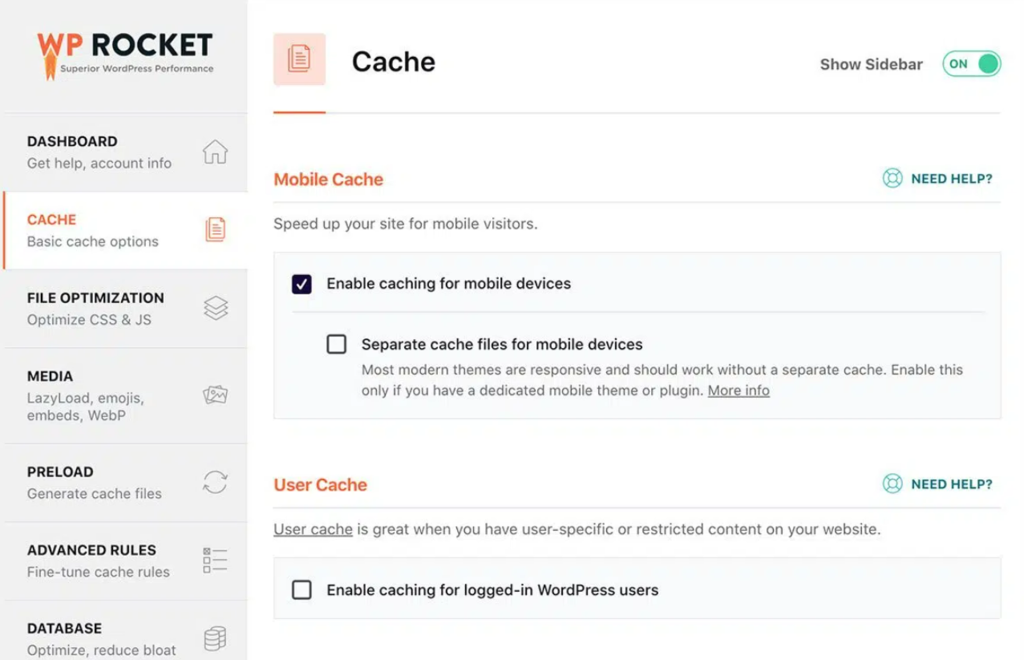
WP Rocket is a premium WordPress caching plugin for enhancing site speed and performance using optimization techniques such as page caching, cache preloading, and static file compression.
A standout feature of WP Rocket is its client-side page caching, which creates static HTML pages of your content. This reduces the processing load on the server and significantly improves site loading times.
Feel free to use this SEO tool no matter your level, thanks to the plugin’s user-friendly interface and minimal configuration requirements.
Key Features
- Cache preloading – the plugin simulates visits to trigger the caching process, ensuring visitors always receive the fastest-loading version of your pages.
- Minification and optimization – minimize the size of CSS, JavaScript, and HTML files, to make your loading time faster.
- Lazy loading – load images as they are about to enter the viewport, which decreases initial load times and saves bandwidth.
Drawbacks
- No free version.
Case Study With WP Rocket
Check out a case study on improving your Core Web Vitals with Hostinger’s Business web hosting plan and WP Rocket.
12. WP-Optimize
WP-Optimize Stats
- Downloads: 1,000,000
- Rating: 4.8/5
- Best for: optimizing and cleaning WordPress databases
- Price: freemium (paid plans start at $49/year/2 sites)
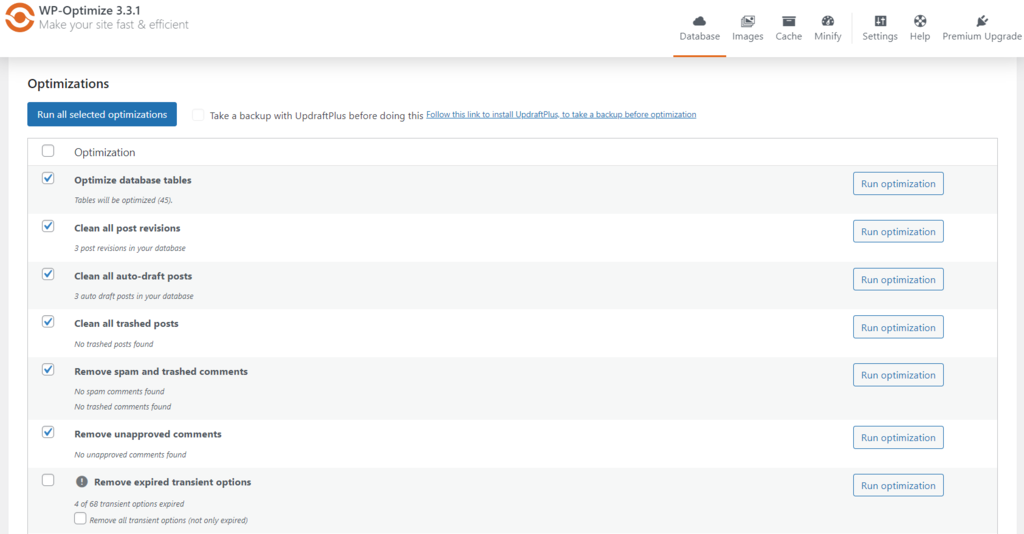
WP-Optimize is an all-in-one WordPress plugin that boosts website performance through database cleanup, image compression, and page caching, streamlining site maintenance and speed optimization efforts.
The plugin’s database optimization feature cleans the WordPress database by removing redundant data such as trashed posts, comments, and transient options. This process shrinks database size and ensures faster and more efficient database queries.
Moreover, WP-Optimize generates separate cache files for mobile users and logged-in users and offers customizable cache lifespan settings. These options ensure optimal site delivery tailored to the specific needs of different user contexts.
Key Features
- Scheduled database cleanups – automate database maintenance with daily, weekly, fortnightly, or monthly cleanups.
- Auto-compress – compress new images upon upload and select lossy or lossless settings.
- GZIP compression – enable GZIP compression for HTML, CSS, and JavaScript files when the server configuration lacks it.
Drawbacks
- No built-in CDN support.
13. Redirection

Redirection Stats
- Downloads: 2,000,000
- Rating: 4.4/5
- Best for: managing redirections under specific conditions
- Price: free
The Redirection plugin for WordPress is a powerful tool designed to manage 301 redirects and track 404 errors. Using it, you can efficiently handle broken links and improve site navigation.
Thanks to its regular expression filter, you can match and redirect multiple URLs based on specified patterns or criteria. This is especially useful during site migration or restructurization.
This WordPress plugin also includes a comprehensive logging feature that records all redirects and 404 errors. This provides valuable insights into user navigation behaviors and problem areas on the site, facilitating issue diagnosis and resolution.
Key Features
- Advanced redirection options – choose from various redirection types, including complex scenarios through regular expressions.
- Conditional redirects – apply specific conditions for redirects, like user login status or browser type.
- Import/export functionality – transfer redirected data from other SEO plugins, such as SEO Redirection and Rank Math SEO.
Drawbacks
- Its various redirection types may be daunting to learn for beginners.
14. WP 301 Redirects

WP 301 Redirects Stats
- Downloads: 200,000
- Rating: 4.7/5
- Best for: automating redirects and auto-correcting URLs
- Price: freemium (paid plans start at $49/site)
WP 301 Redirects simplifies the management and implementation of 301 redirects in WordPress. It ensures that users and search engines are directed to the relevant information, thereby enhancing site usability and search rankings.
The plugin’s automatic redirect creation automatically generates a 301 redirect whenever a page or post URL is changed, preserving SEO value and link equity. This streamlines site management by minimizing manual efforts and reducing the risk of broken links.
Another notable feature is its intelligent URL auto-correction, which automatically corrects typos in URLs entered by visitors, leading them to the content they intended to access. This feature significantly reduces visitor frustration by preventing encounters with 404 error pages.
Key Features
- Safe post URL changes – create redirect rules automatically when post URLs are altered, maintaining link integrity.
- User-agent and referrer redirection – allow redirection based on the visitor’s browser or their referral source.
- Advanced traffic management – employ algorithms to block bad bots and whitelist search engines, ensuring high-quality traffic.
Drawbacks
- Its regex support for enabling dynamic redirection isn’t available in the free version.
15. Yoast Local SEO
Yoast Local SEO Stats
- Best for: optimizing local businesses in geographical searches
- Price: starts at $79/year/site
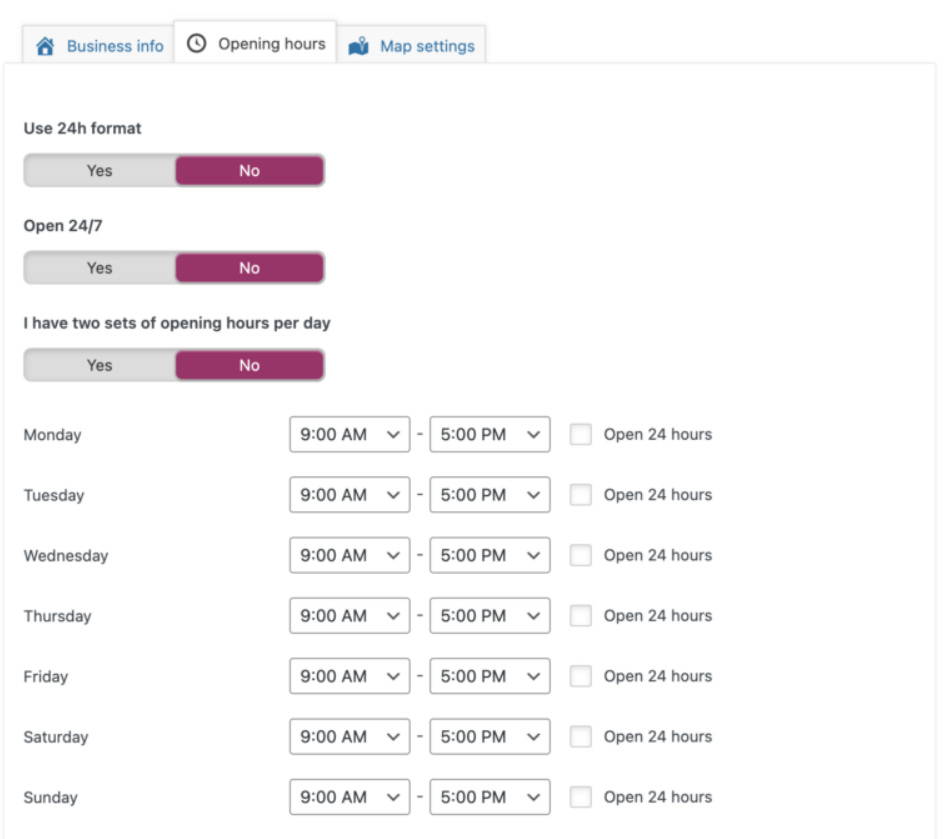
Yoast Local SEO is an add-on plugin for Yoast SEO that boosts local businesses’ performance in local search results. It helps search engines easily interpret crucial business details such as name, type, location, and opening hours.
This premium WordPress plugin simplifies technical SEO aspects by automatically structuring the address and opening hours information you add in the schema.org format. It also generates and incorporates essential elements like your geo sitemap and KML file into your XML sitemap.
For businesses with multiple locations, Yoast Local SEO optimizes Google listings for each site, ensuring that searchers see the closest location to them in search results. You can add shared property details while customizing information for individual locations. This comes in handy if you, for example, have multiple stores.
Key Features
- Structured data integration – incorporate business-specific details such as type, location, and contact information into the schema.org markup.
- Store finder – enable a responsive store finder by uploading of postal codes, cities, and states in the CSV format.
- Contact page – create a dedicated contact page with built-in tools and make it easier for online visitors to find their way to your business.
Drawbacks
- No free version.

Conclusion
In this article, we’ve explored the best SEO plugins for WordPress to improve your site’s visibility on search engines. Among all the options, here are our top picks for each category:
- Best on-page SEO plugin – Yoast SEO for its detailed readability and SEO analysis within a user-friendly interface.
- Best all-around SEO plugin – SEOPress for its comprehensive suite of on-page SEO, analytics, and redirection tools in a single plugin.
- Best analytics and tracking plugin – MonsterInsights for its simple Google Analytics integration and real-time monitoring dashboard.
- Best redirection plugin – Redirection as the best free WordPress SEO plugin for managing various conditions and types of redirection.
- Best local SEO plugin – Yoast Local SEO for comprehensive tools to boost site visibility in local searches.
We hope this guide helps you in selecting the ideal plugins for your WordPress site. If you have any questions or would like to recommend other SEO plugins, feel free to use the comments section below. Be sure to check out our WordPress SEO checklist to make sure you cover other SEO-related tasks as well..
WordPress SEO plugins FAQ
This section will answer the most common questions about the best WordPress SEO plugins.
What to look for in a WordPress SEO plugin?
When searching for the best SEO plugin for WordPress, first prioritize those that offer essential SEO features like keyword suggestions, meta tag addition, and sitemap generation. Then, consider advanced features for your specific needs, such as local SEO capabilities, content analysis, and redirection support.
Is an SEO plugin required for WordPress?
WordPress is an SEO-friendly platform right out of the box. However, using the best WordPress SEO plugin on your site allows you to easily manage various SEO settings directly from your WordPress dashboard.
Can I use multiple SEO plugins for my WordPress site?
While it’s generally safe to use multiple SEO plugins on your WordPress site, ensure they have a different function to avoid conflicts and redundancies. It’s best to choose one plugin for each functionality or select an all-around plugin that meets all your SEO requirements.
This article is a localized version of 15 best WordPress SEO plugins to boost your website’s ranking, originally published in English.

Ariffud is a Technical Content Writer with an educational background in Informatics. He has extensive expertise in Linux and VPS, authoring over 200 articles on server management and web development. Follow him on LinkedIn.



Comments
2 responsesMarch 01 2021
Great article, thanks. You helped me figure out all these plugins. I installed 3 plugins at once, which duplicated each other. The site was very slow. Then I realized my mistake and started looking for advice on the best SEO plugin. Now I know which plugin I need. Thanks guys! Great article)
May 06 2021
Hey Andy! Happy to hear that you have sorted your plugins out :)