10 vibe coding best practices
Sep 18, 2026
/
By Alma
/
10 min Read
Vibe coding is a way to build apps by describing what you want in plain language and letting AI write the code. Computer scientist Andrej Karpathy, an OpenAI co-founder and former Tesla AI leader, coined the term in February 2025 around a simple idea: you describe the outcome you want and stop worrying about the code itself – intent over implementation.
Tools like Cursor, Claude, and Hostinger AI Builder let you vibe code whether you’re a complete beginner or an experienced builder. But typing a prompt and hoping for the best won’t get you far. You need to learn vibe coding best practices to build something that actually works. That means writing clear prompts, iterating on the output, testing before you trust it, staying in control of decisions, and knowing where AI hits its limits.
1. Start with clear intent, not technical details
Tell the AI what a feature should do, not how to build it. You describe the outcome. The AI picks the technical approach.
Say you’re vibe coding a website for a hair salon, and need a booking feature. Compare these two prompts:
- “Add a booking form where customers pick a service, choose an available time slot, and get a confirmation email.”
- “Add a booking form using a PostgreSQL database, REST API endpoints, and an SMTP integration for email.”
Both ask for the same feature. But the first describes what the customer should be able to do. The second jumps straight into technical choices the AI can figure out on its own.
That way, you stay focused on what the product needs. If something isn’t right, you adjust the prompt, not a line of code you don’t understand.
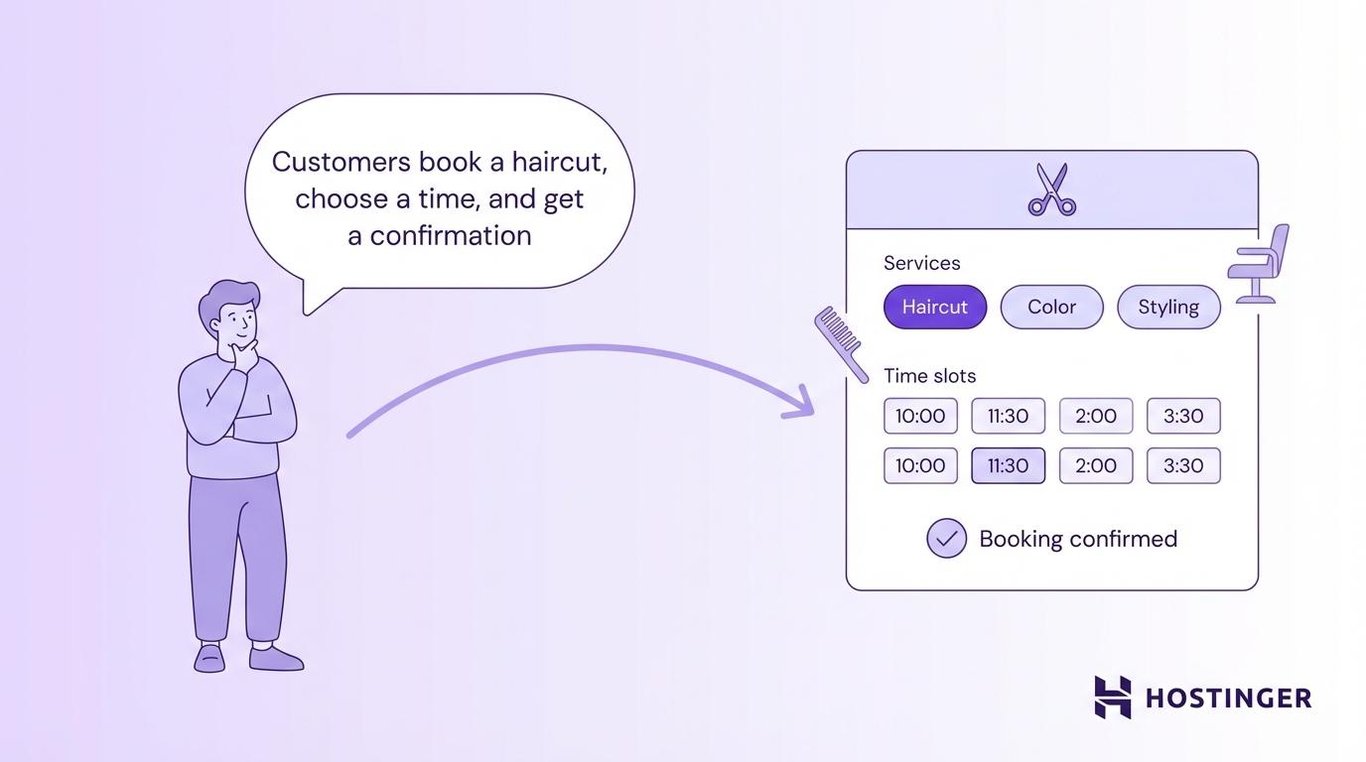
You’ll write better prompts if you plan what your app needs first. This can be as simple as a text file or a note on your phone that lists what the app does, who it’s for, and the main pages or screens. You’re giving the AI a map before asking it to drive. Without one, it guesses the route.
2. Break ideas into prompt-sized chunks
Build one feature at a time instead of asking the AI to generate a full app in a single prompt. The AI produces cleaner results when it focuses on a single piece rather than juggling everything at once.
For example, instead of prompting “Build me a full app with a homepage, login, dashboard, and settings page,” break it into separate requests: “Create a homepage with a hero section and navigation bar” → “Now add a login form with email and password fields” → “Add a dashboard that shows the user’s recent activity.”
Here’s a simple way to split up your project:
- Start with the layout and navigation
- Add one core feature, like a form or a data display
- Build the next feature on top of what already works
- Add styling and design tweaks last
Each piece is small enough to test before you move on. You’ll catch problems earlier, and the AI won’t overwrite things that already work.
Save your progress after each working feature. If you’re using a tool like Cursor or coding locally, save versions of your project so you can go back if something breaks. A free tool called Git does this for you. Each save acts as a checkpoint – if the AI breaks something in the next round, you roll back to the last working version instead of starting over.
For your next build, resist the urge to describe the full app. Start doing vibe coding with just one page or one feature.

3. Iterate fast and often
Treat every AI output as a first draft, not a finished product. You’ll get to a better result faster by sending three quick follow-up prompts than by trying to write one perfect prompt upfront.
Don’t spend 20 minutes crafting the ideal request. Write something reasonable, look at what comes back, and adjust. “Make the header sticky” → “Move the logo to the left” → “Shrink the padding by half.” Three quick rounds often beat one long, overloaded prompt.
Each follow-up builds on what’s already there. You’re having a conversation with the AI, not placing a single order.
If something looks 80% right, don’t start over. Push it to 95% with a few more prompts. Each round gets better when you write good AI prompts that are specific enough to move things forward without confusing the AI.
Here’s how the first three vibe coding best practices look together in a real workflow:
- First prompt: “Build a simple to-do list app with a dark theme.”
- Follow-up: “Add categories so users can group tasks.”
- Follow-up: “Show a completed task count at the top of the page.”
You described the outcome, broke it into chunks, and iterated quickly.
4. Guide the AI with constraints
Set boundaries so the AI builds what you want without going off track. Without rules, the AI decides everything on its own: the framework, the file structure, the colors. That’s fine for a quick experiment, but not for a real project.
You can set rules in a few areas:
- Tech stack (the coding tools your app is built with). “Use Tailwind for styling” or “Keep this as plain HTML and JavaScript.”
- Design rules. “Use a dark background with white text” or “Keep all font sizes between 14px and 20px.”
- Performance limits. “This page needs to load in under 2 seconds,” or “Don’t add outside libraries unless necessary.”
- Scope limits. “No login system yet” or “Skip the payment flow for now.”
You can also structure a single prompt in three layers so the AI gets the full picture at once:
- Context. “This is a booking site for a hair salon, built with HTML and Tailwind.”
- What it should do. “Add a form where customers pick a service and choose a time slot.”
- What to avoid. “Don’t add a payment step yet. Keep the design minimal.”
You send all three together as one prompt. This works better than one long sentence because the AI can clearly separate what it’s working with, what it needs to build, and what it should skip. In a single run-on sentence, those details get buried, and the AI is more likely to miss something.
Knowing the difference between frontend and backend also helps you set rules in the right place. The frontend is what users see. The backend handles data behind the scenes. For example, you might say, “Just build the page layout for now, don’t add any data storage yet.” That tells the AI to focus on the frontend and leave the backend for later.
In your next prompt, try adding a simple rule, such as “no login system yet” or “keep it to one page.” Even one constraint makes a noticeable difference.
Want to put these best practices into action? This video walks through six prompting tips — being specific, breaking ideas into steps, adding constraints, uploading images, asking the AI to fix errors, and structuring multi-step requests.
Important note: this video was recorded when the feature was called Hostinger AI Builder, now part of Hostinger AI Builder’s agentic mode. The prompting techniques shown are unchanged.
5. Don’t blindly trust generated code
AI-generated code works most of the time, but “most of the time” isn’t good enough when your app handles user data or payments. You don’t need to read every line. But you do need to check the parts that protect your users.
Focus your review on these areas:
- Login and authentication. Is it actually secure, or just cosmetic?
- Data handling. Does the app check user inputs before saving them?
- API keys. Are they stored in environment variables (a separate, locked file that keeps passwords and keys out of the actual code), or are they sitting in the code where anyone can see them?
- Error handling. What happens when something breaks?
Skipping this review has cost actual projects, and it’s a big reason people think vibe coding is bad.
In one case, Kaspersky reported that a startup launched a platform built entirely with AI-generated code, with zero hand-written lines of code. Days after launch, the platform was found to contain basic security flaws that allowed anyone to access paid features and modify data. The founder couldn’t fix the issues, and the project shut down.
Vibe coding isn’t unsafe. But anything that touches money or personal data needs a closer look, and understanding vibe coding security basics will show you exactly what to watch for.
Use a two-pass review
Ask the AI to build the feature first. Then, in a separate prompt, ask it to review its own code for security problems. This catches issues the first pass missed.
6. Use AI as a collaborator, not a replacement
You’ll get better results by working with AI tools instead of handing over full control to them. Ask the AI to explain its choices, suggest alternatives, and compare the trade-offs.
Try prompts like “Why did you use a grid layout here instead of flexbox?” or “Show me two ways to build this feature and explain the difference.” Both give you room to make a decision instead of just accepting the first output.
Before the AI writes any code, ask it to describe its plan first. A prompt like “Before you build this, tell me how you’d approach it” lets you catch bad ideas early. You approve the plan, then it builds. This one step prevents a lot of wasted prompts, fixing code that was heading in the wrong direction from the start.
You also don’t have to use a single tool. Many builders pair a code editor like Cursor for custom logic with no-code platforms like Hostinger AI Builder for getting a working version live quickly. Use whichever tool fits the task you’re working on.
7. Keep context consistent across prompts
Give the AI a recap of your project when you start a new session so it doesn’t lose track of what you’re building. Without that thread, you end up with features that don’t fit together.
AI tools work within a conversation window. Everything you’ve said in that session shapes what comes next. But as the conversation gets longer, the AI starts to “forget” earlier instructions. Developers call this context rot.
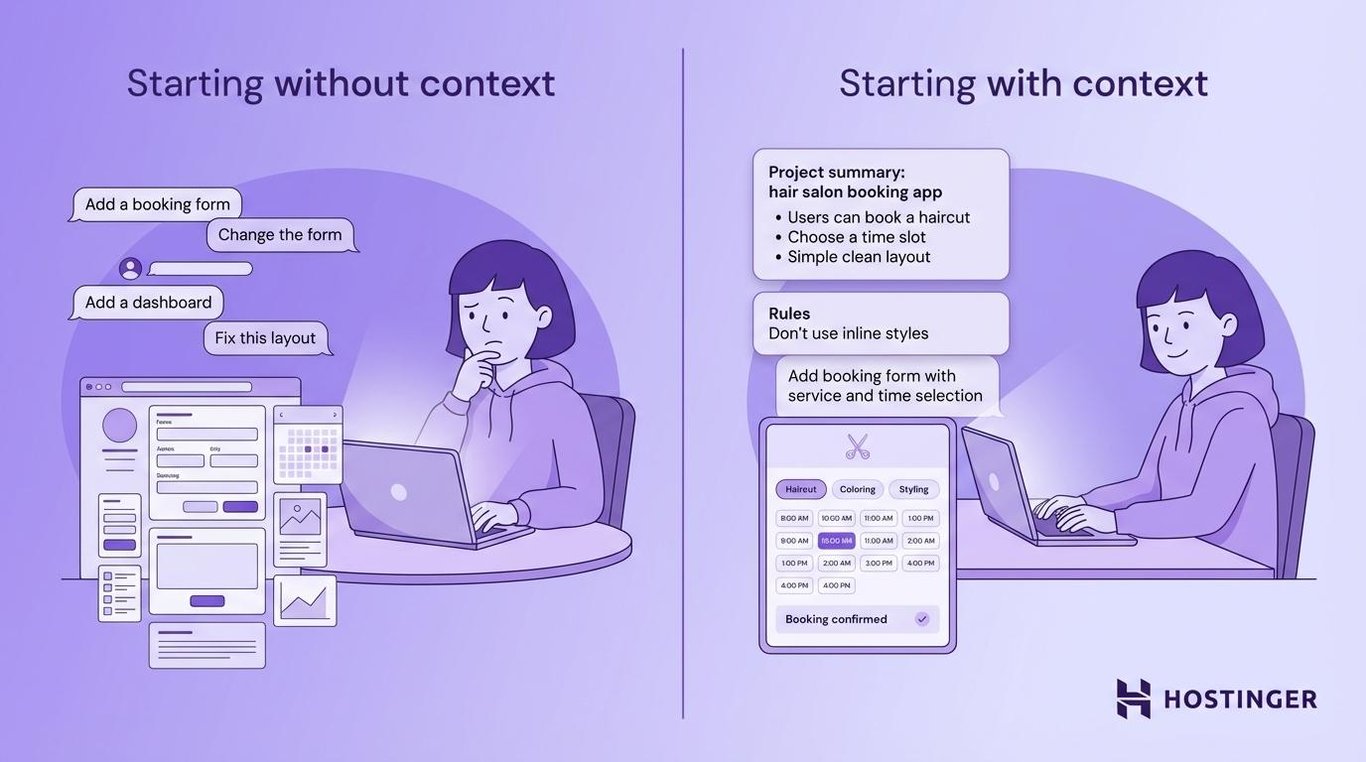
You can prevent this in a few ways:
- Start each session with a summary. Paste a short description of the project, the tech stack, and what you’ve built so far.
- Name specific outputs. Instead of “change the form,” say “change the contact form from three prompts ago to include a phone number field.”
- Open fresh conversations often. After finishing a feature, start a new chat. Only include the files and context that the next feature needs.
- Keep a rules file. Save a simple text file with your project rules and any mistakes the AI has made before. Something like “Don’t use inline styles” or “Always put API calls in a separate file.” Paste it into each new session so the AI doesn’t repeat old mistakes. Some developers call this a DONT_DO file.
It’s like calling the same coworker on two different days. You wouldn’t assume they remember every detail from last week. A quick recap keeps the AI accurate.
Before your next new chat, try pasting a two- to three-line summary of your project at the top. You’ll notice the AI stays on track much longer.
8. Validate outputs through testing, not assumptions
Test every feature yourself, rather than assuming the code works just because it looks right. Click buttons, submit forms, and try to break things. Nothing else catches problems as fast as actually using the app.
Code that looks clean can still fail. A form might accept input but never send the data anywhere. A button might look clickable, but do nothing. The AI builds code based on patterns, not by actually running the result. So gaps slip through.
Here’s a quick testing routine you can use:
- Click every button and link. Does each one do what it should?
- Submit real data. Fill in forms with actual info and check where it ends up.
- Try to break it. Leave fields blank, enter odd characters, resize the window.
- Test on your phone. Mobile layouts often behave differently from desktop ones.
Just use the app the way a real person would, following the same web app testing steps you’d use for any live product. If something feels off, it probably is.
Important! Never skip testing for apps that handle payments, personal data, or user login. A quick manual check takes minutes and can prevent serious problems.
9. Know when to switch to manual control
Step in yourself when the AI keeps getting stuck on the same problem. Not every issue can be fixed with another prompt.
AI tools handle common tasks well: standard layouts, basic forms, simple data display. But when the logic gets complex, or when you’re dealing with unusual edge cases or situations the app wasn’t designed for, the AI starts guessing and making things up. Those guesses often create more problems than they solve.
These are signs you need to change your approach and take over:
- The AI keeps reintroducing the same bug after you’ve pointed it out
- Fixing one feature breaks another
- The output gets longer and messier with each prompt
- You’ve asked for the same change three times with no improvement
When this happens, you have a few options. One, you can edit the code yourself if you have that skill. Two, you can bring in a developer for the tricky part. Or three, you can switch to a tool that gives you more direct control over what gets built.
Whichever option you pick, the most reliable vibe coding workflow is a hybrid one, where AI handles the heavy lifting, and you step in for the parts that require human judgment. What “stepping in” looks like depends on whether you’re using a no-code or low-code tool.
A no-code app builder like Hostinger AI Builder, Lovable, or Bolt.new let you control everything through prompts and visual editors – you never touch the code directly. If the AI gets stuck on a no-code platform, you just rephrase your prompts or use the visual editor.
On a low-code tool like Cursor or Windsurf, you can open the code and fix the problem yourself.
10. Focus on shipping, not understanding everything
Launch your app and get it in front of real users instead of waiting until you understand every line of code. A working product that people can use beats a perfect codebase no one ever sees.
This is a different way of thinking compared to traditional coding, where you’re expected to understand everything before launch. With vibe coding, you focus on whether the app works, not on explaining every function inside it.
That doesn’t mean you ignore quality. It means you launch a solid first version – either a rough prototype or a full minimum viable product – and improve based on real feedback. You’ll learn more about vibe coding from 100 actual users than from 100 hours of tweaking.
Launch first, polish second.
How to choose the right AI tools for vibe coding
The best vibe coding tools each fit different experience levels and project types. No single option works for everyone.
Some tools let you build entirely through prompts without seeing any code. Others give you an AI-powered code editor that lets you stay close to the code while moving faster. A few work purely as conversation partners, helping you think through problems and generate solutions.
Tool type | Best for | Examples |
AI app builders | Non-coders who want a working app without writing code | Hostinger AI Builder, Lovable, Bolt.new |
AI code editors | Developers who want AI speed inside a familiar coding setup | Cursor, Windsurf, GitHub Copilot |
AI assistants | Generating and debugging code through conversation | Claude, ChatGPT |
Your choice depends on how hands-on you want to be with the code. Here’s how one tool from each category works:
Hostinger AI Builder is a strong option if you want to go from idea to live app with minimal setup. It handles building, hosting, domain setup, and deployment through simple prompts. You describe what you want, refine through chat, and publish when you’re ready.
Cursor is built for developers who already write code. It adds AI directly into the editing workflow so you keep full control over the codebase.
Claude works well as a standalone assistant for generating code, explaining logic, and debugging. It’s a solid pick when you need to think through a problem before building.
Each one of these tools serves a different need, so the right pick depends on what you’re building and how involved you want to be. Ask yourself three questions:
- How fast can you go from a prompt to a working result? Quick back-and-forth beats a long list of features.
- Does the tool keep context across prompts? Losing context mid-project slows you down.
- Does it handle deployment? Some tools only generate code. Others, like Hostinger AI Builder, also put it live for you.
Whichever category you lean toward, pay attention to three things: how fast the tool goes from prompt to working output, how well it keeps context as your project grows, and how easy it is to iterate without starting over. A tool that’s fast but loses track of your project after five prompts will slow you down more than a slightly slower one that stays consistent.
But even a great tool won’t carry a project on its own. Unclear prompts, skipped testing, and zero oversight will cost you time no matter what platform you’re on. The tool you choose and vibe coding best practices go hand in hand.
So pick a tool from the table, start a small project, and put two or three of these vibe coding best practices to work. You’ll learn more from building one real thing than from reading about all of them.
This article is a localized version of 10 vibe coding best practices, originally published in English.

Alma is an AI Content Editor with 9+ years of experience helping ideas take shape across SEO, marketing, and content. She loves working with words, structure, and strategy to make content both useful and enjoyable to read. Off the clock, she can be found gaming, drawing, or diving into her latest D&D adventure.