What is UI design?
Jun 02, 2026
/
Larassatti D.
/
4 min Read
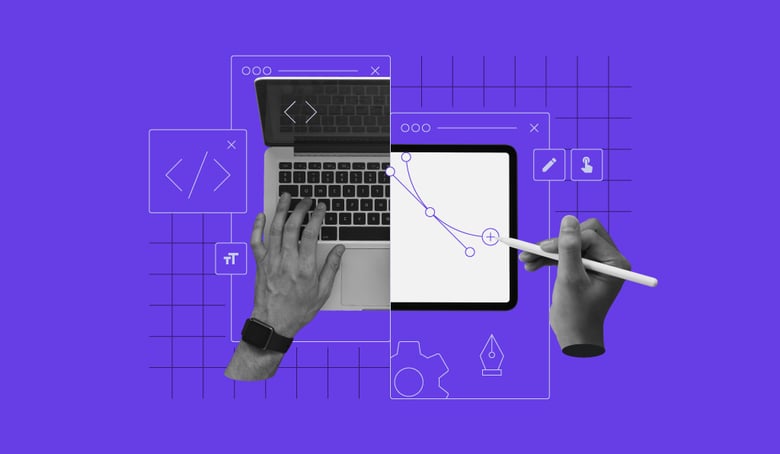
User interface (UI) design is the practice of designing how people interact with digital products, focusing on the visual elements, controls, and feedback that make software usable, trustworthy, and efficient.
It determines how layouts, buttons, navigation, and interactions work together to help users complete tasks without friction or confusion.
If the interface is confusing, slow, or unclear, the product feels broken, even when it technically works.
To fully understand what UI design is, you need to know how it affects usability and user trust, the main types of user interfaces, how UI design differs from UX design, and the core principles that guide effective interface design across websites, apps, and SaaS products.
The purpose of UI design
The purpose of UI design is to turn product functionality into clear, predictable, and efficient interactions. A well-designed interface helps users understand what they can do, how to do it, and what will happen when they take an action, without having to think about how the product works behind the scenes.
Whether you are building a website, a web app, or a SaaS product, UI design is the layer that connects functionality with real human behavior.
Why UI design matters for usability and trust
Users judge interfaces extremely quickly. Within seconds, they form opinions about whether a product feels easy to use, reliable, or frustrating. These early impressions strongly influence whether users continue using the product or abandon it.
Good UI design improves usability by reducing confusion and effort. When actions are obvious and flows are logical, users can focus on their goals instead of figuring out how the interface works.
UI design also plays a major role in trust. Clear layouts, consistent behavior, and transparent feedback signal that a product is well built and dependable. Poor UI, on the other hand, often raises doubts, even if the underlying software is technically solid. This is one of the reasons many software projects fail despite strong ideas or features.
Types of user interfaces
User interfaces come in different forms depending on how users interact with a system. Understanding these types helps designers and developers choose the right interaction model.
Graphical user interfaces
Graphical user interfaces (GUIs) are the most common type. They rely on visual elements such as buttons, icons, menus, forms, and windows. Websites, mobile apps, and most SaaS platforms use GUIs.
Effective GUI design prioritizes visual hierarchy, spacing, typography, color, and immediate feedback. Because users rely heavily on visual cues, small design decisions can significantly influence clarity, speed, and perceived quality.
Voice-controlled interfaces
Voice-controlled interfaces allow users to interact with software using spoken commands. Examples include digital assistants and voice-driven features inside apps.
Because users cannot see available options, voice interfaces depend heavily on clear language, predictable command structures, and unambiguous feedback. UI design must account for recognition errors and guide users smoothly when misunderstandings occur.
Gesture-based interfaces
Gesture-based interfaces respond to physical movements such as swipes, pinches, or body motion in three-dimensional space. These are common in mobile devices, gaming, and virtual or augmented reality environments.
Here, UI design must consider physical comfort, precision, and consistency. Gestures must feel natural and easy to remember, as poorly designed gestures quickly lead to fatigue, errors, or user confusion.
UI vs UX design
UI design is often confused with user experience (UX) design, but they serve different roles.
UX design focuses on the entire experience of using a product. This includes research, user needs, task flows, information architecture, and overall satisfaction.
UI design focuses on how that experience is delivered through the interface. It turns UX decisions into concrete visuals and interactions.
A simple way to think about the difference:
- UX design defines what should happen and why
- UI design defines how it happens on screen
Strong products need both. A clear UX strategy can fail if the UI is confusing, while a polished interface cannot fix poor underlying experience design.
Core principles of effective UI design
Effective UI design is guided by a small set of principles that apply across products, platforms, and industries.
- Clarity and predictability. Users should immediately understand what each element does and what will happen when they interact with it. Familiar patterns reduce learning effort.
- Consistency. Similar elements should look and behave the same throughout the product. Consistency builds confidence and helps users form reliable mental models.
- Low cognitive load. Interfaces should not require users to remember unnecessary information or make too many decisions at once. Each screen should focus on a primary task.
- Feedback and system status. Every user action should trigger a visible response. Feedback reassures users that the system is working and helps prevent repeated or incorrect actions.
- Visual hierarchy and layout. Size, contrast, spacing, and alignment guide attention and help users scan content quickly. A good hierarchy makes structure obvious without explanation.
- Buttons, controls, and affordances. Interactive elements should look interactive. Buttons should appear clickable, inputs editable, and controls placed near the objects they affect.
- Reducing friction in task flows. Minimize unnecessary steps, group related actions, and guide users toward the most important choices. Fewer obstacles lead to smoother completion.
- Platform and context awareness. Interfaces should respect the device, input method, and environment in which they are used. Mobile, desktop, and voice interfaces each require different design decisions.
User interface design is ultimately about helping people achieve their goals with less effort and fewer mistakes. The best interfaces often go unnoticed because they feel natural and obvious.
For developers and founders working on building a software product, UI design should not be an afterthought. It directly affects usability, trust, and long-term adoption, especially in early-stage software startup ideas.
Whether you are exploring software prototyping, evaluating software development tools, or keeping up with software development trends, investing in clear and thoughtful UI design will pay off.
A simple question can guide every decision: Can this be clearer for the user?
If the answer is yes, there is still room to improve.


Larassatti Dharma is a content writer with 4+ years of experience in the web hosting industry. She has populated the internet with over 100 YouTube scripts and articles around web hosting, digital marketing, and email marketing. When she's not writing, Laras enjoys solo traveling around the globe or trying new recipes in her kitchen. Follow her on LinkedIn