SSH Disable Password Login: Securing Your Linux VPS
Apr 23, 2025
/
Linas L.
/
2 min Read
The majority of people use password authentication to connect to their servers via SSH command line and do not even consider that this authentication method may not be as safe as they expected. Consider this: if any hacker manages to collect your SSH password, all of your valuable information is at risk. That is why authenticating with SSH keys is a better option.
In this tutorial you will learn how to disable password authentication for SSH on Linux VPS.
Download ultimate SSH commands cheat sheet
What You’ll Need
Before you begin this guide you’ll need the following:
- A working Linux OS based server / VPS
- Root access to your server / VPS via SSH command line
Step 1 — Configuring SSH Key Authentication on Your Server
Before we start the guide, you should note that if you do not set up another authentication method beforehand and disable password authentication right away, you will have a hard time connecting to your server.
Important! Configure another way of authentication before you proceed with this guide. We recommend SSH Key authentication. Continue with this tutorial only after you configure your SSH Keys because you may be locked out of your own server.
Step 2 — Editing SSH configuration file
Proceed with this only if you have completed Step 1 and successfully connected to your VPS using [SSH keys] because you may be locked out of your own server.
- Connect to your server/VPS with root SSH credentials.
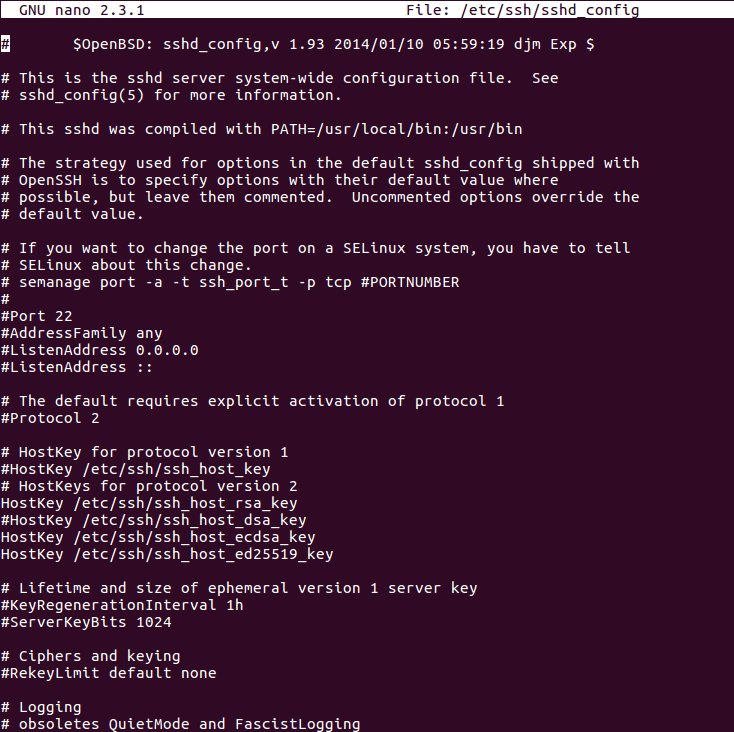
- Open /etc/ssh/sshd_config configuration file with a text editor like nano or vim via SSH command line.
nano /etc/ssh/sshd_config - When editor opens you should see a similar view:
- Now you need to find a line:
PasswordAuthentication yes. Nano has a search feature so you can simply search for this line by pressing CTRL + W on your keyboard, writing a search keywordPasswordAuthenticationand clicking Enter.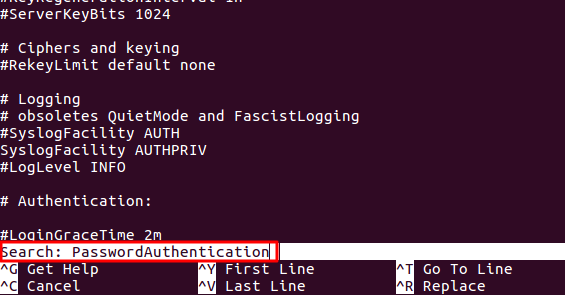
- Your pointer should point to the necessary area.

- And here you need to change
PasswordAuthentication yestoPasswordAuthentication no:
- To save changes and exit press Ctrl + X, type in Y and press Enter button.
- Additionally, you need to restart the SSHD service to apply the changes. Run the following command:
service sshd restart
And that is it! SSH password authentication has been disabled. From this point no one will be able to connect to your server / VPS using SSH password. Only privileged users who have their SSH keys added to your server will be able to connect.
Conclusion
You have learned how to disable SSH password authentication on your server / VPS. This makes your server a lot safer because no one will be able to connect to your server via SSH using a password. Only privileged users using SSH keys or other advanced authentication methods will be able to connect.

All of the tutorial content on this website is subject to Hostinger's rigorous editorial standards and values.

Linas started as a customer success agent and is now a full-stack web developer and Technical Team Lead at Hostinger. He is passionate about presenting people with top-notch technical solutions, but as much as he enjoys coding, he secretly dreams of becoming a rock star.