How much does it cost to build a website in 2026?
Mar 09, 2026
/
Simon L. & Saulius L.
/
11 min Read
Building a website typically costs anywhere from $0–$500 upfront for a DIY site using builders like Hostinger, $1,000–$5,000 for a simple professionally designed site, or $10,000+ for a complex, custom-built project through an agency.
On top of that, recurring costs for hosting, domain renewals, and maintenance add $100–$1,000+ per year, depending on your site’s complexity and traffic.
The biggest factors that shape your total cost? Your budget and approach (DIY vs hiring someone), the platform you choose (website builder vs WordPress vs custom code), the features you need (especially ecommerce), and easy-to-overlook expenses like content creation, SEO, and ongoing maintenance.
The three most common ways to build a website, and what they actually cost, include:
- WordPress (DIY with hosting + themes). $100–$300 upfront for a domain and standard hosting, then $2–$50/month ongoing. You get maximum flexibility, but there’s a learning curve, and you’re responsible for your own maintenance.
- Website builder (Hostinger). $2–$50/month all-in, with hosting, SSL, templates, and maintenance bundled into the plan. The fastest and easiest option, but less customizable than WordPress.
- Hiring a freelancer or agency. $1,000–$5,000 for a simple custom site, $5,000–$30,000+ for complex builds. You get a site built to your exact specs, but it’s significantly more expensive, and you’ll still pay for hosting, domain, and ongoing maintenance separately.
Whatever route you choose, it’s smart to add 20–30% to your estimated budget. Hosting renewals, plugin subscriptions, and scope creep hit almost every project, so planning for them upfront saves you from awkward budget conversations later.
Here’s a side-by-side summary of what each approach typically costs.
Website needs | WordPress | Hostinger Website Builder | Web development service |
Web hosting | $2–80/month | Included | $2–80/month or included with dev fee |
Domain name | $10–20/year | Free (1st year), then $10–20/year | $10–20/year |
SSL certificate | $0–1,000/year | Included | $0–100/year or included |
Platform/subscription fee | Free (self-hosted) | From $1.99/month | — |
Web development fee | — | — | $45–120/hour |
Themes/templates | $0–100/license | Included | $0–100/license or included |
Web design service | $30–50/hour | — | $30–50/hour or included |
Ecommerce functionality | $0–300/month | Included in some plans | $1,000–5,000+ |
Plugins and add-ons | $0–200/plugin | $0–200/plugin | $0–200/plugin or included |
Marketing services | $50–500/hour | $50–500/hour | $50–500/hour |
SEO tools | $0–120/month | Built-in SEO features | $0–120/month |
Email marketing | $0–100/month | $0–100/month | $0–100/month |
PPC ads | ~$2–4/click (Google/Meta) | ~$2–4/click (Google/Meta) | ~$2–4/click (Google/Meta) |
DIY maintenance | $0–70/year | Included | $0–70/year or included |
Maintenance service | $50–300+/month | — | $50–300+/month |
These ranges apply to small and medium-sized websites. Large-scale or enterprise projects will cost more across every category.
What factors affect website cost?
Website costs are shaped by how complex your site is, who builds it, and what it needs to do.
A simple portfolio with five pages costs a fraction of what an ecommerce store with payment processing, inventory management, and marketing automation does.
Every project is different, but costs tend to fall into the same six categories. Here’s what each one typically runs.
- Website essentials ($15–$100/year). Every site needs three things to go live: a domain name (your web address, like yourwebsite.com), a web hosting plan (server space that stores your site files), and an SSL certificate (which encrypts your site data and enables HTTPS). Many hosting plans bundle all three, which keeps the cost low. These are the non-negotiables on your website launch checklist.
- Website design ($0–$10,000+). Design impacts how professional your site looks, how easily visitors navigate it, and whether they trust your brand. You can use a free template, buy a premium theme for $30–$100, or hire a freelance designer at $30–50/hour. A full custom design from an agency can run $5,000–$15,000+.
- Ecommerce functionality ($0–$5,000+). Selling online means you’ll need payment gateways, inventory management, shipping options, and product pages. DIY ecommerce plugins for WordPress start free, website builder ecommerce plans cost $2–$50/month, and custom ecommerce builds run $1,000–$5,000+.
- Plugins and add-ons ($0–$200+ each). Plugins extend your site’s functionality with features such as booking systems, contact forms, analytics, pop-ups, social media integrations, and more. Free plugins cover the basics, whereas premium options can cost $15–$200 per plugin.
- Marketing and SEO ($0–$500+/month). Budget for SEO tools, email marketing, social media promotion, and PPC ads to drive traffic to your website. Free built-in tools can get you started, but professionals charge $50–$500/hour.
- Maintenance ($0–$300+/month). Websites need regular software updates, backups, security monitoring, and performance optimization. Handle it yourself with free tools, or expect website maintenance costs of $50–$300+/month if you hire a professional.
Cost of a WordPress website
WordPress is a free, open-source content management system (CMS) that lets you control nearly every aspect of the site. It also lets you have more say over where your money goes than with most other platforms.
The tradeoff is a steeper learning curve. If you’ve never built a site before, learning WordPress takes time. But if control over features and budget matters to you, it’s worth it.
Pros:
- Outstanding flexibility – build exactly the site you want, adjust as your needs change.
- Can be more affordable long-term than a builder’s recurring fees.
Cons:
- Steeper learning curve for beginners wanting to build a site from scratch.
- No built-in customer support (though managed WordPress hosting fills that gap).
1. Website essentials
WordPress itself is free, but you need a domain name and a hosting plan before you can build anything.
Domain name: $10–$20/year. This is your web address, like yourwebsite.com. Popular extensions like .com cost more due to demand, while newer options like .site or .online are more affordable. Many hosting providers (including Hostinger) bundle a free domain for the first year when you sign up for an annual hosting plan, so you can often skip this cost upfront.
Web hosting: $2–$80+/month. Hosting is where your website files live. Most new sites start on shared hosting ($2–$15/month), where you share server resources with other sites to keep costs low. As your traffic grows, you can upgrade to cloud, VPS, or dedicated hosting for more resources, though most WordPress sites won’t need that early on.
Since you’re building on WordPress, it’s also worth considering managed hosting for WordPress. These are plans specifically optimized for WordPress, with features such as automatic updates, staging environments, and WordPress-specific support. Pricing is similar to standard shared hosting, but you get a smoother experience out of the box.

Most hosting plans also include a free SSL certificate (the encryption that enables HTTPS on your site). SSL is essential, but since it’s bundled with virtually every hosting plan, it’s rarely a separate line item unless you’re a large enterprise needing extended validation certificates ($8–$1,000/year).
2. Website design
WordPress gives you full control over design, which means full control over pricing too.
If you know HTML, CSS, and JavaScript, you can customize from scratch at no cost. Most people use themes, which are pre-built design templates that determine how your site looks and works, without needing to code it from scratch.
Free themes work fine for simple sites like blogs or basic portfolios. Premium themes offer more customization, drag-and-drop support, demo templates, and dedicated support. You’ll find them on marketplaces like Envato Elements for around $30–$100/license.
For a custom design, freelance web designers charge $30–$50/hour, and a complex WordPress site with custom functionality can cost $5,000–$15,000.
3. Ecommerce functionality
WordPress handles ecommerce at any scale through plugins. Costs depend on which plugin you choose and how complex your store is.
The dominant option is WooCommerce. The core plugin is free, but most stores need paid extensions for things like advanced shipping, subscriptions, or product add-ons, which run $29–$299/year each.
Other ecommerce plugins cover niches like multi-channel selling or digital downloads, with pricing ranging from free to $100+/year.
4. Plugins and add-ons
WordPress has over 60,000 plugins in its official directory, covering everything from booking systems and contact forms to analytics integrations and donation buttons.
Free plugins cover basic needs. Premium plugins cost $15–$200 each, with some charging one-time fees and others charging annual subscriptions. Popular categories include comment management, PDF viewers, booking systems, review systems, social media integrations, and pop-up builders.
Stick to well-reviewed plugins from trusted sources because poorly coded plugins can break your site or create security vulnerabilities.
Cost of a website created with a website builder

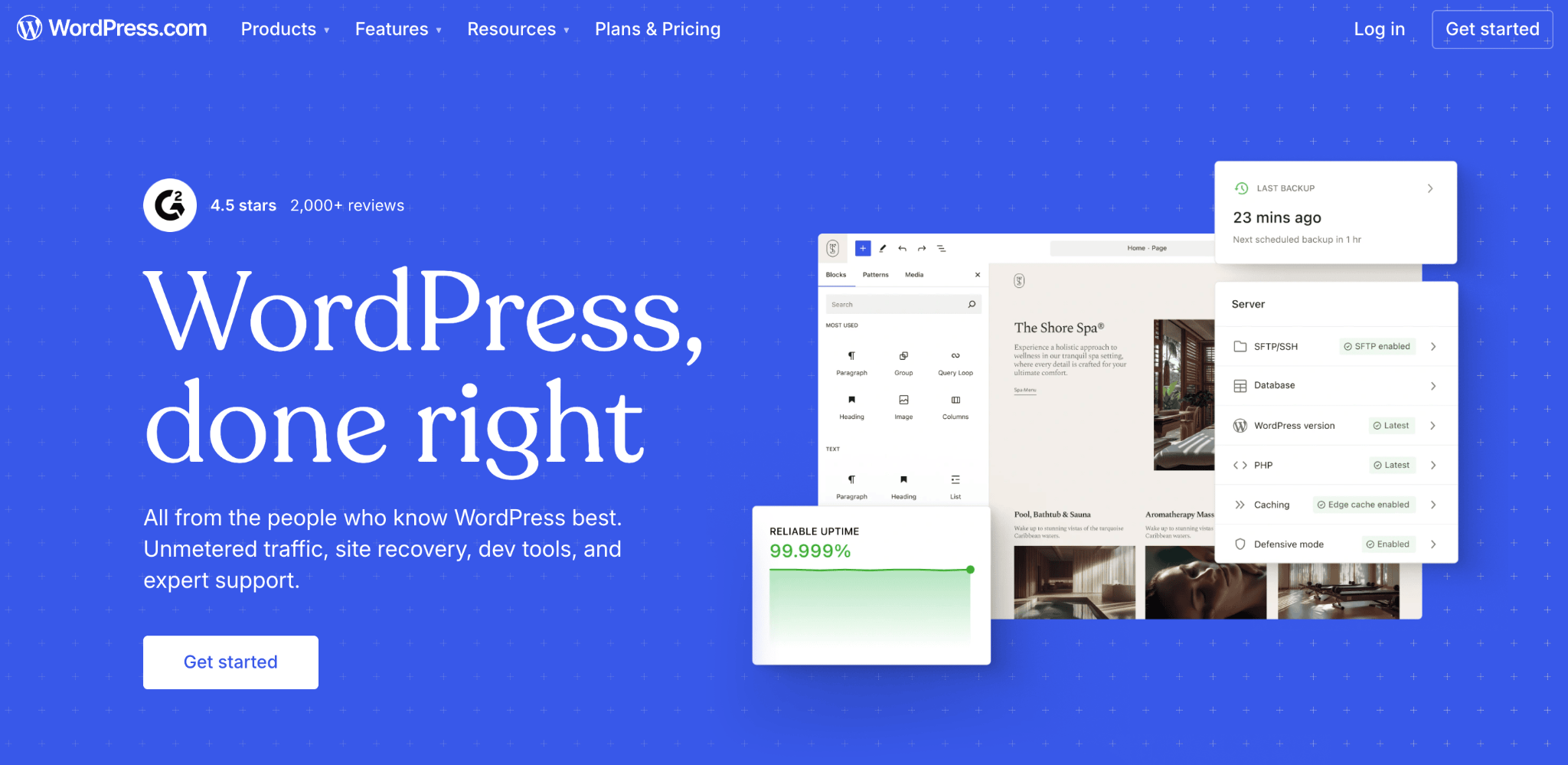
A website builder is the fastest way to get online. No coding, no separate hosting purchase – just pick a template or let AI create a website layout (if the builder you choose allows it), customize with drag-and-drop, and publish.
Hostinger’s AI website builder comes with hosting, so you can build a portfolio, run a store, or create landing pages without buying separate tools.

Pros:
- Quick setup – sign up, choose a plan, start building.
- Beginner-friendly drag-and-drop editing.
- AI tools speed up creation and cut costs.
Cons:
- Less flexible than WordPress without third-party plugins or themes.
- Fixed monthly costs with less flexibility to reduce spending in specific areas.
1. Website essentials
Website builders bundle hosting, SSL, and a website builder tool into a single monthly plan, so instead of buying each piece separately, you pay one price.
Plans typically range from $2–$20/month, depending on the provider and tier.
Most premium plans also include a free domain for the first year, with renewal prices of $10–$20/year thereafter.
2. Website design
Design costs with a website builder are close to zero. Most builders include an AI feature that generates a full-page layout and starter site based on a short description of your business.
From there, you customize everything with a drag-and-drop editor: move sections around, swap images, change colors, and edit text without writing a line of code.
The tradeoff is that most builders don’t support third-party templates, so you’re working within the platform’s capabilities. But for the majority of small businesses, that selection is more than enough.
3. Ecommerce functionality
Most builders offer dedicated ecommerce plans with built-in payment processing, inventory management, order tracking, and shipping.
These plans typically run $3–$50/month. It’s more expensive than basic plans, but they include everything for a small or medium-sized store without needing separate plugins.
4. Plugins and add-ons
Website builders have fewer add-on options than WordPress, and you can’t install plugins. But the essentials are usually built in.
Most website builders include marketing integrations like Google Tag Manager, Google Analytics, Meta Pixel, and Hotjar at no extra cost. On WordPress, these are also free to set up, but you’ll just install them manually or through plugins rather than having them pre-installed.
Cost of a website by a professional web developer
If you need a fully custom site that templates and plugins can’t deliver, hiring a professional is the way to go. A web designer handles the visual side, while a web developer codes it into a functional site. Some professionals do both.
Freelance web developers from platforms like Fiverr or Upwork charge $45–$120/hour. A complete custom project typically costs $5,000–$30,000+. If you have a specific budget, be upfront about it from the start.
Pros:
- No technical skills needed on your end.
- A site built exactly to your specs.
Cons:
- Significantly more expensive than DIY.
- Finding and vetting talent takes real effort.
1. Website essentials
Some developers include hosting and domain registration in their fee, but it’s best to register the domain under your own name so you always own and control your web address.
Just like with WordPress, budget $2–$80/month for hosting and $10–$20/year for a domain. Most hosting plans include free SSL, but higher-validation certificates cost $8–$1,000/year.
2. Website design
Freelance web designers charge $30–$50/hour. A full project through a web design agency can reach $5,000+, though pricing varies widely depending on whether designers charge flat fees, hourly rates, or value-based pricing.
Most projects include two to three rounds of revisions, but extra rounds, unclear feedback, and scope changes are where budgets balloon. Agree on a revision limit, timeline, and communication cadence (weekly check-ins work well) upfront. It protects both sides.
To save money, create wireframes yourself using free tools like Figma before approaching a developer. The more detailed your brief is, with the purpose, pages, features, and budget, the better the result. A clear list of website ideas and goals helps any professional deliver what you actually want.
3. Ecommerce functionality
Custom ecommerce is more complex and expensive. You’ll need payment gateway integration, shipping logic, inventory management, tax calculations, and often email marketing automation.
Budget $1,000–$5,000+ for custom ecommerce development. Complexity increases costs quickly – a simple five-product store is very different from a marketplace with 10,000 SKUs.
4. Plugins and add-ons
If the developer builds on a CMS like WordPress, Joomla, or Drupal, you may need plugins or extensions. The developer might include premium plugins in their fee, or you purchase them separately at $15–$200 each.
Cost of website marketing and SEO
Marketing and SEO costs are pretty much the same regardless of how you build your site. The only change is which tools you use.
Hiring professionals is faster but pricier. Freelance digital marketers charge $50–$200/hour; agencies charge up to $500/hour.
Doing it yourself costs less but takes more time. Here’s what the main channels cost:
- SEO tools. Platforms like Ahrefs and Mangools cost $30–$120/month for keyword research and rank tracking. WordPress users can start with free SEO plugins like Yoast SEO or All in One SEO. Website builders like Hostinger include built-in, AI-powered SEO tools at no extra cost.
- Email marketing. Freemium platforms like Mailchimp and Moosend offer free plans, with paid plans from $9–$50/month for larger lists and advanced features. If you’re on WordPress, there are also solid newsletter plugins that let you manage subscribers and send campaigns directly from your dashboard.
- Social media. Sharing buttons and basic scheduling are usually free through plugins or built-in builder features. For more advanced scheduling, analytics, and multi-platform management, tools like Buffer and Hootsuite run $0–$100/month, depending on how many accounts and posts you manage.
- Affiliate marketing: If you want customers to refer others to your business, WordPress affiliate plugins like AffiliateWP and ThirstyAffiliates ($80–$135/year) let you set up and track referral programs on your own site. You can also join an affiliate network like ShareASale or CJ Affiliate, where most platforms take a commission on sales rather than charging upfront fees.
- PPC ads: Google Ads and Meta Ads are the two most common paid channels. Average cost-per-click varies by industry, but expect roughly $1–$2/click for lower-competition niches and $3–$5+/click for competitive ones like finance, legal, or insurance.
Additional tips for calculating your website budget
Your total website cost isn’t just the sticker price of hosting and a theme; it’s also the time you invest in building, learning, and managing everything.
A $2/month hosting plan is cheap on paper, but if you spend 40 hours setting up WordPress for the first time, that’s a real cost too.
To make things concrete: a local bakery launching on Hostinger Website Builder might spend $2–$4/month on hosting, $0 for a template and SSL, and $10–$20 for a domain. Total first-year cost is well under $100.
A freelance photographer building on WordPress with a premium theme, a few plugins, and basic SEO tools might land around $300–$500 for the first year.
A small ecommerce brand hiring a developer could easily spend $5,000–$10,000 before marketing even enters the picture.
Whatever your number looks like, add 20–30% as a buffer. Hosting renewals, plugin subscriptions, and maintenance add up year over year, and almost every project grows beyond its original scope once you start building.
Set your budget before you start, pad it, and revisit if the scope changes.
Tips on how to reduce website development costs
Knowing your budget is one thing; stretching it further is another. Here’s where you can safely save, where you shouldn’t, and how to structure your build to keep costs down.
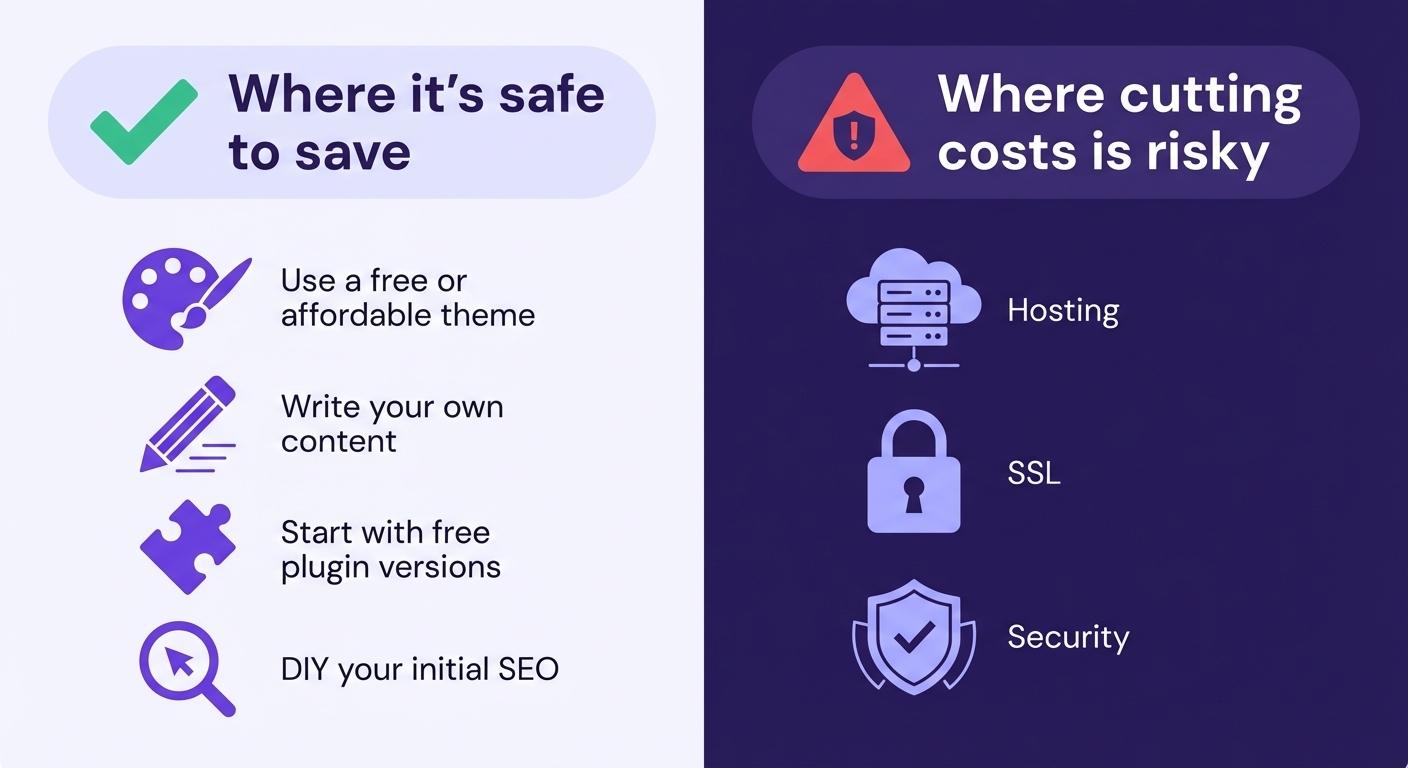
Where it’s safe to save:
- Use a free or affordable theme. Premium themes at $30–$100 give you a polished look without custom design fees, which is more than enough for blogs, portfolios, and simple business sites. Look for themes with good ratings, recent updates, and responsive (mobile-friendly) design built in.
- Write your own content. Nobody knows your business better than you. If you need help getting started, AI writing tools can generate first drafts, suggest headlines, and rework your copy. Some website builders now include AI writing features in their plans, and standalone tools like ChatGPT or Claude offer free tiers, meaning this doesn’t have to add to your costs.
- Start with free plugin versions. Most premium plugins offer a free tier that covers the basics, such as contact forms, SEO, backups, and analytics. Upgrade only when you hit a specific limitation, like needing advanced scheduling, A/B testing, or priority support. That way, you’re paying for features you actually use, not ones you might need someday.
- DIY your initial SEO. Free tools like Yoast SEO (for on-page optimization) and Google Search Console (for tracking how your site appears in search results) cover the fundamentals. Focus on writing useful content, getting your page titles and meta descriptions right, and making sure your site loads fast. That alone puts you ahead of most small business sites.
Where cutting costs is risky:
- Hosting. Unreliable hosting means downtime, slow loads, and lost visitors. Look for providers with at least 99.9% uptime guarantees, SSD storage, and server locations close to your target audience. A cheap plan that loads slowly will cost you more in lost conversions than the $5–$10/month you saved.
- SSL. Sites without HTTPS show a “Not Secure” warning in most browsers, which kills trust instantly. Search engines also rank HTTPS sites higher, so skipping SSL hurts both your credibility and your visibility. The good news is most hosting plans include it for free – just make sure it’s activated.
- Security. Skipping backups or security plugins to save $50–$100/year can cost thousands if your site gets hacked. At a minimum, set up automated backups (so you can restore your site quickly if something goes wrong) and install a security plugin that handles malware scanning and login protection. These basics are often free.
Use a phased approach
You don’t need everything at launch. Start with the core features your site needs and add complexity as traffic, revenue, or needs grow.
Launch a five-page informational site first. Add ecommerce when you’re ready to sell. Add a blog when you’re ready for content marketing.
This spreads costs over time and lets you invest based on real results, not assumptions.
The key is to have a written plan that keeps your budget on track and gives you something to measure against when scope starts to creep.
Ongoing costs after building a website
The amount of ongoing expenses you incur depends on your platform, site size, traffic, and functionality.
The most common recurring costs include:
- Hosting and infrastructure. Renews monthly or annually. If your site starts slowing down noticeably, you’ve likely outgrown your current plan — shared hosting handles most new sites, but you may need to upgrade to cloud or VPS as traffic grows.
- Domain renewals. Typically $10–$20/year. Set up auto-renewal — if your domain expires and someone else registers it, getting it back is expensive and sometimes impossible.
- Security updates and backups. Run automated backups at least weekly (daily for ecommerce) and keep security plugins current. A single breach can cost thousands in cleanup and lost customer trust.
- Software, plugin, and platform updates. Outdated plugins are the most common entry point for hackers. Set WordPress to auto-update and check for plugin updates monthly.
Website maintenance costs vary widely based on whether you handle things yourself or hire a service.
Sites that fall behind on updates are more vulnerable to security breaches, downtime, and forced redesigns that cost far more than regular upkeep.
If you take one thing from this section, set a recurring monthly reminder to check updates, run backups, and review your site’s performance.
Even 30 minutes a month prevents most of the costly problems site owners run into.

Simon is a dynamic Content Writer who loves helping people transform their creative ideas into thriving businesses. With extensive marketing experience, he constantly strives to connect the right message with the right audience. In his spare time, Simon enjoys long runs, nurturing his chilli plants, and hiking through forests. Follow him on LinkedIn.

As VP of Product at Hostinger, Saulius oversees Web Hosting Platform & Tools, Managed WordPress, and WebPro Experience. Saulius enjoys observing users through their daily life activities, looking for problems to solve, and building products that make users more efficient online, help them spend more time on the things they love, and leave all the rest for technology to solve. Follow him on LinkedIn.