10 Top WordPress Landing Page Plugin Options for Better Conversions in 2024
Dec 02, 2025
/
Aris S.
/
9 min Read
A landing page is important to generate more conversions. However, creating one can be difficult and time-consuming. If you have a WordPress website, a landing page plugin can help simplify the task.
WordPress landing page plugins provide a visual editor and pre-designed templates, making the creation process easier. However, choosing one can be difficult due to the various options with different features and prices.
To help you decide, this article will explore the 10 best WordPress landing page plugins. We have assessed each entry based on various criteria, including their features, prices, and ratings.
Download all-in-one WordPress cheat sheet
Best 10 Landing Page Plugins for WordPress
This section will explore the 10 best WordPress plugins that help you easily create successful landing pages.
1. SeedProd
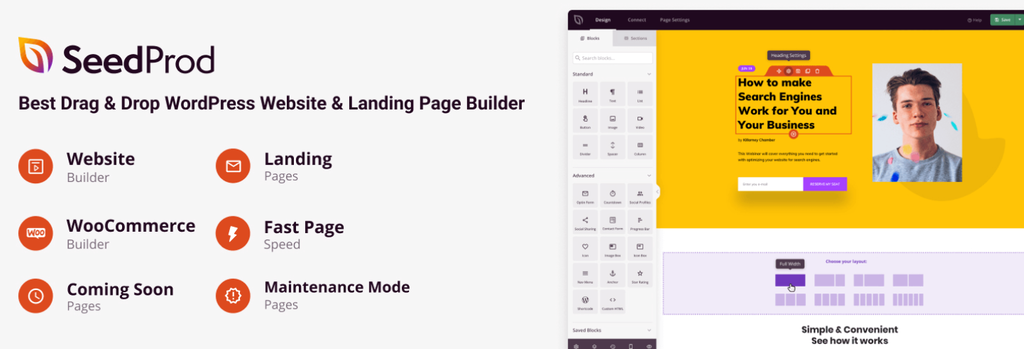
SeedProd Stats:
- Rating: 4.9/5
- Best for: business owners wanting an affordable, all-in-one landing page plugin
- Price: freemium (from $39.50/year)
SeedProd is a popular landing page plugin for WordPress with a drag-and-drop interface and comprehensive features. It offers numerous templates, including coming soon, maintenance, and sales pages.
This plugin lets you bookmark templates and sections, allowing you to access them quickly for future use. You can also insert dynamic text that auto-updates, like a date, on your landing page.
SeedProd also integrates with various third-party analytics and marketing software like Zapier.
Key Features:
- Comprehensive stock photo library. SeedProd has millions of stock images you can edit and use to improve your landing page appearance.
- Responsive templates. The included templates ensure your landing pages automatically adjust to website visitors’ device screens.
- Spam protection. The built-in Google reCAPTCHA feature protects your landing page from spam, bot, and automated submissions.
Cons:
- Steep learning curves. SeedProd’s various features, integrations, and tools make this plugin difficult to learn.
2. Divi

Divi Stats:
- Rating: 4.9/5
- Best for: website owners wanting a plugin with high customization
- Price: $89/year or $249/license
Divi is a visual page builder plugin that offers comprehensive visual customization. Users can add scrolling motions, transition animations, hovering effects, and background masking.
In addition to the code-free visual editor, this plugin lets users write custom CSS and JavaScript for advanced customizations. Moreover, the built-in code editor and syntax highlighter make the coding process easier.
This landing page builder plugin also offers features that help speed up the creation process, like bulk editing and copy-and-paste styles. Since it doesn’t have a free version, try the demo before purchasing.
Key Features:
- Lifetime license. Divi offers a one-time purchase license that is cheaper than the subscription plan for long-term use.
- Speed-boost features. The built-in Google Fonts caching, asynchronous JavaScript, and asset reduction features improve your website speed.
- Critical CSS. This plugin loads important CSS elements first to ensure your landing page is quickly interactable.
Cons:
- No free version. Divi doesn’t offer a free version and only has one premium plan.
3. Beaver Page Builder

Beaver Page Builder Stats:
- Rating: 4.8/5
- Best for: users looking to build landing pages for multiple websites
- Price: freemium (starts from $99/year)
Beaver Page Builder lets you create landing pages for unlimited websites with only one license. Like other plugins, it offers a drag-and-drop visual editor and various landing page templates.
Users can edit the template using the provided tools or add CSS code for more in-depth customization. Once finished, they can export the landing page design and use it for other WordPress sites.
In addition, Beaver Page Builder lets users build a custom module to add new features to their landing page. They can also configure their landing pages’ heading structure for search engine optimization (SEO).
Key Features:
- Permission settings. Users can configure permissions to prevent unauthorized access or actions.
- Custom hooks. This WordPress plugin supports custom hooks and filters, allowing you to expand its functionality.
- User support. Beaver Page Builder has documentation, multiple community bases, and dedicated customer service.
Cons:
- Premium-only templates. The free version of Beaver Page Builder only has three landing page templates, with the rest being premium options.
4. Landing Page Builder

Landing Page Builder Stats:
- Rating: 4.6/5
- Best for: business owners wanting built-in testing and analysis features
- Price: freemium (starts from $49/year)
The Landing Page Builder plugin lets users create visually appealing and high-converting landing pages. In addition to a visual builder, it has built-in SEO, A/B testing, and traffic analysis features.
The A/B testing feature lets users compare two landing page versions to see which generates more conversions. Meanwhile, the analysis tool tracks important metrics such as clicks and page views.
This landing page creator for WordPress provides free templates. It also supports custom and Google fonts, allowing you to further personalize your landing page’s design.
Key Features:
- 14-day refund. Landing Page Builder offers a full refund for all plans purchased within 14 days.
- Custom forms builder. This plugin lets you create custom forms and save user data with the provided database.
- Global blocks. Users can create a block for multiple pages, which updates when changes are made.
Cons:
- Cluttered user interface. The editor screen’s user interface has too many elements, which may make it difficult to use.
5. OptimizePress
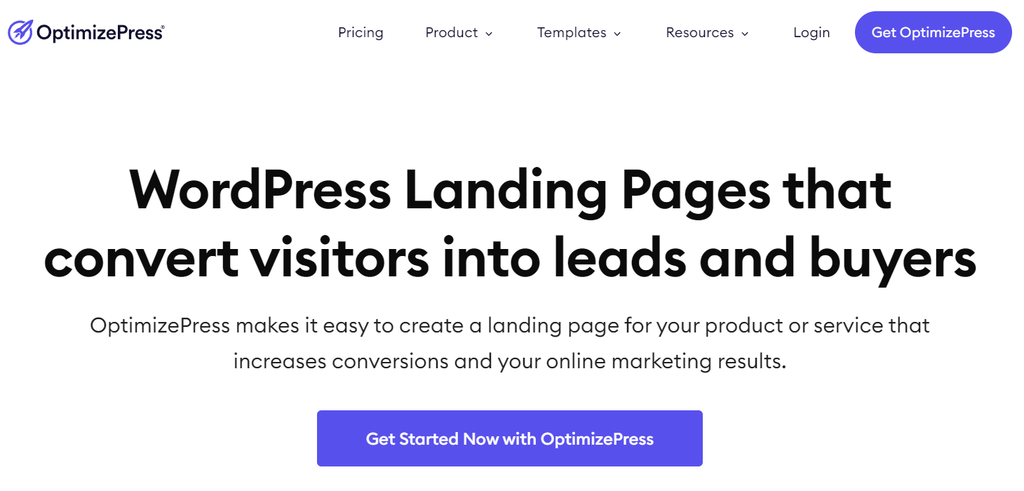
OptimizePress Stats:
- Rating: 4.8/5
- Best for: large business or eCommerce website owners
- Price: start from $129/year
In addition to a landing page editor, OptimizePress offers various marketing features to help boost conversion. For example, it lets you insert social proof alerts and pop-up forms to entice website visitors to take action.
This plugin offers landing page templates for different purposes, like webinars, eCommerce, and newsletters. Its drag-and-drop builder lets users easily customize the template to fit their businesses.
In addition, users can add custom forms and integrate them with various email marketing services like FluentCRM directly through the editor screen.
Key Features:
- Sales funnel builder. OptimizePress lets users create custom marketing funnels that help increase leads and conversions.
- Progress bar. Users can insert a progress bar into their landing pages to encourage visitors to take further action, improving conversion rate.
- 2-step opt-in. This plugin lets you use pop-ups or forms with the 2-step opt-in method, which helps gather higher-quality leads.
Cons:
- Expensive. OptimizePress doesn’t offer a free plan, and the $129/year starting price is higher than most WordPress landing page plugins.
6. Visual Composer

Visual Composer Stats:
- Rating: 4.7/5
- Best for: web developers looking for flexibility and exhaustive assets
- Price: freemium (starts from $49/year)
What makes Visual Composer stand out is its marketplace which is accessible to all users. In the Visual Composer Hub marketplace, users can download free or premium landing page templates, assets, and add-ons.
Visual Composer’s custom-designed editor makes building high-converting marketing pages intuitive and quick. In addition, you can save certain parts of your landing page as a template for future use and speed up the process.
Moreover, you can insert Visual Composer blocks into the Gutenberg editor if you prefer the default WordPress builder.
Key Features:
- Mobile edit. This plugin provides a mobile-optimized user interface to let users edit their landing pages using phones.
- Visual Composer Insight. Visual Composer provides a tool that analyzes your page content and provides feedback for improvements.
- Multisite support. You can install this plugin in your root site to easily manage your WordPress multisite’s landing pages.
Cons:
- Performance. Some users report slower WordPress website performance when using Visual Composer.
7. Thrive Architect
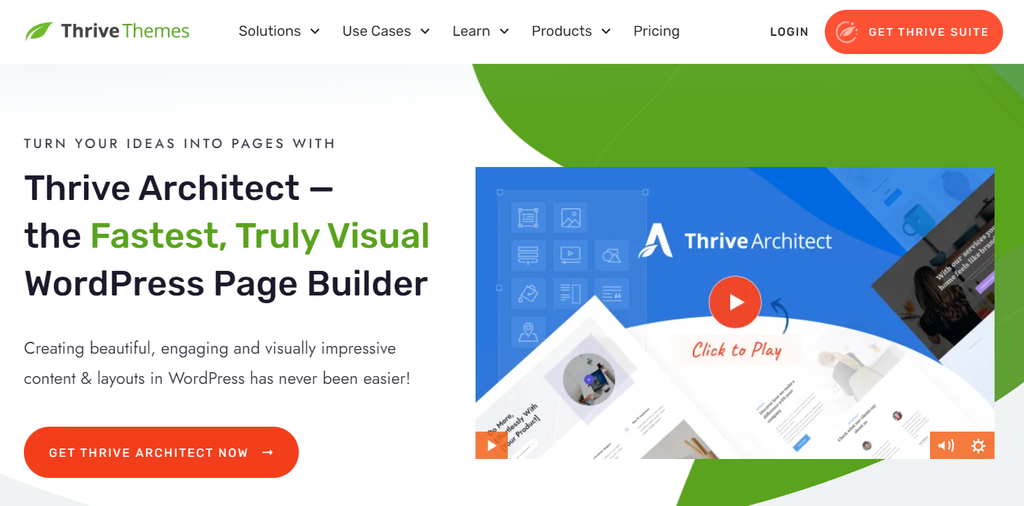
Thrive Architect Stats:
- Rating: 4.3/5
- Best for: users looking for comprehensive template selections
- Price: starts from $99/year
If you want a plugin with a large selection of landing page templates, Thrive Architect is an excellent option. Aside from the official library, users can buy premium templates from The Landing Factory template marketplace.
To build a landing page, select a template or use the header-and-footer feature to make one from scratch. To simplify the creation process, its drag-and-drop editor lets you change your page’s color palette in one click.
Thrive Architect also has various landing page elements that help boost conversion, including countdown timers, CTA buttons, and testimonials. However, it doesn’t offer a free version or demo.
Key Features:
- Service integrations. Users can integrate this plugin with various online applications and email marketing services with APIs.
- Mobile-friendly design. Thrive Architect has a mobile preview, responsive editing, and elements visibility toggle to ensure your landing page looks good across all devices.
- Comprehensive templates. There are over 220 landing page templates and over 1000 smart blocks in Thrive Architect’s library.
Cons:
- No WordPress theme editor. Thrive Architect users must purchase the $299/year plan to access the Thrive Theme Builder.
8. LightStart
LightStart Stats:
- Rating: 4.4/5
- Best for: beginners looking to build landing pages for free
- Price: Free
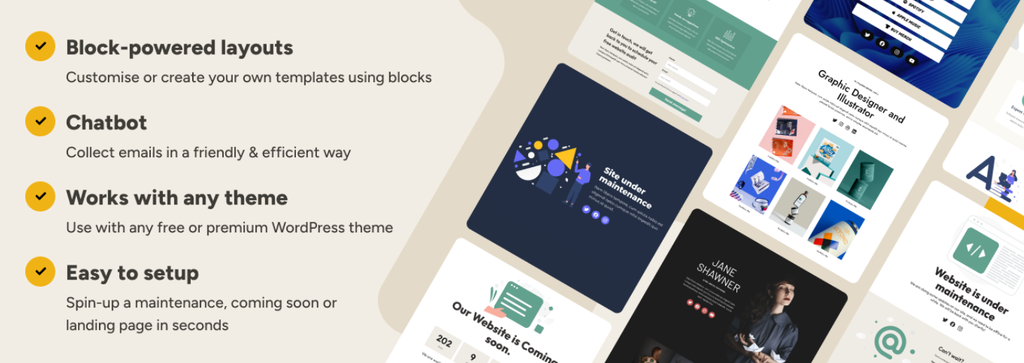
LightStart is a free WordPress plugin for creating a basic landing page. Building landing pages is simple since users only need to select a template on the setup screen.
After the setup is completed, this plugin will automatically create a new landing page based on the chosen template. Users can also enable the Image and speed optimization option to improve their landing pages’ performance.
LightStart doesn’t have a custom editor screen and uses the default one from WordPress. While the customization is limited, all its templates, features, and widgets are free.
Key Features:
- Comprehensive page settings. LightStart lets users enable maintenance mode, set up a backend role, edit robot meta tags, and add redirection URLs for their landing pages.
- Google Analytics integration. Website owners can easily integrate Google Analytics via the plugin’s settings menu to track their landing page performance.
- Automated message. Users can set automated messages on their landing pages to entice users to submit their email addresses.
Cons:
- Basic design and customization. LightStart only lets users customize basic elements of their landing pages, such as padding, size, and margin.
9. Pagelayer

Pagelayer Stats:
- Rating: 3.9/5
- Best for: beginners looking for an easy-to-learn plugin with many features
- Price: freemium (starts from $39/year)
Pagelayer offers a drag-and-drop builder that displays the changes you make in real-time. It makes the landing page creation process more efficient as you don’t need to refresh the editor screen repeatedly.
Its builder screen is simple, intuitive, and suitable for beginners with basic WordPress knowledge. In addition, this plugin has various widgets for different purposes, including breadcrumbs and sitemaps for SEO.
Pagelayer is excellent for beginners looking for a simple, affordable, and feature-packed WordPress landing page plugin.
Key Features:
- Revision history. Pagelayer lets users see their landing page editing history with a timestamp.
- Lifetime plugin access. All Pagelayer plans have lifetime plugin access and one-year support and updates.
- Icon widget. Users can customize and use the provided icons instead of making one themselves.
Cons:
- Basic free version. The free version of Pagelayer only has the drag-and-drop builder and mobile editor features.
10. Elementor
Elementor Stats:
- Rating: 4.7/5
- Best for: users looking for a feature-rich landing page plugin
- Price: freemium (from $59/year)
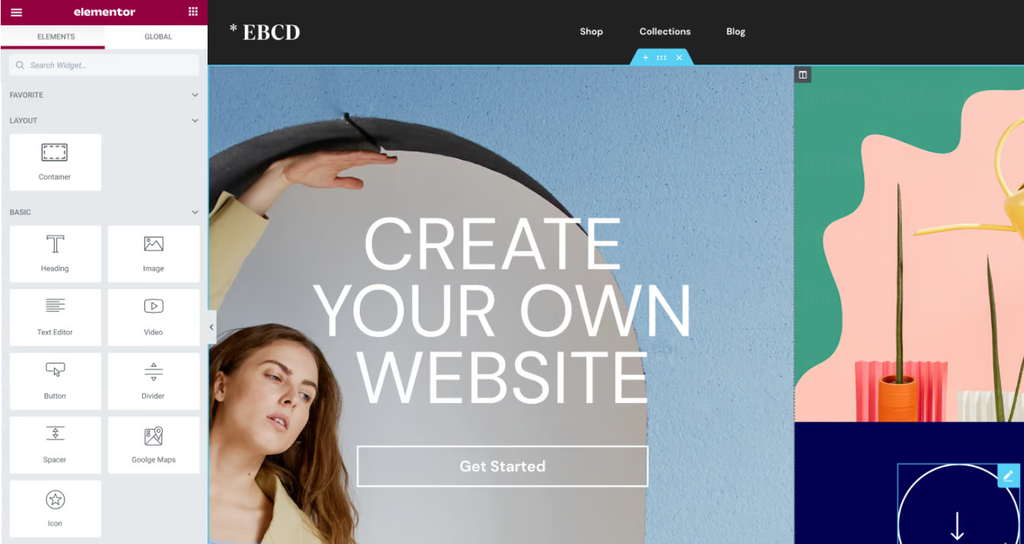
Elementor is one of the top WordPress plugins for creating and customizing web pages. It offers a visual builder and various templates that help you create a landing page easily.
Simply select a template, customize it according to your preferences, and publish it from the same screen. Alternatively, use the blank template to create beautiful landing pages from scratch.
This WordPress plugin also lets you add widgets, such as a testimonial carousel, to make your landing page more compelling. Moreover, install third-party add-ons to expand its functionality.
Key Features:
- Customizable HTML tags. Users can edit landing pages’ HTML tags to improve their websites’ ranking on search engines.
- Themes compatibility. Elementor is compatible with most WordPress themes and offers a self-developed one, Hello Elementor.
- Action links. WordPress site owners can put a CTA button to let visitors easily contact, navigate, or reserve their businesses.
Cons:
- Database-intensive. Elementor is slightly heavy on the database, which may impact performance if your website isn’t properly optimized.
Why Use a WordPress Landing Page Plugin
The main advantages of using a WordPress landing page plugin are its convenience and time-saving features. It lets you create stunning landing pages and monitor their performance easily.
Such a plugin offers templates and a drag-and-drop builder that helps users create better landing pages without coding or design skills. It can also save money since you don’t need to hire a web developer.
Its built-in analytics, testing features, and widgets also help improve your landing page conversion rate without installing new plugins. Otherwise, you may need to install many plugins that can slow your website down.

How to Choose the Right Landing Page Plugin for Your Site
There are various WordPress landing page builders with different features and prices. Since each plugin suits different user needs, consider the following aspects when choosing:
- Price. Since WordPress plugins’ prices and subscription schemes differ, choose one that fits your budget.
- Feature. The ideal plugin offers a wide selection of features for your landing pages, like custom widgets and global blocks.
- User-friendliness. Beginners without web development experience should choose a plugin with an intuitive drag-and-drop user interface that is easy to learn.
- SEO. Some builder plugins offer SEO features like heading and meta tag editor to help improve your website search engine ranking.
- Customizability. High-customizability means the plugin has various customization tools and lets users edit code to create custom landing pages according to their preferences.
- Support. Users should choose WordPress landing page plugins with dedicated customer service to help them resolve issues quickly.
We recommend using a freemium option or trying a free demo to ensure the chosen plugin suits your needs before purchasing it.
Conclusion
Engaging and attractive landing pages help generate more conversions and sales. However, creating one can be difficult, especially if you don’t have web development or design knowledge.
Fortunately, WordPress users can use plugins to simplify and speed up the landing page creation process. To help you choose, we have listed the 10 best WordPress landing page plugins. Here are our best picks:
- Seedprod. An affordable all-in-one landing page builder.
- Divi. One of the best landing page builders for in-depth visual customization.
- Beaver Builder. The best landing page plugin for creating lead pages for multiple sites.
- Landing Page Builder. An SEO and analytics-focused WordPress landing page plugin.
WordPress landing page plugins also help save money because you don’t need to hire a web developer or designer. In addition, their built-in SEO and analytics features help improve conversions.
To choose the best plugin, consider its price, features, support, and customizability. After creating a landing page, apply conversion rate optimization strategies to get the best results.
WordPress Landing Page Plugin FAQ
In this section, we will answer several commonly asked questions about WordPress landing page plugins. If yours remain unanswered, leave a comment below.
What Is a Landing Page Plugin?
A landing page plugin is a WordPress add-on that lets you create a landing page easily without coding. It typically offers various templates and a visual user interface.
Many WordPress landing page plugins also have other features to help improve conversion rates, such as an SEO tool, traffic analytics, and custom forms.
How Do I Use a Landing Page Plugin in WordPress?
The steps of building WordPress landing pages may differ depending on the plugin. After installing the plugin, you will generally see a page editor menu on your site’s admin page.
In the editor screen, choose a landing page template and customize it to your liking. Then, publish it through the same screen.
Is WordPress Landing Pages Free?
Yes, there are several free WordPress landing page plugins, such as LightStart. Other plugins like Elementor are freemium, meaning they are free but have several paid features.
How Many Landing Pages Can I Add Using a Plugin?
A plugin lets you add unlimited landing pages to your WordPress site. Multiple landing pages let you target specific leads more efficiently. For example, create different landing pages for newsletter subscribers and new users.

Aris is a Content Writer specializing in Linux and WordPress development. He has a passion for networking, front-end web development, and server administration. By combining his IT and writing experience, Aris creates content that helps people easily understand complex technical topics to start their online journey. Follow him on LinkedIn.