How to Create a Website With AI: Transform Your Web-Making Process in 5 Simple Steps
Mar 10, 2026
/
Nadia D.
/
7 min Read

With the advancement in Artificial Intelligence (AI) technology for websites, building a compelling site with minimal effort is easier than ever. AI-powered tools can streamline the whole website building process, from its creation to customization.
In this article, we will cover how to make a website with AI, from choosing an AI platform to promoting your website with AI-powered marketing tools.
How to Create a Website With AI
In the following section, we will guide you through five easy steps of making a website with AI.
1. Choose an AI Website Builder
AI-powered website builders commonly employ machine learning and natural language processing (NLP) to create custom web pages.
Most AI website builders come with a drag-and-drop visual editor that simplifies the site creation and editing process. Plus, they have various AI tools to perform marketing tasks more efficiently.
To choose the best AI website builder for your needs, consider the following factors:
- Ease of use. Look for a quick setup and make sure your chosen AI website builder has a user-friendly interface. Ideally, you should look for a demo or a money-back guarantee.
- AI tools. As each website builder offers different features, choose one that comes with the right tools for your needs. For example, a blog can benefit from an AI content creator, while AI-powered website analytics is a must for an eCommerce store.
- Pricing. Think long-term – make sure you will be able to scale your site once it grows.
- SEO. Look for a website builder with search engine optimization (SEO) features to ease your on-page optimization efforts. This will help you drive more traffic faster.
- eCommerce functionality. If you want to sell products and services online, go with an AI builder that can track inventory, create a product catalog, manage shipping, and set up payment methods.
We offer our own website builder to ease your website building process, starting at $CA$ 4.19/month. It also comes with a free domain, a free email account, as well as eCommerce and AI features on Business plan and above – all accessible through a single dashboard.
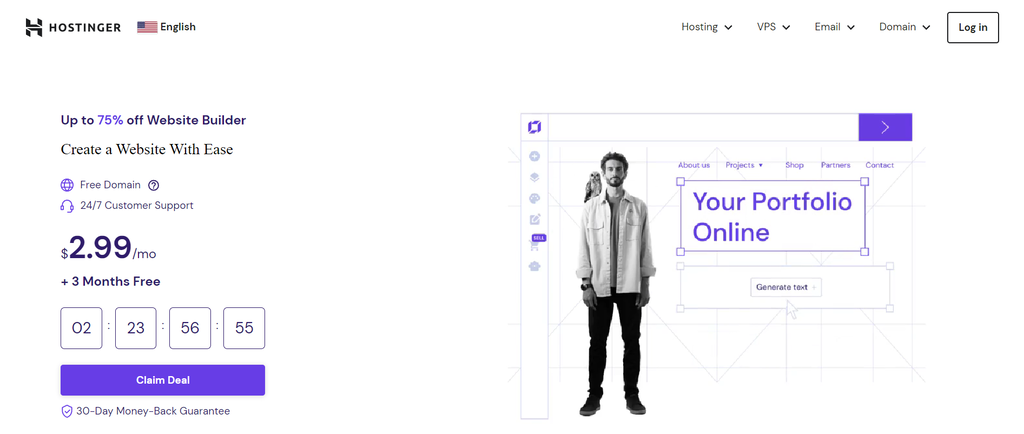
With the AI Builder feature, you can build a page from scratch in a few minutes. Simply write down your brand name, the website type you want to build, and its description.
As an example, we will show you how to use the AI Builder to create a bakery shop website.
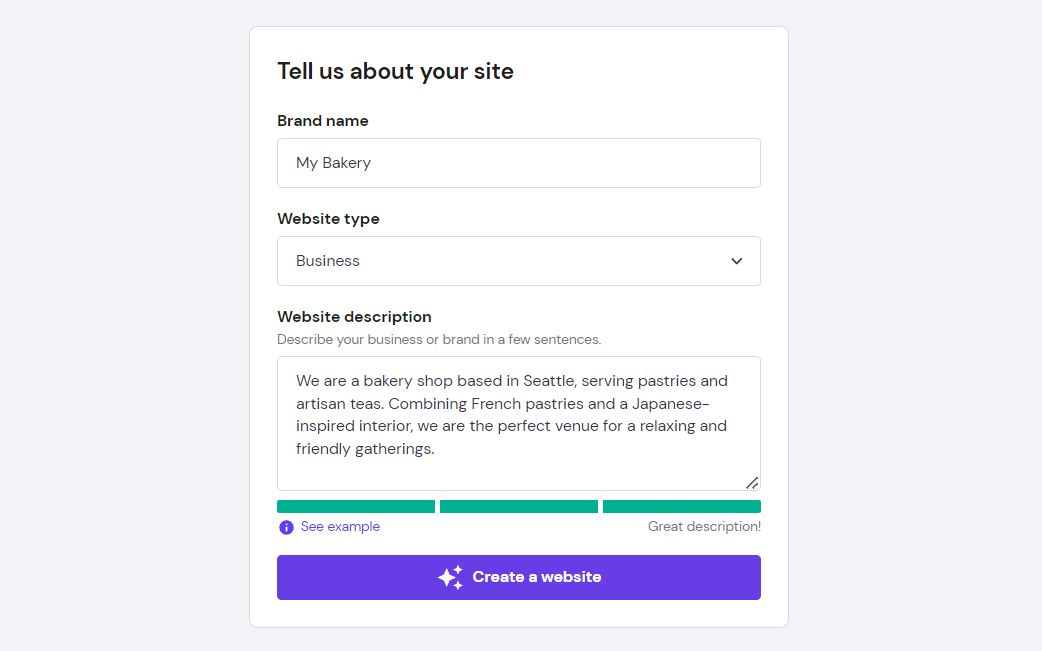
Click the Create a website button, and the AI Builder will generate a template with content and visual elements that match your descriptions. You will have three customizable template options.

Hostinger Website Builder also comes with the following AI tools:
- AI Logo Maker. Spend less time on personalization with AI – create a custom logo design simply by entering the brand name, slogan, and description. Note that after generating a logo once for free, you need to buy credits to create more logos.
- AI Heatmap. Find out which part of your website will attract visitors’ attention the most. Knowing this will help you optimize the website to increase conversions.
- AI Writer. Use AI for content creation to save your time and money. However, we recommend editing and proofreading the text to ensure the best outcome.
What’s more, the website builder comes with many eCommerce features, including the store setup checklist. This tool will help do various tasks on your online store site, like adding products, setting up payment options, shipping management, and tracking orders.
Additionally, you can customize the product page template and set up discounts.
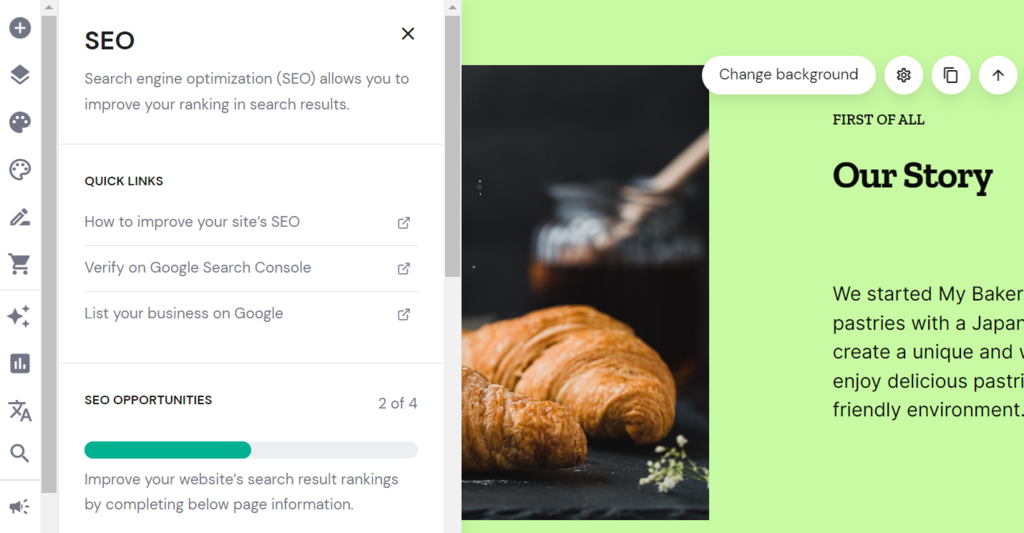
On top of that, you can use our builder for easy SEO optimization with AI. It offers a meta title and description editor together with the IndexNow protocol, allowing search engines to learn more about your website’s content. You will also have a sitemap generated automatically upon site publishing.
To further optimize your site, use the keyword generator to ensure your content answers more search queries, helping it rank higher. In addition, utilize an alt text editor to add image descriptions. Doing so helps search engines and visually-impaired readers understand the image content.

Suggested Reading
Check out these guides on picking the best website builder for your website:
Easiest AI Website Builder
eCommerce AI Website Builder
Free AI Website Builder
2. Customize Your Website With AI
When it comes to AI-driven website development, ensure your website builder has the following features:
- Easy-to-use editor. Most AI website builders offer a visual editor with drag-and-drop functionality that eases the web page creation process. Adjust your site layout and elements like fonts and colors to create a unique look.
- Customizable templates. With various pre-built AI website templates, users won’t need to start from scratch to build a site, saving time and cost.
- Responsive design. Since many people use mobile phones to visit websites, you should have the necessary tools to design a website with AI.
In short, site builders can generate an automated website design that works just fine. However, AI website customization stills requires human intervention in aesthetics and creative elements. For instance, planning content ideas, defining your site structure, and picking color schemes to match your branding elements.
With our AI Builder, you can choose a color combination and some fitting fonts. Then, preview them live on your site. This way, it’s easier to see whether the colors and your visual content blend well. This also helps you decide on a matching color for CTA buttons.
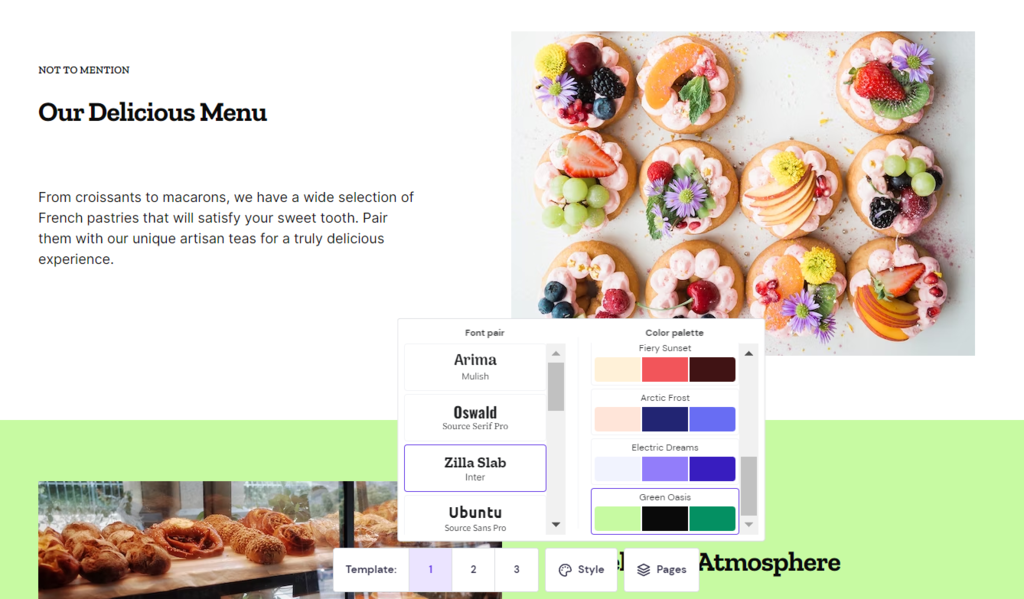
If you wish to use pre-built templates instead, we have 150 fully customizable ones for different categories, including photography, eCommerce, travel, and blog.
Furthermore, Hostinger AI Website Builder enables user behavior analytics to assist you in creating the most relevant content. You can use tools like Google Analytics to collect data such as your audience’s purchase history, interests, and search queries.
Thus, it’s possible to create personalized web content with AI based on your audience profile. For example, showing specific product recommendations based on a customer’s preferences. This targeted approach can increase the chance of earning higher sales for online store websites.
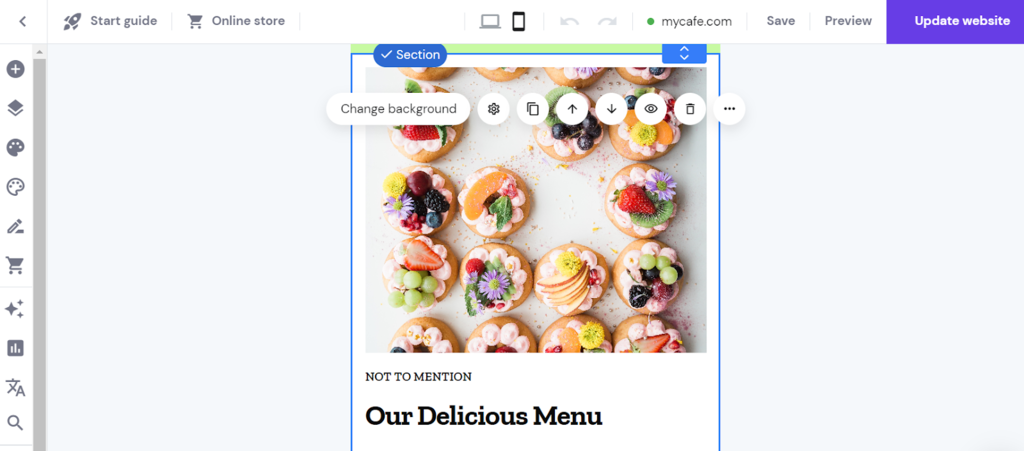
Finally, you can build a responsive website with AI. Most AI website builders generate responsive templates by default for optimal viewing. To tweak it further, you can apply a preview of the mobile or desktop versions to adjust site elements on your own.
3. Add Additional Features With AI
The next step in customizing a website with AI is adding more features, such as chatbots and virtual assistants.
To add AI chatbots to your website, you will need to use an AI framework platform like IBM Watson Assistant and Google Cloud Dialogflow. Both tools utilize AI technologies like NLP and machine learning to understand user queries. Alternatively, you can use a no-code AI chatbot builder.
First, determine how you want to use the chatbot. Typically, website owners utilize it to assist site visitors with live chat customer support. Then, pick a suitable platform to build, train, and test your AI chatbot before adding it to your website.
To provide a more personalized experience, pay attention to the conversational sequence. Although the chatbot performs an automated workflow, it’s better to use short text and a friendly tone to make the responses sound more genuine.
Meanwhile, for virtual assistants, you can utilize popular platforms like Google Assistant to provide site visitors with AI-based voice assistance. Besides helping visitors find information on your pages, this feature improves web accessibility.
To improve your site’s user experience further, consider adding search functionality and image recognition. As for improving website scalability with AI, include content caching, Content Delivery Network (CDN) implementation, image optimization, and resource allocation.
4. Launch Your AI-Powered Website
Once you’ve finished creating and customizing your site, start preparing to launch it. This process lets you perform a final check to ensure your website functions as intended.
With the help of AI tools, you can run automated tasks to test your website for any errors, bugs, and technical issues that may affect user experience. It’s better to identify such problems before launching as it will be harder to fix a published site.
Furthermore, ensure that your website applies the right branding elements to leave a lasting impression on visitors.
If you add AI-based features to your website, try the AI tools to test whether your chatbot and voice assistant respond properly to user queries.
We recommend creating a detailed plan covering goals, key metrics, and campaigns. This will help you better measure your site performance, organize tasks, and identify areas of improvement.
Make sure to check our website launch checklist to stay on track with your tasks.
5. Market the Website With AI
The next step is promoting and driving more website visitors using AI marketing tools.
AI technology enables user behavior analytics to help you create personalized content. Besides content creation, you can use AI to improve your website’s SEO.
For example, Hostinger Website Builder offers SEO settings, providing insights to maximize your website optimization efforts.
Also, using AI for marketing can assist you in ad targeting and customer relationship management (CRM). Effective ads can drive more traffic and leads, while CRM lets you nurture potential and existing clients with targeted offers, such as promotions, newsletters, and customer support.
You can also utilize AI tools for social media posts and gain referral traffic to your website. There are tools to create content, manage social media, and help with brainstorming.
You can boost engagement with your target audience by using a blog feature. Our visual blog post editor lets users craft compelling blog entries from the same builder dashboard.
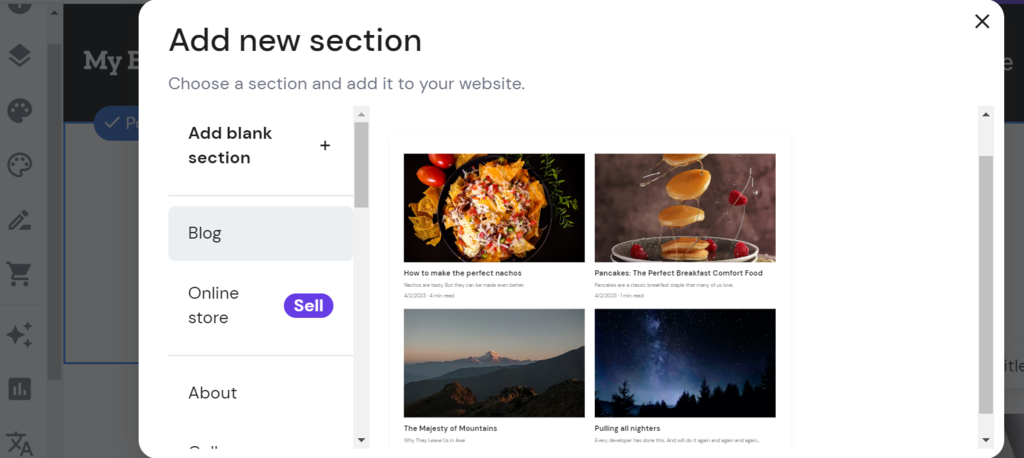
You will have the option to schedule publishing and assign posts to dedicated categories. As you can adjust the meta title and description for the blog posts, your chance to gain more organic traffic will increase.
Conclusion
Building a website with AI is becoming increasingly popular. While we can’t predict the future of AI in website creation, plenty of tools today help with content creation, SEO tasks, and user experience optimization.
In this article, we’ve explained five steps to make a website with AI. Here’s the recap:
- Pick a suitable website builder offering AI features.
- Customize your website to create a more personalized experience.
- Add more features to your website.
- Plan your website launch to avoid issues upon publishing.
- Use AI marketing tools to drive more traffic to your website.
We hope this article will help you create and customize a site with AI. If you have any questions, leave us a comment. Good luck!
How to Create a Website With AI FAQ
Find our compiled frequently asked questions about creating a website with AI below.
What Are the Benefits of Using AI to Create a Website Over Other Methods?
AI-powered web development is much faster and simpler than other methods. From website creation to content production with AI, it can simplify nearly every aspect of your web-building journey.
Do I Need Coding Skills to Build an AI-Powered Website?
No, you don’t need to be a web developer to build a website with AI. There are options for no-code platforms that are typically easy to understand, such as Hostinger Website Builder.
Can AI Create a Complete Website Without Human Intervention?
No. AI can generate a custom website template quickly according to your prompts. However, users will need to plan the website structure and determine visual elements like color schemes, layout adjustments, and content planning to supplement the machine learning website creation process.
What Kinds of Features Can I Add to My Website With AI?
Common website features you can add with AI include chatbots and virtual assistants. However, while these additional features can offer a better user experience, you might need some technical knowledge to customize these website elements.

Nadia is a curious thinker that enjoys sharing her IT and digital marketing knowledge through written pieces and helping people success online. In her free time, she spends time in the streets or cafes learning about architecture and culture through urban sketching.