Prompt engineering for customer support: Build better AI responses
Aug 25, 2026
/
By Ksenija
/
18 min Read
Prompt engineering for customer support is the process of designing AI instructions that control how chatbots and support systems respond to customers, not just what they say.
These instructions shape tone, accuracy, and how reliably AI can handle real support tasks like answering questions, resolving issues, and guiding users through problems.
AI now supports conversations across chat, email, and ticket systems. Without clear prompts, responses can become inconsistent, incomplete, or off-brand.
With structured instructions, AI can follow defined steps, apply company rules, and respond in a way that feels consistent and helpful across different customer interactions.
Prompt engineering shapes how AI handles real support tasks, from answering common questions to managing complex interactions. This includes:
- What prompt engineering means in customer support systems
- How to define AI behavior, tone, and boundaries
- How to design prompts for structured support workflows
- How to handle real scenarios like FAQs, troubleshooting, and complaints
- How to test, refine, and scale prompts across support operations
What is prompt engineering in customer support systems?
Prompt engineering in customer support systems is the process of designing instructions that guide how an AI agent responds, behaves, and makes decisions during customer interactions.
A well-written prompt tells the AI exactly how to operate, including:
- How to greet the user
- What information to collect
- How to handle common requests
- When to escalate to a human
- How to apply company policies
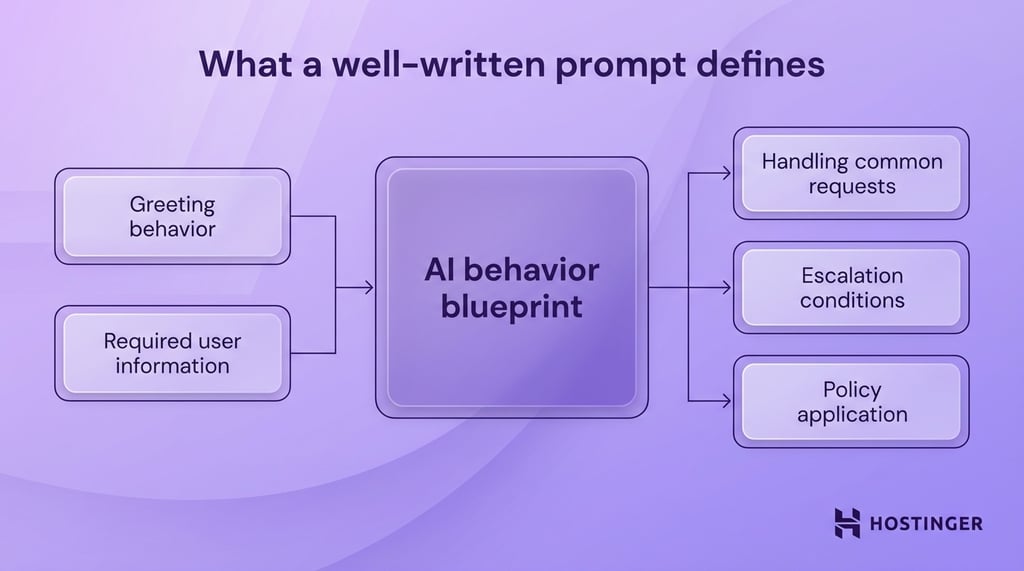
Chatbots and AI assistants rely on this structure. The same model can behave very differently depending on how it is instructed.
Here is the difference in practice.
A basic prompt:
“Answer customer questions about refunds.”
This leaves too many decisions open. The AI may skip important steps like verifying the order or checking eligibility.
A structured support prompt:
“You are a customer support agent for an e-commerce store.
When a user asks about a refund:
- Ask for the order number.
- Check if the request is within 30 days.
- If eligible, explain the refund process clearly.
- If not eligible, explain the policy and offer alternatives.
Keep responses short, polite, and clear.”
This version defines a clear workflow. The AI collects the right details, applies rules, and responds in a consistent way.
How does prompt engineering improve customer support operations?
In practice, prompt engineering helps you turn an AI tool into part of a working support process. Instead of generating loose replies, the system follows a defined workflow.
It knows how to handle routine questions, how to speak to customers, and how to stay within company policy. That creates a smoother operation for both customers and support teams.
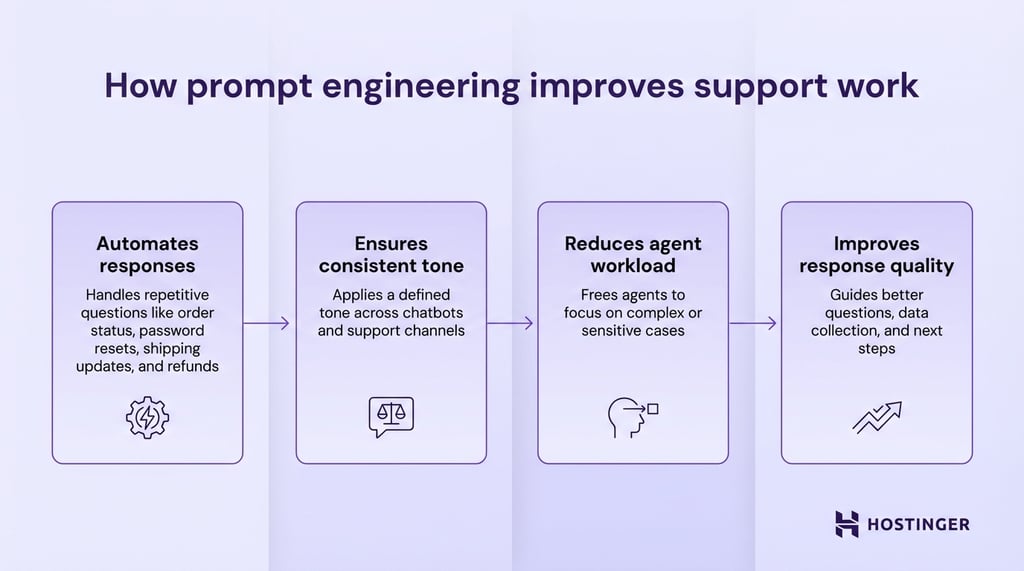
Here’s how it improves daily support work:
- Automates responses. Prompt engineering helps AI handle repetitive questions such as order status, password resets, shipping updates, and refund requests. That saves time on simple tickets that follow the same pattern every day.
- Ensures consistent tone. A strong prompt tells the AI how to speak to customers. You can set the tone as calm, polite, direct, or brand-specific. This keeps conversations consistent across chatbots, AI assistants, and support channels.
- Reduces agent workload. When the AI handles common requests on its own, human agents spend less time answering basic questions. They can focus on more complex cases like billing disputes, technical issues, or situations where a customer is upset and needs a clear, well-handled response.
- Improves response quality. Good prompts guide the AI to ask the right questions, collect the right details, and follow the right steps.
How should AI behave as a customer support agent?
AI should behave like a structured customer support agent, following clear rules, communicating consistently, and handling requests step by step.
You control this behavior through prompt design. The prompt engineering best practices imply setting the agent’s role, tone, boundaries, and response format so every interaction follows the same logic.
Define the AI’s role
Define the AI’s role clearly at the start of the prompt so it knows who it is, what it should help with, and how it should approach the conversation.
A simple role instruction gives the model a working identity. That identity shapes the language it uses, the types of questions it expects, and the actions it takes during the interaction.
Example: “Act as a customer support agent for [product].”
You can make that role more useful by adding context. Include the product, the company, and the types of issues the AI is expected to handle. That gives the model a narrower scope and better direction.
Here is a stronger version:
“Act as a customer support agent for [product]. Help customers with account access, billing questions, setup steps, and basic troubleshooting.”
This tells the AI what kind of support it is responsible for. It also reduces vague replies because the model has a clearer frame for the conversation.
You can go one step further and define the audience or support channel if needed. A chatbot on a hosting company’s website, for instance, should behave differently from an internal AI assistant used by support staff.
One speaks directly to customers in simple terms. The other can use internal terms and shorter instructions.
Set tone and communication style
Set the tone and communication style in the prompt so the AI speaks in a way that fits customer support from the first reply onward.
In most support settings, the right tone is friendly, empathetic, and professional. Friendly language makes the interaction feel approachable. Empathetic language shows the customer that their issue is understood. A professional tone keeps the reply clear, calm, and focused on solving the problem.
If you do not define tone, the AI may sound too casual in one reply and too stiff in the next. That creates an uneven experience. Clear tone instructions help every response feel like it comes from the same support team.
Keep these directions simple and specific. Tell the AI how to speak, how long responses should be, and how to handle frustrated users. You can also tell it to avoid jargon if your customers are new to the product.
Example:
“Use a friendly, empathetic, and professional tone. Write in clear, simple language. Keep replies calm and helpful, especially when the customer is frustrated.”
You can make the style even more practical by linking it to the kind of support you provide. A billing issue may need a more reassuring tone. A setup question may need short, direct instructions. If your product is technical, the AI should explain terms in plain language instead of assuming the customer already understands them.
Here is a more detailed version:
“Use a friendly, empathetic, and professional tone. Keep responses short and easy to follow. Acknowledge the customer’s issue in the first sentence, then explain the next step clearly. Avoid technical jargon unless the customer uses it first.”
This gives the AI a clearer communication pattern. It starts with empathy, moves into guidance, and keeps the wording easy to understand.
Define boundaries and rules
Define boundaries and rules in the prompt so the AI knows what it is allowed to say, what it should avoid, and when it should hand the case to a human agent.
In customer support, the AI should work within clear limits. Those limits keep responses accurate and reduce the risk of misleading the customer.
That is why prompts should state direct rules such as:
- Do not guess
- Do not invent information
- Escalate when needed
“Do not guess” prevents the AI from filling gaps with assumptions. “Do not invent information” stops it from creating policies, prices, or technical details that do not exist. “Escalate when needed” gives the AI a safe path when a request goes beyond its scope.
You can make these rules more useful by tying them to real support situations. A customer may ask for a billing exception, a custom refund decision, or a technical fix that requires account access. In those cases, the AI should stop at the right point and pass the issue to a human agent.
A clear instruction might look like this:
“Use only verified information from the company’s support resources. If the answer is unclear, ask for the missing details or escalate the case to a human agent. Do not guess, and do not create policies, pricing, or product details.”
This gives the AI a safer decision path. It either answers with approved information, asks a follow-up question, or escalates the issue. That keeps the support experience more reliable and easier to manage.
Control response structure
Control response structure in the prompt so the AI gives answers customers can read quickly and follow without confusion.
In customer support, a good answer needs to do three things well. It should explain the issue clearly, show the next step, and keep the message easy to scan. A response structure helps you achieve that result consistently across every interaction.
Start by telling the AI to use step-by-step answers when the customer needs help completing a task.
This works well for account recovery, setup issues, billing questions, and troubleshooting. A numbered flow makes the process easier to follow because the customer can move through one action at a time.
Each step should tell the customer exactly what to do in plain language. Avoid vague phrases like “check your settings” or “review your account details.” A stronger reply says, “Open your account settings, click Billing, and confirm the last payment date.” Specific guidance reduces back-and-forth and helps the customer solve the issue faster.
Short paragraphs keep the answer readable. Long blocks of text are harder to scan, especially in live chat. Break the reply into small sections so the customer can find the key action right away.
If the issue has several parts, separate them in a logical order. Start with the next immediate step, then add any supporting details the customer needs.
You can set these rules directly in the prompt. A simple instruction like this gives the AI a clear format to follow:
“Use step-by-step answers when explaining a process. Give clear instructions in simple language. Keep paragraphs short and focused on one idea.”
That structure improves the support experience in a practical way. Customers get answers they can act on. Your team gets replies that are easier to review, edit, and standardize across channels.
Here is a full support agent system prompt that brings the role, tone, boundaries, and structure together:
“You are a customer support agent for [product].
Help customers with common issues such as account access, billing questions, setup steps, and basic troubleshooting.
Use a friendly, empathetic, and professional tone. Write in clear, simple language. Keep replies calm, helpful, and easy to follow.
Use only verified information from approved support resources. Ask for missing details when needed. Escalate the case to a human agent when the issue requires account-specific action, policy exceptions, or information you do not have.
Give step-by-step answers when the customer needs help completing a task. Use clear instructions and short paragraphs. Focus on the next action the customer should take.
If the customer is upset, acknowledge the issue briefly and move straight to helpful guidance.
Do not guess. Do not invent product details, policies, pricing, or technical fixes.
If you cannot answer with confidence, tell the customer you are escalating the issue to a human agent.”
How to design prompts for customer support workflows
Write AI prompts for customer support workflows by defining the task, adding the right context, setting behavior rules, building in escalation paths, and testing the prompt against real customer questions.
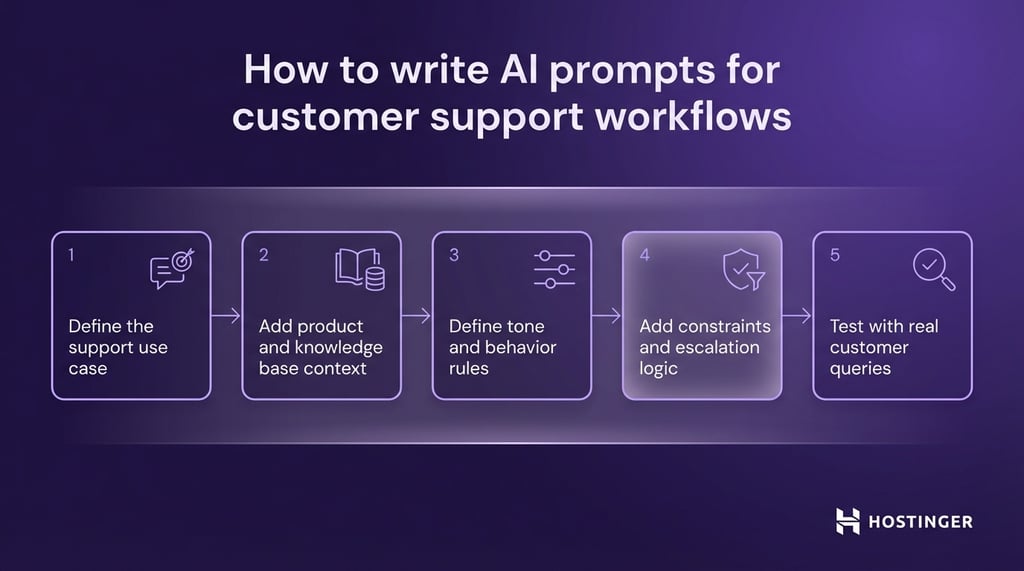
- Define the support use case. Start with one clear job, such as FAQs, issue resolution, or onboarding. A focused prompt gives the AI a clearer path to follow. Example: “Help new users set up their email account.”
- Add product and knowledge base context. Give the AI the product name, key features, and approved support information. This keeps replies tied to your actual service. Example: “Use the help center articles for our website builder and domain setup tools.”
- Define tone and behavior rules. Tell the AI how to speak and how to handle customer interactions. Keep the instructions direct and easy to apply. Example: “Use a friendly, professional tone and explain steps in simple language.”
- Add constraints and escalation logic. Set limits on what the AI can say and when it should pass the case to a human. This keeps support accurate and controlled. Example: “Escalate billing disputes and do not give answers without verified account details.”
- Test with real customer queries. Run the prompt against common support questions to see where it breaks, skips steps, or sounds unclear. Then revise it based on those results. Test it with questions like “Where is my order?” or “I can’t log in to my account.”
What prompt techniques work best for support systems?
The best prompt techniques for support systems are those that make the AI behave consistently, follow a clear flow, and handle different types of customer interactions without confusion.
In practice, this means using structured prompt patterns that guide how the AI responds, how it handles back-and-forth interactions, and how it reacts when it cannot resolve a request.
Each technique solves a specific part of the support workflow, from keeping tone consistent to managing complex, multi-step issues.
Role-based prompts for consistent behavior
Role-based prompts define how the AI should act so every response follows the same logic, tone, and decision process.
When you assign a clear role, you give the AI an identity. That identity shapes how it handles customer interactions from the first message to the last.
Without a defined role, replies drift in style and structure. With a role, the AI stays focused on the task and behaves like a trained support agent.
In customer support, the role should reflect a real job. Keep it specific to your product and the type of help you offer. This helps the AI understand what questions to expect and how to respond to them.
A simple role instruction sets the foundation:
“Act as a customer support agent for a web hosting platform.”
You can strengthen this by adding responsibilities:
“Act as a customer support agent for a web hosting platform. Help customers with domain setup, billing questions, and basic troubleshooting.”
This gives the AI a clear scope. It knows what kind of issues to handle and how to approach each interaction. Over time, this leads to more consistent replies across different customers and support scenarios.
Few-shot prompts for response consistency
Few-shot prompts improve response consistency by showing the AI exactly how to answer through short, real examples.
Instead of relying only on instructions, you give the AI a pattern to follow. These examples act as a reference for tone, structure, and level of detail. The AI uses them to shape its replies in a similar way across different customer interactions.
This approach works well for common support cases where the format should stay consistent. Refund requests, login issues, and order tracking questions often follow the same flow. A few clear examples help the AI repeat that flow without drifting.
Each example should include a customer question and a well-structured reply. Keep them short and realistic so the AI can easily apply the pattern.
Example:
“Customer: I want a refund for my order.
Agent: Please share your order number so I can check your request. Once I confirm the details, I will guide you through the next steps.”
“Customer: I can’t log into my account.
Agent: Try resetting your password using the ‘Forgot Password’ link. If that doesn’t work, let me know, and I will help you further.”
These examples show how to ask for information, how to guide the user, and how to keep the tone clear and helpful. The AI picks up on this structure and uses it in similar situations.
Multi-turn prompts for conversations
Multi-turn prompts guide how the AI handles ongoing interactions so it can manage back-and-forth communication without losing context.
In customer support, most issues can’t be solved in a single reply. The AI needs to ask questions, wait for answers, and continue the interaction based on new information. A multi-turn prompt defines how that process should work from one message to the next.
Start by telling the AI to gather missing details before giving a full answer. This keeps the interaction focused and avoids incomplete responses. Then guide it to build on each reply instead of restarting the explanation every time.
You can also define how the AI should keep track of the issue. It should refer to earlier messages, stay on the same topic, and move the interaction forward step by step.
Example:
“When handling a request, ask for any missing details before providing a solution. Use the customer’s previous messages to keep context. Guide the interaction step by step until the issue is resolved.”
This instruction creates a clear flow. The AI collects information, responds based on what it learns, and continues until the problem is solved.
A practical case helps clarify this. A customer says, “I didn’t receive my order.” The AI should first ask for the order number. After the customer replies, the AI checks the status and gives the next step, such as confirming the delivery date or starting a replacement process.
Each reply builds on the last one. That keeps the interaction focused and easier for the customer to follow.
Escalation and fallback prompts
Escalation and fallback prompts tell the AI what to do when it cannot solve a request on its own.
In customer support, some issues fall outside the AI’s scope. A billing dispute may need account access. A refund exception may require manager approval. A technical problem may depend on details the system does not have. In these cases, the prompt should direct the AI to stop, explain the limit, and pass the issue to a human agent when needed.
Escalation rules help you control that handoff. They tell the AI which situations require human support and how to respond before the case is transferred. This keeps the interaction clear and reduces the risk of the AI giving the wrong answer.
Fallback rules handle a different problem. They guide the AI when the request is unclear, incomplete, or outside the available knowledge base.
Instead of giving a weak reply, the AI should ask a follow-up question, point the customer to the right next step, or route the case to a person who can help further.
A simple prompt can cover both:
“If the issue requires account-specific action, policy exceptions, or information outside the approved support resources, escalate the case to a human agent. If the request is unclear, ask a follow-up question before continuing.”
This gives the AI a safer path through difficult cases. It knows when to continue, when to ask for more detail, and when to hand the interaction to someone else.
Examples of prompts for real customer support scenarios
The best way to understand prompt design is to see how it applies to real support scenarios, such as FAQs, troubleshooting, complaints, onboarding, and escalation.
Each scenario requires a different approach. A refund question needs a direct answer. A technical issue needs step-by-step guidance. A complaint needs a calm and empathetic tone. Onboarding needs clear direction from the first step. Escalation needs a clean handoff to a human agent.
You shape each of these responses through the prompt. By adjusting instructions for tone, structure, and decision-making, you can guide the AI to handle each situation in a way that fits the task.
FAQ response prompts
FAQ response prompts help the AI answer common customer questions clearly, consistently, and efficiently.
These prompts work best for requests that follow a simple pattern, such as refund policies, delivery times, account access, or subscription details.
A good FAQ prompt should define three things: the type of question the AI is handling, the source of information it should rely on, and the style of the reply. That gives the model a clear frame before it starts generating a response.
You can keep the structure simple. Tell the AI to answer the question directly, ask for missing details only when needed, and avoid adding extra information that does not help the customer.
Here are a few examples:
Refund policy prompt
“Answer customer questions about refunds using the company’s refund policy. Keep the response short, clear, and polite. If the customer’s order details are missing, ask for the order number before giving the next step.”
Shipping time prompt
“Answer customer questions about shipping and delivery times using approved shipping information. Give a direct answer first, then add the next step if tracking details are needed.”
Password reset prompt
“Help customers with password reset questions. Use simple language, give step-by-step instructions, and keep the reply short enough for live chat.”
Troubleshooting prompts
Troubleshooting prompts help the AI guide customers through a problem step by step, so the response is easy to follow and leads toward a fix.
This type of prompt works best when the customer needs to complete a sequence of actions, such as logging in, connecting a domain, fixing a billing error, or setting up a feature. The goal is to keep the reply structured and practical. Each step should move the user closer to a solution.
A good troubleshooting prompt tells the AI to first identify the issue, then provide actions in the correct order, and finally explain what to do if the problem persists. That keeps the response focused and prevents the AI from dumping too much information into one message.
The wording should stay simple. Customers often reach support when they are already confused or frustrated. Clear instructions help them act on the reply right away.
Here is one example:
“Help customers solve login issues. Ask for the exact error message if it is missing. Then provide step-by-step instructions in plain language. Keep each step short. If the issue continues after the basic checks, escalate to a human agent.”
You can also make the prompt specific to a product task.
“Help customers connect their domain to the website builder. Explain the process step by step. Start with the first action in the dashboard, then guide the user through DNS changes, and end with what to expect during propagation.”
The replies should follow the same structure every time:
- Identify the problem
- Give the first action
- Move through the next steps in order
- Offer the next path if the fix does not work
Complaint handling prompts
Complaint handling prompts help the AI respond with empathy, stay calm, and guide the customer toward the next step.
When a customer is upset, the first reply sets the tone for the rest of the interaction. The AI should recognize the frustration, use respectful language, and respond in a steady, professional way. A rushed or overly generic reply can make the situation worse.
Start the prompt by telling the AI to acknowledge the customer’s experience in plain language. Then direct it to focus on the issue itself and explain what happens next. This keeps the response both supportive and useful.
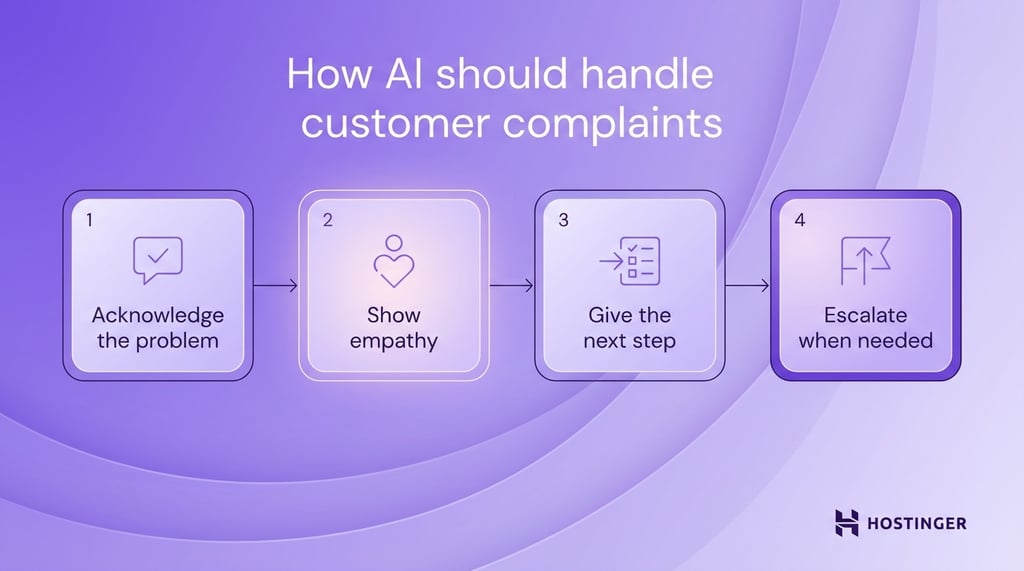
A strong complaint-handling prompt should guide the AI to do four things in order:
- Acknowledge the problem
- Show empathy
- Give the next step
- Escalate when the case needs human review
Here is a simple example:
“Handle customer complaints with an empathetic and professional tone. Acknowledge the issue in the first sentence. Apologize when appropriate. Explain the next step clearly. If the complaint involves a billing dispute, policy exception, or repeated failed attempts to solve the issue, escalate to a human agent.”
A practical response might look like this:
“I’m sorry you’ve had this experience. I can see why this is frustrating. Please share your order number, and I’ll check the details so we can move to the next step.”
That reply works because it does three jobs clearly. It acknowledges the complaint, shows empathy, and asks for the information needed to continue. In a more serious case, the AI should explain that the issue is being passed to a human agent rather than providing a weak answer.
Onboarding prompts
Onboarding prompts help the AI guide new users through the first steps in a clear, simple, and predictable way.
A new user usually needs direction more than detail. They want to know where to start, what to do first, and what comes next. The prompt should help the AI explain the process in the right order, using plain language and short instructions.
Start by telling the AI what the user is trying to set up. Then define the structure of the response. In most onboarding flows, the best format is a short introduction followed by step-by-step guidance. Each step should cover one action and keep the wording easy to follow.
A strong onboarding prompt also helps the AI avoid jumping ahead. If a user is setting up hosting, email, or a website builder, the response should begin with the first required action. After that, the AI can move through the setup in sequence.
Here is a simple example:
“Guide new users through setting up their hosting account. Use clear step-by-step instructions in simple language. Keep each step short and explain what the user should do first, second, and third.”
You can make the prompt more specific by tying it to a real onboarding task, like this:
“Help new users connect their domain to their website. Start with where to find the domain settings, then explain how to update the DNS records, and end with what the user should expect while the changes take effect.”
Escalation prompts
Escalation prompts tell the AI when to stop handling a request and pass it to a human agent.
In customer support, some cases need human judgment, account access, or policy approval. The prompt should define those cases clearly so the AI can recognize the limits and respond appropriately.
You should set escalation rules around real support situations. Common examples include billing disputes, refund exceptions, account security issues, legal complaints, and repeated failed troubleshooting. These are points where the AI should stop trying to solve the issue on its own.
A good escalation prompt should cover three things. It should state when to escalate, how to explain the handoff, and what to do before passing the case forward. In many cases, the AI should collect key details first, such as the order number, account email, or a short summary of the problem. That gives the human agent a clearer starting point.
Here is a simple example:
“Escalate the case to a human agent if the issue involves account-specific actions, billing disputes, policy exceptions, security concerns, or repeated failed troubleshooting. Before escalating, collect the key details and explain clearly that a human agent will continue the request.”
That prompt gives the AI a practical decision path. It knows which issues fall outside its scope, what information to gather, and how to set the right expectation with the customer.
A clear handoff message might look like this:
“I’ve collected the main details of your issue. A human support agent will review this case and continue with you from here.”
This keeps the response direct and reassuring. The customer knows what is happening next, and the support team receives the context needed to continue.
How to test and improve AI support prompts
Test and improve AI support prompts by running them against real customer questions, finding where they break, and revising the instructions until the replies are clear, accurate, and useful.
Prompt tuning and testing should follow the same logic as support itself. Start with real cases. Use common questions from live chat, email tickets, and help desk logs.
Use this process:
- Test real customer questions. Run the prompt against actual support requests such as refund questions, login problems, delivery issues, and setup confusion. This helps you see how the AI performs in situations your team handles every day.
- Identify failures. Look for weak points in the replies. The AI may skip a key step, sound too vague, give the wrong instruction, or fail to escalate when it should. These problems show you what the prompt is missing.
- Refine instructions. Update the prompt with clearer rules. If the AI forgets to ask for an order number during refund requests, add that step directly. If it gives long answers in chat, tell it to keep replies short and structured.
- Improve tone. Review whether the response sounds helpful, calm, and clear. In support, wording shapes the whole interaction. A reply can be technically correct and still feel cold or confusing. Adjust the prompt so the tone fits the situation.
A before-and-after example makes this easier to see.
Before:
“Help customers with login issues.”
This is too broad. The AI has no clear steps, no guidance on what to ask, and no structure for the response.
After:
“Help customers with login issues. Ask what error message they see. Guide them through resetting their password using step-by-step instructions. If the issue continues after a reset attempt, escalate the case to a human agent.”
The second version gives the AI a clear workflow. It knows to ask for the error message, guide the user through a password reset, and escalate if the issue continues.
Common mistakes when using AI for customer support
The most common mistakes when using AI for customer support are vague instructions, missing guardrails, weak escalation logic, and too much trust in the AI’s judgment.
These problems usually come from prompt design, not from the model alone. If the instructions are loose, the replies become loose too.
Here are the mistakes to watch for and how to fix them:
Vague instructions
A vague prompt gives the AI too much room to decide how to respond. That leads to inconsistent tone, missing steps, and generic answers.
Fix: define the role, task, and response style clearly.
Example: Instead of “Help customers,” use “Help customers with website setup questions. Ask which step they are stuck on before giving instructions.”
Missing guardrails
Without guardrails, the AI may give unsupported answers, invent details, or respond outside of company policy. This creates risk in areas like billing, account access, and refunds.
Fix: Tell the AI what sources it can use and what it must avoid.
Example: “Use only approved support content. Do not create pricing, policy details, or technical fixes.”
No escalation logic
Some support issues need a person. If the prompt does not explain when to hand off the case, the AI may keep replying when it should stop. That slows resolution and frustrates the customer.
Fix: Define the situations that require human support.
Example: “Escalate billing disputes, account security issues, policy exceptions, and repeated failed troubleshooting.”
Over-trusting AI
AI can handle many routine requests, but it still needs limits, review, and testing. Treating it like a fully independent agent usually leads to avoidable errors.
Fix: Use AI for structured support tasks, test it with real queries, and review outputs regularly.
Example: “Handle common support requests such as order tracking, account setup, and delivery updates. Escalate billing disputes, account access issues, and cases where the customer reports repeated failed steps.”
How can support teams scale AI with better prompts?
Support teams can scale AI with better prompts by building prompt templates, creating reusable systems, and training teams to use them consistently.
As support volume grows, ad hoc prompts stop working well. One person writes a detailed prompt, another writes a vague one, and the AI starts behaving differently across channels and use cases. A scalable setup solves that problem by turning prompt writing into a repeatable process.
The first step is to build prompt templates. A template gives your team a standard structure for common support tasks such as FAQs, troubleshooting, onboarding, and escalation.
Instead of writing from scratch each time, your team fills in the key details: the use case, tone, rules, available knowledge, and escalation path. This saves time and keeps responses more consistent.
A simple template might include:
- AI’s role
- Support task
- Tone and communication style
- Approved knowledge source
- Boundaries the AI must follow
- Conditions for escalation
Once you have templates, the next step is to turn them into reusable systems. That means organizing prompts so they can be used across teams, tools, and workflows.
You can group prompts by support function, product area, or customer journey stage. One set may cover account setup. Another may handle shipping questions. Another may deal with complaints and handoffs.
When prompts are stored this way, your team can scale support without having to rebuild the same logic repeatedly. When prompts are stored this way, your team can scale support without having to rebuild the same logic repeatedly.
Tools like Hostinger AI Builder can help by turning these prompt templates into live support interfaces, such as help centers, onboarding flows, or AI‑powered chat, so you can deploy and refine them without managing separate tools or infrastructure.
Improving the prompt engineering skills of the entire support team is what keeps the system working. Your team needs to know how to use prompt templates, when to adjust them, and how to spot weak outputs.
A support lead, for instance, might review chatbot replies and notice that onboarding answers are too long.
Instead of fixing replies one by one, the team can update the onboarding template so every future response follows a shorter, clearer format. That is how prompt systems scale well: the improvement occurs once and carries over to repeated interactions.

This article is a localized version of Prompt engineering for customer support: Build better AI responses, originally published in English.

Ksenija is a digital marketing enthusiast with extensive expertise in content creation and website optimization. Specializing in WordPress, she enjoys writing about the platform’s nuances, from design to functionality, and sharing her insights with others. When she’s not perfecting her trade, you’ll find her on the local basketball court or at home enjoying a crime story. Follow her on LinkedIn.