10 best WooCommerce affiliate plugins to start an affiliate program
Dec 02, 2025
/
By Kotryna K.
/
10 min Read
Choosing the right WooCommerce affiliate plugin can boost your marketing efforts and drive significant sales growth.
With many options available, finding the perfect fit for your online store can be time-consuming. That’s why we’ve researched, tested, and compared the top WooCommerce affiliate plugins to help you make an informed decision.
In this guide, we explore ten popular plugins, covering their features, pricing, ease of use, and suitability for various businesses.
We’ve considered factors like commission structures, tracking capabilities, integration options, and additional features such as fraud prevention and reporting tools.

Top 10 affiliate plugins for WooCommerce
Now, let’s dive into the top ten affiliate plugins for WooCommerce to help you find the perfect solution for your affiliate marketing needs.
Whether you’re just starting your affiliate program or looking to upgrade your existing one, this list will help you choose a plugin that best aligns with your goals and budget.

1. AffiliateWP

AffiliateWP stats
- Rating: 4.1/5 on Trustpilot
- Best for: beginners and small businesses
- Price: starts at $149.60/year
AffiliateWP is one of the best WordPress plugins designed to simplify the creation and management of affiliate programs. It integrates seamlessly with WooCommerce, making it easy to track referrals, manage affiliates, and process payouts.
One of its standout features is the ability to create personalized affiliate landing pages, which can significantly boost conversion rates by providing affiliates with tailored marketing tools.
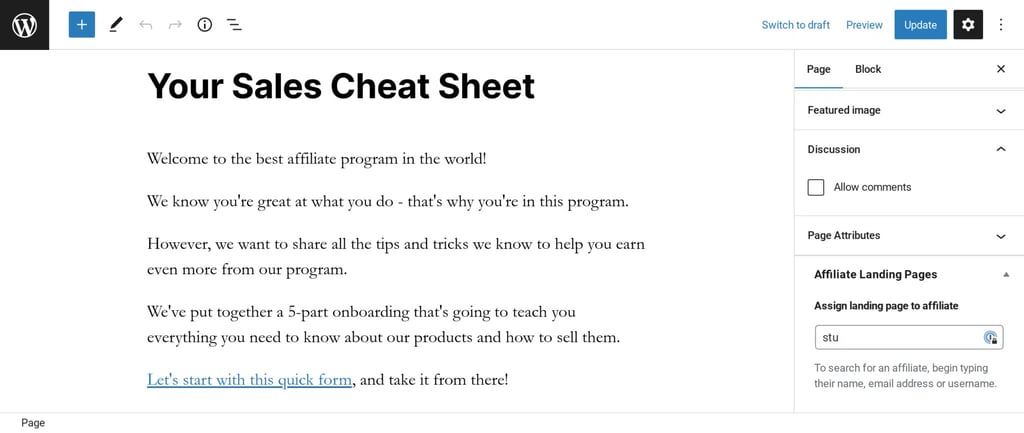
To use AffiliateWP, install and activate the plugin on your WordPress site. Then, use the setup wizard to configure your affiliate program, including setting commission rates and creating an affiliate registration page.
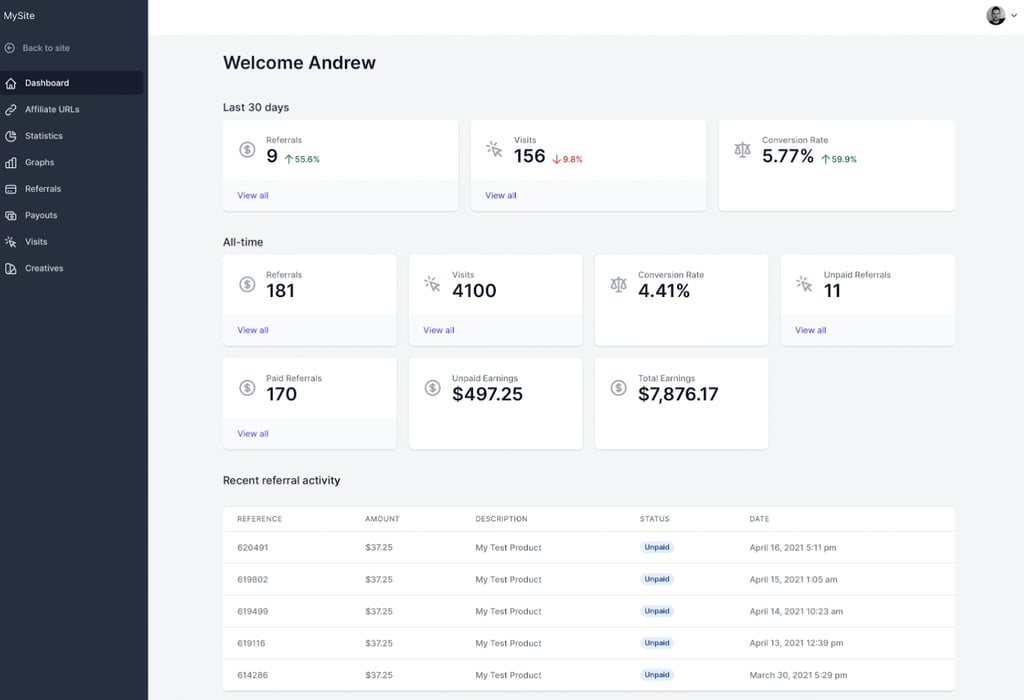
Affiliates can then register through this page, generate referral links, and start promoting your products. The plugin provides a comprehensive dashboard for affiliates to track their performance and for you to manage the program efficiently.
Key features
- Real-time analytics – monitor performance with real-time data and graphical reports.
- Integrated payouts service – easily pay affiliates directly to their bank or PayPal accounts.
- Fraud protection – detect and prevent fraudulent activity with advanced affiliate tools.
- Multi-tier commissions – set up multiple commission levels to incentivize top-performing affiliates.
- Customizable affiliate area – customize the affiliate dashboard to match your brand.
- Vanity coupon codes – allow your affiliates to create personalized coupon codes.
- Integrations – connect AffiliateWP seamlessly with WooCommerce, Easy Digital Downloads, and more.
Potential drawbacks
- No free version – however, you can ask for a refund within the first 14 days of your purchase.
- Learning curve – despite its ease of use, new users might face a learning curve due to the extensive features and customization options available.
2. SliceWP
SliceWP stats
- Rating: 4.9/5 on WordPress.org
- Best for: launching your first affiliate program with ease
- Price: freemium (paid plans start at $169/year)
SliceWP is a user-friendly affiliate management plugin designed to integrate easily with WordPress sites. It’s one of our favorites because it simplifies the process of setting up an affiliate program, making it accessible even for those without technical expertise.
After installing SliceWP, configure your affiliate program by setting up commission rates and creating an affiliate registration page. Affiliates can sign up and start promoting your products immediately.
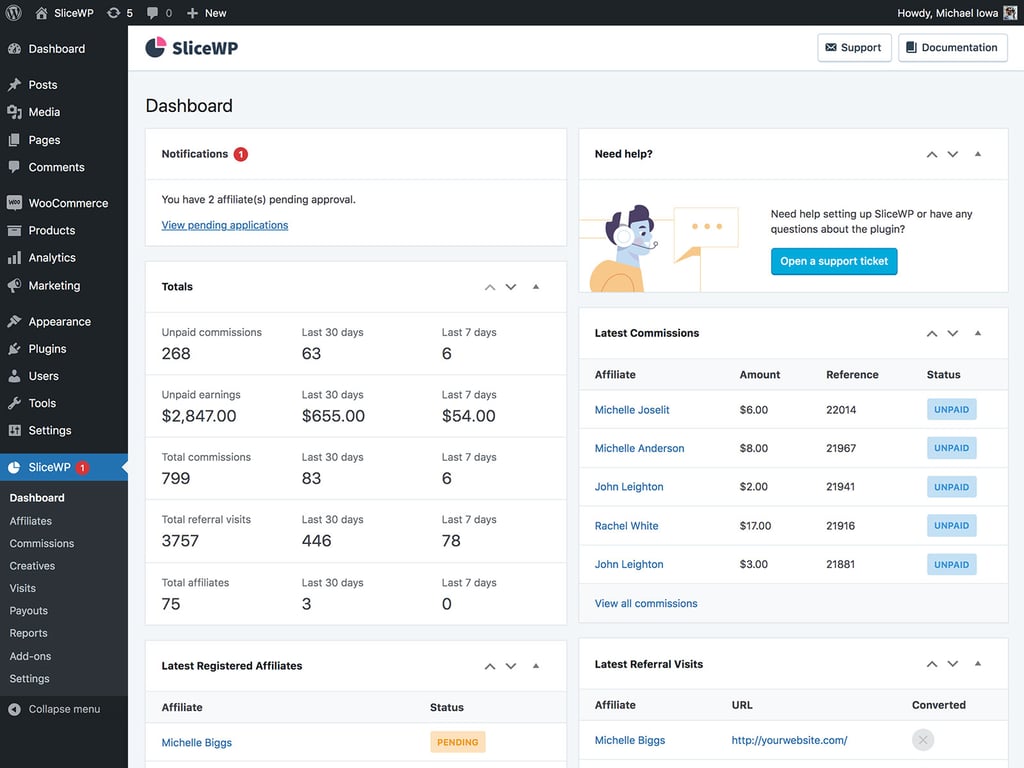
The plugin provides an easy-to-use dashboard for both admins and affiliates, enabling you to track performance metrics and manage payouts without stress.
Key features
- Unlimited affiliates – add as many affiliates as you want.
- Affiliate dashboard – get a clean and organized dashboard for affiliates to track their performance.
- Commission flexibility – easily create and manage different commission rates.
- Email notifications – keep affiliates informed about their performance and payouts with automated email notifications.
- Reports and analytics – access detailed reports on affiliate performance to optimize your program.
Potential drawbacks
- Limited advanced features – compared to more comprehensive solutions like AffiliateWP, SliceWP offers fewer advanced features and customization options.
- No free plan – SliceWP also does not offer a free plan. On the other hand, it comes with a 30-day money-back guarantee.
3. Affiliates Manager

Affiliates Manager stats
- Rating: 4.1/5 on WordPress.org
- Best for: small to medium-sized businesses
- Price: freemium (paid plans start at $39 for a one-time payment)
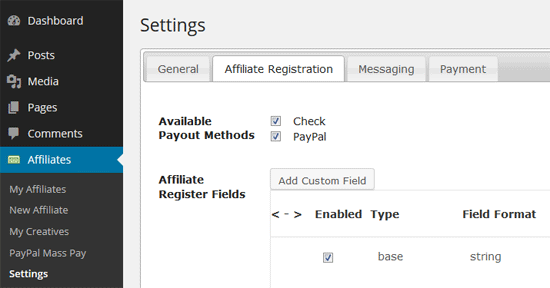
Affiliates Manager is an attractive option for businesses on a tight budget or those just dipping their toes into affiliate marketing, thanks to its robust free version.
The free plan provides the essential tools for creating and managing an affiliate program, while premium plans unlock advanced features. With its simple interface and comprehensive documentation, you can easily get started even if you don’t have technical knowledge.
Once you install the plugin, set up your affiliate program by defining commission rates and creating an affiliate registration page. Affiliate marketers can sign up through this page and start promoting your products, each of them having a unique affiliate link for easy tracking.
The admin dashboard provides an easy way to manage affiliates, track performance, and handle payouts.
Key features
- Affiliate tracking – track referrals using various methods, including the affiliate link, coupon, and custom ID.
- Flexible payout options – support manual and automatic payouts via PayPal and other methods.
- Affiliate dashboard – provide affiliates with a dashboard to view their performance, earnings, and creatives.
- In-depth reports – generate reports on clicks, sales, and commissions.
- Multiple banners and links – allow affiliates to create multiple tracking links and banners.
Potential drawbacks
- User interface – the user interface might feel basic and less polished compared to premium options.
- Limited features – we don’t recommend using this plugin for larger companies needing advanced features.
4. WooCommerce Affiliate

WooCommerce Affiliate stats
- Rating: 4.9/5
- Best for: setting up a coupon-based affiliate program
- Pricing: freemium (paid plans start at $19.99/year)
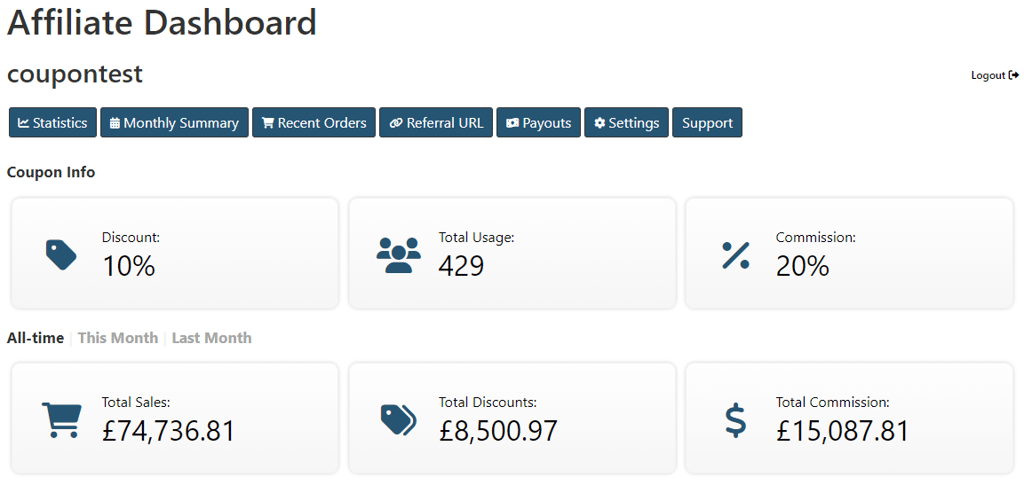
This plugin provides you with clear, real-time access to the crucial data on its WooCommerce affiliate dashboard.
For setup, customizations, and other issues, both free and premium users can get UK-based support. You can also easily migrate from another affiliate plugin by displaying the complete order history for every affiliate discount, including orders placed before the plugin was installed.
After activating the plugin, you’ll need to create an affiliate dashboard. Do so by inserting the shortcode [couponaffiliates] onto a page. You can then adjust additional plugin settings under Coupon Affiliates in the WordPress admin area.
Key features
- Coupon-based – affiliates earn commissions through unique discount coupons provided to their referrals.
- Automatic and manual affiliate registration – let affiliates register automatically or vet them according to your rules.
- User-friendly affiliate dashboard – the platform’s interface is simple and intuitive, helping affiliates track their performance and earnings.
- Multi-currency support – choose from multiple currencies to accommodate international affiliates.
- Commission tracking – easily analyze affiliate performance.
Potential drawback
- Limited marketing tools – the plugin does not come with built-in marketing tools like banners or social media posts.
5. Affiliate Pro
Affiliate Pro stats
- Rating:4.8/5 on CodeCanyon
- Best for: managing an affiliate marketing program with multi-level marketing (MLM) integration
- Price: $59 for a one-time payment
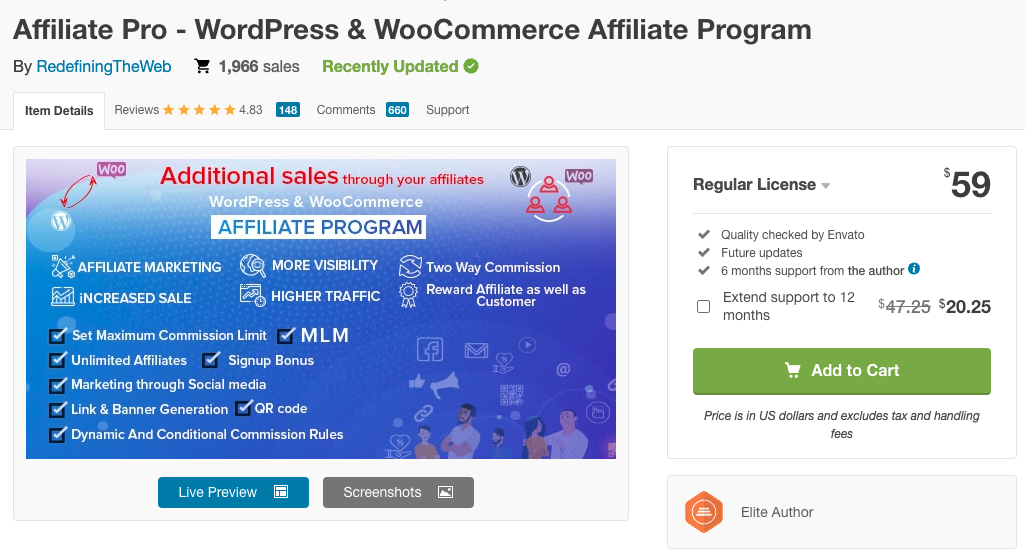
Affiliate Pro is a comprehensive WordPress and WooCommerce plugin that enhances your store’s visibility, traffic, and revenue through affiliate marketing.
It integrates Multi-Level Marketing (MLM) with features like Binary, Forced Matrix, and Unilevel MLM structures, enabling affiliate partners to earn commissions from their direct sales and the sales of their recruits.
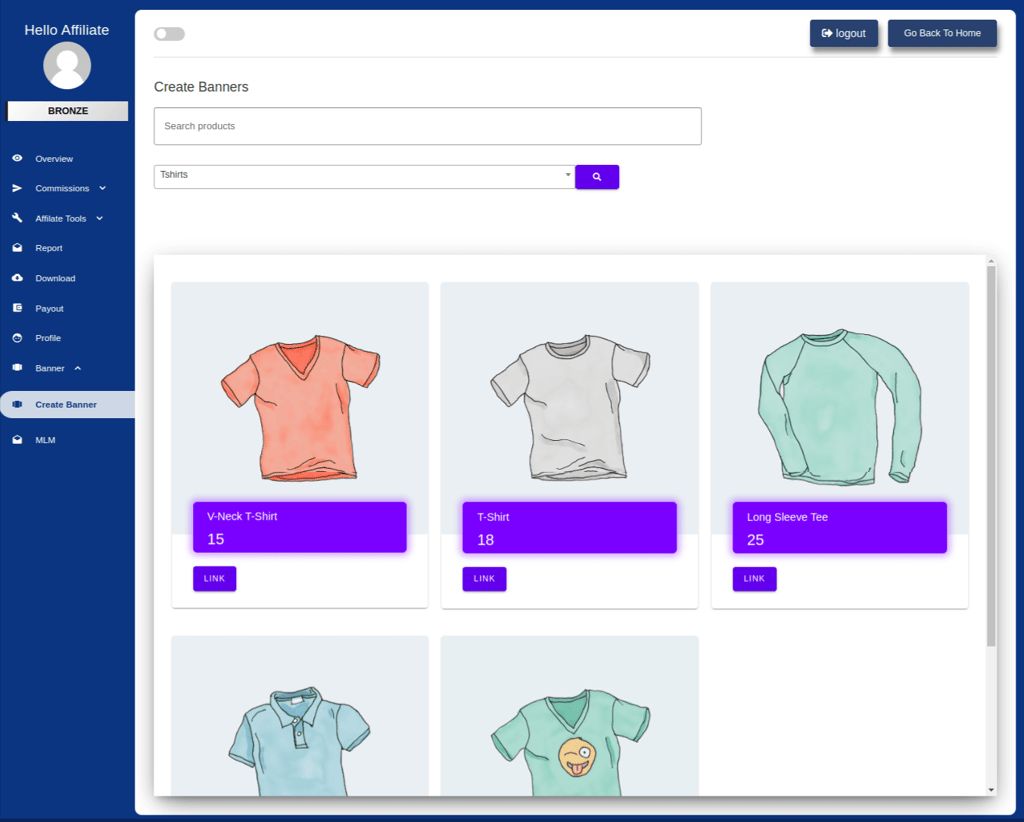
Using this plugin, users can sign up and receive a unique affiliate ID. Affiliates then choose products from your WooCommerce store to promote, sharing their referral links via various channels.
Key features
- MLM integration – supports Binary, Forced Matrix, Unilevel, and Unlimited MLM structures.
- Automated and manual commissions – set up dynamic, conditional commission rules.
- Social media integration – affiliates can share referral links on social media platforms.
- Customizable dashboard – give your affiliates access to a detailed and user-friendly dashboard.
- Email customization – personalize emails you send to affiliate partners.
Potential drawback
- Complexity – MLM integration can be difficult for beginners.
- Limited support – with the $59/one-time payment, you will get support for only six months.
6. Affiliate For WooCommerce

Affiliate for WooCommerce stats
- Rating: 4.2/5 on WooCommerce.com
- Best for: affiliate programs with flexible commission plans
- Price: starts at $14.92/month
Affiliate for WooCommerce is a powerful plugin designed to help WooCommerce store owners run their own affiliate programs.
It simplifies tracking referrals, sales, and commissions while providing tools for managing payouts and creating marketing campaigns.
One key feature is its multi-tier affiliate program, which allows affiliates to earn commissions from their recruits’ sales, enhancing the network effect.
To start, configure your affiliate program by setting commission rates and creating a registration form for new affiliates. Affiliates can use their dashboards to track their performance, generate referral links, and request payouts.
Meanwhile, your admin dashboard provides comprehensive reports and tools to manage affiliates and monitor their activities.

Key features
- Multi-tier affiliate program – create multiple tiers and let your affiliates earn from their recruits’ sales.
- Comprehensive tracking – monitor visitors, conversions, commissions, and payouts in an intuitive dashboard.
- Lifetime commissions – affiliates can earn on all future purchases by referred customers.
- Marketing campaigns – create and manage campaigns with various promotional materials.
- Payout options – pay affiliates via PayPal or manually assign store credit or reward points.
Potential drawback
- Complexity – some advanced features, like multi-tier commissions, might be complex for beginners to set up and manage effectively.
7. YITH WooCommerce Affiliates

YITH WooCommerce stats
- Rating: 4.4/5 on YITHemes.com
- Best for: influencer partnerships and personalized affiliate campaigns
- Price: freemium (paid plans start at $179.99/year)
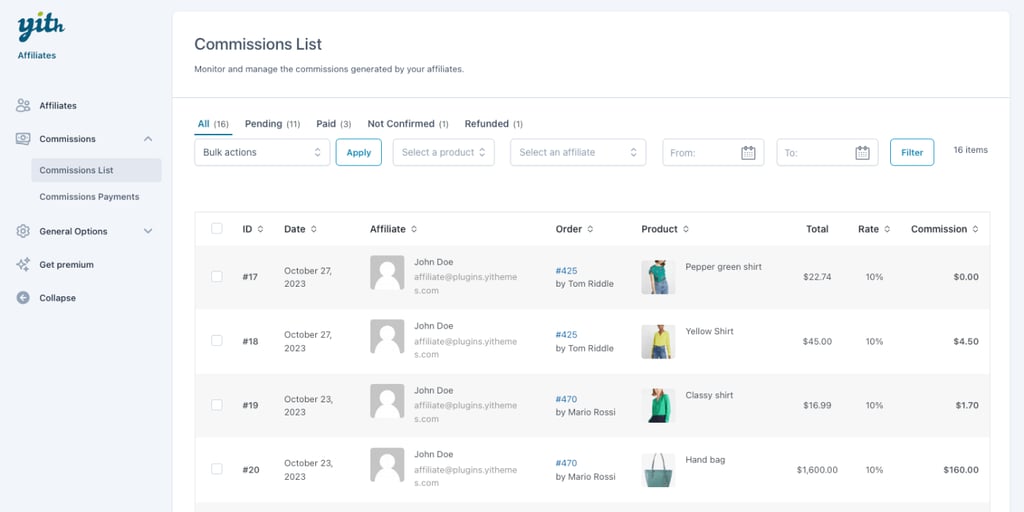
YITH WooCommerce Affiliates is a feature-rich plugin with a visually appealing and intuitive dashboard.
Its robust customization capabilities allow you to tailor your communication, providing a unique dashboard layout and relevant information for affiliate partners.
The plugin offers various commission structures, performance bonuses, detailed reporting, and lifetime commissions. You can also set up a registration page with customizable forms.
Once affiliates register, they can generate referral links and coupons to promote your products.
Key features
- Influencer partnerships – collaborate with influencers and easily pay them commissions for sales from their promotional posts.
- Visual interface – both you and your affiliate partners will get a visually appealing and intuitive dashboard.
- Custom affiliate dashboard page – tailor the affiliate dashboard layout, widgets, and information displayed.
- Lifetime commissions – reward affiliates for repeat purchases from their referred customers.
- Store credit commissions – let affiliates earn store credit instead of cash payouts.
Potential drawbacks
- No multi-currency support – the plugin does not support multi-currency, which may be a limitation for international stores.
- Cost – the annual subscription fee might be too high for small businesses.
8. Solid Affiliate

Solid Affiliate stats
- Rating: 4.6/5 on Trustpilot
- Best for: businesses seeking an easy-to-use affiliate management plugin with comprehensive tracking and reporting features
- Price: $49/month
Solid Affiliate stands out with its emphasis on scalability and in-depth analytics, making it an ideal choice for businesses with growing affiliate programs.
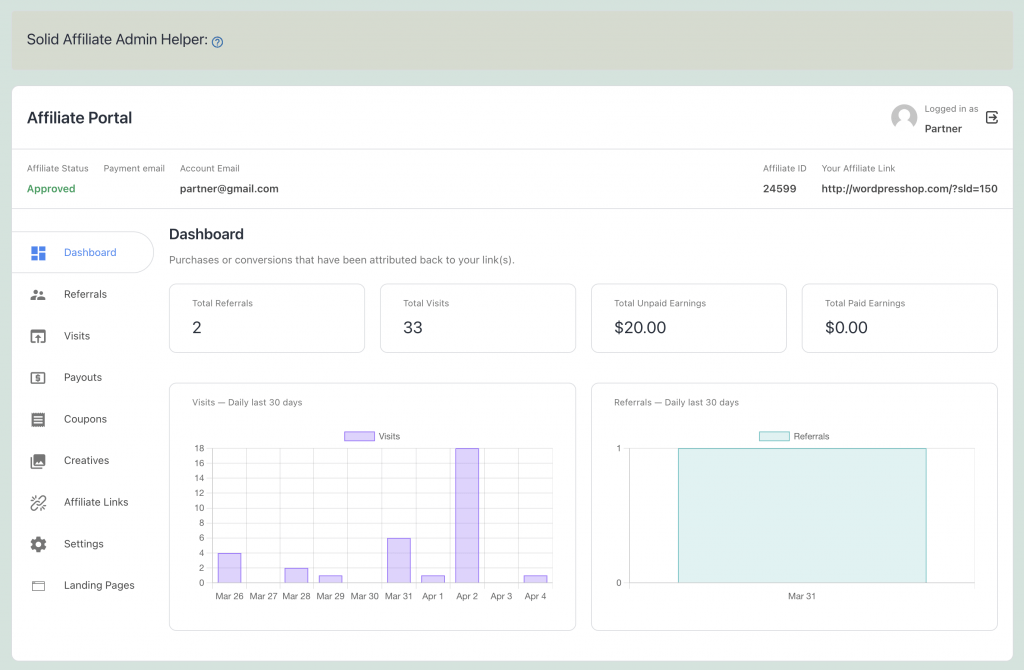
The plugin’s real-time reporting and customizable dashboards provide valuable insights into affiliate performance, helping you identify top performers and optimize your program accordingly.
You can also set commission rates, define payout methods, and create an affiliate registration page.
Affiliates can sign up and use their dashboard to generate referral links and monitor their earnings.
Key features
- Easy setup wizard – quick and straightforward setup process.
- Flexible configuration – customize commission rates, payout methods, and affiliate registration forms.
- PayPal integration – automate payouts with PayPal’s bulk payment feature, or export CSV files for manual payments.
- Detailed reports – comprehensive reports on referrals, payouts, visits, and more, all accessible from the admin dashboard.
- Creatives and coupons – provide affiliates with promotional materials and unique coupons to enhance their marketing efforts.
- MailChimp integration – sync affiliate contacts with MailChimp lists for improved communication.
Potential drawback
- Limited integration – compared to some competitors, Solid Affiliate has fewer integrations. For example, it doesn’t support payment gateways other than PayPal.
- No free version – however, you can try a 7-day free trial.
9. WC Affiliate

WC Affiliate stats
- Rating: 4.8/5 on WordPress.org
- Best for: building robust affiliate programs
- Price: freemium (paid plans start at $55.99/year)
WC Affiliate is a comprehensive WooCommerce plugin designed to help you create a successful affiliate program.
It offers a broad range of features, including multi-level commissions, customizable short links, detailed reporting, and automated payouts. When configuring your affiliate program settings, you can set commission rates, cookie duration, and email notifications.
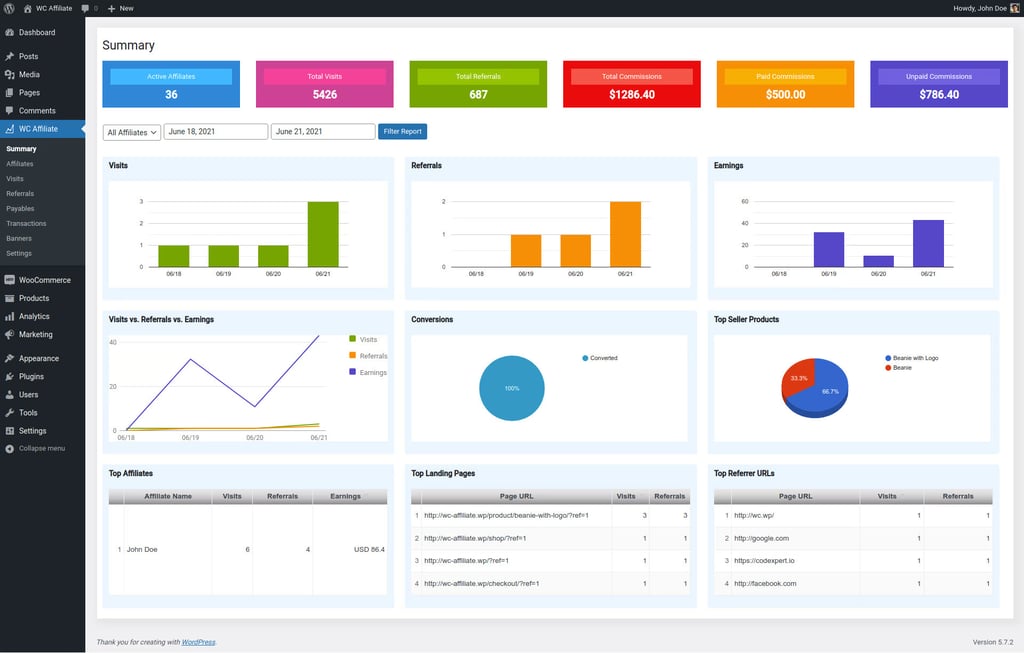
Affiliates can sign up through a registration form, generate referral links, and track their performance using a dedicated dashboard. The plugin’s admin panel provides detailed reports and graphs to monitor affiliate activities and sales.
Key features
- Custom shortlinks – create easy-to-remember links with a built-in URL shortener.
- Advanced reporting – get in-depth reports on visits, referrals, transactions, and more, with CSV export options.
- Automated payouts – integrate with PayPal and Stripe for seamless affiliate payments.
- Coupon-based tracking – give affiliates coupons and track referrals without relying on cookies.
- Banner builder – create and customize banners for affiliates to use in their promotions.
- Email notifier – automate email notifications for affiliates regarding their account status and earnings.
Potential drawback
- Learning curve – some users may find the extensive features overwhelming.
10. Post Affiliate Pro

Post Affiliate Pro stats
- Rating: 4.6/5 on WordPress.org
- Best for: businesses seeking a scalable, professional-grade affiliate management solution
- Price: freemium (paid plans start at $129/month)
Post Affiliate Pro is a comprehensive and highly customizable affiliate marketing solution for larger, more established businesses.
It offers advanced tracking, multi-level marketing, lifetime commissions, fraud detection, and detailed reporting.
The plugin’s robust API and extensive integrations enable seamless connections with various platforms.
You can also integrate the software with your WooCommerce store or other supported platforms. Set up your affiliate program by configuring commission structures, creating promotional materials, and setting up affiliate registration.
Key features
- Multi-tier commissions – create complex commission structures with multiple levels.
- Automated workflows – automate mundane tasks such as commission calculations and email notifications.
- Customizable affiliate links – give your affiliate partners more freedom to create personalized referral links and landing pages.
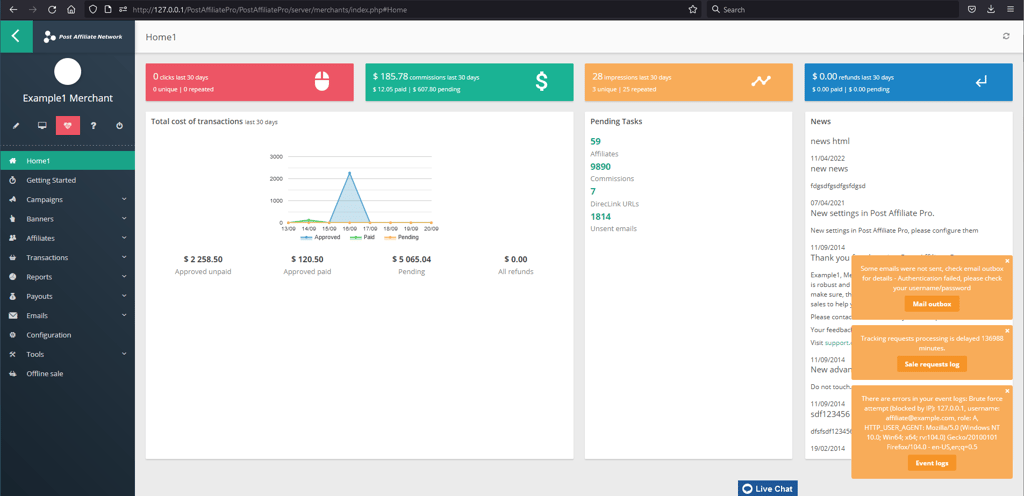
- Advanced reporting – get detailed reports on referrals, commissions, traffic, and more.
- Integration – choose from over 170 CMS and payment gateway integrations, including WooCommerce.
Potential drawback
- Complexity – advanced features may require a learning curve for new users.
How to pick the right WooCommerce affiliate plugin
Choosing the right WooCommerce affiliate plugin is crucial for the success of your affiliate program. Here’s how to make the best choice:
Decide between a link-based or coupon-based affiliate program
Both methods incentivize affiliates to promote your products, but each has its own strengths. Here’s a quick explanation:
- Link-based – affiliates share unique links that track clicks and purchases. This method is simple to implement and works well for a wide range of products.
- Coupon-based – affiliates share unique coupon codes that customers use at checkout. This can create a sense of exclusivity and urgency for shoppers.
Before choosing a plugin, consider which approach aligns best with your brand and target audience. Some affiliate plugins specialize in one method, while others offer both.
Look for affiliate tracking
Effective affiliate tracking is essential for monitoring the success of your program and rewarding your partners fairly. Look for a plugin with a user-friendly dashboard that clearly displays:
- Clicks – how often affiliate links or coupons are being used.
- Conversions – how many sales or leads are attributed to each affiliate.
- Commissions – earnings you owe to each affiliate.
With clear tracking, you can identify your top-performing affiliate partners, optimize your strategies, and ensure accurate payouts.
Integrated payment methods
When evaluating affiliate plugins, consider the payment methods they support. Some popular options include:
- PayPal – widely used and easily accessible to most affiliates.
- Direct bank transfers – secure but might require more manual processing.
- Third-party payment platforms – flexible but might take more time to set up.
Conclusion
Choosing the right WooCommerce affiliate plugin depends on your business size, budget, and desired features.
Here is our final recommendation of top plugins for your affiliate marketing program:
- WC Affiliate – excellent for comprehensive features and scalability.
- Post Affiliate Pro – great for extensive integrations and automation for large-scale programs.
- AffiliateWP and YITH WooCommerce Affiliates – ideal for small to medium businesses, offering user-friendly interfaces and essential features at reasonable costs.
Should you have any questions, check out the FAQ section below or drop a comment.
WooCommerce affiliate plugins FAQ
Got more questions about WooCommerce affiliate plugins? Here are some quick answers to the most common queries:
Can you use WooCommerce for an affiliate program?
Yes, you can use WooCommerce for your own affiliate program. By integrating a suitable plugin, you can manage affiliate registrations, track referrals, and manage commissions directly within your WooCommerce store.
How do I pay my affiliates?
You can pay affiliates via bank transfer or popular payment gateways like PayPal.
How do I create an affiliate program in WooCommerce?
1. Choose a suitable WooCommerce affiliate plugin.
2. Install and activate the plugin.
3. Configure settings like commission rates, cookie duration, and payment methods.
4. Recruit affiliates and provide them with marketing materials.
Can I automate payouts to affiliates with the Woocommerce affiliate plugin?
Yes, many WooCommerce affiliate plugins offer automated payouts. These plugins often integrate with payment gateways like PayPal or Stripe, enabling you to schedule and automate commission payments to your affiliates.

Kotryna is a Content Editor responsible for delivering quality articles. The combination of her Master's degree in linguistics and interest in IT helps make every text easy to follow. During her free time, Kotryna enjoys building websites and climbing the mountains. Follow her on LinkedIn.


Comments
0 responses