10 best Gmail alternatives: Key features and pricing
May 08, 2026
/
Larassatti D.
/
15 min Read

Choosing the right email provider matters more than it seems, because your inbox is tied to how you work, how you present yourself, and how much control you have over your data.
Gmail works well for many people, but it’s not the right fit for everyone. It ties your workflow closely to Google’s ecosystem and limits features like custom domain email to paid plans.
Furthermore, it operates within Google’s ad-supported ecosystem, where account activity across Gmail and other Google services informs ad personalization.
For freelancers, small business owners, or privacy-conscious users, those trade-offs can start to feel restrictive – especially if you want more control over how your inbox works.
That’s why many people start looking for Gmail alternatives. Whether it’s to avoid tracking, use a domain-based email, simplify their workflow, or move away from ads, the reasons vary – but the goal is the same: finding something that fits better.
The table below shows the 10 Gmail alternatives compiled based on privacy, usability, pricing, and use cases.
| Gmail alternative | Best for | Key features | Custom domain |
| Hostinger Business Email | Freelancers or small business owners wanting a one-stop domain, website, and email management tool | – AI‑assisted email management tools – IMAP/POP access for wider email connectivity – Spam and virus protection – SPF, DKIM, and DMARC support for higher email deliverability | Yes |
| Proton Mail | Users who want a full privacy-first ecosystem (mail, VPN, storage, password manager) | – End‑to‑end and zero-access email encryption – Apps for web/mobile – No ads or profiling | Yes |
| Outlook | Corporate teams already in or planning to use Microsoft 365 | – Seamless integration with other Microsoft tools – Advanced calendar and scheduling – Strong admin and security controls | Yes |
| Zoho Mail | Small to mid‑size teams wanting business email and light productivity tools | – Admin controls – Straightforward email service tool – Possibility of scaling gradually into Zoho’s wide-range business tools ecosystem | Yes |
| Spark | Users looking for a smarter email client on top of existing accounts | – Smart Inbox – Shared inboxes for teams – Internal collaborative comments on emails – Integrations with project management and productivity tools | No (client only) |
| Yahoo Mail | Users wanting personal, casual email use | – Easy setup – Multiple accounts under one inbox – Calendar/contacts functionality – Generous free storage | No |
| Tuta Mail | Users wanting maximum encryption on email content, calendar, and file storage | – End‑to‑end encryption for mail, subject lines, and calendars by default – No ads/tracking – Encrypted search | Yes |
| Mailfence | Users who prefer OpenPGP‑based encryption for email | – OpenPGP end‑to‑end encryption and signatures – Built‑in calendar/docs/contacts- IMAP/POP access | Yes |
| Fastmail | Power email users and small businesses wanting a faster Gmail‑like service | – Polished web/mobile apps – Domain aliases/masked email tools – IMAP/SMTP and CalDAV/CardDAV support – Advanced email filters | Yes |
| HEY | Users wanting a radically different workflow with their emails | – The Screener for filtering new senders – Email inbox filtering – Tracker blocking – Built‑in calendar | Yes (business tier only) |
1. Hostinger Business Email
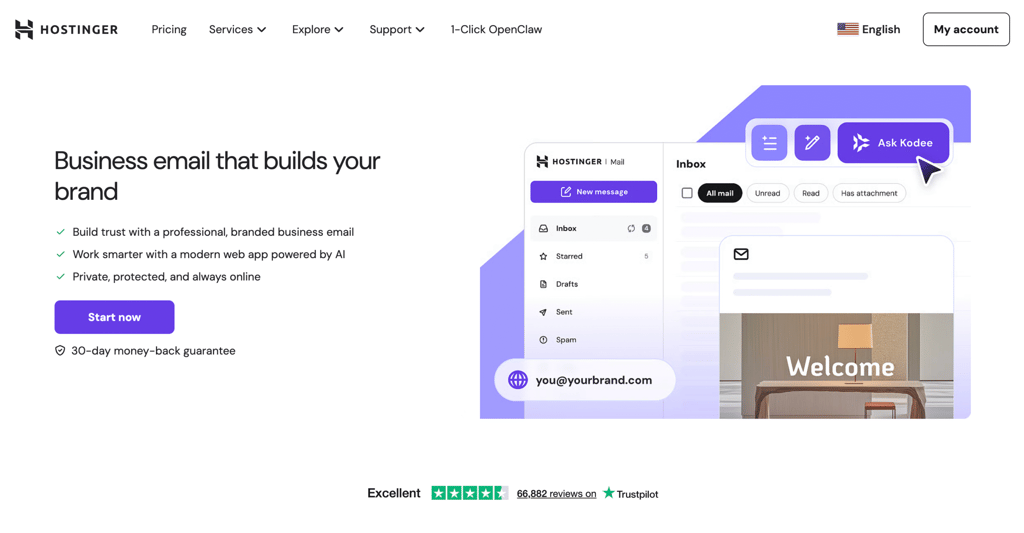
Hostinger Business Email is a strong Gmail alternative for those who want to convey professionalism in their communication. Instead of sending emails from a generic @gmail.com address, you get to use something like yourname@yourbusiness.com.
This is basically what email hosting is: a service that lets you send and receive emails using your own domain, rather than a shared provider like Gmail.
It’s easy to get started, as the setup isn’t complicated. If you’re already using Hostinger (or planning to do so) to build a business website, it’s even more convenient since your domain, email, and website are manageable from a single dashboard.
With Gmail, you can piece together all the different elements, but it means paying for and managing separate services for hosting and a Google Workspace subscription, which adds up in both cost and effort.
So, if you’re a freelancer or running a small-to-medium business and want a clean business email setup fast, Hostinger Business Email is a practical option.
Hostinger Business Email pros:
- Works seamlessly within the Hostinger ecosystem so that you can manage your hosting, domains, and email from a single dashboard
- Built‑in AI tools, including an AI email writer, smart replies, and an AI assistant (Kodee) to help draft, reply to, and summarize messages faster
- Built-in spam, virus, and phishing protection to keep your inbox cleaner and reduce security risks
- Secure, encrypted connections with TLS/SSL to protect your email traffic
- Support for Sender Policy Framework (SPF), Domain Keys Identified Mail (DKIM), and Domain-based Message Authentication, Reporting, and Conformance (DMARC) to enhance your email deliverability
- Email access from any app or device via open standard protocols like IMAP or POP
- Straightforward migration tools and documentation for those switching from another email provider
Hostinger Business Email cons:
- The Starter plan includes only 10 GB of storage per mailbox, which can feel tight if you receive large attachments regularly
- Fewer native integrations and productivity add‑ons out of the box compared to full business suites like Google Workspace or Microsoft 365
Hostinger Business Email pricing:
Hostinger Business Email starts at $0.39/month/mailbox on long-term plans for the Starter tier. The Premium plan, offering 50 GB per mailbox and a free domain, starts at $1.59/month/mailbox.
You can buy both plans separately, or get the email service included with any Hostinger hosting plan. Trying all plans is risk-free, as there’s a 30-day money-back guarantee.

2. Proton Mail
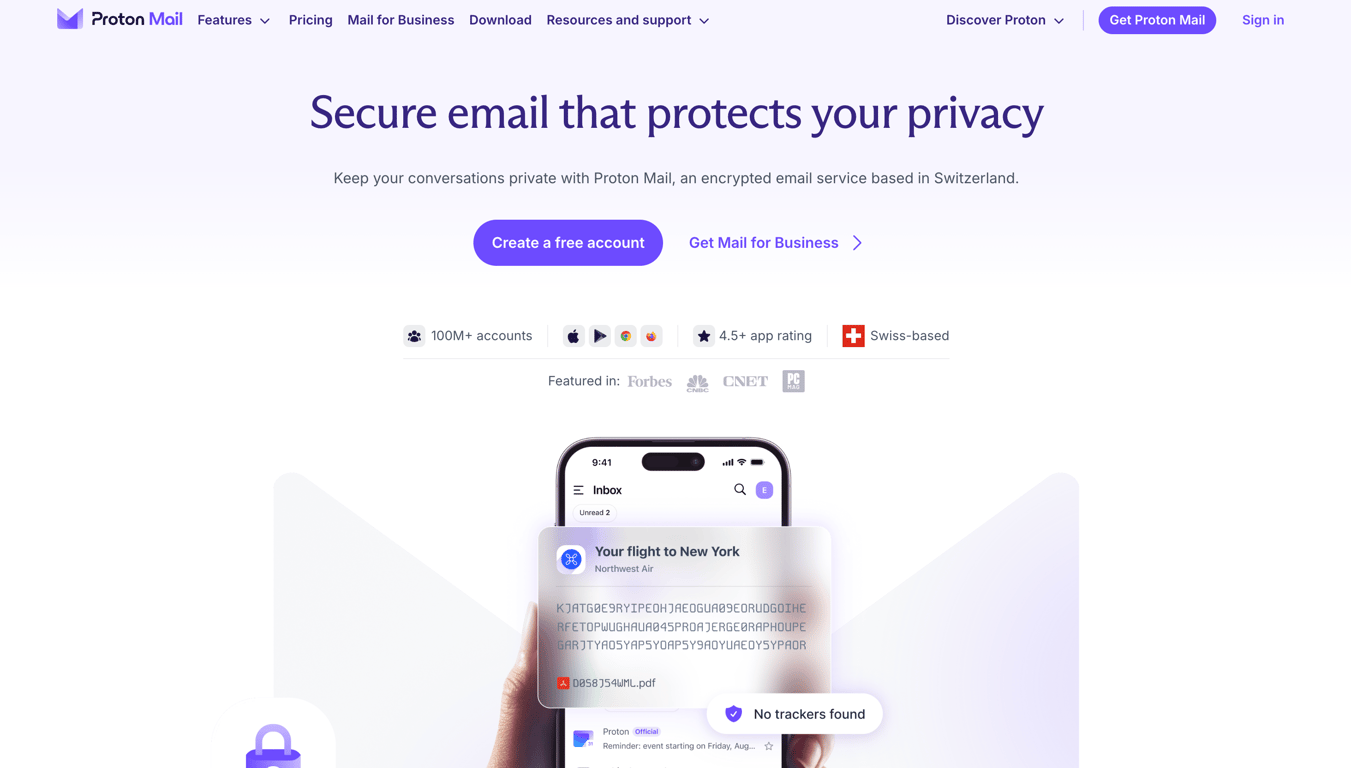
Proton Mail is designed for users who care about keeping their emails private and under their complete control. It’s designed for people who don’t want their inbox used for ad targeting, which you’ll typically get with Gmail.
Moreover, Proton Mail handles your data differently. Your emails are protected with end-to-end and zero-access encryption, which means only you and your recipient can read them – providing you’re both using Proton.
If privacy matters most to you – whether you’re handling sensitive client work, sharing personal information, or just prefer to keep your communications out of large ad ecosystems – Proton Mail stands out as a strong Gmail alternative.
That said, you won’t get the same level of integrations, storage flexibility, or built-in collaboration tools that Gmail offers. So, it only works well if you’re prioritizing privacy over convenience.
Proton Mail pros:
- End‑to‑end encryption by default for messages between Proton Mail users, plus zero‑access encryption for stored data
- No ads, no tracking‑based profiling, with Proton’s revenue coming from paid subscriptions instead of advertising
- Open‑source apps and cryptographic components, with independent security audits
- Zero‑knowledge architecture, so Proton cannot decrypt the content of your encrypted emails on its servers
- Built‑in support for sending encrypted emails to non‑Proton users via password‑protected messages
Proton Mail cons:
- Free plan includes only 1 GB of mail storage, which is insufficient for users receiving heavy emails
- Fewer third‑party integrations and ecosystem connections compared to Gmail with its Google Workspace
- Some productivity features, including labels, folders, and filters, are more limited on the free tier and expand only on paid plans
Proton Mail pricing:
Proton Mail offers a free plan with 1 GB of storage, which is enough for light, personal use.
If you need more features, including cloud storage, VPN, and password manager, the paid plans are grouped into Personal (starting at $3.99/month billed yearly), Family (starting at $14.99/month billed yearly), and Business tiers (starting at $6.99/user/month billed yearly).
There’s a 30-day money-back guarantee if you want to cancel your subscription.
3. Outlook
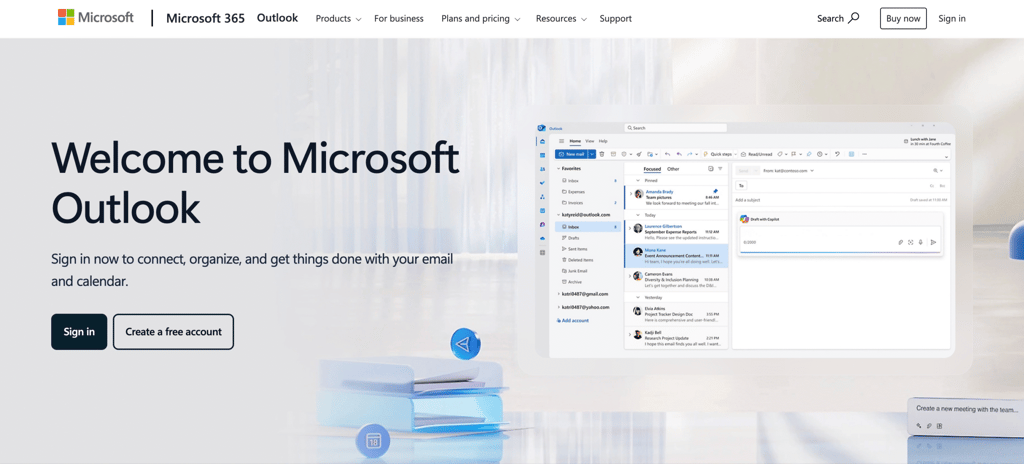
Outlook is a natural choice for those looking for a Gmail alternative that fits a more structured, corporate-style environment. It’s Microsoft’s email platform, so it definitely works best when paired with tools in its ecosystem, such as Microsoft Word, Microsoft Excel, Microsoft Teams, or OneDrive.
Outlook plays the same role in Microsoft’s ecosystem that Gmail plays in Google’s. But, compared to Gmail, Outlook feels more structured and geared toward teams. Its scheduling and collaboration features are especially useful if your work involves frequent meetings, deadlines, and coordination.
It can feel heavy if you just want a simple email tool, but for team-based workflows, Microsoft Outlook is one of the most capable Gmail alternatives you can choose.
Outlook pros:
- Seamless integration with Microsoft 365 apps such as Word, Excel, Teams, SharePoint, and OneDrive
- Focused Inbox feature that automatically separates important emails from less critical messages
- Strong enterprise IT support and security controls through Microsoft 365’s admin center, compliance, and identity features
- Available as a desktop app (via Microsoft 365), web app (Outlook on the web), and mobile apps for iOS and Android
- Custom domain email and professional Exchange‑based mailboxes are available through Microsoft 365 business plans
Outlook cons:
- The interface can feel cluttered or overwhelming compared to other email clients, particularly for non‑technical users
- Many of the best features are locked behind paid Microsoft 365 subscriptions
- Outlook is most powerful when used with other Microsoft services, which may not appeal to users who prefer alternative ecosystems
Outlook pricing:
You can use Microsoft Outlook for free with a Microsoft account, which works for basic personal email. If you need more features, they are available through Microsoft 365 paid subscription plans.
For individual use, pricing starts at $19.99/year or $1.99/month (Microsoft 365 Basic) to remove ads, add more storage, and unlock access to more Office apps.
For professional use, plans start at $6/user/month if billed annually (Microsoft 365 Business Basic), adding custom domain support and access to advanced collaboration features across Microsoft tools.
4. Zoho Mail
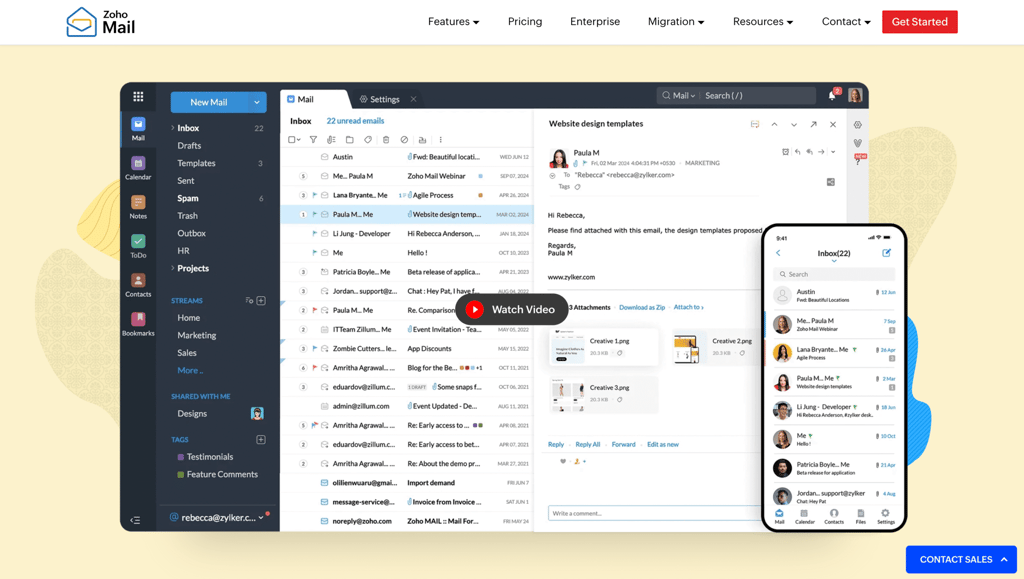
Zoho Mail is a compelling Gmail alternative for professional communication without being tied to a larger ecosystem like Microsoft 365. It’s ad-free, supports custom domains, and gives you a solid admin console to manage users, groups, and security from one place.
Compared to Microsoft Outlook or Gmail for business use, Zoho Mail is lighter and more flexible. You can use it purely for email, or expand into other Zoho products like CRM, Docs, or Projects only when you need them.
That makes it a strong fit for small to mid‑size teams, startups, or agencies that want professional email at a lower cost, with more granular configuration control. You still get essentials like calendar, tasks, and contacts, but without the heavier enterprise‑style footprint.
Setting up Zoho Mail involves verifying your domain and updating MX records, but it’s guided and manageable from the admin console.
Zoho Mail pros:
- Business‑grade email hosting with custom domains for professional email use
- Built‑in collaboration basics such as calendar, tasks, and contacts alongside your inbox
- Strong admin console with user and group management, security policies, mailbox limits, and retention controls
- IMAP, POP, and mobile/desktop client support on paid plans so that you can use Zoho Mail with Outlook, Apple Mail, and native mail apps
- Advanced features on higher-tier plans, including email archiving, retention policies, and eDiscovery, for teams that need compliance and audit trails
- Flexible scaling options with other Zoho apps, like Zoho CRM, Zoho Books, Zoho Projects, if you want to build a broader business toolstack
Zoho Mail cons:
- Mail‑only plans (Mail Lite and Mail Premium) aren’t available with a monthly payment option
- The plan structure can be confusing at first, considering the range of the offered bundling options
- As you expand into more Zoho apps beyond Mail, the wider suite can feel more complex to navigate than familiar ecosystems like Microsoft 365 or Google Workspace
Zoho Mail pricing:
Zoho Mail offers a free plan that supports one custom domain for up to 5 users, with 5 GB of storage per user. However, IMAP, POP, and ActiveSync features won’t be accessible, and availability is limited to select data centers.
To remove the limitations, Zoho Mail’s pricing starts at $1/user/month for the 5 GB Mail Lite tier, which includes basic features such as a custom domain and support for desktop and mobile apps. If you need more space or other business features, such as forms and analytics, you can purchase them as add‑ons.
If you plan to expand beyond email into other Zoho apps, Zoho has several different bundles and pricing models, so it’s smart to review the options carefully or simply talk to their sales team before committing.
5. Spark
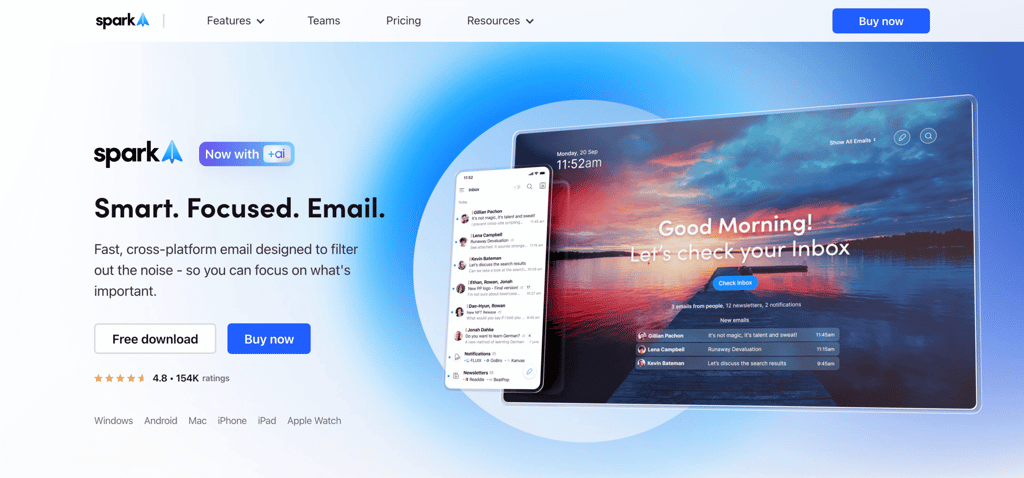
Spark isn’t a Gmail alternative in the traditional sense, as it won’t give you a new email address or host your inbox. Instead, it connects to your existing account, whether that’s Gmail, Microsoft Outlook, or Hostinger Business Email, and replaces the interface you use to manage it.
A simpler way to think about it: Spark upgrades how you work with email, rather than replacing your provider. And if you’re working in a team, that upgrade can make a real difference.
Its shared inbox lets multiple people collaborate in one place, so you can assign emails, leave comments, and work on replies together without forwarding threads or losing track of who’s handling what.
If your team deals with customer support, sales inquiries, or shared inboxes, Spark adds a layer of coordination that most email providers don’t offer out of the box.
Spark pros:
- Shared inboxes to collaborate directly with clear ownership and no need to share passwords
- Smart Inbox automatically categorizes emails to help you focus on what matters
- Internal comments on email threads to discuss a message and draft responses together without sending external replies
- Integrates with popular productivity tools, including Slack, Asana, Trello, and Notion
- Available on macOS, Windows, iOS, and Android, with cross‑device sync for all your accounts
- Built‑in features like email scheduling and snooze make it easier to manage your inbox on your own timeline
Spark cons:
- Spark is an email client, not a hosting service, so you still need another email service provider behind it
- The most useful collaboration features are only available on the paid plans
Spark pricing:
Spark offers a free plan for individual use that includes core features such as Smart Inbox, support for multiple accounts, and basic collaboration via private comments or shared threads.
If you need more, the paid plans are designed for teams. Spark’s premium version starts at $8.25/user/month (billed annually) and adds advanced productivity features, AI tools, shared inbox functionality, and integrations with third-party services.
All paid plans come with a 7-day free trial, so you can test them before committing.
6. Yahoo Mail
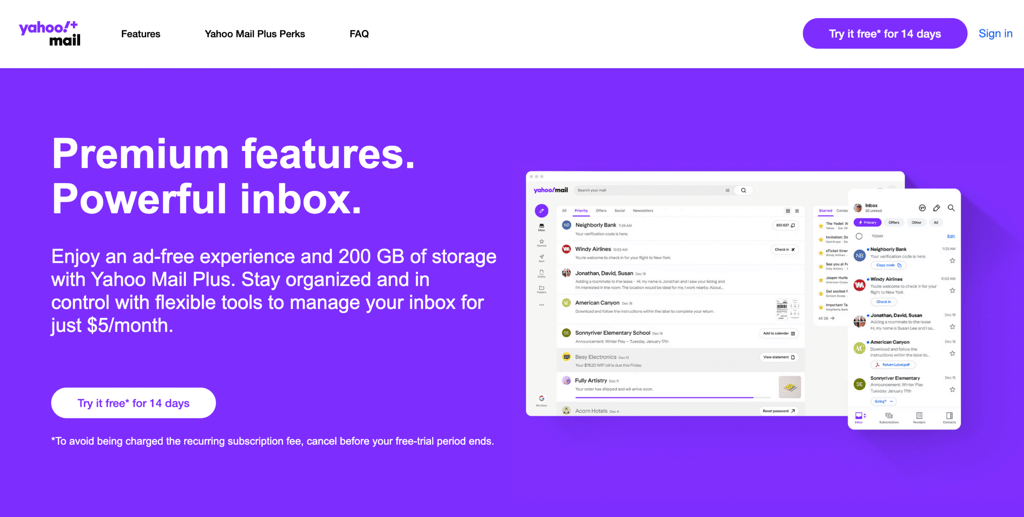
Yahoo Mail is a solid Gmail alternative if you’re looking for something that just works for sending emails. It’s simple to set up, offers generous storage, and lets you manage multiple accounts from one inbox – without the extra sophisticated features you’d get with Gmail.
It works well as a secondary email address for shopping, newsletters, backups, or keeping certain contacts separate from your main account.
If you want an even smoother experience, there’s Yahoo Mail Plus, which removes ads, adds more storage, and includes features like disposable email addresses and email forwarding. This way, you can upgrade without switching platforms.
However, you won’t get custom domain support or team collaboration features, which makes Yahoo Mail more suited for personal use than for business communication.
Yahoo Mail pros:
- Straightforward interface that’s easy to set up and use with little to no technical knowledge
- Ability to manage multiple email addresses in one place by adding other accounts, like Gmail or Outlook, to Yahoo Mail
- Built‑in calendar and contact management so that you can handle basic personal organization without extra tools
- Available on iOS, Android, and the web, with a consistent experience across devices
Yahoo Mail cons:
- The free version includes ads, which can introduce user experience disruptions
- Weaker privacy posture than other email providers in this list
- No native custom domain support or business‑grade admin tools, so it’s not suitable as a primary professional email solution
Yahoo Mail pricing:
Yahoo Mail is free to use with a standard storage allocation of 20 GB. To increase your mailbox space to 200 GB, remove ads, and add features like disposable email addresses and automatic forwarding, Yahoo Mail Plus costs $5/month – available with a 14-day free trial.
7. Tuta Mail
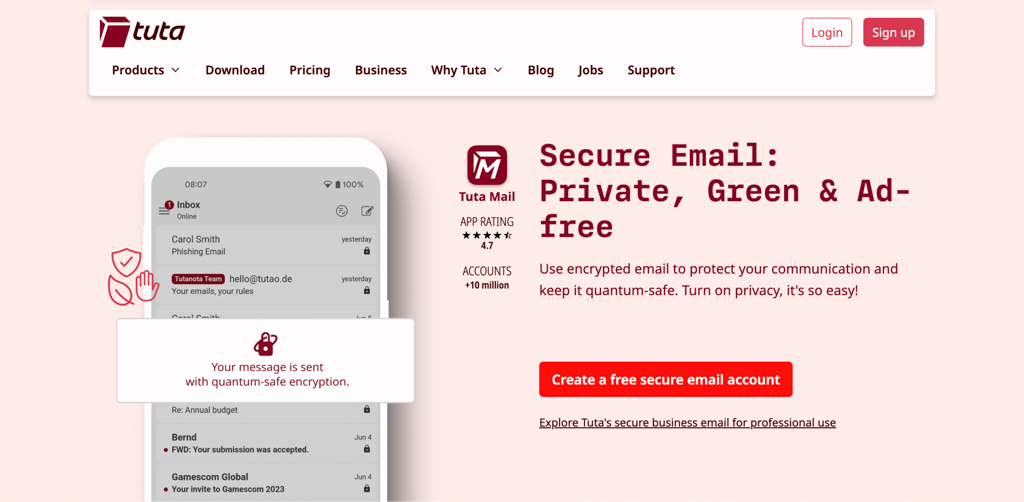
Tuta Mail (formerly Tutanota) is a privacy-first email provider based in Europe, like Proton Mail. It’s part of a small ecosystem comprising three products: Tuta Mail, Tuta Calendar, and Tuta Drive.
This simplicity is what makes Tuta Mail stand out. The interface is clean, the pricing is straightforward, and instead of separate add-ons, all plans (including the forever-free one) bundle the three products together.
The trade-off is that you’ll get fewer integrations and advanced features. But if you care more about simplicity and strong default privacy, Tuta Mail is a solid Gmail alternative.
Tuta Mail pros:
- End‑to‑end encryption is applied by default to email content, including subject lines and attachments
- Calendars, contacts, and the search index are also end‑to‑end encrypted
- No ads, no tracking, and no data profiling – Tuta’s business model is solely based on subscriptions
- Simple interface that’s easy to use without a steep learning curve, across web, mobile, and desktop apps
- Affordable premium plans compared to many other encrypted email providers, with generous storage for the price
- Open‑source clients and core components, with transparency and independent scrutiny around how encryption is implemented
Tuta Mail cons:
- No IMAP or POP support – you can only access Tuta Mail through its own web, mobile, and desktop apps
- Limited integrations with third‑party tools and services
- Full search capabilities and extended rules are reserved for paid plans only
Tuta Mail pricing:
Tuta Mail offers a free plan with 1 GB of storage, one calendar, and up to three labels – enough to try it out or use it lightly.
If you need more, the paid plans are split into personal and business tiers. The personal plan starts at €3/month (~$3.50/month) and includes 20 GB of storage, up to 15 additional email addresses, support for three custom domains, and unlimited labels and calendars.
For teams, the business plans start at €6/user/month (~$7/user/month) and add collaboration features for shared use.
8. Mailfence
Mailfence is another Gmail alternative that leans toward privacy without sacrificing a traditional email experience. Compared to Proton Mail and Tuta Mail, it sits between the two in terms of flexibility, offering stronger privacy than standard email without Tuta’s fully closed encryption model.
Mailfence uses OpenPGP encryption, so you can send encrypted messages and digitally sign emails to verify senders’ identities. If you’re already familiar with Pretty Good Privacy (PGP) – or prefer open standards over a closed system – it’s a practical option.
On paid plans, you also get IMAP/POP support, which means you can use it with third-party email clients.
That balance is what makes Mailfence stand out. You get more privacy than Gmail, along with built-in tools like calendar, contacts, and document storage, without being tied into a fully closed ecosystem.
The trade-off is that it doesn’t go as far as Tuta Mail in terms of content encryption, and the interface can feel a bit more old-school.
Mailfence pros:
- End‑to‑end encryption using the OpenPGP standard, plus support for digitally signing messages to prove authenticity
- Built‑in calendar, document storage, and contacts, so you also get a small productivity hub
- Custom domain support on higher‑tier paid plans, including DKIM, SPF, and DMARC capabilities for better deliverability
- “Groups” and user management features on business plans, allowing basic team email management and shared resources
- Granular control over security settings, like 2FA, recovery methods, and key management, giving you more control over how you manage email encryption
Mailfence cons:
- Smaller ecosystem than Google Workspace, Microsoft 365, or Proton’s broader product suite
- Integrations and automation options are more limited than those offered by big‑vendor email platforms
- The interface is functional, but it can feel a bit dated or less polished
Mailfence pricing:
Mailfence offers a free plan with 1 GB of storage, split evenly between email and documents. If you need more, the paid plans for personal use start at $2.50/month and include more storage, email aliases, and email support, but don’t include IMAP/POP or custom domains.
Full mail‑hosting features unlock with the personal Entry plan and all business-tier plans, with pricing starting at $3.50/month.
9. Fastmail
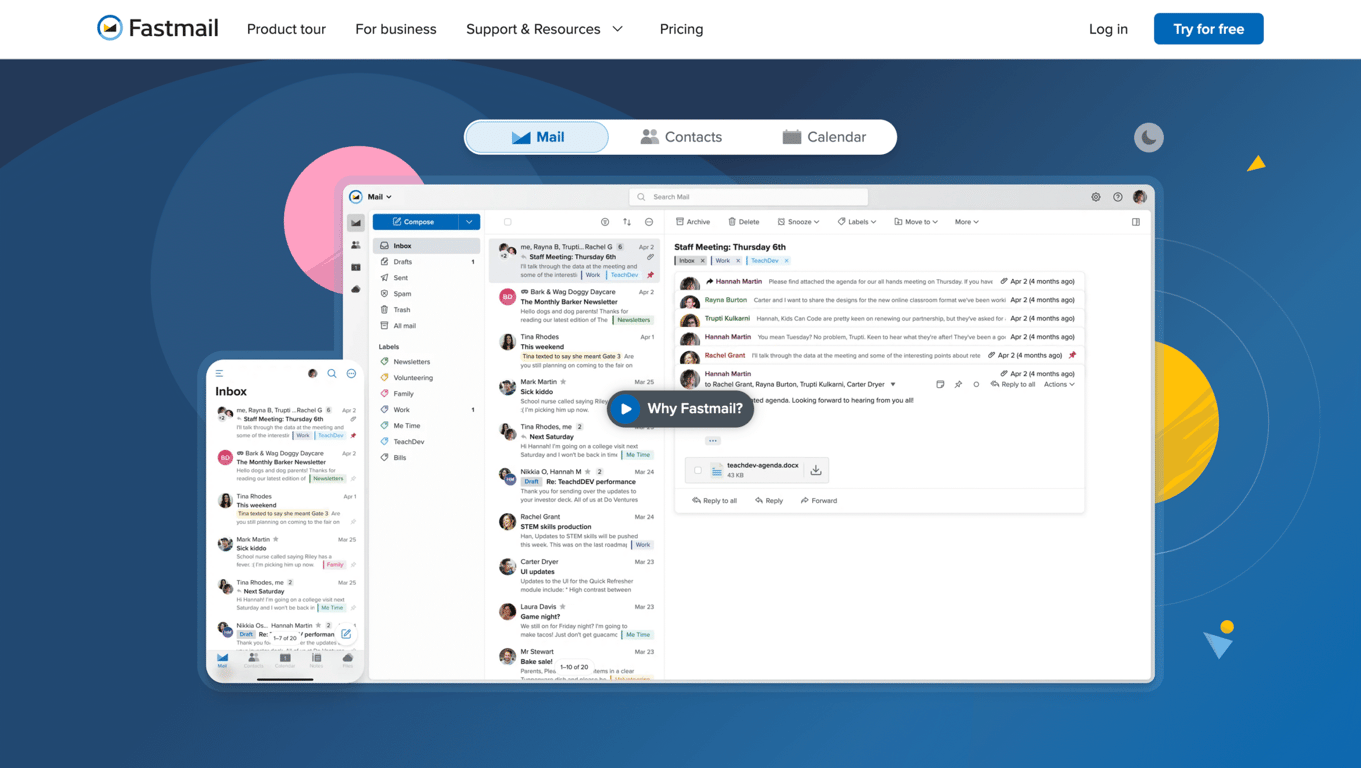
Fastmail is a strong Gmail alternative if you want a Google-free inbox that still feels familiar and easy to use. You can bring your own domain, create plenty of aliases, and access your email from almost any app or device with no extra setup or bridge tools needed.
Where it stands out is performance. You get fast search, powerful filtering, reliable spam protection, and full support for open-standard communication protocols like IMAP/SMTP (for email) and CalDAV/CardDAV (for calendars and contacts). It’s built to “just work,” especially if you rely on email daily.
Fastmail doesn’t offer end-to-end encryption by default, which is a downside, but on the other hand, it allows for a faster, more flexible experience across devices and clients.
Fastmail pros:
- Fast, responsive apps with excellent search, filtering, and organization features, often described as a more controllable, upgraded Gmail
- Strong custom domain support and domain management tools, including easy DNS setup, catch‑all addresses, and flexible aliases for multiple domains
- Advanced rules and filters for inbox automation
- Masked Email lets you create unique aliases for each site, with integrations like 1Password and Bitwarden to manage them easily
- Full support for open standard protocols, so you can use Fastmail with almost any desktop or mobile client without a bridge
- Built‑in calendar and contact management, with sharing options for calendars, contacts, and folders within a family or team account
Fastmail cons:
- No free plan, though there is a 30‑day free trial for new users
- No full end‑to‑end encryption for all email content, so it’s not suitable if you need the level of privacy protection offered by Proton Mail, Tuta Mail, or Mailfence with its OpenPGP‑based encryption
- No built‑in document collaboration tools, so you’ll need separate apps for files and real‑time document work
Fastmail pricing:
Fastmail’s personal-tier plans are divided into Individual, Duo, and Family (up to six users), with pricing starting at $5/month. To add advanced collaborative features, the business-tier plans start at $3/user/month.
10. HEY
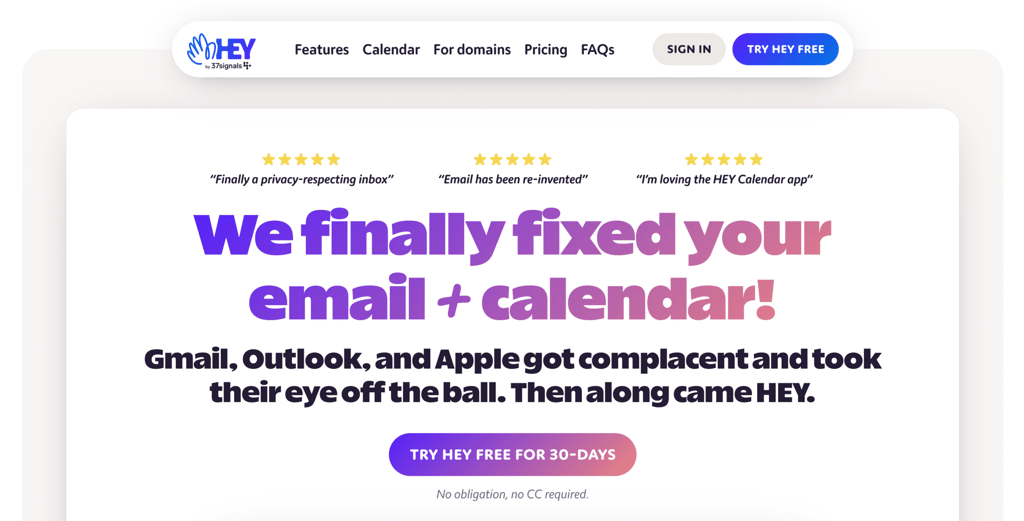
HEY is a Gmail alternative that makes sense if you want a completely different way to manage email – not just a cleaner version of the same inbox. It’s also a good fit if you care about privacy, with built-in blocking for tracking pixels and similar “spyware.”
The standout feature is The Screener, which lets you filter new email senders. Thanks to this, new senders are held back until you decide whether to let them through.
From there, HEY automatically sorts messages into three areas: the Imbox (important emails), the Feed (newsletters and updates), and Paper Trail (receipts and transactions).
For all its strengths, HEY is intentionally closed, doesn’t support IMAP, and expects you to follow its system. But if that system clicks, it can make your inbox feel more manageable.
HEY pros:
- The Screener stops unwanted senders at the gate, so you decide who can ever reach your inbox
- Organizes messages by grouping them into Imbox, The Feed, and Paper Trail automatically, depending on the email content
- Built‑in tracker blocking strips out many common read‑tracking pixels and tells you which senders are trying to track when and where you open their emails
- Includes a built‑in calendar and is available on web, macOS, Windows, Linux, iOS, and Android
- Custom domain support is available via HEY for Domains
HEY cons:
- No email import feature, so you can’t bring your email archive into HEY
- No free plan beyond the 30‑day trial period
- No IMAP support and no generic SMTP access, so you’re locked into HEY’s own apps and interface
- You get the most value if you’re willing to fully buy into the HEY workflow and adjust how you work to match it
HEY pricing:
HEY for You is a personal plan that costs $99/year and includes a @hey.com email address, 100 GB of storage, and all core features, with a 30‑day free trial.
Meanwhile, HEY for Domains is aimed at teams who want to use their own custom domain with HEY’s workflow. It’s priced at $12/user/month, billed monthly, and is designed as a fully paid business tier.
Factors to consider when choosing a Gmail alternative
Choosing the right Gmail alternative is about finding the one that fits how you actually use email. Here are the key factors to look at:
- Privacy and data handling. Not all email providers treat your data the same way. For instance, Proton Mail and Tuta Mail focus heavily on encryption and minimal data access. Others prioritize usability and features. Check whether the emails are encrypted, if the provider can access your data, and how they make money (ads vs. subscription plans).
- Storage and pricing. Free plans can be limiting, especially if you rely on email daily. Compare how much storage you get, what features are locked behind paid tiers, and whether pricing scales reasonably as you grow. A slightly higher monthly cost can be worth it if it saves you time or adds important features.
- Integrations and ecosystem. Think about the tools you already use. If you rely on apps like Microsoft Office or Google Docs, options like Microsoft Outlook or Gmail alternatives with strong integrations will feel more natural. On the other hand, some providers keep things minimal by design.
- Custom domain support. If you’re using email for work or building a brand, this is a big one. Being able to send emails from yourname@yourdomain.com instantly makes you look more professional and gives you full ownership of your identity.
- Ease of use and setup. Some tools are plug-and-play, while others require a bit more setup (like configuring DNS records). If you want something quick and simple, look for providers that guide you through the process or bundle everything in one place.
- Your actual use case. This is the most important factor. The right Gmail alternative depends on what problem you’re trying to solve. Are you looking for privacy? Better team collaboration? A cleaner inbox? Or just a more professional email address?
Create your professional email now
If you’re a freelancer, small business owner, or creator, switching to a custom domain email is one of the simplest ways to look more credible. It’s a small change, but it makes a real difference – your brand feels more cohesive, your communication looks more professional, and people take you more seriously.
Gmail is convenient, but it’s not built for ownership, branding, or control – unless you upgrade to a full Google Workspace plan, which means committing to the entire suite.
With Hostinger Business Email, you can start with just what you need. Set up your professional email on your own domain, and expand later if you want to have your own platform. The setup is straightforward, even if you’re not technical, and the pricing stays affordable as you grow. If you’re ready to get started, follow our step-by-step guide to set up a business email.

Larassatti Dharma is a content writer with 4+ years of experience in the web hosting industry. She has populated the internet with over 100 YouTube scripts and articles around web hosting, digital marketing, and email marketing. When she's not writing, Laras enjoys solo traveling around the globe or trying new recipes in her kitchen. Follow her on LinkedIn