10 best v0 alternatives to build web apps
May 04, 2026
/
Ariffud M. & Dainius K.
/
17 min Read

v0 is an AI tool that turns natural language prompts into production-ready React components using Tailwind CSS. It’s a fast way to prototype user interfaces without writing frontend code from scratch.
But it mainly solves one part of the workflow: generating UI. Once you move beyond that stage, you’ll likely need something else.
If you want to build a complete app with backend logic, authentication, and a database, v0 isn’t enough on its own. If you need to work outside React or Next.js, its stack limitations can slow you down. And if you’re iterating heavily, credit-based pricing can become difficult to manage.
Because of this, developers typically switch tools depending on what they need next. Some use full-stack AI builders to go from prompt to a working app. Others move to AI-powered editors for more control over their codebase. And some rely on no-code platforms to launch without writing code at all.
Here are the top 10 v0 alternatives for AI-powered app development:
- Hostinger Horizons. AI-powered no-code app builder with an integrated backend, hosting, and one-click deployment.
- Bolt.new. Browser-based full-stack AI platform that generates and deploys apps from prompts.
- Motiff. AI-powered UI generator that creates production-ready interface designs from text prompts.
- Lovable. AI app builder that generates full-stack React and TypeScript apps from natural language prompts.
- Windsurf. Agentic AI code editor with deep codebase understanding and multi-file editing.
- GitHub Copilot. AI coding assistant that integrates into popular IDEs for context-aware suggestions.
- Replit. Cloud development environment with an AI agent for building, testing, and deploying apps in the browser.
- Firebase. Google’s backend-as-a-service platform with real-time databases, authentication, and analytics.
- Bubble.io. No-code visual builder for designing and launching full-featured web apps.
- Cursor AI. AI-enhanced code editor built on VS Code with codebase-aware completions and multi-file editing.
| Tool | Pricing | Key features | Best for |
| Hostinger Horizons | From $6.99. Free trial available | AI app generation, integrated backend, real-time editing, voice/image inputs, built-in hosting | Non-technical users building web apps quickly with AI and built-in hosting |
| Bolt.new | From $18/month. Free plan available | Browser-based full-stack dev, token-based AI, built-in deployment, Figma import, multi-framework support | Solo builders and founders who want fast AI-powered app development in the browser |
| Motiff | From $16/month. Free plan available | AI UI generation from text prompts, design system support, Figma export, React/HTML code export | Designers and product teams generating production-ready UI mockups with AI |
| Lovable | From $21/month. Free plan available | Prompt-based full-stack generation, Lovable Cloud backend, Supabase and GitHub integration | Solo builders or teams turning prompts into full-stack apps |
| Windsurf | From $20/month. Free plan available | Cascade AI agent, deep codebase awareness, multi-file editing, Memories, MCP support | Developers seeking an intuitive agentic AI code editor with strong context understanding |
| GitHub Copilot | From $10/month. Free plan available | AI code suggestions, natural language to code, multi-language support, IDE integration, coding agent | Developers who want AI assistance directly in their existing coding environment |
| Replit | From $18/month. Free plan available | Browser-based IDE, Replit Agent, autonomous builds, instant deployment, multi-language support | Solo devs and small teams building full-stack apps entirely in the browser |
| Firebase | Pay-as-you-go. Free plan available | Realtime database, authentication, cloud messaging, analytics, seamless scaling | Dev teams needing scalable backend services with minimal setup |
| Bubble.io | From $29/month. Free plan available | No-code builder, visual editor, workflow automation, database and API tools, AI Agent | Non-technical founders launching MVPs with drag-and-drop tools |
| Cursor AI | From $16/month. Free plan available | AI code editor, credit-based model access, multi-file editing, Agent mode, terminal integration | Dev teams seeking an AI-enhanced VS Code experience for full-stack work |
1. Hostinger Horizons
Best for: Entrepreneurs, small businesses, and individuals looking to build web apps quickly without technical expertise.
Pricing: Starts at $6.99 with the Explorer plan. Free trial available with 5 messages.
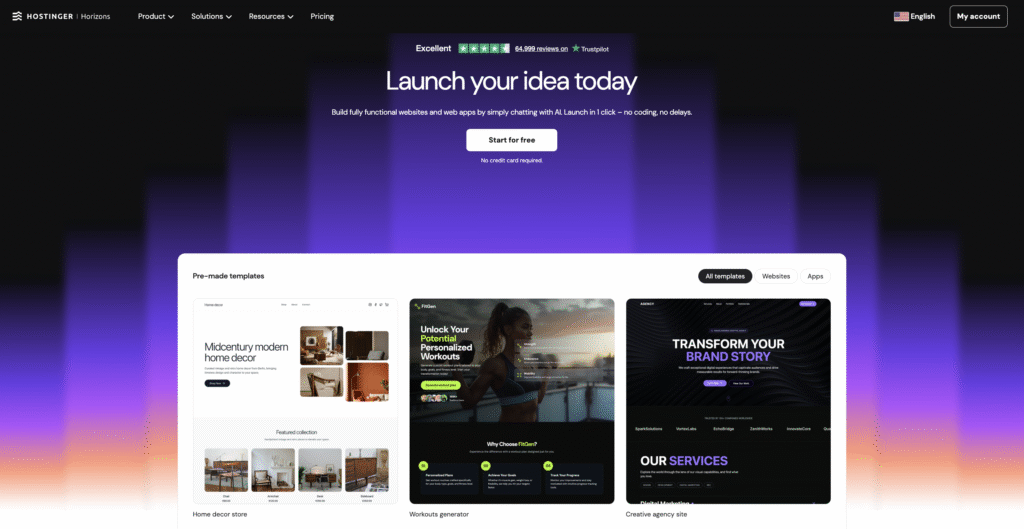
Hostinger Horizons is an AI app builder that takes you from raw concepts to fully functional web apps without writing a single line of code. Describe your app idea through a chat interface, and the platform’s AI assistant generates, customizes, and publishes it in real time.
While v0 generates frontend UI components only, Horizons builds entire applications and includes built-in hosting, domain registration, and email services, minimizing the need for third-party tools.
The platform includes an integrated backend system that handles authentication, data storage, and automated emails without external services.
You can add user accounts, store data (up to 5GB per project), set up single sign-on with Google, Apple, Facebook, or Microsoft, and send automated emails (up to 500/day per project) by simply describing what you need in the chat.
You can also export and download the full source code on any paid plan, so your app is not locked into Hostinger’s ecosystem.
Hostinger Horizons key features
- AI-powered app generation. Describe your app idea, and the AI builds it for you in real time.
- Integrated backend. Built-in authentication, data storage, file uploads (up to 5GB per project), and automated email without external services.
- Voice and image inputs. Interact with the AI using voice commands or visual prompts (Starter plan and above).
- Multilingual support. Build web apps by prompting in over 80 languages.
- Integrated hosting and domain services. Launch your app with one click, including SSL, DDoS protection, and global CDN.
- Code editor. Fine-tune the generated code directly within the platform (Hobbyist plan and above).
- Ecommerce capabilities. Sell physical/digital products and subscriptions (Starter plan and above).
- Project version history. Revert to previous versions at any time.
Hostinger Horizons pros
- Requires zero coding skills. The chat-based interface makes app building accessible to anyone.
- All-in-one platform with hosting, domain, email, and backend included. You don’t need to manage separate services.
- The integrated backend handles authentication, databases, and automated emails internally, removing the complexity of connecting external providers like Supabase.
- Multiple plans available, starting with a free trial. The Starter plan includes 70 AI credits/month, analytics, collaboration, and ecommerce features.
Hostinger Horizons cons
- The code editor for manual adjustments is only available on the Hobbyist plan (39.99/month) and above.
- Hosting and deployment are tied to Hostinger’s ecosystem unless you export your app’s source code for external use.
- Native mobile app generation (iOS/Android App Store) is not currently supported.

2. Bolt.new
Best for: Solo builders, startup founders, and product managers who want to prototype and deploy full-stack web apps quickly without local setup.
Pricing: From $18/month (free plan available).
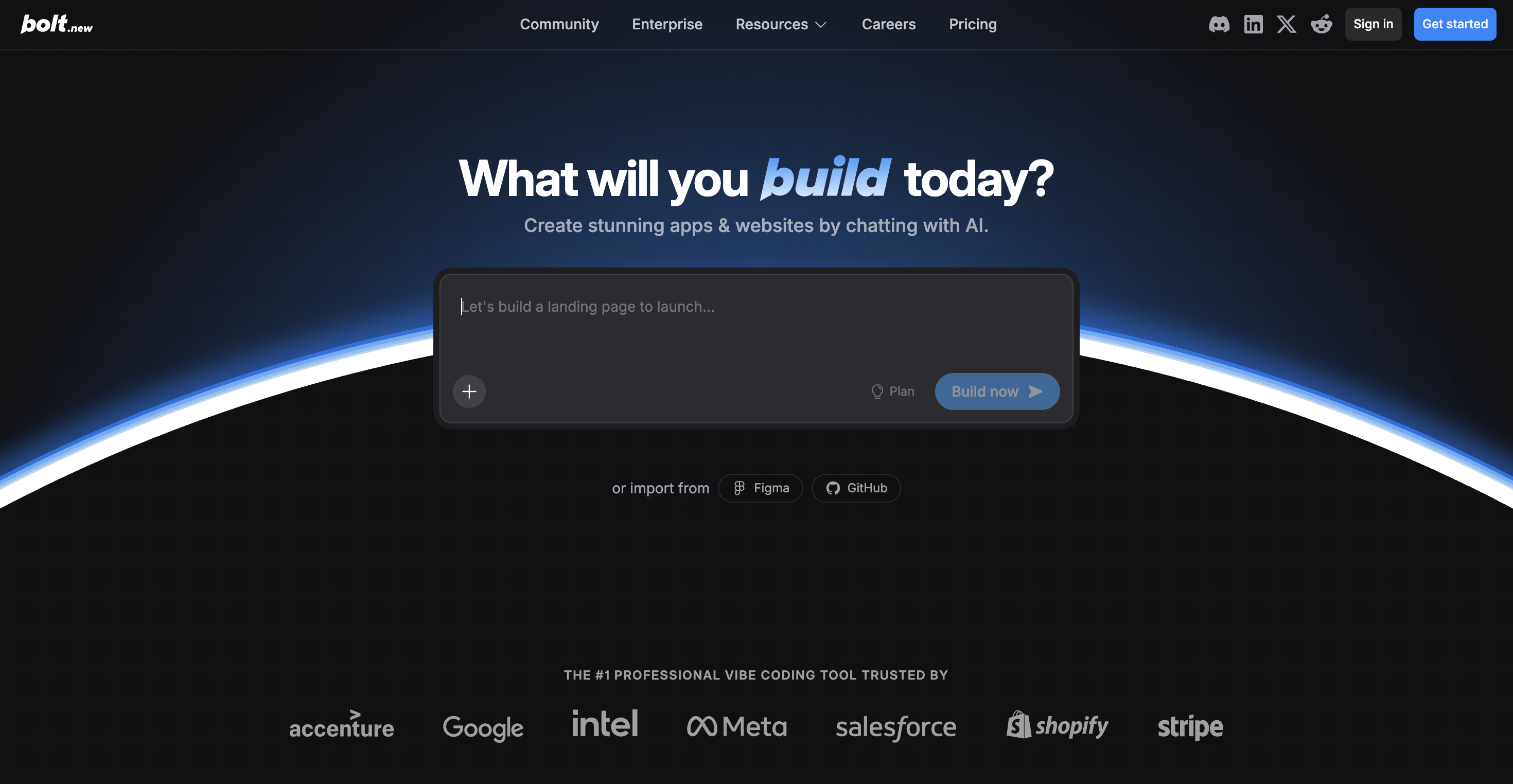
Bolt.new is an AI-powered development platform built by StackBlitz that runs entirely in the browser. It uses WebContainers technology to give you a full-stack development environment, including a code editor, terminal, and deployment pipeline, without installing anything locally.
You describe what you want to build in a prompt, and Bolt generates a working application with frontend, backend logic, and database integration that you can refine through follow-up prompts or direct code edits.
Compared to v0, Bolt.new generates complete full-stack applications rather than isolated UI components, and supports multiple frameworks beyond React, including Vue, Svelte, and Angular, giving you more flexibility in your tech stack.
Bolt uses a token-based pricing model where every AI interaction consumes tokens based on your project’s complexity and codebase size.
The free plan includes 1 million tokens per month with a 300,000 daily cap, which is enough for small experiments but depletes quickly during active development.
Bolt.new key features
- Browser-based full-stack development. Write, run, and deploy code entirely in the browser using StackBlitz WebContainers.
- Multi-framework support. Generate apps using React, Vue, Svelte, Angular, Astro, and other frameworks.
- Built-in deployment and hosting. Publish your app directly from Bolt with custom domain support on paid plans.
- Figma import. Drop Figma designs directly into the chat to build with visual reference.
- Supabase and database integration. Connect to Supabase for backend services, or use Bolt’s built-in unlimited databases.
- Token rollover. Unused tokens on paid plans roll over for one additional month.
Bolt.new pros
- Zero local setup required. Everything runs in the browser, so you can start building from any device immediately.
- Supports a wide range of frameworks, giving you more flexibility than v0’s React/Next.js focus.
- The free plan is generous enough for testing the platform and building small prototypes.
- Code is exportable, so you can move your project to any external hosting provider or IDE.
Bolt.new cons
- Token consumption is difficult to predict. Larger projects can burn through tokens quickly because each prompt syncs the full codebase, and some users report 10 million tokens depleting in just a few days of active development.
- The free plan limits you to 300,000 tokens per day and includes Bolt branding on hosted sites.
- For production-grade apps that need a database, you’ll likely need a separate Supabase subscription (free tier available, paid plans from $25/month), which adds to the total cost.
3. Motiff
Best for: Designers, product managers, and non-technical professionals who need AI-generated UI designs quickly without traditional design skills.
Pricing: From $16/month for the Pro plan (free plan available with 100 credits/month).
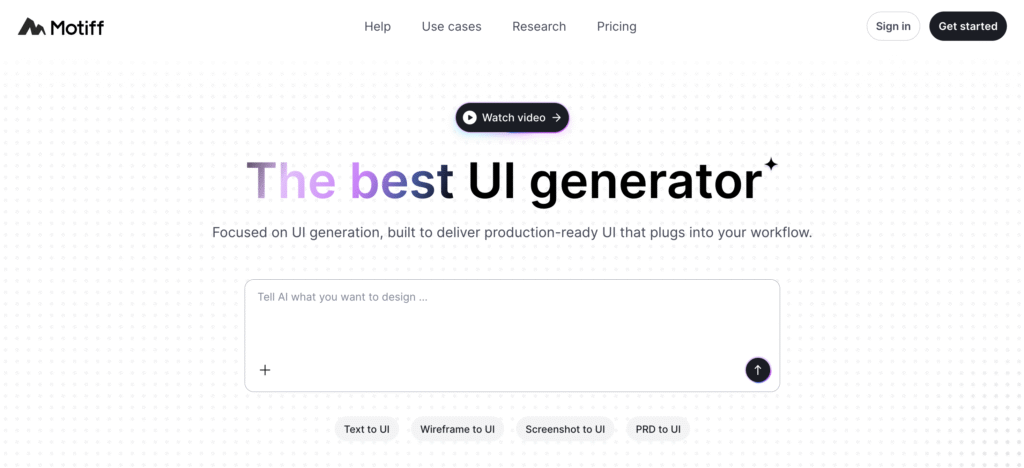
If you need production-ready interface designs without traditional design skills, Motiff is an AI-powered UI generator that creates them from text prompts, wireframes, or visual references.
You describe the interface you want, and Motiff generates high-fidelity designs that include interactive elements, proper layout structure, and built-in design system support (Material, Ant, Shadcn).
The Pro plan lets you copy generated designs to Figma and export production-ready code in React or HTML.
This makes Motiff a bridge between ideation and implementation, especially for teams where designers and product managers need to visualize ideas before developers start building.
Where v0 generates React code you can implement directly, Motiff sits one step earlier in the workflow, producing visual UI designs that you can use as a reference or export as code for implementation.
The free plan includes 100 credits per month and supports up to 10 generated UIs. The Pro plan ($16/month) adds 1,000 credits, Figma export, and code export capabilities.
Motiff key features
- AI UI generation. Creates detailed, high-fidelity interface designs from text prompts or wireframes.
- Design system support. Built-in support for Material, Ant, and Shadcn design systems, so generated UIs follow established patterns out of the box.
- Figma export. Copy generated designs directly into Figma for further refinement and team collaboration.
- Code export. Export production-ready React or HTML code and download IDE-ready project ZIPs.
- Inline AI editing. Select any element in a generated design and describe changes to refine it instantly.
Motiff pros
- Generates visually polished UI designs quickly, making it useful for rapid concept validation and stakeholder presentations.
- The code export feature bridges the gap between design and development, saving developers implementation time.
- At $16/month, Motiff is one of the most affordable AI design tools in this category.
Motiff cons
- Motiff generates designs and code exports, but it is not a full-stack development platform. You still need separate tools for backend logic, deployment, and hosting.
- The credit-based system means heavy users (especially during exploration phases) may burn through their monthly allowance quickly.
- Motiff focuses on AI UI generation rather than collaborative team editing. If you need real-time multi-user design collaboration comparable to Figma, you’ll need a separate tool.
4. Lovable
Best for: Non-technical founders, solopreneurs, and small teams who want to build full-stack web apps quickly using simple prompts.
Pricing: From $21/month for the Pro plan (free plan available).
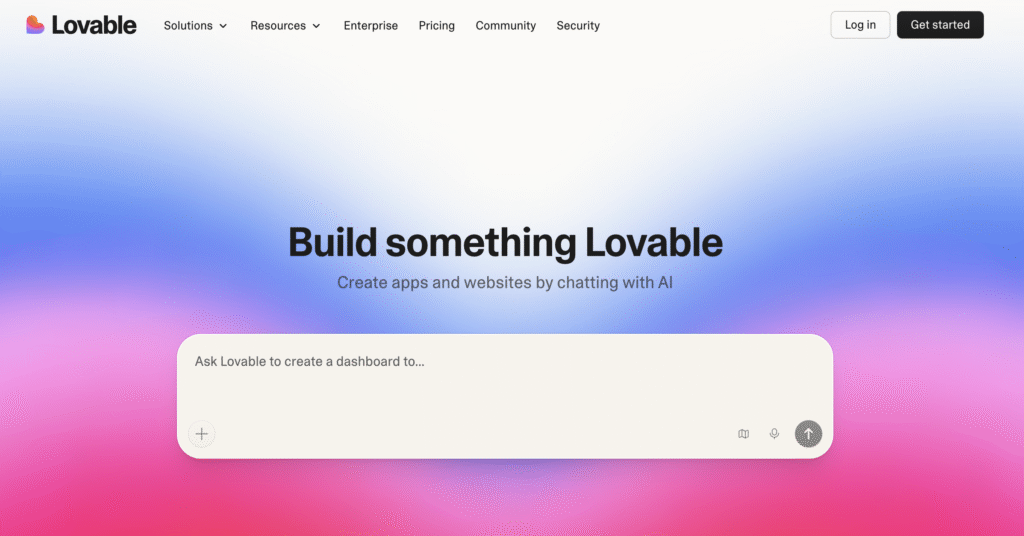
Lovable is an AI-powered app builder that lets you design, build, and deploy full-stack web applications by describing your idea in natural language.
It generates standard React and TypeScript code with Supabase backends. The platform includes Lovable Cloud, a built-in backend that handles authentication, data persistence, and service connections without leaving the platform.
You don’t need to configure Supabase externally or manage API keys yourself. Lovable Cloud simplifies the entire backend setup.
Lovable also supports visual editing. You click on elements in the preview and adjust them directly rather than relying solely on prompts, a feature that sets app builders like Lovable apart from pure prompt-based tools.
This combination of AI generation and visual refinement makes it a strong pick for users who want rapid prototyping with the option to fine-tune details.
Compared to v0, which focuses on generating individual components, Lovable is built for shipping complete apps with backend and deployment included. We’ve covered the differences in more detail in Lovable vs v0.
Lovable key features
- Natural language to full-stack apps. Build complete web applications by describing them in everyday language.
- Lovable Cloud. Built-in backend with authentication, data storage, and automated email.
- Supabase integration. Connect to Supabase for external data storage and backend logic.
- GitHub synchronization. Sync projects with GitHub for version control and code export.
- Visual editing. Click on elements in the preview to adjust them directly.
- One-click deployment. Launch your app without manual configuration.
Lovable pros
- Generates polished, design-forward UI from prompts. Among AI builders, Lovable consistently produces some of the best-looking initial outputs.
- Full code ownership through GitHub export. You can continue development in Cursor, VS Code, or any other editor.
- Lovable Cloud handles authentication and data storage internally, removing the complexity of connecting external backend providers.
Lovable cons
- Customizing complex features often requires manual coding beyond what the AI can generate, especially for advanced business logic.
- Credit consumption is unpredictable. Complex feature requests burn more credits than simple styling changes, and heavy iteration sessions can exhaust your monthly allowance quickly.
- App quality can vary significantly depending on prompt clarity and project complexity. Vague prompts produce vague results.
5. Windsurf
Best for: Developers who want an AI-native code editor that understands their entire codebase and can autonomously execute multi-file changes.
Pricing: From $20/month for the Pro plan (free plan available with limited quota).
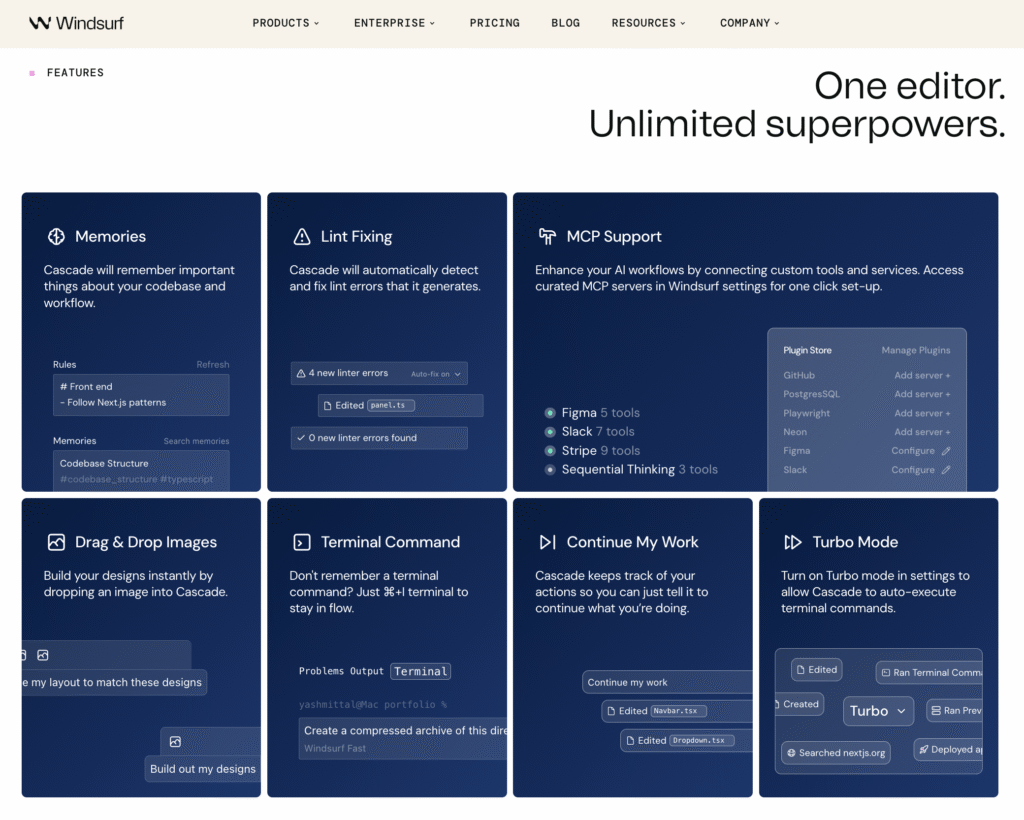
Windsurf is an AI code editor built for developers who want hands-on control while still offloading a large part of the coding work to AI. Its main feature, Cascade, acts like an agent inside your editor. It can inspect your codebase, plan tasks, update multiple files, and run terminal commands.
While v0 is mainly used to generate frontend UI from prompts, Windsurf is better suited to working inside a real project after the initial prototype stage. It does not compete with v0 on simple prompt-to-component generation. Instead, it replaces the need for that kind of tool once you are building, debugging, refactoring, and expanding a full codebase.
That makes Windsurf a stronger fit for developers who prefer to stay inside an editor and want AI help across the whole app, not just the interface layer.
Windsurf also keeps track of project context over time through its Memories feature, which helps it follow coding patterns and conventions across sessions. It supports MCP as well, letting you connect external tools and services directly into your workflow.
The Pro plan uses a quota-based model with daily and weekly limits. Users can choose between Windsurf’s own SWE models or third-party models from Anthropic, OpenAI, Google, and xAI, depending on the task and quota budget.
Windsurf key features
- Cascade AI agent. Autonomously understands your codebase, plans tasks, makes multi-file edits, and runs terminal commands.
- Memories. Persists context about your codebase and workflow preferences across sessions.
- Windsurf Tab. Unlimited AI-powered inline autocomplete on every plan, including Free.
- MCP support. Connect external tools and services to enhance your AI workflow.
- Multi-model access. Choose from Windsurf’s native SWE-1 and SWE-1.5 models, or use third-party models from Anthropic, OpenAI, Google, and xAI.
- JetBrains plugin. Use Windsurf’s AI features natively inside JetBrains IDEs.
Windsurf pros
- Better suited than v0 for ongoing product development, refactoring, and debugging inside a real codebase.
- Strong multi-file awareness, which makes it useful for changes that span components, routes, logic, and config.
- Persistent context helps reduce repeated prompting over time.
- Unlimited autocomplete on all plans adds value even for lighter users.
Windsurf cons
- Not a direct v0 replacement for quick prompt-to-UI generation.
- Daily and weekly quota limits can be restrictive during heavy usage.
- Best suited to developers, not non-technical users.
- Product direction may feel less predictable following the Cognition acquisition.
6. GitHub Copilot
Best for: Developers seeking an AI coding assistant to boost productivity and code quality within their existing environment.
Pricing: From $10/month for Copilot Pro (free plan available).
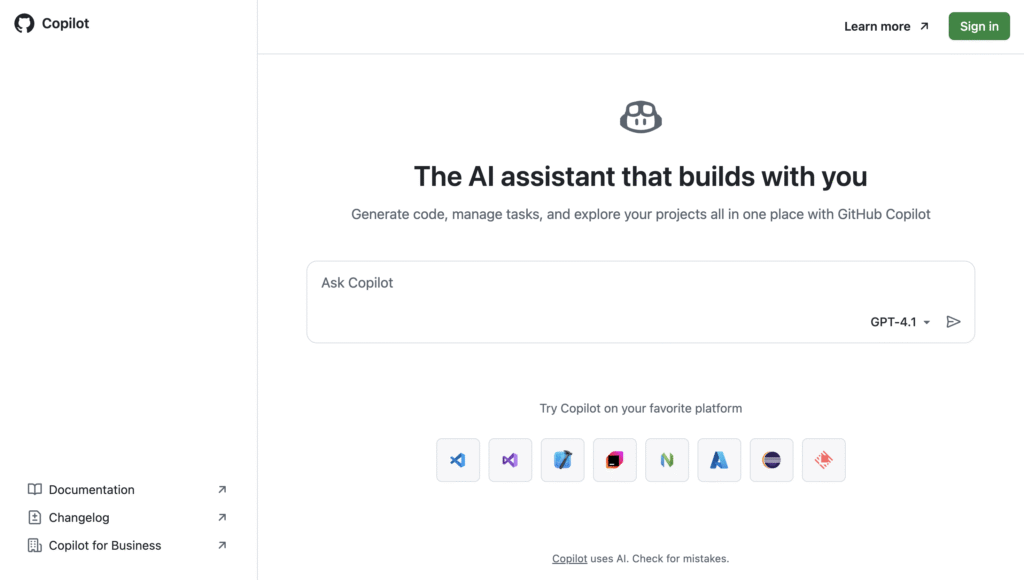
GitHub Copilot is an AI-powered coding assistant developed by GitHub in collaboration with OpenAI. It integrates directly into popular code editors like Visual Studio Code (VS Code), JetBrains IDEs, and Xcode.
Using GitHub Copilot, you receive context-aware code suggestions, generate entire functions, and convert natural language prompts into code.
While v0 turns prompts into standalone UI components, Copilot assists across the entire development process, from writing functions to reviewing pull requests.
GitHub Copilot offers five tiers: Free (2,000 completions and 50 premium requests/month), Pro ($10/month, unlimited completions, 300 premium requests), Pro+ ($39/month, 1,500 premium requests, all available models), Business ($19/user/month), and Enterprise ($39/user/month).
The free plan is accessible to anyone with a GitHub account.
The platform also includes a coding agent that can work on GitHub Issues autonomously, implementing code changes and opening pull requests without manual intervention.
GitHub Copilot key features
- AI-powered code completion. Analyzes your code and comments to offer accurate inline suggestions across dozens of languages.
- Natural language to code. Converts prompts into code snippets across multiple languages.
- Context-aware suggestions. Adapts to your current codebase for smarter completions.
- Seamless IDE integration. Works smoothly with VS Code, Visual Studio, JetBrains IDEs, Xcode, and Neovim.
- Coding agent. Autonomously works on GitHub Issues, implementing code changes and opening pull requests.
- Code review. AI-powered review suggestions on pull requests directly in GitHub.
GitHub Copilot pros
- Speeds up development by reducing repetitive coding tasks and boilerplate.
- The free plan with 2,000 completions per month makes it the most accessible AI coding tool for getting started.
- Supports a wide range of languages and frameworks, with the strongest results in Python, JavaScript, TypeScript, Java, and C#.
- Deep GitHub ecosystem integration means it fits naturally into existing PR and code review workflows.
GitHub Copilot cons
- Occasionally suggests incorrect or inefficient code, requiring careful review before accepting.
- Premium requests (used by Chat, Agent mode, and code review) are limited. The Pro plan includes 300 per month, and overages cost $0.04 per request.
- Less effective for less common languages and niche frameworks where training data is limited.
7. Replit
Best for: Developers and small teams needing an all-in-one, browser-based environment to build, deploy, and scale apps with AI assistance.
Pricing: From $18/month for the Core plan (free Starter plan available).
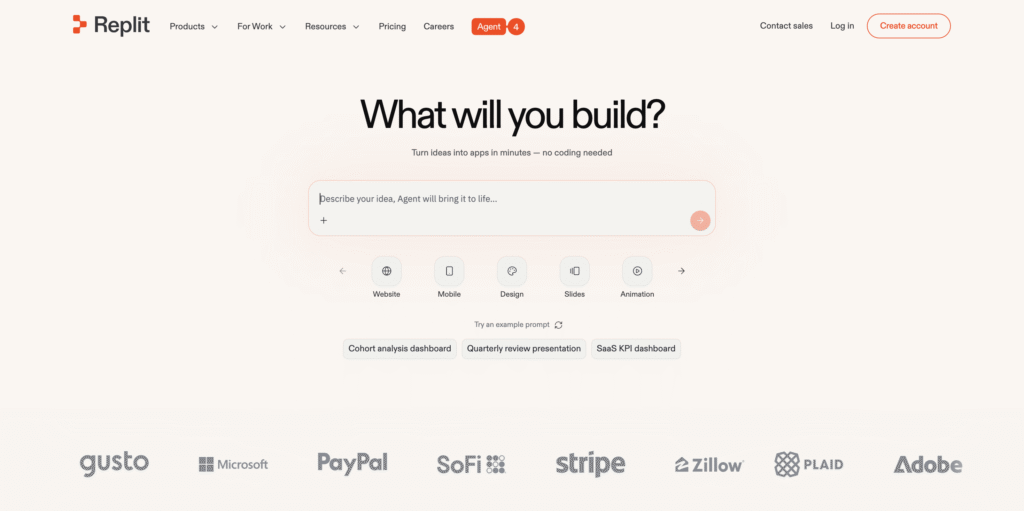
Replit is a browser-based development environment that combines coding, AI generation, and deployment in one place. You can go from idea to a live app without setting up a local environment or managing separate services.
Its Replit Agent can generate full applications from prompts, including frontend, backend logic, and database setup. It can also continue working on the project by debugging issues, adding features, and deploying updates.
Compared to v0, Replit operates at a broader level. v0 focuses on generating UI components, while Replit covers the entire development lifecycle. You’re not just generating interface code. You’re building and shipping a working application in one environment.
This makes Replit a better fit if you want to move beyond prototyping and actually run your app without stitching together multiple tools.
Replit uses an effort-based credit system, where AI usage, compute, and deployments all draw from the same pool. The Starter plan is free, but limited to one published app and capped daily Agent usage. The Core plan ($18/month, billed annually) includes $20 in monthly credits and unlocks autonomous build capabilities for more complex workflows.
Replit key features
- Replit Agent. Generates, debugs, and deploys full-stack applications from natural language prompts, with autonomous mode on paid plans.
- Browser-based IDE. Code in over 50 languages from any device with zero local setup.
- Integrated deployment. Publish apps directly from the IDE without external tools.
- Database support. Built-in database hosting with backup and restore (up to 28 days on Pro).
- Design mode. Visual editing tools for non-developers to adjust app layouts.
- Effort-based pricing. Credits cover AI usage, compute, and deployments in a single pool.
Replit pros
- Start coding instantly from any device. The browser-based environment eliminates local setup entirely.
- The Agent can build and deploy complete applications autonomously, making it useful for rapid prototyping.
- Active community and rich learning resources, including templates and the Replit Gallery.
Replit cons
- The effort-based credit system makes costs difficult to predict, a common trade-off with Replit and similar tools.
- The Pro plan at $90/month is a significant jump from Core at $18/month, which may be steep for individual developers.
- AI-generated code can require manual debugging, especially for complex projects. The Agent is assistive, not fully autonomous in production-quality scenarios.
8. Firebase
Best for: Developers looking for a complete backend-as-a-service (BaaS) platform with real-time databases, authentication, and analytics.
Pricing: Pay-as-you-go with the Blaze plan (free Spark plan available).
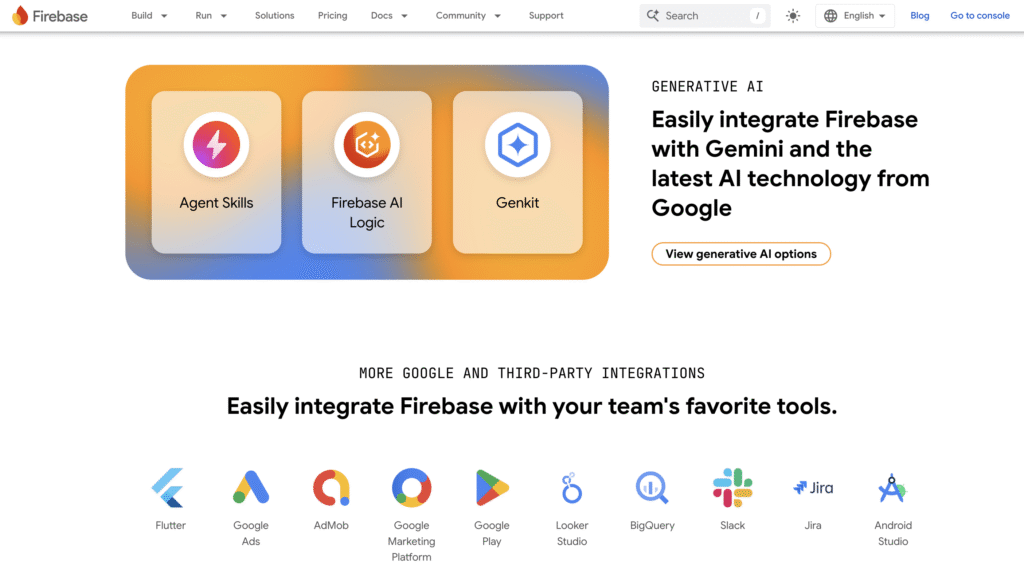
Firebase is a cloud-based platform developed by Google that offers a suite of tools for building and managing web and mobile apps.
It provides a complete backend solution that lets you build and scale apps without managing server infrastructure, and it integrates with other Google Cloud services.
Where v0 handles frontend code generation, Firebase covers everything behind the UI: databases, authentication, cloud functions, messaging, and analytics.
Firebase’s real-time database and Firestore support dynamic data syncing, while built-in authentication handles email/password, phone, and third-party logins.
The free Spark plan includes basic features for development and testing. When you’re ready to scale, the Blaze plan uses flexible, pay-as-you-go pricing.
Firebase also includes Firebase Genkit, an open-source framework for building AI-powered features within your app, and tight integration with Vertex AI for custom model deployment.
Firebase key features
- Real-time databases. Firestore and Realtime Database for syncing dynamic data across clients instantly.
- Authentication. Supports email/password, phone, and third-party logins (Google, Apple, Facebook, and more).
- Cloud messaging. Firebase Cloud Messaging (FCM) for push notifications across platforms.
- Analytics. Built-in integration with Google Analytics for Firebase, providing user behavior insights.
- Cloud Functions. Run backend code in response to events triggered by Firebase features and HTTPS requests.
- Firebase Genkit. Open-source framework for building AI-powered features within your Firebase app.
Firebase pros
- Complete suite of backend services that eliminates the need to manage server infrastructure.
- Connects directly with Google Cloud tools, including Vertex AI for machine learning workloads, with minimal configuration.
- Flexible pricing with a generous free tier. The Spark plan includes 1 GiB of Firestore storage, 50,000 document reads per day, and 10 GB of bandwidth per month.
- Extensive documentation and a large developer community supported by Google.
Firebase cons
- The NoSQL structure of Firestore and Realtime Database may not fit every data model, especially for applications that need complex relational queries.
- Limited support for complex queries compared to relational databases like PostgreSQL.
- Billing can be confusing due to separate charges for each service (storage, reads, writes, bandwidth, functions).
9. Bubble.io
Best for: Entrepreneurs, startups, and non-technical users aiming to build full-featured web apps without coding.
Pricing: From $29/month for the Starter plan (free plan available).
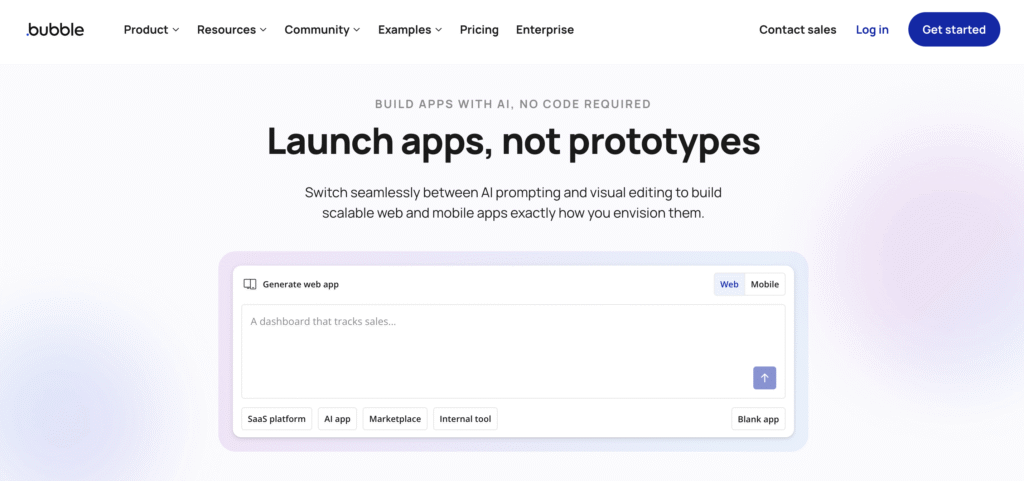
Bubble.io is a no-code development platform that lets you design, build, and launch web apps through a visual interface. It covers frontend design, backend logic, workflows, and database management in one platform.
With Bubble, you create responsive web apps by dragging and dropping elements, setting up workflows, and integrating with external APIs, all without writing code. This makes it a strong choice for quickly prototyping ideas or launching minimum viable products (MVPs).
Bubble also includes an AI App Generator that creates UI layouts, data types, and workflow logic from a text prompt. The Bubble AI Agent works inside the editor to help build features and troubleshoot issues.
Both AI tools generate visual components within Bubble’s proprietary format, not exportable code.
Compared to v0’s frontend component output, Bubble lets you build complete applications with user authentication, database management, payment processing, and complex conditional workflows, all without code.
Bubble.io key features
- Visual editor. Design user interfaces using a drag-and-drop builder with responsive design.
- Workflow automation. Define app logic and multi-step processes without writing code.
- Database management. Build and manage your database within the platform.
- API integrations. Connect your app with third-party services and APIs.
- AI App Generator. Creates app layouts and logic from text prompts.
- AI Agent. Assists with building features and troubleshooting issues directly in the editor.
Bubble.io pros
- Speeds up development with pre-built templates, plugins, and components.
- Built-in responsive design adapts your app to work well across devices and screen sizes.
- The free plan has enough features to build and test MVPs or early-stage projects.
- Handles complex conditional business logic (approval chains, role-based access, multi-stage forms) better than most AI builders.
Bubble.io cons
- Apps are tied to Bubble.io’s proprietary platform. There is no capability to export the application as source code, making migration difficult.
- Developing mobile apps requires purchasing a separate mobile plan or a hybrid web + mobile plan.
- The learning curve is significant. Community consensus suggests it takes approximately three months to become reasonably proficient, and complex apps require even longer.
10. Cursor AI
Best for: Developers and engineering teams looking for an AI-enhanced code editor for full-stack development, refactoring, and debugging.
Pricing: From $16/month for the Pro plan (free Hobby plan available).
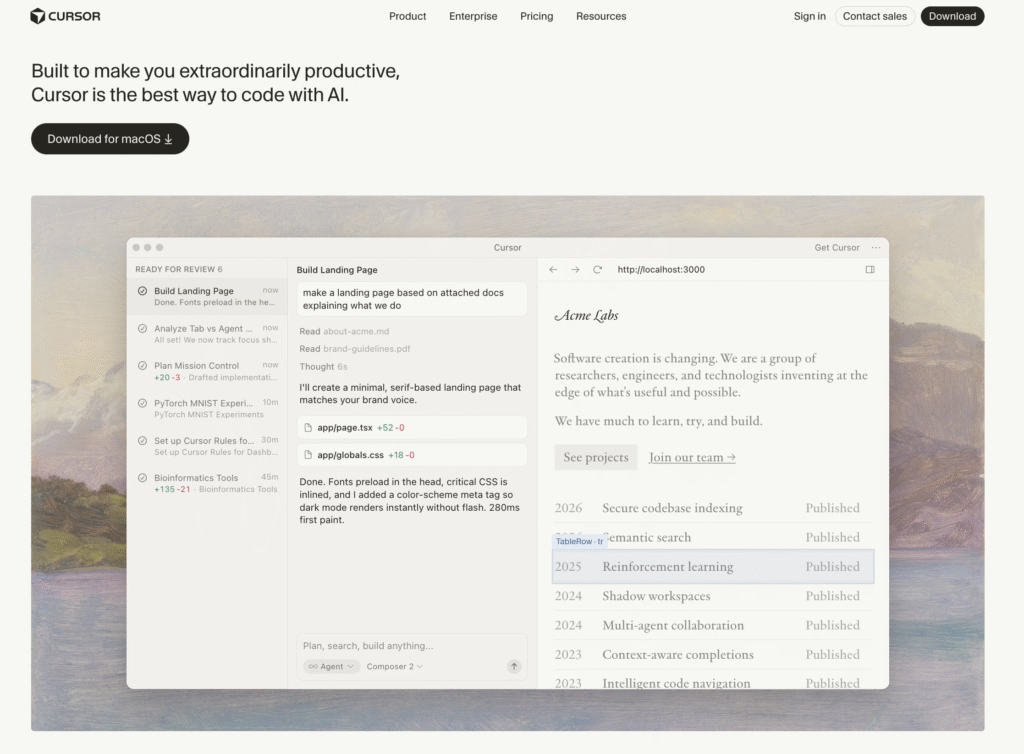
Cursor AI is an AI-powered code editor built on VS Code. It boosts developer productivity by embedding AI features directly into the coding environment, including context-aware code completion, natural language commands, multi-file editing, and an autonomous Agent mode.
Cursor uses a credit-based billing system. Every paid plan includes a monthly credit pool (equal to the plan price in dollars) that depletes based on which AI models you use. Auto mode is unlimited on all paid plans.
Credits are only consumed when you manually select a premium model like Claude Sonnet 4.6 or GPT-5. Most developers who stay on Auto mode rarely exhaust their credits.
Higher tiers include Pro+ ($48/month) with three times the credits and Ultra ($160/month) with a 20x usage multiplier for power users who need heavy AI model access daily.
Cursor AI key features
- AI-powered code completion. Delivers intelligent, context-aware suggestions and multi-line code generation.
- Agent mode. Autonomously handles multi-step coding tasks, including creating files, running terminal commands, and making changes across multiple files.
- Natural language commands. Write or modify code using plain English instructions.
- Multi-file editing. Composer mode applies changes across multiple files simultaneously.
- Multi-model access. Choose from Claude, GPT-5, Gemini, and other frontier models. Auto mode selects the best model automatically.
- Background Agents. Run AI coding tasks in the background while you continue working (available on Pro+ and above).
Cursor AI pros
- Improves coding speed and accuracy with AI-driven suggestions that understand your full project context.
- Unlimited Auto mode on all paid plans means you get AI assistance throughout your workday without counting requests.
- Familiar interface for VS Code users, reducing onboarding time significantly.
- Privacy mode keeps your code from being stored or used to train models.
Cursor AI cons
- The credit-based billing system can be unpredictable. Manually selecting premium models like Claude Sonnet burns credits roughly 2.4x faster than using cheaper models like Gemini, meaning effective request counts vary depending on model choice.
- Available only as a desktop app for Windows, macOS, and Linux, a major downside compared to Cursor competitors.
- Resource-heavy features like Agent mode and Background Agents may affect performance on older machines.
Factors to consider when choosing a v0 alternative
Choosing an alternative to v0 depends on your project scope, technical skill level, and whether you need full-stack generation, backend support, or AI-assisted coding within an IDE.
AI generation tools fall into two main categories. Prompt-to-app platforms like Hostinger Horizons, Bolt.new, and Lovable generate complete applications from prompts. In contrast, AI coding assistants like GitHub Copilot, Cursor, and Windsurf work inside your editor and speed up existing workflows.
The first option suits non-technical users and rapid prototyping, while the second fits developers who want to write code faster.
Deployment and hosting also vary by platform. With v0, deployment is typically handled through Vercel, since it’s part of the same ecosystem. This works well if you’re already using Next.js, but it still means you’re combining separate steps: generating the UI in v0, then deploying it via Vercel.
Some v0 alternatives include built-in hosting and one-click deployment, such as Hostinger Horizons, Bolt.new, and Replit. Others require you to set up infrastructure yourself.
Customization depth ranges across no-code, low-code, and full-code options. Bubble.io and Hostinger Horizons offer visual, no-code workflows. Lovable and Bolt.new provide low-code generation with exportable code. Replit, Cursor, and Windsurf give developers full IDE-level control and flexibility.
Pricing models differ as well. Some platforms use subscriptions, such as Hostinger Horizons, and GitHub Copilot. Others rely on credits or tokens, including Bolt.new, Cursor, Lovable, Windsurf, and Replit. Platforms like Firebase follow a pay-as-you-go model.
Credit-based pricing can make costs harder to predict during heavy development periods.
Collaboration features can also influence your choice. Platforms like Replit, Bubble.io, and Hostinger Horizons support real-time collaboration. GitHub Copilot and Cursor integrate better with Git-based workflows, which many development teams already use.
How to make the best use of AI vibe coding tools like v0?
To get the most out of AI coding builders, write clear, specific prompts and build in small steps instead of trying to generate a full app at once. Prompt quality directly affects the results you get.
A vague prompt like “build me an app” will give you something generic. A detailed prompt that outlines features, user flows, and tech stack preferences gives the AI enough context to generate something useful.
To write effective AI prompts, define your core features upfront, describe user journeys step by step, and specify your preferred frameworks. Then refine the output with focused follow-up instructions instead of rewriting everything from scratch.
This approach aligns with vibe coding. You describe what you want in natural language, and the AI handles the implementation details.
AI web app generators make this workflow practical by turning your instructions into working software you can test and adjust in real time.
Start small instead of generating a full application right away. Build an MVP around a single core feature, test it, and expand from there.
This approach uses fewer credits, gives you a working result faster, and reduces the risk of ending up with something that doesn’t match your expectations.

Ariffud is a Technical Content Writer with an educational background in Informatics. He has extensive expertise in Linux and VPS, authoring over 200 articles on server management and web development. Follow him on LinkedIn.

Dainius Kavoliunas is the Head of Product for Hostinger Horizons, with a passion for building innovative solutions. As an expert in product management, he combines deep expertise in UX, experimentation, and data analysis with a technical background to lead product strategy and build strong teams. He is particularly excited about the practical applications of AI and its potential to transform how we work and live. Follow him on LinkedIn.