9 best blogging platforms to create online presence
Jun 26, 2026
/
Justina B. & Marco C.
/
16 min Read
The best blogging platforms give you everything you need to publish, design, and make money from a blog. The right one depends on your goals, your budget, and how comfortable you are with tech.
For full control and the most ways to earn, self-hosted WordPress, or WordPress.org, is the standard most serious bloggers settle on. If you’d rather skip the setup and write to a built-in audience, Medium and Substack are the easiest places to start.
As a writing enthusiast, I tested and compared the most popular options, free and premium, to see which hold up.
Here are the nine best blogging platforms I tested, each suited to a different kind of blogger:
- WordPress. The self-hosted WordPress.org platform is the most flexible, scalable option, best for writers who want full control over their design, SEO, and monetization.
- Hostinger Website Builder – a drag-and-drop builder with AI tools and ecommerce features, best for launching a blog fast without any code.
- Medium – a publishing platform with a built-in readership, best for writers who want an audience without building a site first.
- Squarespace – a design-first builder with polished templates, best for blogs where the way it looks matters most.
- Wix – a flexible builder with AI tools and a free plan to test, best for beginners who want design freedom, though a custom domain and ad-free site require a paid plan.
- Ghost – a fast, focused platform with built-in memberships, best for writers earning through subscriptions.
- HubSpot – a free blog maker tied to a CRM, best for bloggers who want to turn readers into leads.
- Blogger – a free, no-frills Google tool, best for hobby blogs and quick personal sites.
- Substack – a newsletter-first platform, best for building a paid audience straight to people’s inboxes, though it keeps 10% of your subscription revenue.
1. WordPress
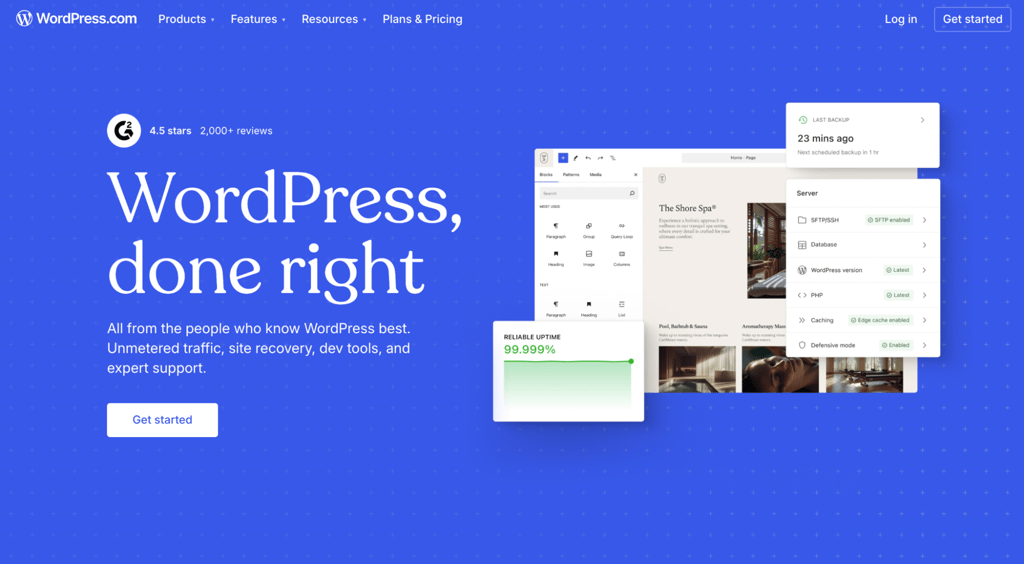
WordPress is the most popular blogging platform in the world, powering over 40% of all websites. It comes with all the tools you need to publish and grow, built for blogging in the first place.
Starting a blog with WordPress used to be complicated. You had to sort out hosting, find and buy a domain name, install WordPress, then configure plugins and themes before you could even start writing.
Things are simpler now. Most hosting providers offer a one-click installer. Hostinger’s managed WordPress hosting lets you install plugins, pick a theme, and add posts during setup.
But that route is still fairly hands-on. You make the choices and put the pieces together yourself.
You can also launch fast with the AI Website Builder for WordPress. It builds a full site from a few prompts, with the design and starter content already done for you. That helps if you want to get online quickly or you’d rather not build from scratch.
The admin dashboard is simple, though learning the tools takes a little time. If you don’t know where to start, the homepage gives you handy pointers.
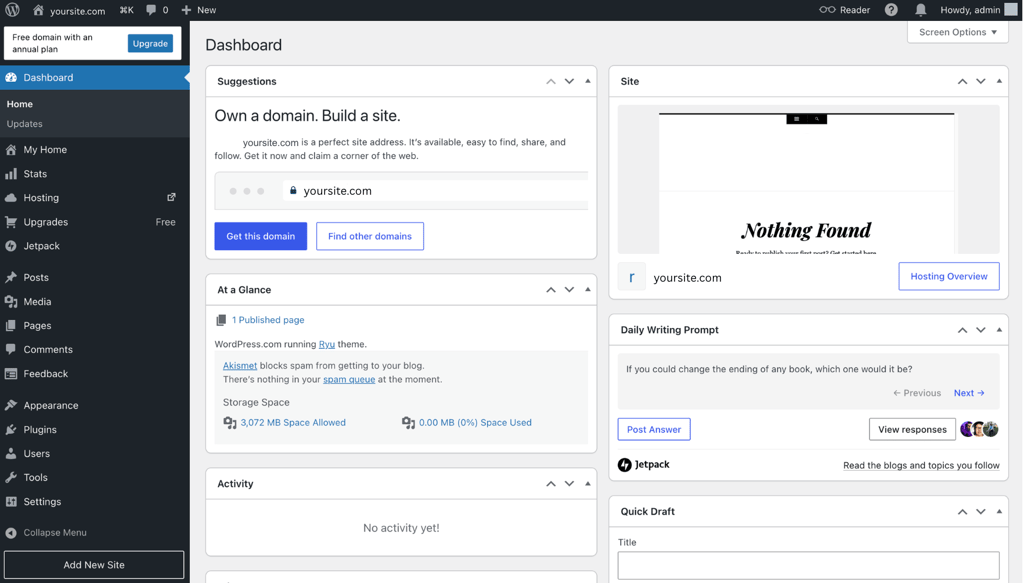
The block-based editor lets you add, move, and customize elements without coding. You can save block patterns for a consistent design, organize posts with categories and tags, and moderate comments to filter out spam.
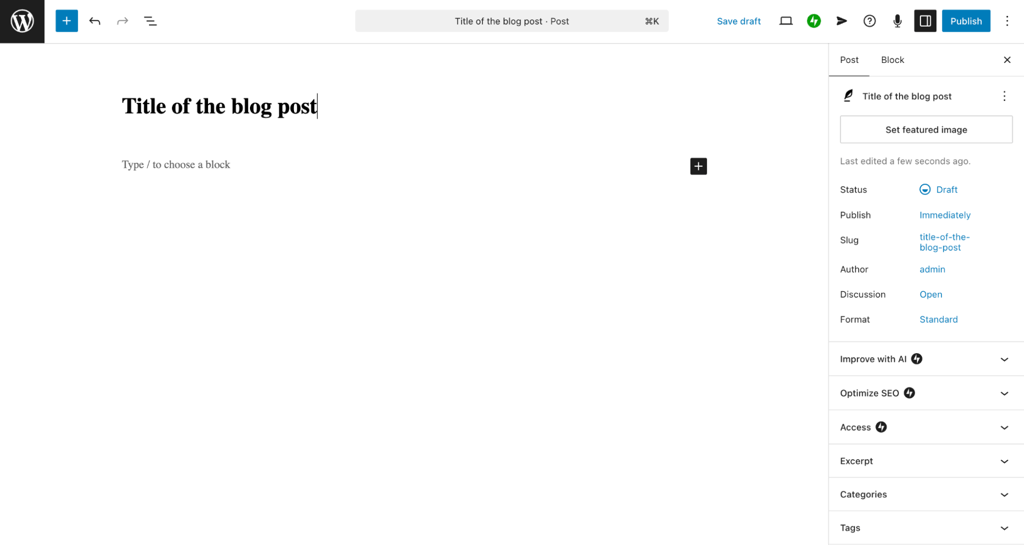
WordPress 7.0 added native AI support. Connect a provider like OpenAI, Google, or Anthropic, then add the free AI plugin for tools that draft titles, write excerpts, and generate images. It also modernized the admin dashboard.
One of the best things about WordPress is how easily it grows with you. You might start a blog, then add memberships for exclusive content or open a store as your community grows. There’s a plugin for almost everything, with over 60,000 in the WordPress plugin directory.
The flip side is that costs can add up, and your blog can slow down if you install too many plugins. WordPress is free, but premium plugins and themes often bill yearly, and many free versions lack the features you’ll want as your goals grow.
If you choose the self-hosted version, not WordPress.com, you need to manage your own site. That means updating the WordPress core, plugins, and themes, plus the occasional backup. It’s not hard, but skipping that responsibility makes sense when you’re just starting.
WordPress pros
- Highly scalable.
- Tons of customization options.
- Advanced SEO control.
- Built-in AI support and a faster admin.
WordPress cons
- Many features require plugins.
- Costs can add up.
- You maintain it yourself.
WordPress pricing breakdown
WordPress itself is free, so you only pay for web hosting and a domain name to start blogging. Hosting prices vary by provider, and a long-term plan saves you a lot of money on your WordPress website costs.
Hostinger’s managed hosting for WordPress plans start at CA$ 4.19/month on a 48-month term, with a free domain for the first year. Premium plugins and themes can run from $30 to a few hundred dollars each, so you can scale your spending as your blog grows.
Why I recommend WordPress
WordPress strikes the best balance between flexibility and affordability. If you want to keep costs low while you find your feet, the free features let you experiment without much financial risk.
You also have complete control. You own your content, you decide how to make money, and you can switch hosting providers whenever you like. Thanks to the huge WordPress community, it’s easy to find resources for learning how to use WordPress.

2. Hostinger Website Builder
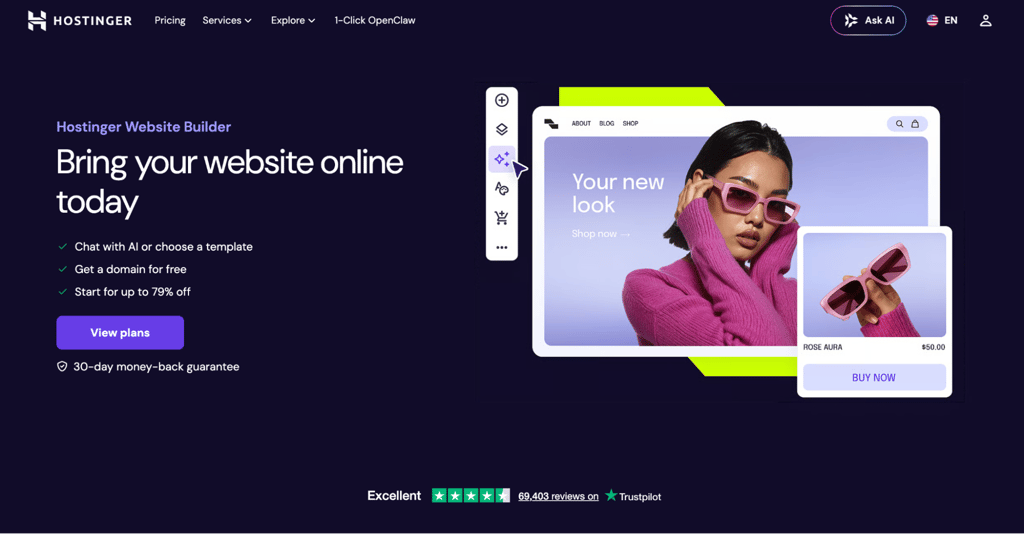
Hostinger Website Builder is an AI-powered, drag-and-drop tool that lets you build a blog without touching any code. That makes it a great fit for beginners or anyone who isn’t confident with technical or design skills.
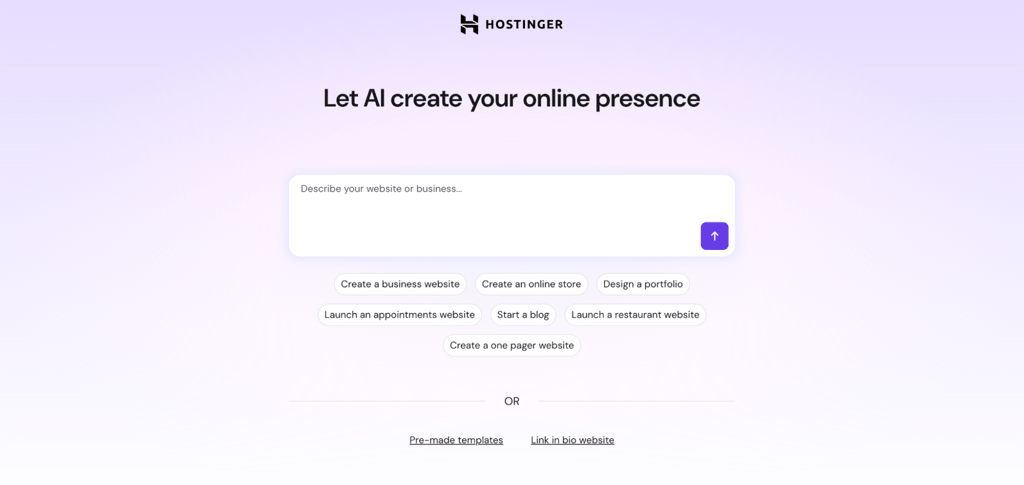
During onboarding, you can let AI build your blog or do it yourself with a pre-made template. I prefer templates because the Hostinger Website Builder has over 300 to pick from, but the AI option is great for laying the groundwork if you want to start writing straight away.
Customizing your blog is simple. The drag-and-drop editor lets you add elements, and the grid system keeps everything neat and aligned. You can layer elements and move them between sections without any code.

The builder also has built-in ecommerce features for when you want to add a store, including over 100 payment methods and 0% transaction fees. It integrates with Google Ads, too, so you can connect your account to promote your blog or store.
On the blogging side, you get plenty of writing help. The AI Writer and AI Blog Generator can draft posts and produce full articles, and the AI SEO Assistant checks each one and suggests fixes to help it rank.
These come with the Business plan, not the Premium plan, so go for Business if AI writing matters to you. You can also tweak every post’s metadata, sort posts into categories, and schedule them to publish automatically.
Since the builder doesn’t have an app marketplace, connecting third-party tools is a bit limited. There’s also no real-time team feature for working on the blog together. You can change a post author’s name by hand, but that’s about it.
Hostinger Website Builder pros
- AI tools for writing, design, and SEO.
- Built-in ecommerce.
- 24/7 customer support.
Hostinger Website Builder cons
- No free plan.
- No team collaboration yet.
Hostinger Website Builder pricing breakdown
Hostinger’s web hosting plans include a website builder, so just pick the one that suits you. The Premium plan starts at CA$ 4.19/month on a 48-month term, which is enough for a blog. For the full AI toolkit and ecommerce features, go with Business at CA$ 5.59/month.
These are introductory prices. At renewal, Premium rises to $10.99/month and Business to $16.99/month, so factor that into your long-term budget.
As with WordPress hosting, annual plans come with a free domain for the first year.
Why I recommend Hostinger Website Builder
If ease of use matters most to you, this builder is a strong pick. It has the core tools for launching a blog, from the editor to templates to hosting, with plenty of room to customize it your way.
There’s no app marketplace, so third-party integrations are limited, but for the price, that’s a fair trade-off, especially for beginners. And having 24/7 support on hand is a nice bonus.

3. Medium
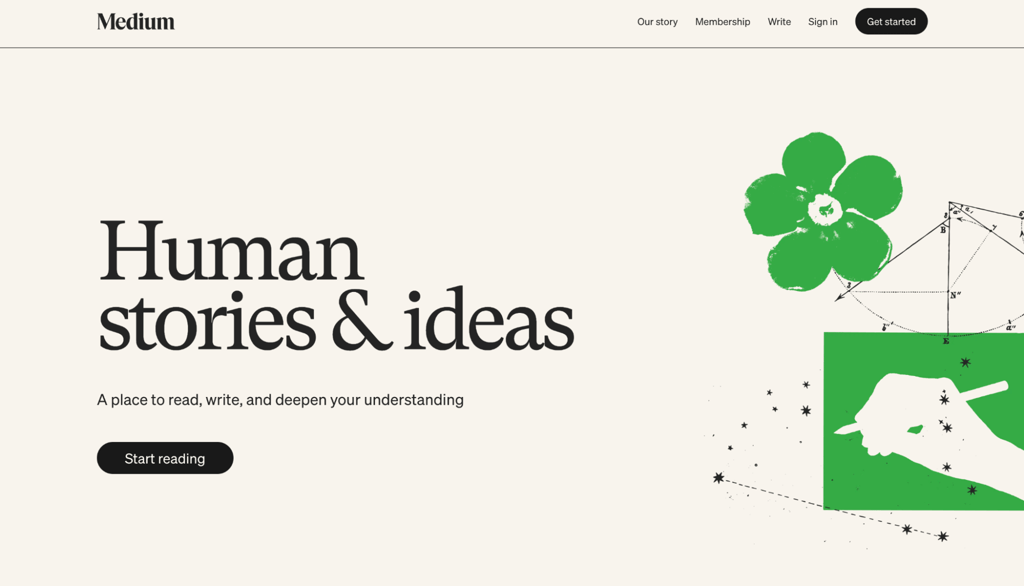
Medium is a publishing platform with a built-in audience, so your writing can reach readers without you having to build a website first. It works like a social network, where readers follow their favorite writers and writers grow a following by sharing niche content.
It’s a good fit if you want to focus on writing and skip the technical side. Sign up with your email or a social account, and you’re ready to go.
After you create your account, the homepage shows published articles, staff picks, and people to follow. This is a great place to find blog post ideas from other writers.
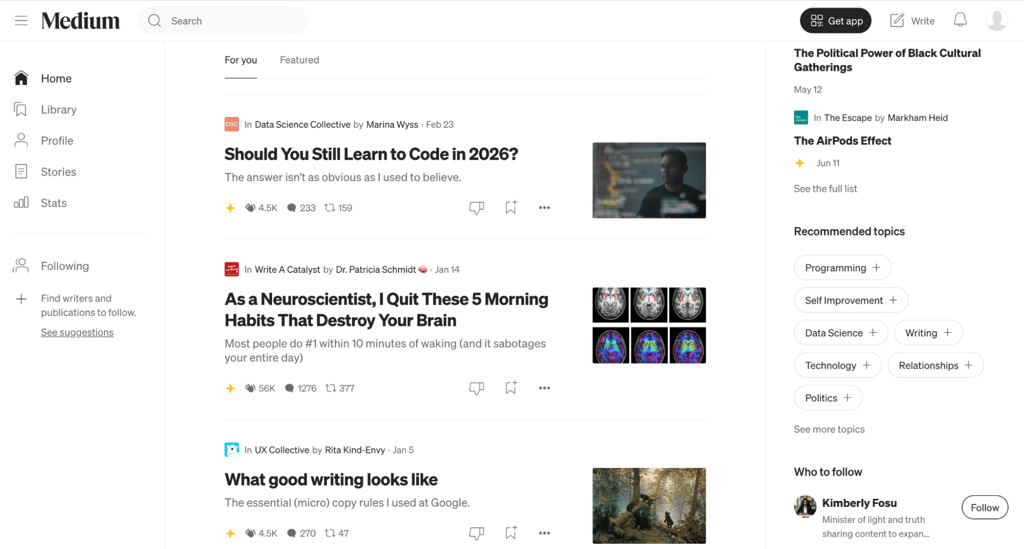
The interface feels like social media, so you’ll get used to it fast. Click the Write button at the top right to open the editor. Highlight a word to bring up the text-styling toolbar, or hit the plus button to add content and paste a URL to embed it.
Medium keeps things simple, with just basic text formatting and no design options. You can’t control how your articles look because you’re working within their ecosystem, making it hard to stand out.
The SEO settings also bug me a little, since they sit outside the editor and only let you change the meta title and description. Medium does some automatic optimization, but it’s a letdown if you care about custom URLs or schema markup.

Medium has built-in analytics so you can track how your posts perform, though they’re basic and don’t integrate with external tools for deeper insights.
To make money, you join the Partner Program and earn a share of membership fees by paywalling your posts. When a higher-tier Friend of Medium reads your work, you earn four times as much as you would from a regular member.
How much you earn varies. Medium pays based on reading time and engagement, measured by claps, highlights, and replies. A round of 2026 changes also rewards stories that pull readers in from search, social, and email, so strong blog writing and good SEO now help you earn more.
Medium pros
- Quick setup and easy to use.
- Built-in monetization.
- An established readership.
Medium cons
- Limited monetization options.
- Few personalization features.
- Basic blogging and SEO tools.
Medium pricing breakdown
You can sign up and start writing for free. To join the Partner Program and earn from your content, you’ll need a paid membership, which costs $5/month, or $50/year if you pay annually.
Being a member also lets you connect a custom domain to your profile, which helps with building your personal brand. Medium has also paused new Partner Program applications at times, most recently in January 2026, so joining isn’t guaranteed if you’re new to the platform.
Why I recommend Medium
Medium is perfect for writers who want to focus on what they love. Its social-media feel makes blogging less intimidating, especially if you’re not very tech-savvy, so it’s a great way to get started.
That said, turning Medium into a steady income takes time and effort. If you want to make money right away, a platform with more monetization and SEO control will serve you better.
4. Squarespace
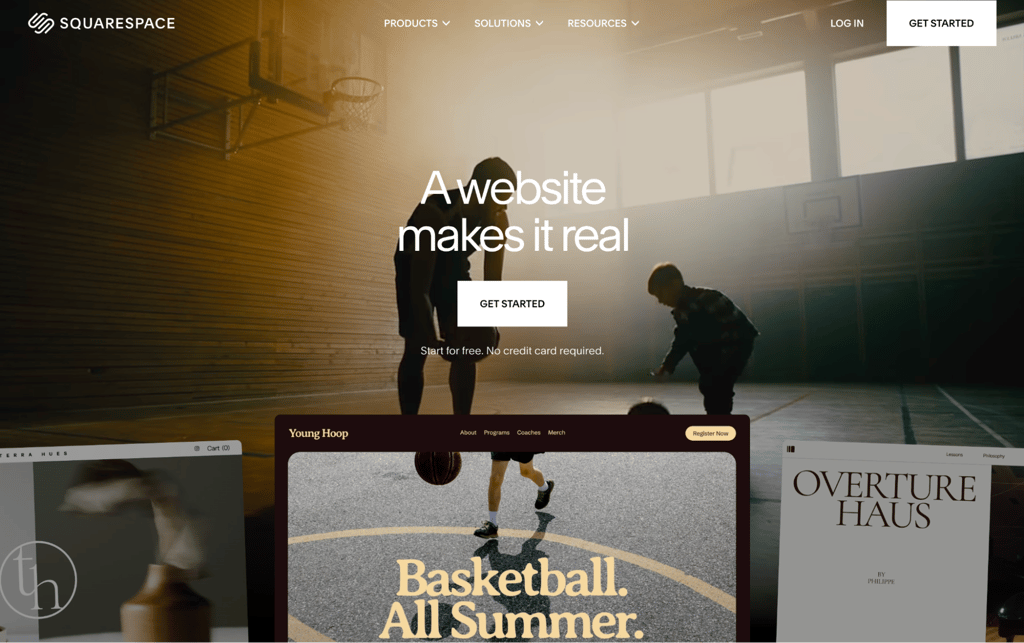
Squarespace is a design-first website builder known for its polished templates, making it a strong pick if you want a professional-looking blog with minimal effort. It’s an all-in-one tool, so hosting, security, and your design all live in one place.
Squarespace has no free plan, but it offers a 14-day free trial with no credit card needed. I signed up, browsed the templates, and picked one built for blogs. If you’d rather not start from scratch, Blueprint AI can build a starter site after a few questions about your brand and goals.
Once I was in the editor, customizing felt smooth. You drag elements onto the page, drop in your text and images, and everything snaps into place. To start blogging, you add a blog page, and from there you write posts, sort them into categories, and schedule them to publish later.
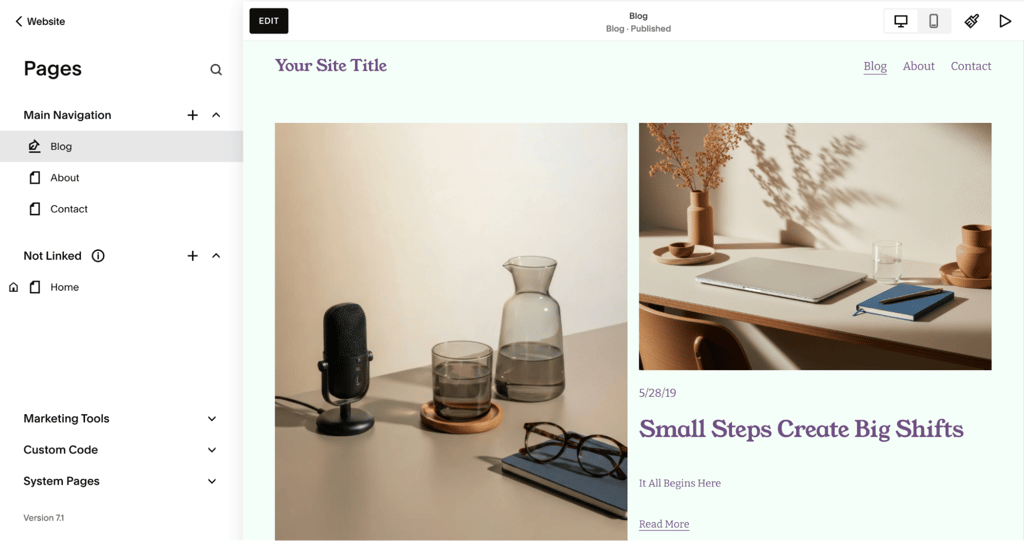
Built-in SEO fields let you set page titles, descriptions, and clean URLs, giving you more control than Medium. Squarespace also has built-in analytics and AI tools that draft text for your pages, plus a mobile Marketing Kit that turns content into short promotional videos and graphics.
The trade-off is design freedom. Templates look fantastic, but you’re working within their structure, so you can’t reshape a layout as freely as you can on WordPress. To publish your blog and share it with the world, you’ll also need to move to a paid plan once the trial ends.
Squarespace pros
- Professionally designed templates.
- All-in-one hosting, security, and design.
- Built-in SEO fields and analytics.
- AI design and writing help.
Squarespace cons
- No free plan, only a trial.
- Less design freedom than WordPress.
- The monthly cost is higher than that of some builders.
Squarespace pricing breakdown
The 14-day free trial lets you build before paying. The Basic plan then starts at $16/month annually, plenty for a blog. The higher tiers, starting at $23/month, mainly reduce selling fees and add store tools, since you can sell on any plan
Annual plans include a free custom domain for the first year.
Why I recommend Squarespace
Squarespace is the one I’d point design-minded bloggers toward. If you want a professional-looking site without fussing over code or plugins, it’s built for that.
It costs more than a budget builder, and you’re limited to the template structure. But for a clean, professional blog with very little setup, that’s a fair trade.
5. Wix
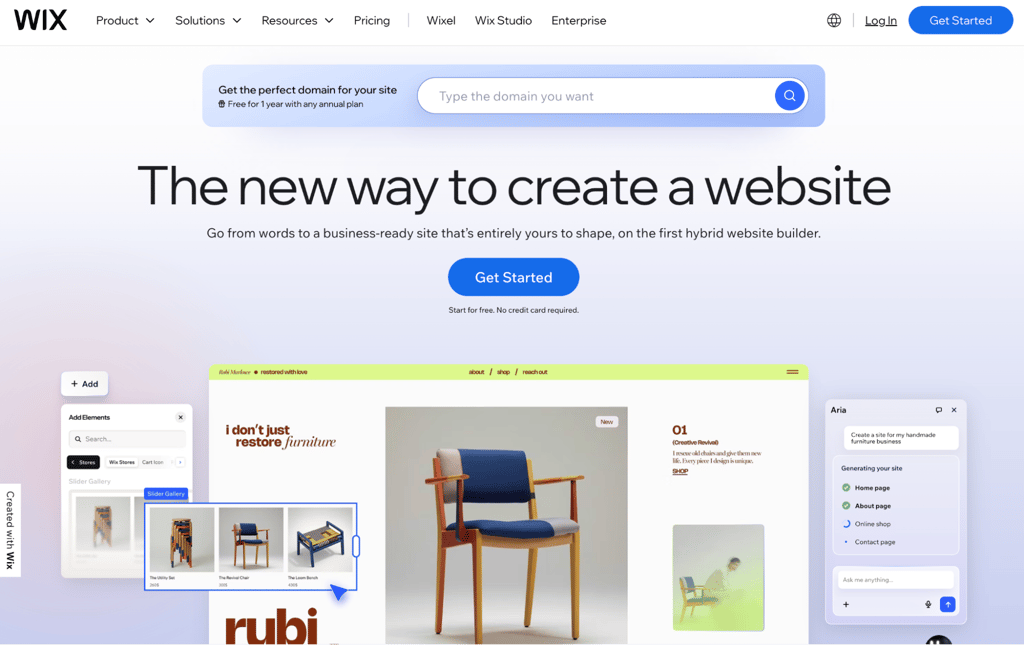
Wix is a flexible drag-and-drop website builder with a free plan, a huge template library, and AI tools that help you start a blog quickly. It’s a popular pick for beginners who want design freedom without paying up front.
Wix has a free-forever plan and, like Squarespace, requires no credit card to sign up. I chose between describing my site to the AI builder or picking from 2,000-plus templates. The AI route builds a starter site from a short prompt, handy when you’re facing a blank page.
To turn the site into a blog, you add the Wix Blog element. From there, writing and publishing posts is simple, and you can use the AI text tools to draft or polish your content. Wix Blog also lets you publish as many posts as you want, even though regular pages are capped.
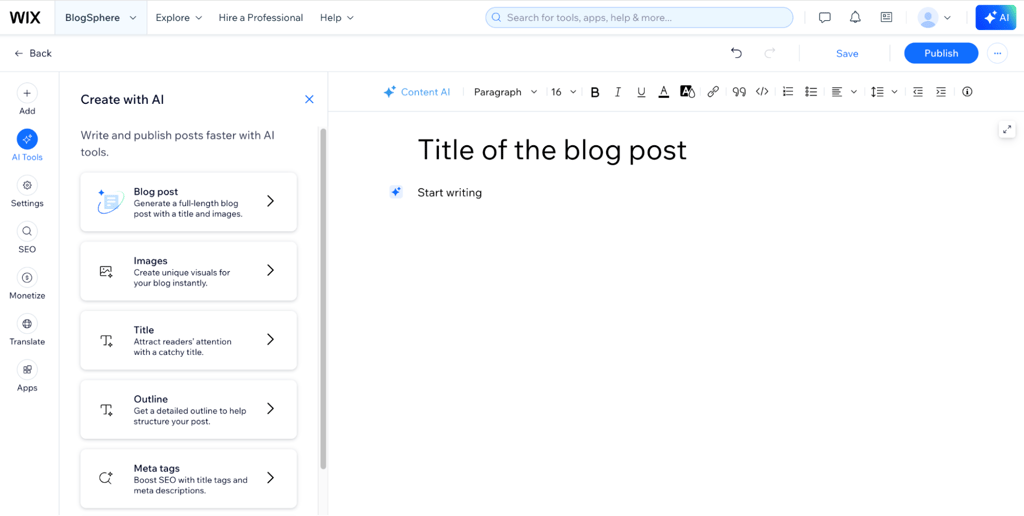
On the free plan, your site lives on a wixsite.com address and shows small Wix ads. To use your own domain and remove those ads, you’ll need at least the Light plan. Wix also doesn’t let you switch templates after you publish, so it’s worth picking carefully at the start.
Wix pros
- A free plan to test everything.
- A large template library and strong design flexibility.
- AI tools on every plan.
- Unlimited blog posts.
Wix cons
- The free plan shows Wix ads and uses a wixsite.com address.
- You can’t change templates after publishing.
- The editor can slow down on large sites.
Wix pricing breakdown
You can start for free and stay there as long as you like. To remove ads and connect a custom domain, the Light plan starts at $17/month annually, or $24/month paying monthly. The Core plan at $29/month adds ecommerce, with Business and Business Elite going further for stores.
Annual plans come with a free domain for the first year.
Why I recommend Wix
Wix is the one I’d suggest if you want to try things out before spending a cent. The free plan is a real testing ground, and the range of templates gives you plenty of room to find a look you like.
At the entry level, Wix and Squarespace cost about the same, but Wix gets pricier once you add ecommerce. Being locked into your first template is a real limit, too. Still, it’s a strong choice for a beginner who wants flexibility and a free start.
6. Ghost
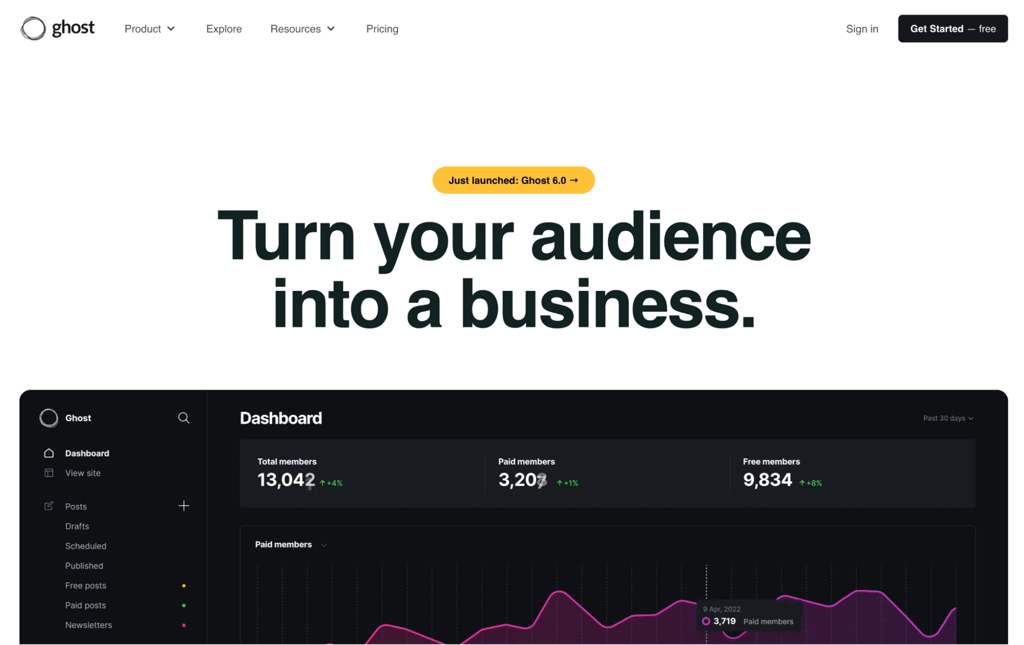
Ghost is a fast, open-source publishing platform built for writers who want a clean blog with built-in newsletters and paid memberships. If WordPress is a full toolbox, Ghost is more like a minimalist pen.
You can get started with Ghost by setting up the open-source version or going with Ghost Pro, the managed service that handles updates and performance for you. The hosted option includes pre-configured integrations, so you don’t have to set them up one by one.
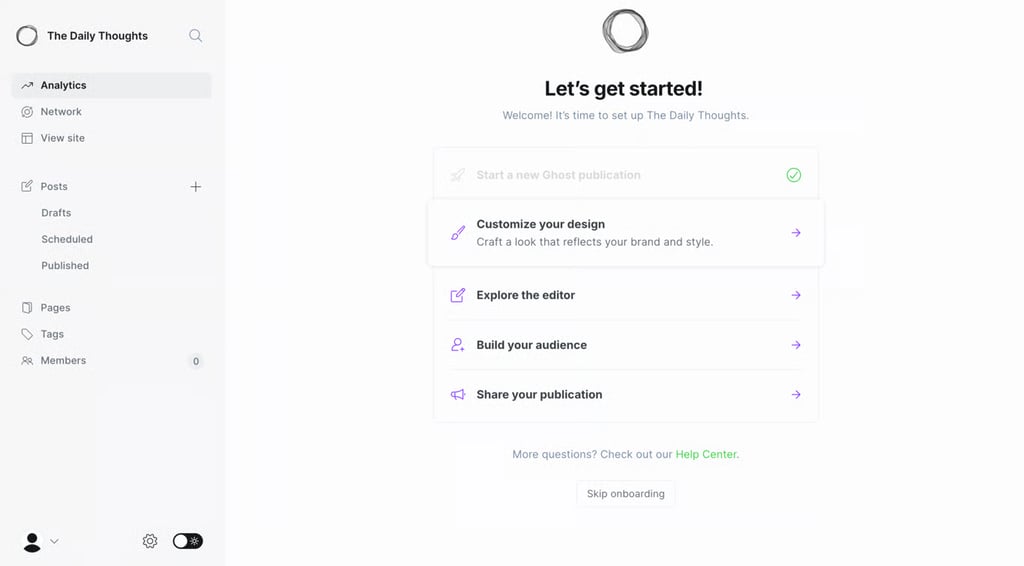
After you create an account, you land in the dashboard, where you manage content, customize your design, and organize tags. The dark mode suits the minimalist layout, and the whole thing is built to keep your writing readable and free from distractions.
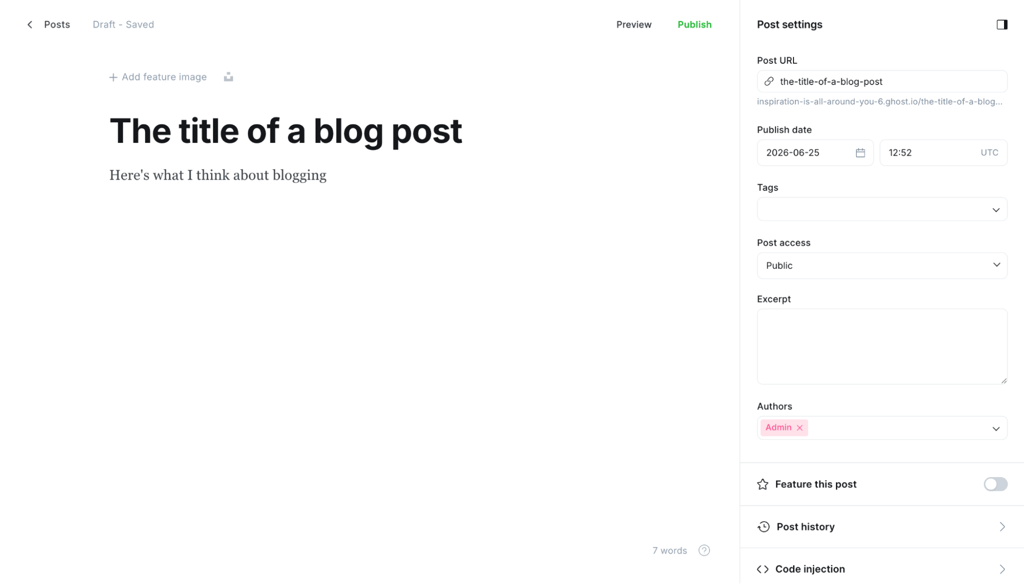
The editor has the same clean look, with settings similar to WordPress. I like that Ghost keeps SEO options right in the editor and lets you create social cards as you write. Adding elements feels closer to Medium, with no drag-and-drop block editor, so beginners pick it up quickly.
Ghost lets you make money through memberships, with Stripe built in. Paid subscriptions need the Publisher plan or higher, so Starter won’t let you charge readers. You can also send any post as a newsletter when you publish, helping convert readers into paying members.

Ghost isn’t the most beginner-friendly, especially the open-source version. Advanced changes, such as payments outside Stripe or enabling comments, often require coding. The smaller community makes it harder to find help, so without a hosted plan, you’ll have to rely on forums.
Ghost pros
- Membership and newsletter tools built in.
- SEO settings inside the editor.
- Lightweight, using integrations instead of plugins.
Ghost cons
- The open-source version isn’t beginner-friendly.
- Advanced changes need coding.
- A smaller community.
Ghost pricing breakdown
Ghost comes in two versions, open-source and Ghost Pro. The open-source route needs a Linux server, so VPS hosting works best. Hostinger’s Ghost hosting starts at CA$ 9.09/month with a ready-made template, plus a separate custom domain from $0.99/year for the first year.
Ghost Pro offers a 14-day free trial and four-year plans, each with a free custom domain for the first year. Starter is $18/month, Publisher is $29/month, and Business is $199/month. Ghost takes 0% of what you earn, though Stripe’s standard fees still apply.
Why I recommend Ghost
Ghost is worth a look if you want to blog and earn through subscriptions or memberships. If WordPress feels like too much, it’s a simpler option that still gives you what you need to run a real blog.
Some technical know-how helps, but it isn’t a must unless you want advanced changes. To save money long term, I’d go with the open-source version and the right hosting. You can get started with VPS hosting and lean on Kodee, the built-in AI assistant, for the technical details.

7. HubSpot
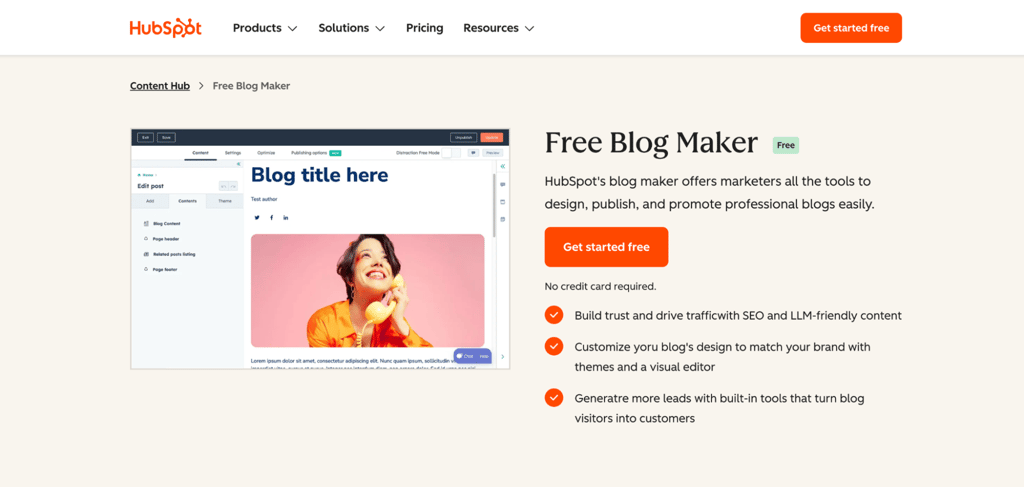
HubSpot’s free blog maker is part of its Content Hub, and it connects your blog to a free CRM and marketing tools out of the box. It’s a solid option for almost anyone starting, with very little to learn before you’re up and running.
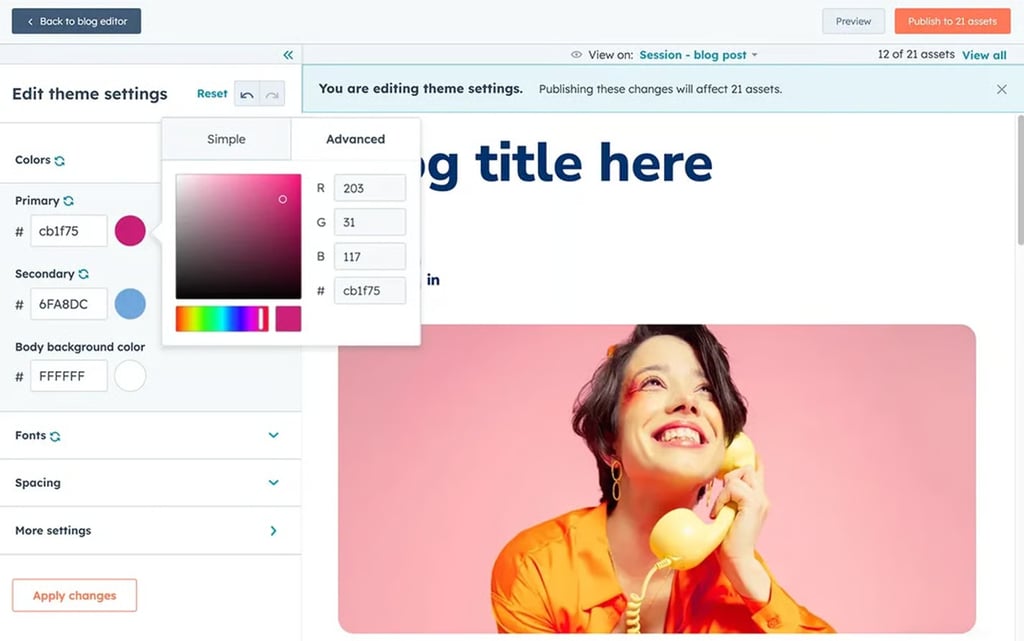
The free version includes a drag-and-drop editor with a surprising amount of customization. You can start from a ready-made template or build your pages from scratch, and the color picker helps you match your designs to your brand.
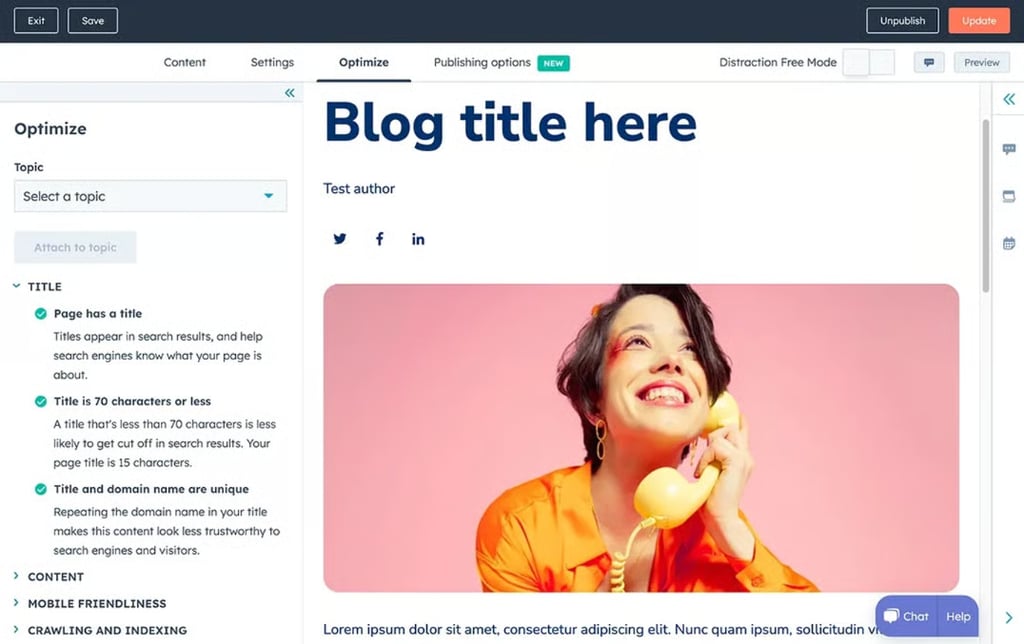
HubSpot also helps with SEO, though the depth varies by plan. The free tier covers the basics, while the detailed recommendations that scan your site and suggest specific fixes, like improving your meta tags, images, and mobile setup, come with the Professional plan.
You also get lead capture forms and an analytics dashboard for tracking traffic, click-throughs, and form conversions. HubSpot’s Breeze AI tools include a brand-voice content writer and a website generator, but both sit on the Professional plan.
The free plan isn’t as advanced as some open-source options. But if you’re a beginner who wants a platform you can jump straight into without code, HubSpot is a good choice.
HubSpot pros
- A solid free version with SEO, analytics, and lead tools.
- Free marketing features like email and live chat.
- Little to no learning curve.
HubSpot cons
- Steep price jumps in the paid plans.
- Some key features sit only in the high tiers.
- Report customization is limited.
HubSpot pricing breakdown
You can start with a free-forever plan that includes hosting. Paid packages run through HubSpot Content Hub, with the Starter plan at $20/seat/month, though new customers can often get a promotional rate of around $10/seat/month.
Prices then jump to $450/month for the Professional plan and $1,500/month for the Enterprise plan.
Why I recommend HubSpot
The free and entry-level plans aren’t built for a large operation, but they give beginners the tools to launch a professional blog and start generating leads.
HubSpot is strongest in its top tiers. There’s plenty of room to grow, since HubSpot also covers marketing, sales, and customer service in one system.
8. Blogger
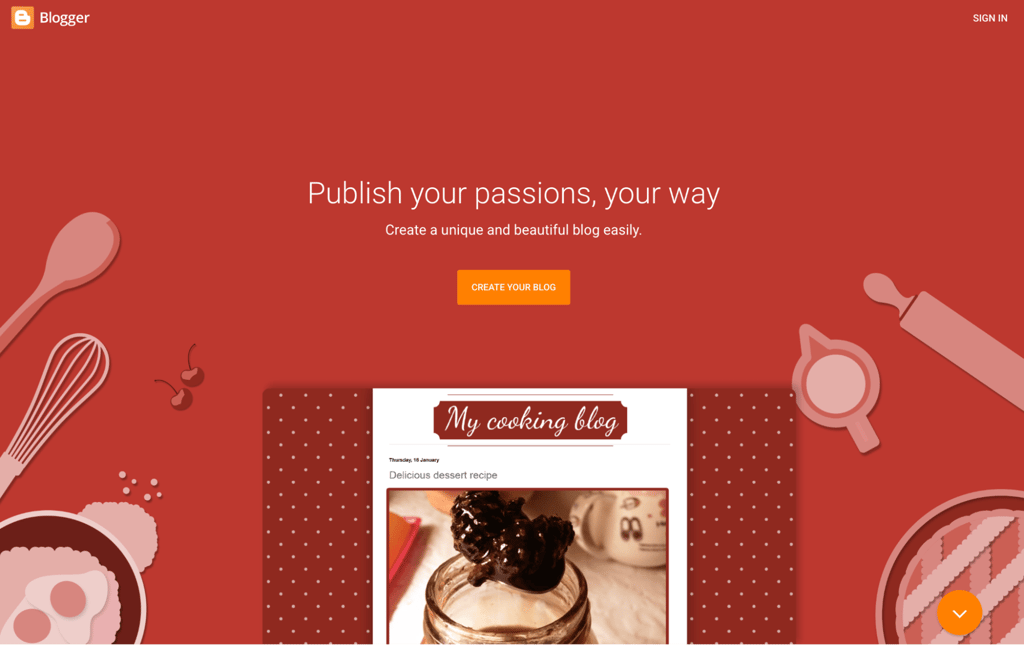
Blogger is Google’s free, no-frills blogging platform, and it’s one of the simplest ways to get a blog online at zero cost. If you’re already comfortable with Google’s tools, it’ll feel familiar fast.
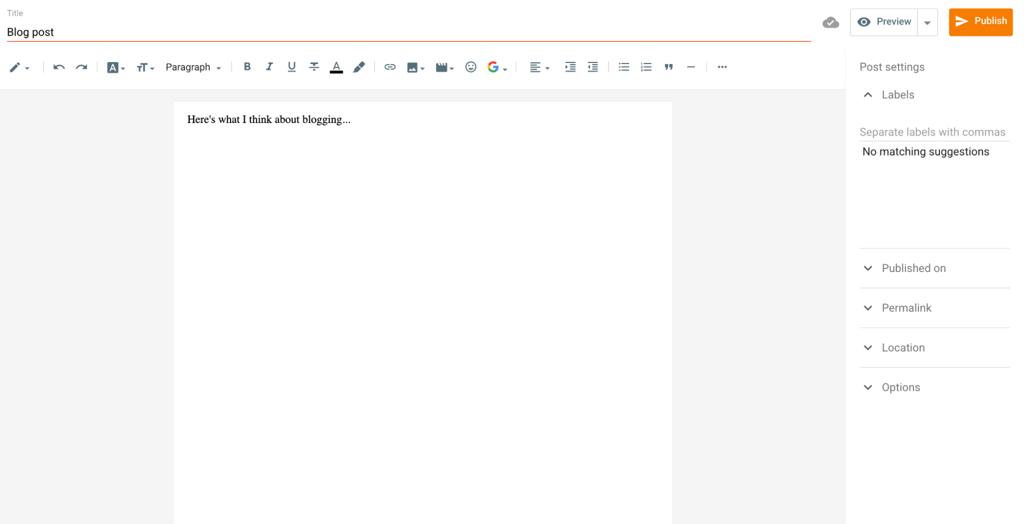
Getting started is simple. All you need is a Google account. Sign in, and you’ll land on a dashboard that feels a lot like Google Drive or other Google Workspace tools.
Creating posts is as easy as writing in Google Docs. The editor is clean and doesn’t overwhelm you, and you can format text, add images or videos, and preview your post in a few clicks.
Blogger doesn’t have a built-in writing assistant, but a Chrome extension fills the gap. I use the Grammarly extension to tidy up my workflow, for example.
Its templates are basic and feel dated, though some HTML or CSS lets you customize them. Blogger isn’t as flexible as WordPress for design, but it suits personal or hobby blogs and integrates with Google AdSense and Analytics on Google’s reliable infrastructure.
Looking at the blog, it’s clear that the platform sticks to the basics. But since it doesn’t slap ads on your site, it’s a solid way to share your thoughts quickly.
Blogger pros
- Completely free.
- Quick, simple setup.
- Easy Google AdSense integration.
- Backed by Google’s infrastructure.
Blogger cons
- Blogging-only, with simple features.
- Limited design customization.
- Not built to scale.
Blogger pricing breakdown
Blogger is free to use. Your blog is hosted on Google’s servers under a subdomain, such as yourblog.blogspot.com.
If you’d prefer a custom URL like yourblog.com, you can register a domain through Hostinger, with prices starting at $0.99/year for the first year, followed by standard renewal rates. Our step-by-step guide to buying a domain name walks you through it if you’re new to this.
Once you’ve got your domain, connecting it to Blogger is free. Go to Settings → Publishing in your dashboard, click Custom domain, enter your domain, and hit Save.
Why I recommend Blogger
Blogger doesn’t have the advanced features of modern platforms, but its simplicity and reliability keep it relevant. If you want a low-maintenance, quick way to start blogging, it’s worth considering.
If other platforms feel like too much or you’re not ready to pay for hosting, Blogger is a no-pressure way to start blogging. You need no technical skills or budget, yet you can still tweak your layout, adjust the design, and connect a custom domain to look professional.
Domain Name Checker
Instantly check domain name availability.
9. Substack

Substack is a newsletter-first platform where each post lands directly in your subscribers’ inboxes, which makes it ideal for building a paid audience. Think of it as Patreon for bloggers, with the option to paywall exclusive posts for extra income.
Already have a mailing list? You can bring it over from most major newsletter and email platforms, including Mailchimp, Ghost, Beehiiv, ConvertKit, and Patreon. Substack also has a homepage feed that works like a social timeline to help grow your following.
The editor is minimalist and easy for beginners. It has formatting options for different content types, from poetry to charts, and you can drop in sharing and subscription buttons wherever you want more engagement. I appreciated the nudge to add them while publishing.

Tags keep posts organized; you can enable comments on each. You can also set post metadata and URLs for SEO and tweak the social preview for more clicks. Substack has grown beyond email lately, adding Notes, a discovery feed, and native and live video.
The mailing tools have room to improve. It lacks A/B testing, audience segmentation, and shared sending addresses because it isn’t a full email marketing platform, which can result in newsletters being delivered to spam folders. Customization is minimal with few layout options and no global color picker.

Substack pros
- Available as a mobile app, so it’s easy to access.
- Writer collaboration through cross-posting.
- Built-in podcasting, video, and Notes.
Substack cons
- A steep cut on paid subscriptions.
- A few advanced email marketing features.
- Low email deliverability at times.
Substack pricing breakdown
Signing up and publishing is free, but Substack takes 10% of your subscription revenue. Stripe also charges about 2.9% + $0.30 per transaction, plus 0.7% for recurring payments, so your real cost comes to roughly 13% to 16% of gross revenue once everything is added up.
Using your own domain incurs a one-time $50 fee in addition to registration. A custom domain builds SEO authority for your own site rather than Substack’s, but you may surface less in Substack’s recommendation network, trading some discoverability for ownership.
Why I recommend Substack
Substack is a great choice if you love the idea of building a mailing list without setting up a full website. Its email tools bring a fresh twist to blogging, letting you reach readers right in their inboxes with exclusive content.
Don’t want to charge for your posts? That’s fine. You can still share your work for free and get discovered by the Substack community.
What makes a good blogging platform?
A good blogging platform is easy to use, fits your budget, and gives you the design, SEO, and growth tools your blog actually needs. Here’s what I looked at while testing:
- Ease of use. I want a platform I can master quickly. A friendly interface and intuitive tools let me focus on writing instead of figuring out the software.
- Customization. A blog is a creative space, so I want it to look and feel the way I picture it. If you’re not tech-savvy, you’ll want to do this without code.
- SEO tools. A platform with built-in search engine optimization (SEO) cuts down the work of getting my blog seen.
- Content management. As my blog grows, a solid system for organizing posts, scheduling updates, and managing media keeps me productive.
- Scalability. A good platform grows with me, handling more traffic and content without slowing down or forcing a big upgrade.
- Mobile optimization. Most people read blogs on their phones, so I want a smooth experience across all screens.
- Value for money. Whether it’s affordable pricing or useful free features, I want to know I’m getting my money’s worth.
There’s no single best blogging platform for everyone. Many tick all of these boxes, but each one serves different needs, so pick the one that fits your goals.
Is Hostinger good for blogging?
Yes, Hostinger works well for blogging because it covers every stage of the journey, from a beginner-friendly builder to managed WordPress and VPS hosting. You can match the tools to your experience level:
- Beginner. Want a quick, hassle-free start? The Hostinger Website Builder lets you launch a blog in a few hours, with a drag-and-drop editor, SEO tools, Google Ads integration, and more. Tools like the AI Logo Maker come with the Business plan rather than the entry-level Premium plan.
- Intermediate. Have some experience and want more flexibility? Choose managed WordPress hosting for greater control without sacrificing the features that keep things simple. You get caching with LiteSpeed, and on the Business plan and up, the WordPress AI Content Creator and the Kodee AI assistant for tasks in your dashboard.
- Advanced. Prefer full control over your server? Go for VPS hosting and pair it with WordPress or Ghost. Ready-made templates make the setup faster and easier.
With Hostinger, your hosting, domains, and Reach, its AI-powered email marketing platform, all live in one account. Reach is free for the first year with a hosting plan, then starts at CA$ 2.79/month.
How to turn blogging into a business?
You can turn blogging into a business through affiliate marketing, sponsored posts, selling digital products, offering online courses, or earning ad revenue. These methods still work well today, and according to our blogging statistics, food blogs tend to be among the highest earners.
The most important part of making money from blogging is sharing real value with your readers. Earn and keep their trust, and building several income streams gets much easier.
So write content that solves problems, answers questions, or entertains your audience. Then grow your traffic by optimizing for search engines, sending email newsletters, and sharing your posts on social media.
Blogging often starts as a passion project, a way to build the habit of sharing content you care about. The best move now is to pick a platform from this list that fits your goals and start writing.
The bloggers who succeed rarely begin with all the answers. They publish consistently, learn as they go, and improve over time, so you’re in a good position to do the same.
Good luck!

Justina is a Content Writer passionate about marketing, with a background in social media and customer success management. She also loves reading books, traveling and exploring new places as well as cooking, and trying out new recipes. Follow her on LinkedIn.

Marco Chiesi is the Head of WordPress at Hostinger, with over 20 years of experience as a software engineer in the web industry. He specializes in open-source technologies and the WordPress ecosystem, where he has contributed in different areas: Plugin Developer (with over 10 million downloads), WordCamp speaker and organizer, Meetup organizer, Translator, and Core Contributor. He is passionate about leading his team to create innovative solutions for Hostinger's web hosting product, which hosts over 5 million WordPress installations. Follow him on LinkedIn.