Front end vs. back end: Key differences and how they work
May 21, 2026
/
By Ksenija
/
12 min Read
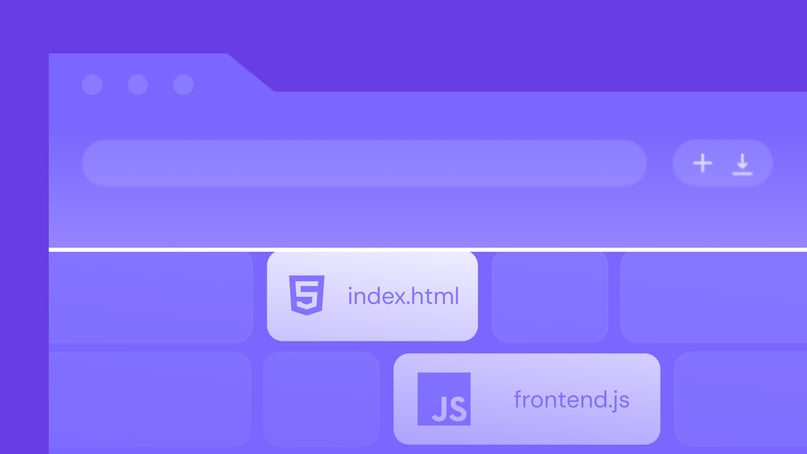
Front-end and back-end development are the two core parts of building a software application: the front end handles what users see and interact with, while the back end manages the logic, data, and systems behind the scenes.
A product needs both sides to work well to feel complete. The front end shapes the user interface, navigation, and overall experience.
The back end powers the server, database, authentication, and application logic that make those interactions actually do something.
A search bar is a simple example. The front end displays the input field and results layout, while the back end processes the request, retrieves matching data, and sends it back.
When those application components work together smoothly, the result is a fast, functional product instead of a static screen or a broken workflow.
Understanding front end vs. back end starts with knowing what each one is responsible for, which technologies they use, how their software development roles differ, and how they depend on each other to build complete web and software applications.
What is front-end development?
Front-end development is the part of software and web application development that builds everything a user sees and interacts with in a website or web application.
It includes everything on the screen: the layout, text, images, buttons, menus, forms, and the way these elements respond when you click, scroll, or type. When you open a page, navigate through a site, or submit a form, you are interacting with the front end.

It turns design ideas into a working experience that feels clear and easy to use. A good front end helps you find what you need, understand what to do next, and complete actions without confusion. If it is poorly built, even a powerful system behind the scenes will feel slow or frustrating.
The front end shapes three key things at once. It controls how a product looks, how it behaves, and how easy it is to use.
For example, on an online store, the product grid, filters, search bar, and checkout form are all part of the front end. If these elements are clear and responsive, shopping feels smooth. If they are confusing or slow, users leave.
To build all of this, front-end development relies on three core technologies:
- HTML – creates the structure of the page, such as headings, text, images, and forms.
- CSS – controls how the page looks, including layout, colors, spacing, and fonts.
- JavaScript – adds interactivity, such as dropdown menus, form validation, and dynamic content.
Once the interface is built, it must also work well in real-world conditions through responsive design and accessibility.
Responsive design ensures the layout adapts to each device so content stays readable and easy to interact with.
Accessibility enables everyone to use the website, including people who rely on screen readers, keyboard navigation, or larger text. This means using clear structure, readable contrast, proper labels, and interactions that do not depend only on a mouse.
In practice, front-end development combines structure, design, behavior, and accessibility to turn an idea into something people can actually use.
Popular examples of front-end development frameworks
Front-end frameworks help developers build websites faster by providing structure and ready-made solutions.
Here are some of the most widely used options:
- React – a widely used tool for building interactive interfaces using reusable components.
- Angular – a full framework with built-in tools for large, complex applications.
- Vue.js – a flexible and easy-to-learn framework for both small and medium projects.
- Svelte – a performance-focused framework that produces fast, lightweight applications.
- Next.js – a framework built on React that adds routing, performance, and production-ready features.
React
React is a library for building user interfaces, but it is often grouped with frameworks because of its widespread use in real projects.
It lets developers create reusable page components, such as buttons or product cards, and use them across the site. It also updates content instantly without reloading the page.
Best for: Interactive websites and applications where content changes frequently, such as dashboards, social platforms, or e-commerce sites.
Angular
Angular is a full framework that provides a complete structure for building large applications.
It includes built-in tools for navigation, forms, and data handling, so developers do not need to set everything up themselves.
Best for: Large, complex applications where consistency and structure are important.
Vue.js
Vue.js is a JavaScript framework for building interactive user interfaces. It can power features like live search results, dropdown menus, or forms that show errors instantly as you type, without refreshing the page.
Best for: Small to medium projects or for adding interactivity to an existing website.
Svelte
Svelte is a framework that helps developers build fast, interactive features like search boxes, forms, and menus. These features respond instantly when you type, click, or select something, even on slower devices.
Best for: Performance-focused applications where speed is critical.
Next.js
Next.js is a framework built on React that helps developers build fast, full websites. It handles things like page navigation, loading content quickly, and making sure pages appear fast when a user first visits them.
Best for: Larger websites that need strong performance and structure, such as blogs, SaaS platforms, or online stores.
What is back-end development?
Back-end development is the part of web development that handles everything users do not see, but the application still needs in order to work.
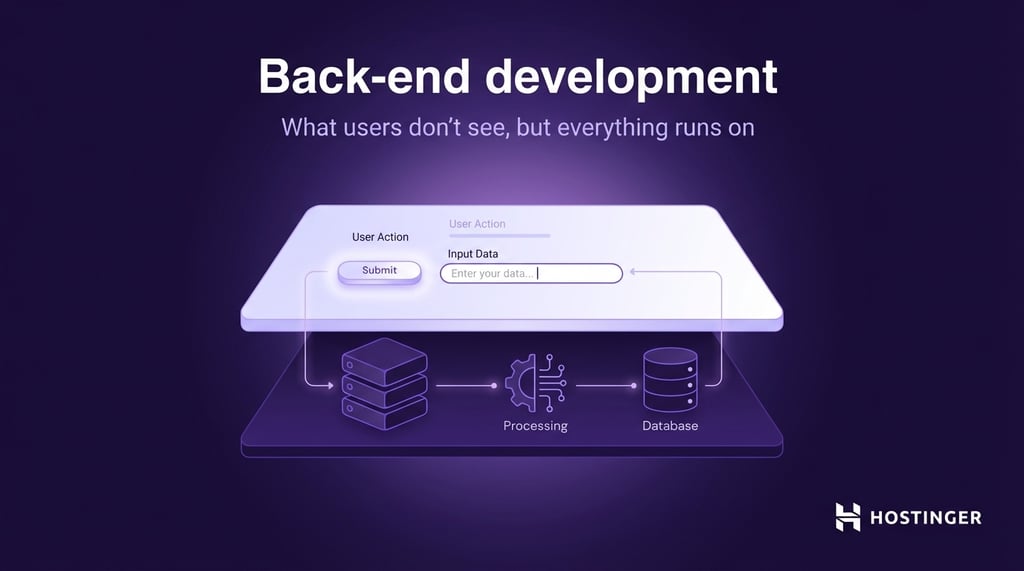
If the front end is what you interact with on the screen, the back end is what happens behind the scenes. It receives requests, processes information, applies the rules of the application, works with databases, and sends the right result back to the front end.
For instance, when you log in to a website, you only see a form and a button. But after you click that button, the back end takes over.
It checks your email and password, compares them with stored records, decides whether the login is valid, and then returns the correct response. If the details are correct, you get access. If they are not, you see an error message.
The back end handles four core jobs:
- Stores and retrieves data such as user accounts, orders, messages, or product details.
- Runs server-side logic such as logins, payments, permissions, and calculations.
- Processes requests so the application knows what to do next.
- Supports performance, security, and scale so the application stays fast, safe, and reliable.
Data storage and databases
Applications need to store names, passwords, order history, blog posts, support tickets, inventory, or anything else the product depends on. The back end connects the application to a database so that data can be saved, updated, searched, and retrieved when needed.
Two broad database types that are commonly used are:
- SQL databases store data in structured tables with rows and columns. They are used when data is organized, and relationships matter, such as customers, orders, and invoices.
- NoSQL databases store data in flexible formats like documents or key-value pairs. They are used for things like user profiles, product catalogs, or app data where the structure can change, grow quickly, or vary between entries.
Server-side logic
Server-side logic is the decision-making part of the back end. This is where the application applies rules. It decides what should happen based on the user’s action, the available data, and the business logic behind the product.
For example, server-side logic may decide whether:
- User is allowed to access the admin page
- The item is still in stock
- The discount code is valid
- Payment should go through
- Form submission should be accepted or rejected
Back-end languages and technologies
Back-end development uses programming languages, databases, and server tools to make all of this work.
Some of the most common back-end technologies include:
- Node.js runs JavaScript on the server and handles user requests, such as loading pages, processing forms, and sending data between the front end and back end via Application Programming Interfaces (APIs).
- Python is used to build the logic behind applications, such as handling user accounts, processing data, or running features like recommendations or search.
- Ruby is used to build web applications quickly by providing ready-made ways to handle common tasks like routing, databases, and user authentication.
- SQL databases (such as PostgreSQL or MySQL) store structured data in tables, such as users, orders, and payments, and allow the application to quickly search, update, and manage that data.
- NoSQL databases (such as MongoDB) store flexible data, such as user profiles, content, or product details, where the structure can vary or grow over time.
Server management is part of the picture, too. Back-end systems run on servers, whether those servers are physical machines, cloud infrastructure, or managed hosting platforms. Someone has to configure the environment, deploy the code, monitor performance, and keep the system running smoothly.
Performance and application speed
The back end directly affects how fast your website or app feels.
Even if the design looks clean, a slow back end will make everything feel slow. Pages take longer to load, searches take time to show results, logins feel delayed, and checkouts become frustrating.
This happens because the server still needs to do work before anything appears on the screen.
Back-end performance depends on a few key things:
- How efficiently the code is written
- How quickly the database responds
- How well the server is configured
- How much traffic the application is handling
- Whether repeated tasks are cached or processed every time
For example, if a product page takes too long to load, the issue may not be the design at all. The back end may be running slow database queries or struggling under server load.
Security
The back end protects sensitive data and controls who can do what inside the application. It is responsible for tasks such as authenticating users, managing permissions, validating input, encrypting data, and preventing unauthorized access.
Back end handles information users trust you with, such as passwords, payment details, private messages, and account data.
Common back-end security tasks include:
- Checking login credentials
- Hashing passwords before storing them
- Blocking malicious input
- Controlling access based on user roles
- Protecting APIs and databases from unauthorized requests
Scalability
Scalability is the back end’s ability to handle growth without breaking down.
As more users, requests, and data come in, the back end has to keep up. That means the system should continue working well as demand increases.
A small app with a few hundred users and a large platform with millions of users need different back-end setups. As usage grows, developers may need to optimize database queries, add caching, split workloads across multiple servers, or redesign parts of the system.
For example, a social app that works well for 1,000 users may slow down badly at 100,000 users if the back end is not built to scale.
Popular examples of back-end development frameworks
Back-end frameworks give developers a structured way to build applications without starting from scratch. They handle common tasks like routing requests, working with databases, and managing users, so developers can focus on the core logic of the product.
Here are some of the most widely used back-end frameworks:
- Express.js (Node.js) – a lightweight framework used to handle requests and build APIs that connect the front end with the back end.
- Django (Python) – a full framework with built-in tools for databases, user management, and security.
- Ruby on Rails (Ruby) – a framework designed to speed up development by providing ready-made solutions for common features.
- Spring Boot (Java) – a structured framework used to build large and complex applications that need to handle high traffic.
- Laravel (PHP) – a framework that simplifies tasks like routing, authentication, and database operations with clean and organized code.
Express.js (Node.js)
Express is a lightweight Node.js framework for handling requests, building APIs, and connecting the front end to the back end.
It does not force a strict structure, so developers can build things the way they want while still using helpful tools.
Best for: APIs, real-time apps, and lightweight services like chat apps or dashboards.
Django (Python)
Django is a full framework that includes built-in features such as user authentication, database management, and an admin panel.
It helps developers build secure, complete applications quickly without manually setting up everything.
Best for: Content-heavy websites, admin dashboards, and applications that need strong security.
Ruby on Rails (Ruby)
Ruby on Rails provides ready-made solutions for common features like routing, databases, and user accounts. This allows developers to build applications quickly with less setup.
Best for: Startups and projects that need to launch fast, such as marketplaces or SaaS products.
Spring Boot (Java)
Spring Boot is a framework for building large, scalable applications with Java. It provides a structured setup and tools for handling complex systems, making it easier to manage big projects.
Best for: Enterprise applications, banking systems, and large-scale platforms.
Laravel (PHP)
Laravel is a popular PHP framework that simplifies tasks like routing, authentication, and database operations. It is known for its clean syntax and tools that speed up and organize development.
Best for: Web applications, content management systems, and e-commerce platforms.
Key differences between front end and back end
Front-end and back-end development work on the same product, but they solve different problems. The front end shapes what users see and interact with, while the back end handles the logic, data, and systems behind the scenes.
Here is a clear side-by-side comparison:
Front-end development | Back-end development | |
Main focus | What users see and interact with | What happens behind the scenes |
Role | Builds the interface and user experience | Powers the application logic and data flow |
What it handles | Layout, design, buttons, forms, navigation | Databases, server logic, APIs, authentication |
Technologies | HTML, CSS, JavaScript, React, Angular | Node.js, Python, Ruby, SQL/NoSQL databases |
User impact | Affects how the app looks and feels | Affects how fast, secure, and reliable it is |
Performance focus | Smooth interactions and responsive design | Fast processing, efficient data handling |
Core responsibilities | Design thinking, UI/UX, responsiveness, accessibility | Data handling, system logic, security, scalability |
Example task | Building a checkout page | Processing a payment and saving the order |
There are also roles that connect both sides.
A full-stack developer works on both front end and back end. They can build the interface and also handle the server logic and database.
DevOps focuses on how applications are deployed, run, and maintained. This includes managing servers, handling scaling, and making sure everything stays online and performs well.
A common misconception is that the front end is only about design and the back end is only about data. In reality, both require problem-solving and technical depth. Front end involves performance, accessibility, and complex interactions.
Back end involves architecture, optimization, and system reliability.
How front end and back end work together
Front end and back end work together as part of the application architecture, passing information back and forth so the system can respond to user actions.

When you use a website or app, you are interacting with the front end. But almost every action you take needs the back end to do some work before anything happens on the screen.
The front end collects input and displays results. The back end processes that input, works with data, and decides what to return.
A simple example is logging into an account. You enter your email and password on the front end, but the back end checks if those details are correct and decides whether to let you in.
Here is how that interaction works step by step:
- User interacts with the interface. You click a button, submit a form, or type into a search bar.
- Front end sends a request to the back end. The front end sends your input via an API, asking the back end to perform an action, such as checking login details or fetching data.
- Back end processes the request. The server receives the request, applies logic, and may query a database. For example, it checks if your login details match stored records.
- Back end sends a response. The server returns data or a result, such as “login successful” or a list of search results.
- Front end updates the interface. The front end takes that response and updates what you see, such as showing your dashboard or displaying an error message.
APIs make this communication possible. They act as a bridge between the front end and back end, defining how requests are sent and how responses are returned. Without APIs, the two sides would not be able to exchange data in a structured way.
Middleware helps manage what happens between receiving a request and sending a response. It can handle tasks such as checking whether a user is logged in, validating input, logging activity, and filtering requests before they reach the main application logic.
Challenges in front-end and back-end development
On the front end, one of the biggest challenges is cross-browser compatibility. A page may look correct in Chrome but break in Safari or behave differently in Firefox.
The same feature may also work well on a laptop and feel awkward on a phone. This is why front-end developers have to test layouts, forms, buttons, and interactions across browsers, screen sizes, and devices.
Front-end performance is another common issue. Heavy images, large scripts, too many animations, or poorly built components can make a site feel slow. Even if the back end responds quickly, users will still notice delays if the interface takes too long to load or react.
The best way to reduce front-end problems is to keep the interface simple, test early, and build with real users in mind. That means:
- Testing across browsers and devices instead of assuming one setup works everywhere
- Using responsive layouts from the start
- Keeping code and assets lightweight
- Compressing images and reducing unnecessary scripts
- Following accessibility basics, such as proper labels, keyboard support, and readable contrast
Back-end development has its own set of challenges. One of the most common is database optimization. As applications grow, queries can become slow, especially when the system is working with large amounts of data.
A search feature, product page, or reporting tool may feel slow because the database is doing more work than it should.
Security is another major back-end concern. The back end handles user accounts, private data, payments, permissions, and business rules. If it is not built carefully, attackers may exploit weak passwords, bad input handling, insecure APIs, or poor access controls.
The best way to handle back-end challenges is to focus on efficiency, safety, and scale from the start. In practice, that means:
- Writing efficient queries and reviewing slow database operations
- Validating input before processing it
- Encrypting sensitive data and storing passwords securely
- Limiting access based on user roles
- Monitoring performance so issues are caught before they become outages
- Designing systems that can handle more users and more data over time
These challenges do not exist in isolation. Front end and back end affect each other constantly. A slow API creates a slow interface. A poorly built form on the front end can send bad data to the back end. A change in the server response can break how information is displayed on the page.
That is why collaboration matters so much. Front-end and back-end teams need to agree on how data is sent, what responses look like, how errors are handled, and what happens when something goes wrong. Clear communication reduces rework, prevents mismatches, and makes the product more stable.
Next steps: Deploying your project
Project deployment is the process of moving your website or app from your local environment to a live environment so others can use it.
Until deployment, your project only works on your computer or in a private setup. Deployment moves it to a server or hosting platform, connects it to a domain, and prepares it to run in a real environment.
The process is different for front end and back end because they serve different roles.
Front-end deployment is usually simpler. If you are working with a static site or a built app, you mainly upload files like HTML, CSS, and JavaScript, connect a domain, and make sure everything loads correctly. Many platforms also handle builds and updates automatically.
Back-end deployment requires more setup. This is especially true when you are hosting a web application that handles user data, APIs, and real-time requests. You need a server environment that can run your code, connect to a database, manage environment variables, and stay stable under real traffic. This often involves configuring the server, setting permissions, and monitoring performance.
Before you deploy, make sure you have the basics in place:
- Your project code is ready and tested.
- A suitable hosting environment is set up for your front-end or back-end needs.
- A domain name is connected, so users can access your project.
- Environment variables are configured, such as API keys and database credentials.
- A database and any external services are set up if your app depends on them.
- HTTPS is enabled to secure user data and connections.
- Basic monitoring is in place to track errors and performance after launch.
This is where your hosting choice matters.
For front-end projects, static or front-end application hosting is often enough. If you are deploying a site built with HTML, CSS, or a framework like React, it’s best that you use hosting that handles file delivery, builds, and updates automatically.
Some platforms go even further in simplifying the entire process. For example, Hostinger’s web apps hosting offers front-end web app hosting designed for frameworks like React, Vue.js, Next.js, Vite, and Angular. You can deploy your project directly from GitHub or upload files via FTP, and the platform handles building and running the app for you.
This removes much of the manual setup. You do not need to configure a server, manage deployments step by step, or troubleshoot infrastructure issues on your own.

This article is a localized version of Front end vs. back end: Key differences and how they work, originally published in English.

Ksenija is a digital marketing enthusiast with extensive expertise in content creation and website optimization. Specializing in WordPress, she enjoys writing about the platform’s nuances, from design to functionality, and sharing her insights with others. When she’s not perfecting her trade, you’ll find her on the local basketball court or at home enjoying a crime story. Follow her on LinkedIn.