What is Parcel and how does it work?
May 22, 2026
/
By Alma
/
7 min Read
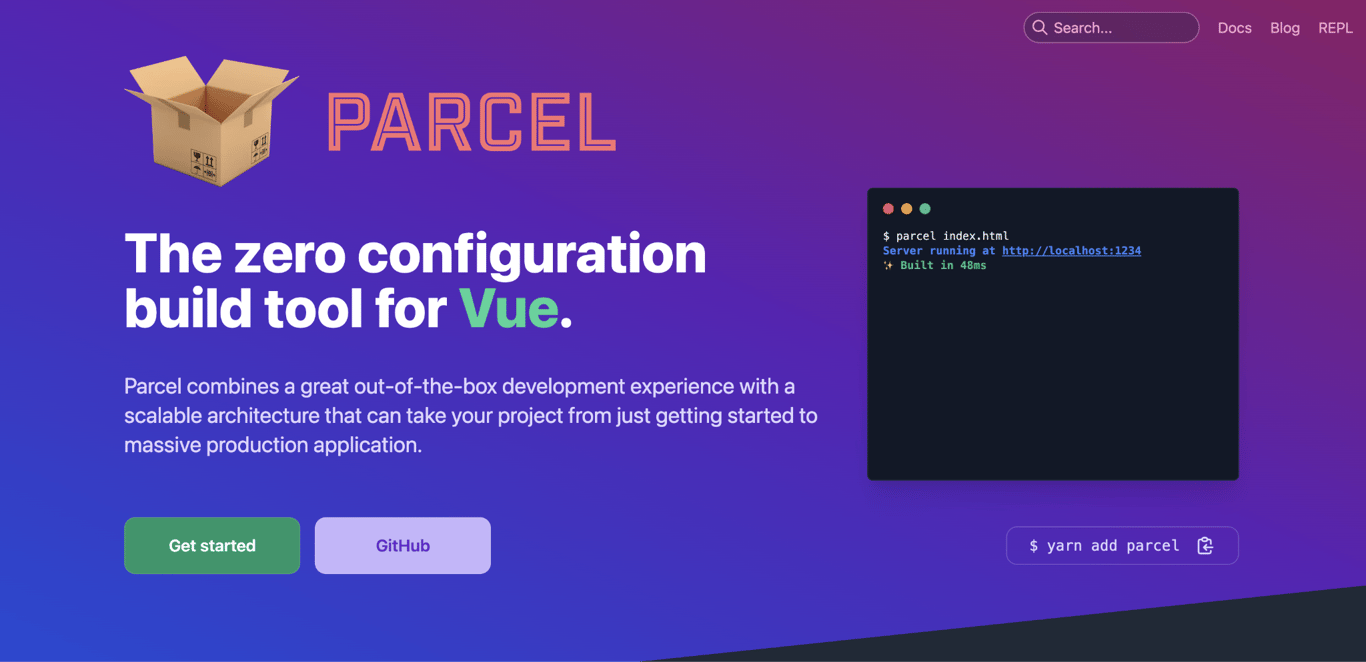
Parcel is an open-source web application bundler that prepares your project files for the browser. It takes HTML, CSS, JavaScript, images, fonts, and other assets, and turns them into optimized files ready to publish.
The Parcel bundler is known for being easy to start with. You don’t need to create a config file or install extra plugins. You give Parcel a starting file, and it figures out what your project needs – converting files, updating the browser as you work through hot module replacement, and preparing everything for launch.
Parcel works with React by handling JSX and component imports without manual Babel setup. It’s suitable for prototypes, static websites, single-page applications, and small-to-medium web apps where fast setup matters more than manual build control.
What is Parcel?
Parcel is a module bundler. That means it collects all the files your project needs and combines them into a package the browser can load.
Most modern websites and apps are built from many separate files. Your HTML may link to CSS, your JavaScript may import other scripts, and your CSS may reference images or fonts. A module bundler follows these connections and works out how everything fits together.
Modern projects need a JavaScript bundler because browsers don’t always understand the tools developers use for building. For example, a project might use npm packages with bare import paths (like import React from 'react'), TypeScript, JSX, or Sass. Without a bundler, you would need to convert and connect these files yourself.
That’s what Parcel does. It’s a bundler that does this work for you with zero configuration. For example:
- A
.tsfile is compiled into JavaScript. - A
.scssfile is compiled into CSS. - Image paths are updated correctly in the final build.
- JavaScript, CSS, and HTML files are prepared for production.
Parcel also includes a built-in development server that lets you preview your project in the browser and see changes as you work.
How Parcel works
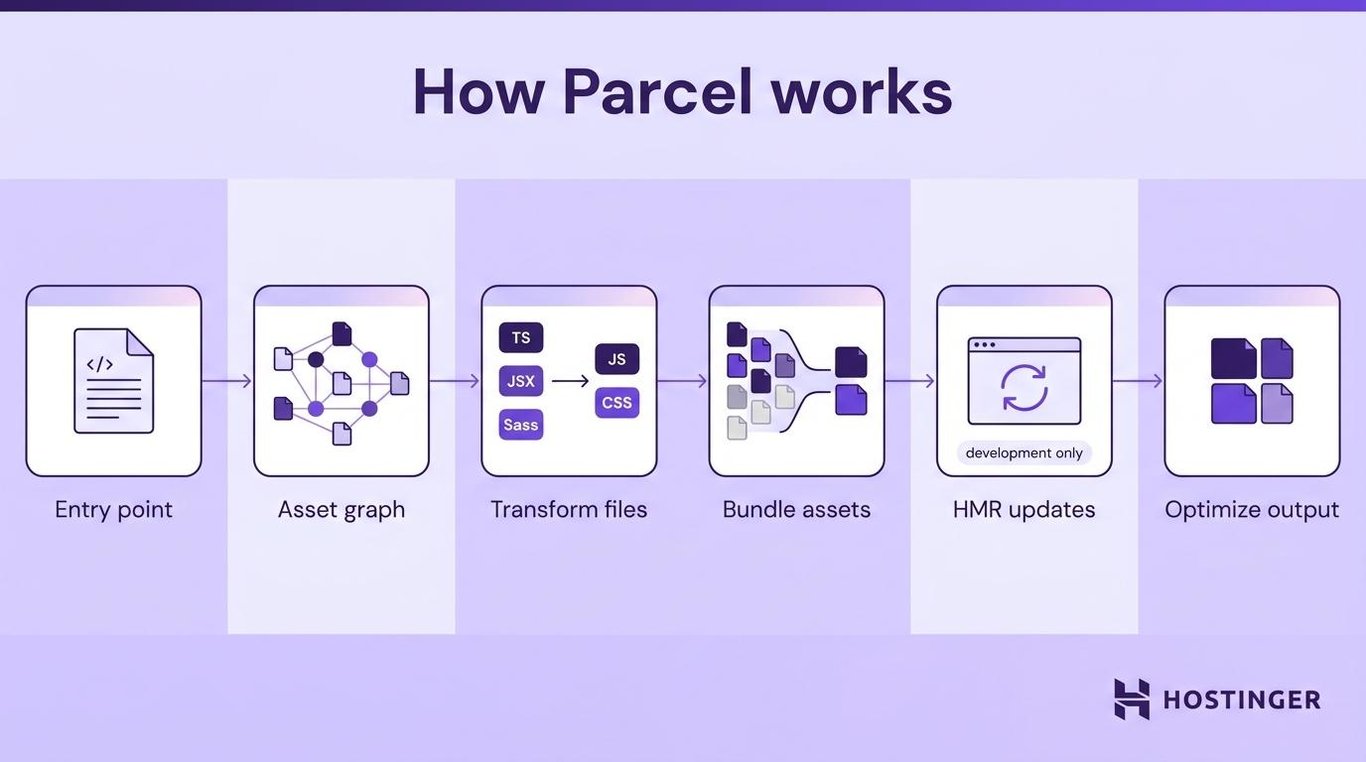
Parcel works by starting with one file, finding everything connected to it, converting files browsers don’t understand, and creating output that’s ready to publish.
Parcel runs differently depending on what you’re doing.
- While you’re writing code (known as a development build), it skips heavy work like shrinking files so you can see your changes in the browser quickly.
- When you’re ready to publish (the production build), it does that extra work – removing unused code, compressing files, and splitting them into smaller pieces – so your visitors get faster page loads.
1. Detect the entry point
Parcel reads the entry point you provide to find the first file that defines your project’s structure. In most projects, this is an index.html file that you pass directly to the Parcel command.
For example:
<html>
  <head>
    <link rel="stylesheet" href="styles/app.css">
  </head>
  <body>
    <div id="app"></div>
    <script type="module" src="src/main.js"></script>
  </body>
</html>
Parcel reads this file and looks for connected files, like CSS in <link> tags and JavaScript in <script> tags.
These are the kinds of connections that adding JavaScript to HTML creates. Parcel traces them automatically, following JavaScript imports, stylesheet links, and image references to find every file your project depends on.
You can also use more than one entry point. For example, a site with separate index.html and about.html pages can use both.
2. Map the project dependencies
Parcel maps project dependencies by building an asset graph, a full picture of all connected files. This includes JavaScript modules, CSS files, images, fonts, and HTML references.
These connections show up as import statements, url() references in CSS, and <script> and <link> tags in HTML. Every time one file points to another, Parcel adds that connection to the graph.
Parcel uses this map to know what to build. It also updates only the files that changed while you’re developing, instead of rebuilding everything from scratch.
3. Transform source files
Parcel transforms source files by converting them into formats browsers understand. For example:
- TypeScript becomes regular JavaScript.
- JSX becomes regular JavaScript.
- Sass and Less become CSS.
- Image and font references are prepared for the final build.
This means you can use modern development tools without setting up every conversion manually.
Parcel uses Rust-based tools like SWC for JavaScript compilation, which runs faster than JavaScript-based compilers like Babel. All transformations happen before bundling and production optimization.
4. Bundle the assets
Parcel bundles assets by grouping related files into browser-ready output files. Instead of making the browser request every small file separately, Parcel combines them so they load faster.
For production builds, Parcel writes these files to a dist folder by default.
Development bundles skip minification to keep rebuilds fast. Production bundles include minification and more aggressive code splitting.
5. Update changed modules during development
During the development build, Parcel updates changed modules through hot module replacement (HMR).
HMR sends changes to the browser when you save a file, without fully reloading the page. For example, if you change a CSS color, Parcel pushes that update right away. The page changes, but your app state stays the same. Form fields stay filled, and your scroll position doesn’t reset.
Parcel’s built-in development server and file watcher handle this automatically. You run a single command, and Parcel serves your project locally, watches for changes, and updates the browser.
HMR is a development feature only and doesn’t run during production builds.
6. Optimize files for production
The production build is where Parcel prepares your project for launch. When you run parcel build, it reduces file sizes so browsers download and render pages faster.
Parcel applies optimizations like:
- Tree shaking. Removes unused code from the final bundle. If you import a library but only use two of its 50 functions, Parcel can remove the unused exports.
- Minification. Removes unnecessary spaces and shortens code. Parcel uses SWC for JavaScript and LightningCSS for stylesheets.
- Code splitting. Breaks larger apps into smaller chunks that load only when needed.
- Image optimization. Reduces image file sizes where possible while keeping output suitable for the web.
- Content hashing. Adds unique names to files based on their contents, like
app.a1b2c3.js. Browsers cache these files and only re-download ones that actually changed.
You’ll still want to test the final build before publishing. Faster page loads also depend on web app performance optimization like lazy loading, caching, and server-side compression that Parcel doesn’t handle on its own.
How Parcel works with React
Parcel works with React by transforming JSX, following component imports, bundling dependencies, and serving the app through its development server.
React uses a component-based approach where you build interfaces from reusable pieces. Parcel handles it all with almost no setup.
A basic Parcel React project starts with:
- An
index.htmlfile with a root element like. - A JavaScript or JSX file that starts the React app.
Parcel reads the HTML file, finds the linked script, and follows all the React imports from there.
Here’s what Parcel handles in a React project:
- HTML root. Parcel reads the HTML file and finds the script that starts your React app, like
createRoot(). - React components. Parcel follows imported components, styles, and assets. When
App.jsximportsHeader.jsxandstyles.css, Parcel adds all three to the build. - JSX transformation. Parcel converts JSX into regular JavaScript. You don’t need to set up Babel manually.
- Development updates. HMR applies to React components too. Change a component’s text or styling, save the file, and the browser reflects it without losing your app’s state.
This makes Parcel a practical React bundler for small-to-medium projects where you want to start quickly.
When should you use Parcel?
Use Parcel when you want to start a web project quickly without spending time on setup. It handles the build process for you – converting files, running a local preview, and preparing your project for launch.
Parcel works well for:
- Prototypes and experiments. Quickly test an idea or build a working demo without creating a config file.
- Static websites. Build HTML, CSS, and JavaScript websites that don’t need a backend.
- Single-page applications. Create client-side apps with React, Vue, or plain JavaScript.
- React projects. Use Parcel for small-to-medium React apps with JSX and fast browser updates.
- TypeScript projects. Parcel detects and compiles
.tsand.tsxfiles without extra setup. - Small-to-medium web apps. Choose Parcel when you need a full build process but don’t want to configure every detail yourself.
Parcel may not be the best option for large enterprise projects with very specific build requirements. In those cases, Webpack may give you more control.
For most Parcel use cases, though, the default settings are enough to build, preview, and ship your website or app.
Parcel vs. Webpack
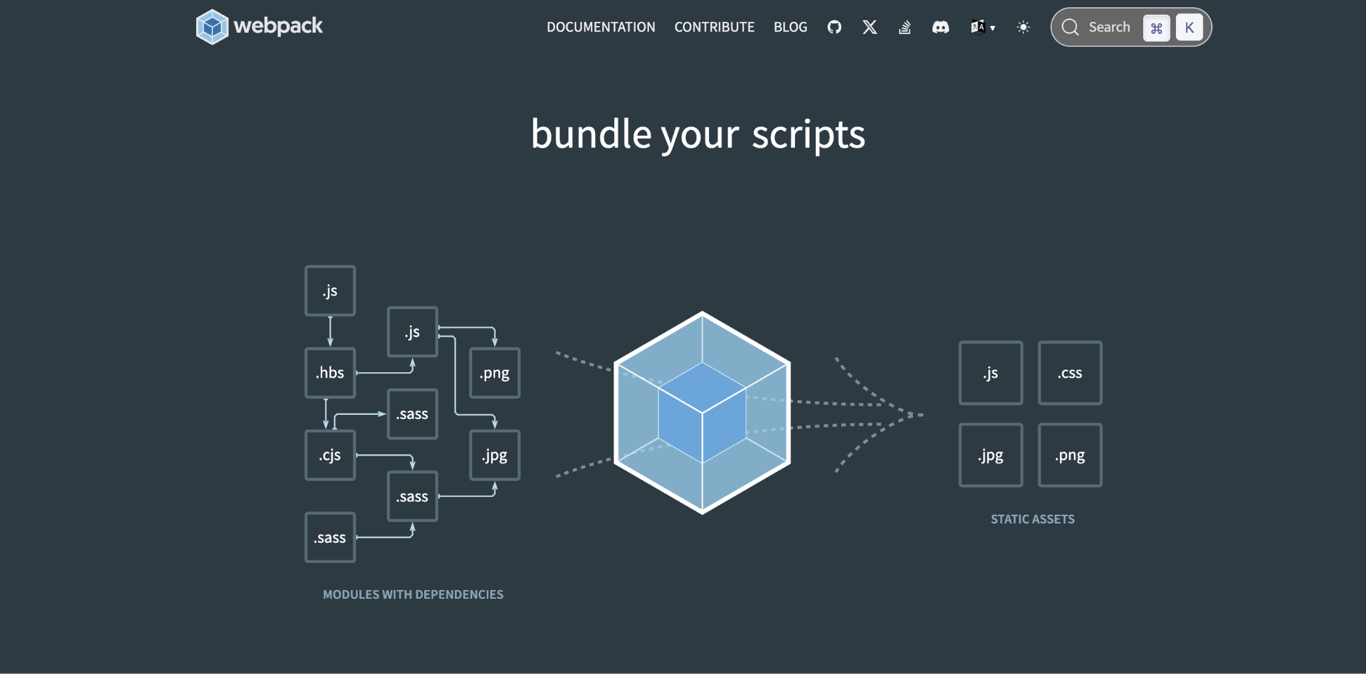
Parcel and Webpack are both JavaScript bundlers and compilers, but they take different approaches. Parcel focuses on zero-configuration setup, while Webpack gives you precise control through detailed config files.
Here’s how they compare:
Feature | Parcel | Webpack |
Setup | Works with minimal configuration | Often needs a <code>webpack.config.js</code> file |
Build speed | Uses caching and fast tools by default | Depends on the setup and plugins |
Learning curve | Easier for beginners | Requires more build tool knowledge |
Customization | Supports plugins and config when needed | Offers deeper configuration options |
Best fit | Fast starts and small-to-medium projects | Complex projects with custom build needs |
The choice of the bundler comes down to your project’s complexity, your team’s experience, and the level of control you need over the output.
- Parcel. Best when your project follows common frontend patterns and you want to start quickly.
- Webpack. Best when you need custom loaders, advanced plugin chains, or strict control over the final output.
You might also come across two other bundlers:
- Rollup. Built for JavaScript libraries where small output size and ES module support are the priority.
- Vite. Uses a fast dev server with native ES modules and Rollup for production builds. Sits between Parcel’s zero-config approach and Webpack’s configurability.
Parcel advantages and limitations
Parcel’s main advantage is fast, zero-configuration setup. Its main limitation is less flexibility when you need highly customized build pipelines.
Advantages:
- Fast setup. Getting from
npm installto a running dev server takes minutes, not hours. With Webpack, developers often spend more time on config alone. - Beginner-friendly workflow. You don’t need to understand loaders, plugins, or build pipelines to ship your first project. Parcel handles those decisions for you.
- Built-in file support. HTML, CSS, JavaScript, TypeScript, JSX, images, fonts, and more work without installing extra plugins. Webpack typically needs a loader for each file type.
- Fast rebuilds. Rust-based tools like SWC and aggressive file caching mean you rarely wait more than a few seconds after saving.
- Built-in HMR. You don’t configure a dev server or install a separate HMR plugin. It’s included and runs by default.
- Production-ready output. Running
parcel buildapplies tree shaking, minification, code splitting, and content hashing. You don’t add plugins or flags to enable them.
Limitations:
- Less control for complex builds. Projects that need custom loader chains, multiple output formats, or non-standard build steps may run into limitations that Webpack handles natively.
- Smaller plugin ecosystem. Webpack has a much larger ecosystem of community plugins and integrations.
- Automatic behavior can be harder to debug. Because Parcel handles many decisions for you, tracing unexpected output back to its cause takes more effort.
- Possible migration work later. If your project outgrows Parcel’s defaults, switching to another bundler means rewriting your build setup.
Parcel is not a less professional tool than Webpack or Rollup. It is built for projects where automatic defaults and fast setup matter more than deep customization.
How to start using Parcel
To start using Parcel, install it in your project, create an entry file, run the development server, build the production files, and deploy the output. The full Parcel setup takes a few minutes.
Use the modern parcel package for new projects. Some older tutorials mention parcel-bundler, but that was used for Parcel v1 and works differently.
- Install Parcel as a development dependency. Run
npm install --save-dev parcelin your project folder. This adds Parcel to yourpackage.jsonso it’s available for local development and production builds. npm is the package manager that handles this installation and tracks your project’s dependencies. - Create an entry file. Parcel needs a starting file to discover your scripts, styles, and assets. Create an
index.htmlin your project root with a<script>tag pointing to your main JavaScript file. - Run the development server. Run
npx parcel index.htmlto start immediately, or add a start script to yourpackage.jsonlike"start": "parcel index.html"and runnpm start. Parcel launches a local server, watches for file changes, and pushes updates through HMR. - Build for production. Run
parcel build index.htmlor add a build script to yourpackage.json. Parcel generates optimized files in thedistfolder. - Deploy the project. After running
parcel build, deploy the contents of thedistfolder to any static hosting service or web app platform.
Your hosting choice depends on the project. Framework apps need Node.js support, like Parcel hosting on Hostinger’s Business or Cloud plans. Static sites work on most web hosts, including on Agency plans for front-end hosting. For full server control, VPS hosting is also an option.

This article is a localized version of What is Parcel and how does it work?, originally published in English.

Alma is an AI Content Editor with 9+ years of experience helping ideas take shape across SEO, marketing, and content. She loves working with words, structure, and strategy to make content both useful and enjoyable to read. Off the clock, she can be found gaming, drawing, or diving into her latest D&D adventure.